
Alert Positioner
Indicator
Version 1.1, Jan 2026
Windows, Mac
4.7
Reviews: 4
Since 25/03/2025
231.53M
Traded volume
2.29M
Pips won
21
Sales
Description
HL Sync Alerts is a practical chart utility that turns your horizontal levels into live, always-correct cTrader Price Alerts—so you stop wasting time recreating alerts every time you refine your analysis.
What you get
- Draw a horizontal line → alert is created automatically at the same price.
- Drag the line → the alert moves with it (no manual edits, no missed updates).
- Delete the line → the matching managed alert is removed (your other alerts are never touched).
- Chart-specific mapping (no clashes): run multiple charts—even the same symbol—and each chart manages its own line-to-alert set cleanly.
- Always-on status (top-left): see at a glance how many lines and managed alerts are active, plus pending/sync state.
Built-in smart behavior (simple, no settings)
To keep the workflow straightforward, the indicator automatically chooses Bid/Ask per level:
- If the market is above your line, it tracks Bid.
- If the market is below your line, it tracks Ask.
This helps align alerts with realistic quote behavior around spread—without forcing users to configure anything.
Why traders buy this (real-world uses)
- Support/Resistance monitoring: draw your key levels once and let alerts follow as you adjust them.
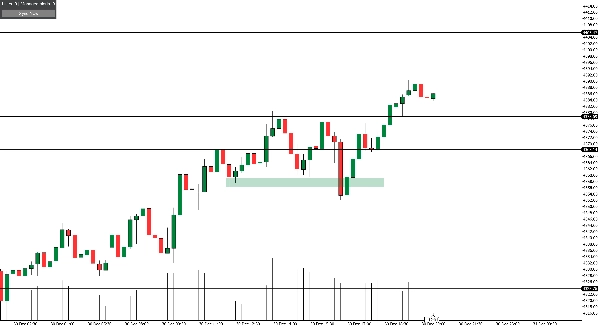
- Zone marking without re-drawing on other devices: draw a zone using two horizontal lines (upper/lower). The indicator creates alerts for both lines, so on mobile/tablet you can use the alert lines as your zone markers—no re-marking required.
- Breakout + invalidation planning: place a breakout trigger line and an invalidation line; move them as structure evolves and alerts stay accurate.
- Set-and-forget level watching: build a clean level map during analysis, then rely on alerts while away from the screen.
Important notes
- This is an alert management tool, not an auto-trader and not a signal generator.
- Notifications (pop-up/sound/email/push) depend on your cTrader alert settings and device configuration.
Summary
AI summary
Alert Positioner is a chart utility indicator designed for the cTrader platform that automates the creation and management of price alerts linked to horizontal levels. When a user draws a horizontal line on a chart, the indicator automatically generates a corresponding price alert at that level. Moving the line adjusts the alert price in real time, and deleting the line removes the associated alert, ensuring alerts remain synchronized with chart markings without manual updates.
Key features include chart-specific mapping, allowing multiple charts—even with the same symbol—to maintain independent line-to-alert sets, and an always-on status display showing active lines and alerts. The indicator intelligently selects Bid or Ask prices for alerts based on market position relative to the line, aligning alerts with realistic quote behavior without user configuration.
Common use cases involve monitoring support and resistance levels, marking zones with paired horizontal lines, planning breakout and invalidation triggers, and maintaining a set-and-forget level watch during analysis. Alert Positioner functions solely as an alert management tool and does not generate trading signals or execute trades. Notifications depend on the user’s cTrader alert settings and device configuration.
Key features include chart-specific mapping, allowing multiple charts—even with the same symbol—to maintain independent line-to-alert sets, and an always-on status display showing active lines and alerts. The indicator intelligently selects Bid or Ask prices for alerts based on market position relative to the line, aligning alerts with realistic quote behavior without user configuration.
Common use cases involve monitoring support and resistance levels, marking zones with paired horizontal lines, planning breakout and invalidation triggers, and maintaining a set-and-forget level watch during analysis. Alert Positioner functions solely as an alert management tool and does not generate trading signals or execute trades. Notifications depend on the user’s cTrader alert settings and device configuration.
Indicator profile
Customer reviews
4.7
Reviews: 4
5 | 75 % | |
4 | 25 % | |
3 | 0 % | |
2 | 0 % | |
1 | 0 % |
Customer reviews
January 14, 2026
The first test should keep DD under 3 percent, and bad ideas get easier to avoid.
January 2, 2026
Discussion
FAQ
Forex
Products available through cTrader Store, including trading bots, indicators and plugins, are provided by third-party developers and made available for informational and technical access purposes only. cTrader Store is not a broker and does not provide investment advice, personal recommendations or any guarantee of future performance.



!["[Stellar Strategies] VBO" logo](https://cdn.ctrader.com/image/webp/f034c012-94d4-445a-a01b-febd1cdedaef_36944)



Price
Since 25/03/2025
231.53M
Traded volume
2.29M
Pips won
21
Sales