

Description
THE IDEA
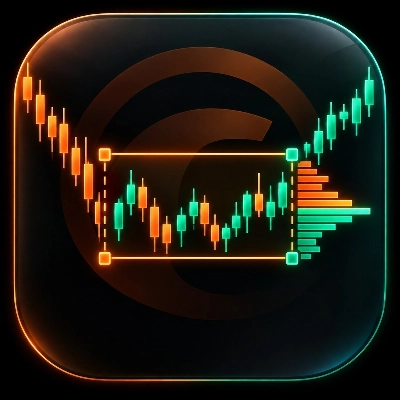
A Volume Profile that adapts to the exact price movement defined by the selected range instead of forcing the analysis into a predefined period.
THE PROBLEM
Most Volume Profile tools are built around predefined periods.
Sessions. Days. Weeks. Fixed lookbacks.
But the price movement you want to study rarely fits neatly into those boundaries.
A trend leg can begin halfway through a session.
A correction can span several periods.
A swing-to-swing movement can start and end anywhere on the chart.
The problem is not necessarily the Volume Profile itself.
The problem is letting the time period decide which price movement gets analyzed.
THE CORE CONCEPT: DEFINE THE RANGE. LET THE PROFILE ADAPT TO IT.
Custom Range Volume Profile reverses that relationship.
Instead of asking:
"Which period should the profile analyze?"
you define:
"Which price movement do I want to analyze?"
Two anchors define the range.
The indicator measures the highest high and lowest low between the two anchors, then builds the volume profile inside that price range.
This makes the price movement the primary reference rather than a predefined period.
You define the range. The profile adapts to it.
WHAT IT DOES
Place two anchors on the bars you want to study.
The indicator automatically builds a Volume Profile for that range using the selected source timeframe.
Move either anchor, and the profile recalculates immediately.
You can therefore define and redefine the movement directly from the chart without being constrained by session boundaries, fixed lookbacks, or other predefined periods.
Use it to study:
- An entire trend leg
- A correction or consolidation
- The move between two swing points
- A specific impulse and its retracement
- Any other price movement that matters to your analysis
The profile then shows where volume accumulated inside that specific movement.
AUTOMATIC SOURCE TIMEFRAME
The selected range and the timeframe used to calculate its profile do not have to be the same.
When Auto mode is enabled, the indicator searches through your configured timeframe list and selects the finest timeframe capable of covering the selected range while remaining within the 5,000-bar processing limit.
This allows a large historical range to be analyzed using a finer source timeframe than the chart you are viewing, when available.
For example:
H4 chart → multi-day selected range → finer source timeframe such as M1, M5, or M15
You can also disable Auto mode and use the chart timeframe directly.
THREE WAYS TO READ THE PROFILE
Choose how you want to examine the volume distribution:
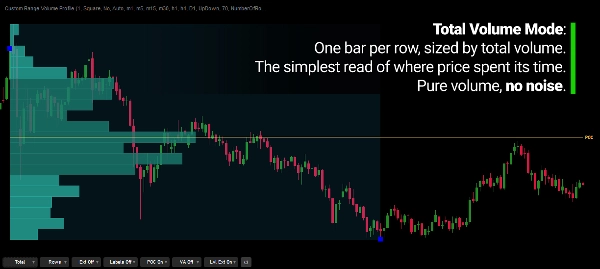
Total
Shows total volume at each price row, making it easy to see where activity was concentrated.
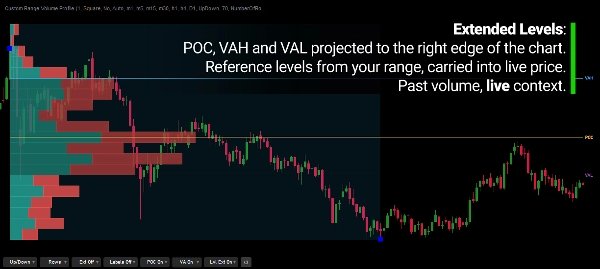
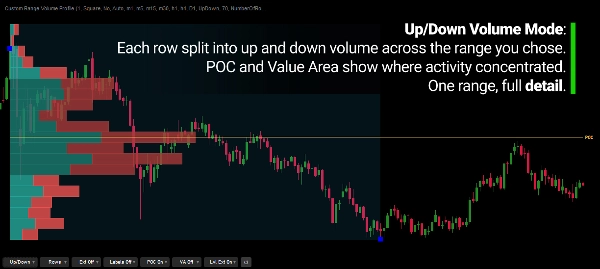
Up / Down
Splits volume according to whether the source bar closed above or below its open.
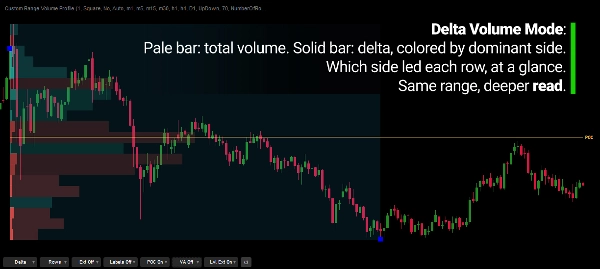
Delta
Displays total volume together with the difference between up and down volume.
The display mode can be changed directly from the on-chart controls without reopening the indicator settings.
KEY LEVELS
The profile can display:
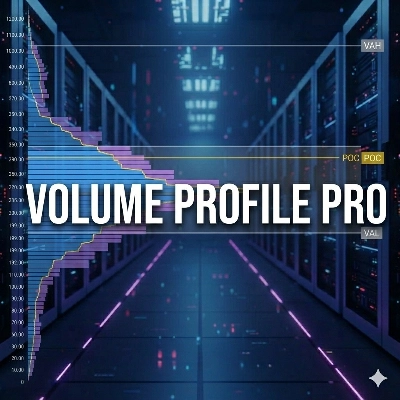
- Point of Control (POC) — the price row with the highest volume
- Value Area High (VAH)
- Value Area Low (VAL)
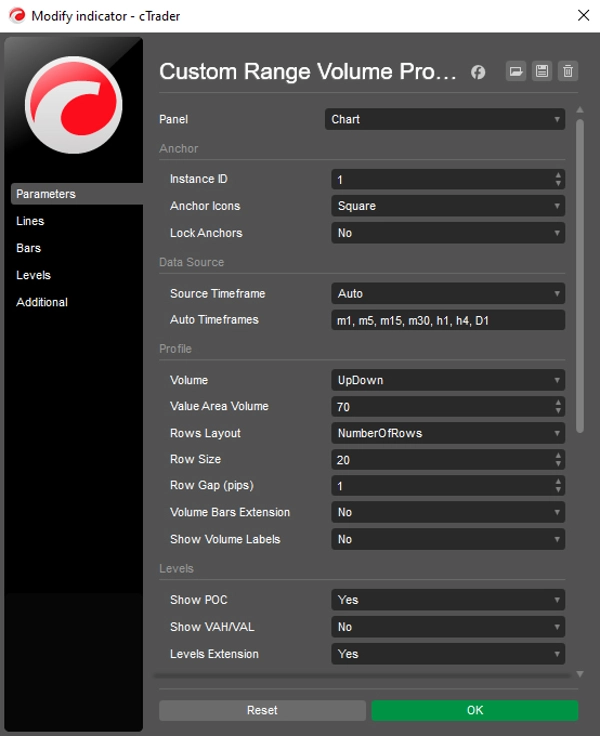
- Configurable Value Area percentage, default 70%
- Optional level extensions
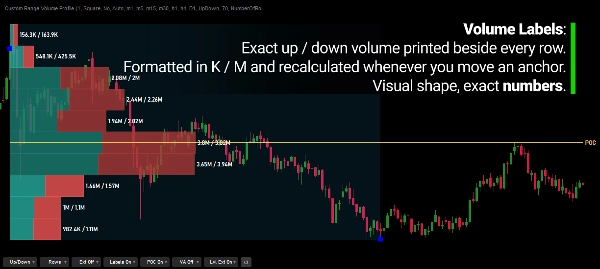
- Volume labels
These levels provide additional references for understanding where activity concentrated within the selected movement.
THE RANGE REMAINS UNDER YOUR CONTROL
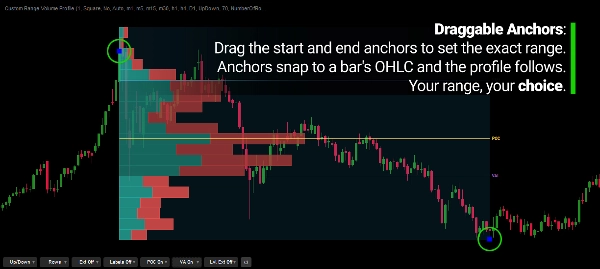
The anchors can be moved directly on the chart, locked to prevent accidental movement, and can snap to the bar's:
- Open
- High
- Low
- Close
This gives you precise control over what is included in the profile.
Change the starting point.
Change the ending point.
Change the movement you are studying.
The profile follows the range.
MULTIPLE PROFILES. MULTIPLE REFERENCES.
Multiple independent profiles can be displayed on the same chart.
Each profile can have its own range and settings, allowing different price movements to be analyzed simultaneously.
For example, one profile can represent an impulse while another covers its correction.
The ranges remain independent.
FLEXIBLE PROFILE RESOLUTION
Choose how the profile divides price:
Target Rows
Define the approximate number of price rows, with the tick size per row automatically selected to get as close as possible to that target.
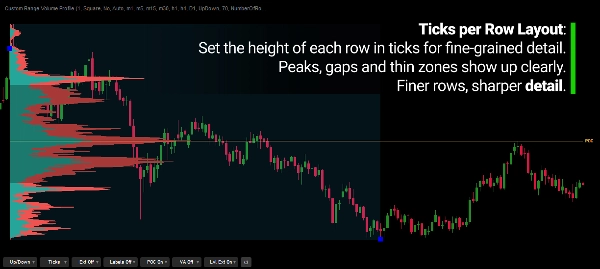
Ticks Per Row
Define the price resolution directly through the number of ticks assigned to each row.
This allows the profile to be viewed at different levels of granularity depending on the movement being studied.
ON-CHART CONTROLS
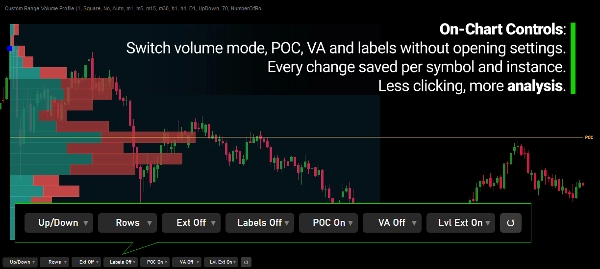
Frequently used settings can be adjusted directly from the chart.
Change:
- Volume mode
- Row layout
- Extensions
- Labels
- POC visibility
- Value Area visibility
without repeatedly reopening the indicator settings. The control bar can be positioned in any corner or hidden, and changes are saved per symbol and per instance.
CUSTOMIZABLE DISPLAY
The visual presentation can be adjusted to fit your workflow.
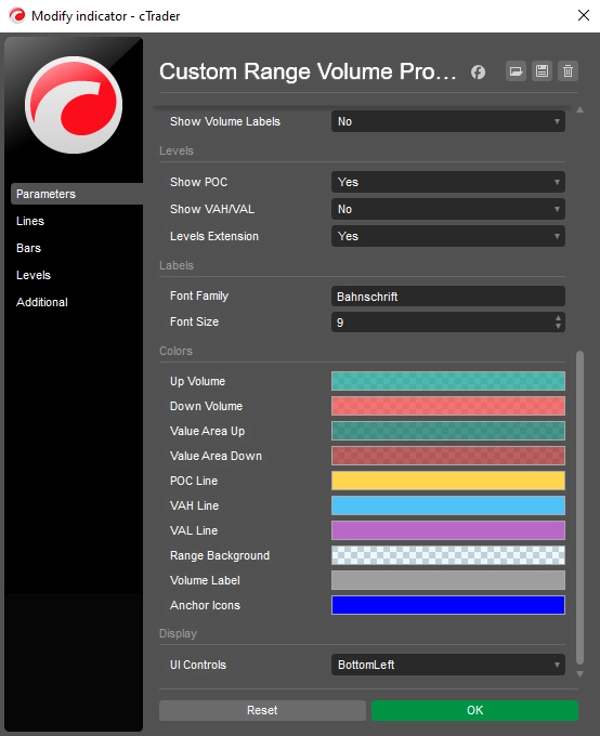
Customize elements such as:
- Colors
- Fonts
- Labels
- Extensions
- Other display parameters
The underlying calculation remains independent of the visual presentation.
READING THE PROFILE
A Volume Profile describes where activity accumulated across price during the selected range.
Heavy-volume areas indicate prices where more activity occurred, while thin areas indicate prices with less accumulated volume.
The shape of the profile can provide useful context:
- Concentrated volume → activity accumulated around that price area
- Thin areas between heavier nodes → relatively less accumulated activity across those prices
- POC near one edge of the range → activity was concentrated toward one side of the selected movement
These are observations about what has already happened.
They are not predictions of what price must do next.
DATA & CALCULATION
This indicator uses tick volume provided by your broker's data feed.
Volume from each source bar is distributed across the price range of that bar.
Up/Down and Delta classify source bars according to their open and close.
Therefore, Delta represents directional bar volume, not actual exchange bid/ask order flow.
The result is a consistent, reproducible approximation of volume distribution for the range you choose.
BUILT FOR PRICE-RANGE ANALYSIS
Custom Range Volume Profile is designed for studying volume distribution inside a defined price movement, rather than automatically profiling an arbitrary time period.
Use it to examine:
- Volume distribution within trends
- Impulses and corrections
- Swing-to-swing movements
- High- and low-volume areas
- POC and Value Area
- Price acceptance and thinner areas of activity
- Different volume distributions across different price movements
- Multiple independent ranges on the same chart
The indicator does not decide which movement matters.
You define the range. It builds the profile.
KEY FEATURES
- Two draggable range anchors with optional locking
- Anchor snapping to Open, High, Low, or Close
- Custom price-range profiling
- Automatic source timeframe selection from a configurable timeframe list
- Manual source timeframe option
- Total / Up-Down / Delta modes
- Point of Control
- Value Area High / Low
- Configurable Value Area percentage
- Target Rows or Ticks Per Row
- Multiple independent profiles
- On-chart controls
- Optional volume labels and POC / Value Area extensions
- Customizable visual display
- Tick-volume based calculation
---
Trading involves risk. This indicator is a technical analysis tool and should be used together with appropriate risk management.
Summary
Key features include three volume modes—Total, Up/Down, and Delta—that show different perspectives of volume activity. The indicator identifies the Point of Control (POC), the price level with the highest volume, and the Value Area, which covers a configurable percentage of total volume, with optional display of Value Area High (VAH) and Value Area Low (VAL) levels. Users can customize row layout, volume bar extensions, labels, colors, and on-chart controls for mode switching and display options.
Designed for swing, intraday, structure-based, and discretionary traders, this tool provides a contextual framework to understand where volume concentrated during specific moves, aiding in identifying key support and resistance levels based on volume distribution. Multiple independent profiles can be used simultaneously on the same chart.
Customer reviews
5 | 100 % | |
4 | 0 % | |
3 | 0 % | |
2 | 0 % | |
1 | 0 % |
Discussion
FAQ



!["Gaussian Channel [Iridio Capital]" logo](https://cdn.ctrader.com/image/webp/2c4f9ca9-4e9b-476d-b5a6-787c8095032b_61546)


Price