

Description
Axiom Matrix
One dashboard for comparing markets and choosing which chart to study next.
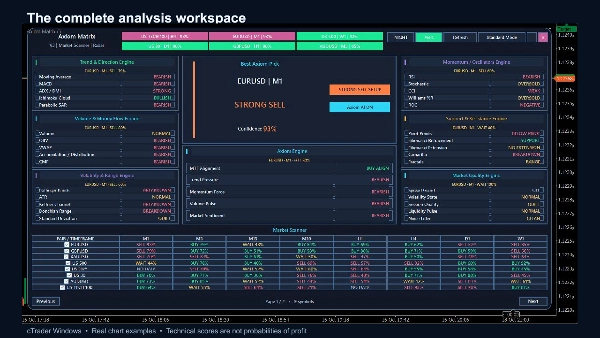
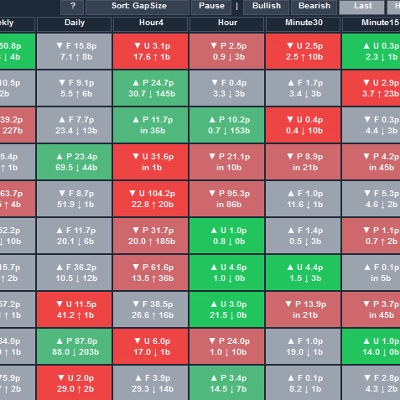
Axiom Matrix is a cTrader indicator that organises technical analysis across your watchlist. Its matrix brings symbols, timeframes and evidence together, so you can compare conditions without repeatedly opening each chart.
Seven connected analysis engines
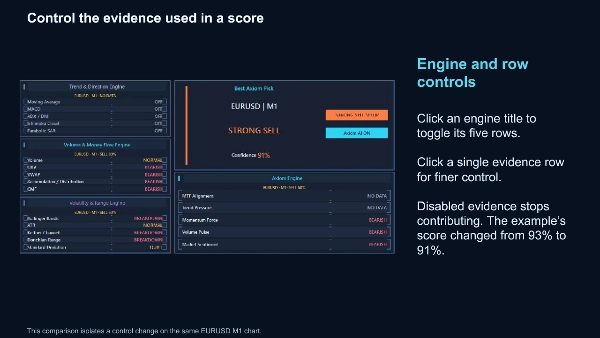
Trend & Direction, Volume, Volatility, Momentum, Support & Resistance, Market Quality and Axiom combine 35 evidence rows into a structured view. Inspect the reasoning on the current chart and enable or disable individual evidence rows or entire engines.
A practical market shortlist
Scan up to 27 broker-supported symbols across M1, M5, M15, M30, H1, H4, D1 and W1. Use a cTrader watchlist or enter exact broker symbol names. Include or exclude individual symbols and periods. Best Axiom Pick highlights the retained leading setup, while six ranked shortcuts make it easier to explore other candidates. Click a valid matrix cell or ranked pick to navigate to its chart.
Read the evidence, not just a signal
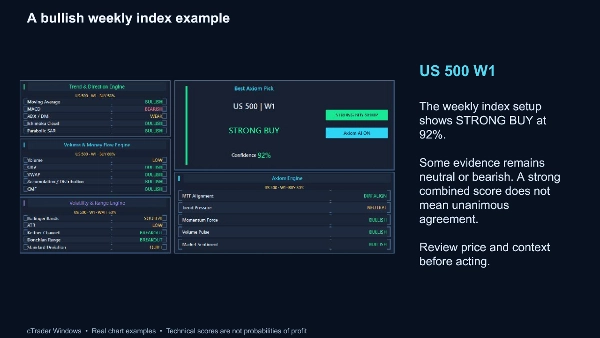
BUY, SELL and WAIT states summarise agreement between enabled technical rules. Confidence is a rule-based agreement score, not a probability of profit or a measured win rate. Axiom AI is the control for this technical analysis system; it does not use a remote prediction service. Volume calculations use the broker's tick-volume data.
An adaptable workspace
Choose Full or Standard view, light or dark styling, a chart-filling or movable panel, and configurable keyboard shortcuts. Panel preferences and evidence choices are retained. Optional current-chart arrows mark qualifying closed-bar decisions; they do not reconstruct a historical trade record.
Optional notifications
Configure desktop popups or email notifications for qualifying changes among the first three ranked setups. Email delivery requires working cTrader email settings and valid sender and recipient details. Initial historical setups are suppressed to avoid an alert burst when the indicator starts.
Getting started
Install the indicator in cTrader Windows, attach it to a chart, select your watchlist and allow history to load. Review a shortlisted chart and its evidence before making an independent trading decision. Missing, stale or insufficient data is shown explicitly. Available history and results depend on your broker and enabled settings.
Axiom Matrix supports manual analysis. It does not open, manage or close trades. Trading involves risk; technical signals can fail. Test your configuration on a demo account first.
Summary
Discussion
Customer reviews
FAQ
More from this author














Price
