

Description
THE IDEA
Four Fibonacci tools and three geometric tools that share the same automatically detected swing structure instead of relying on separate manual references.
THE PROBLEM
Geometric analysis becomes tedious when every tool requires its own swing selection.
Find the swing.
Draw the retracement.
Find the same swing again.
Draw the fan.
Find three swings for the pitchfork.
Adjust the channel.
Then redraw everything when price creates a new swing.
But there is another problem beyond the manual work.
When each tool is built independently, they can end up using slightly different swing references.
The retracement may describe one movement.
The fan may describe another.
The pitchfork may use a different three-point sequence.
The resulting projections may look useful individually while actually describing different parts of the market.
The problem is not only redrawing the geometry. It is keeping the geometry connected to the same underlying structure.
THE CORE CONCEPT: THE SWINGS ARE AUTOMATIC. THE GEOMETRY STAYS CONSISTENT.
Auto-Draw Fibonacci Suite detects the underlying swing structure once.
The enabled geometric tools then use that same structure automatically.
This creates a common reference system across different geometric measurements.
One swing map. Multiple geometric views.
The geometry can change as the swing structure develops, while the underlying reference remains consistent.
The goal is not to create seven independent signals.
It is to let different geometric tools describe the same market structure.
WHAT IT DOES
The indicator automates the construction and maintenance of seven geometric tools:
- Fibonacci Retracement
- Fibonacci Expansion
- Fibonacci Fan
- Fibonacci Time Zones
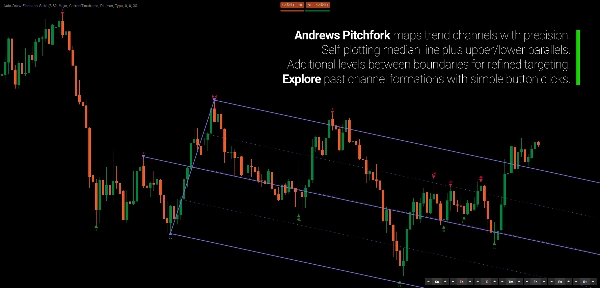
- Andrews Pitchfork
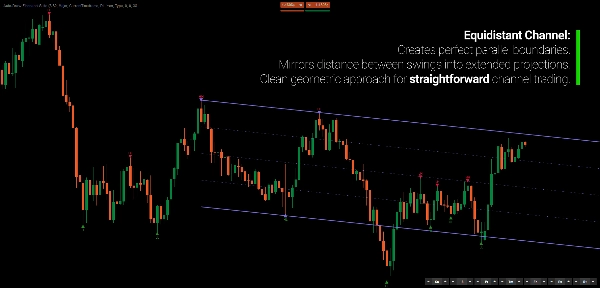
- Equidistant Channel
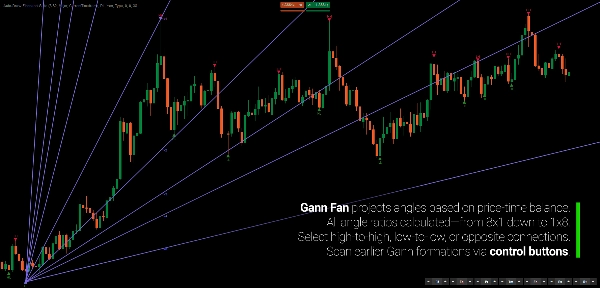
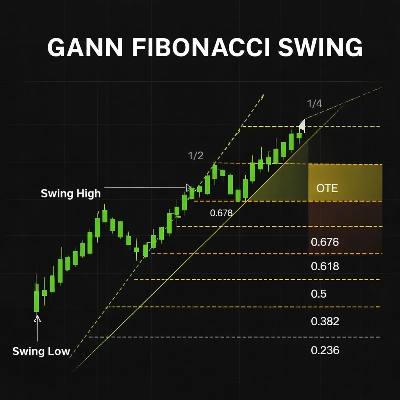
- Gann Fan
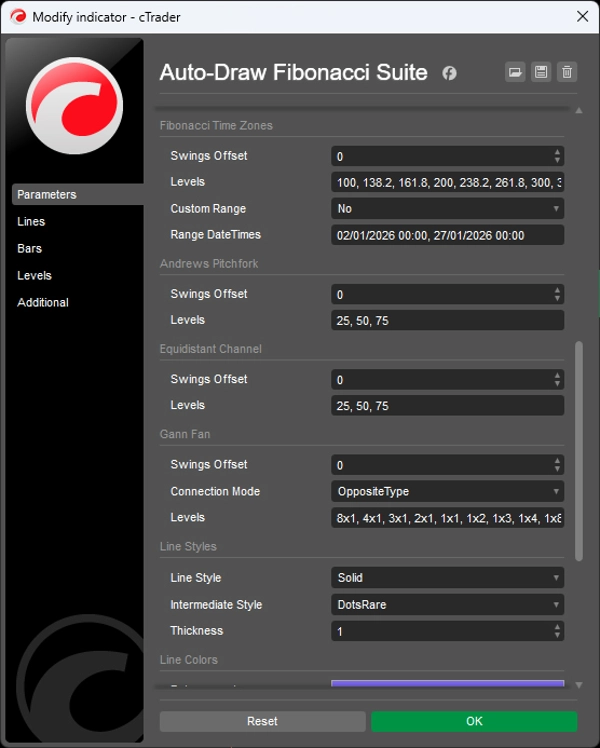
Instead of manually selecting and updating the reference points for each tool, the suite derives them from its common swing detection.
When a new swing develops, the relevant projections update automatically.
The geometry follows the structure.
HOW IT WORKS
The process is deliberately simple.
1. Detect the swings.
The indicator identifies swing points using its regression-based detection engine.
2. Build the swing structure.
Swings are classified and organized into a coherent sequence.
3. Project the geometry.
Each enabled tool uses the appropriate swing references automatically.
4. Let price develop.
When a new swing forms, the active projections update.
You don't redraw seven tools.
The geometry follows the structure.
SEVEN TOOLS. ONE REFERENCE SYSTEM.
The suite includes four Fibonacci-based tools:
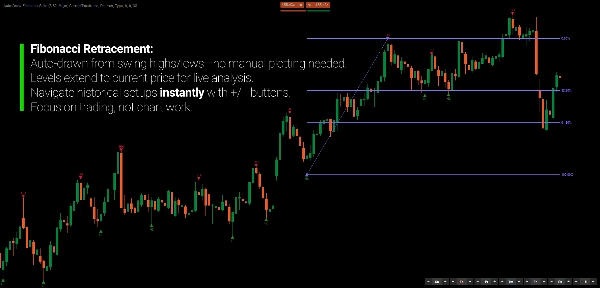
Fibonacci Retracement
Horizontal proportional levels between structural swings, including 0%, 38.2%, 61.8%, and 100%.
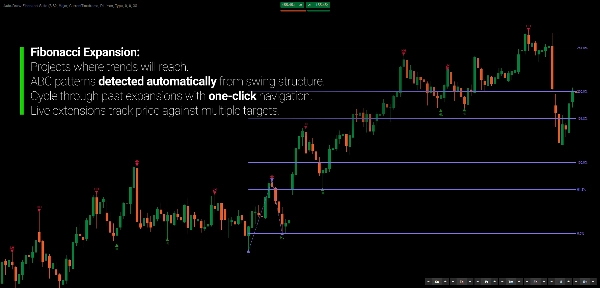
Fibonacci Expansion
Projects Fibonacci relationships beyond the third swing.
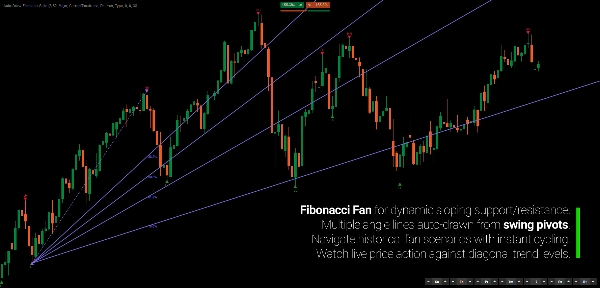
Fibonacci Fan
Projects diagonal Fibonacci relationships from structural pivots.
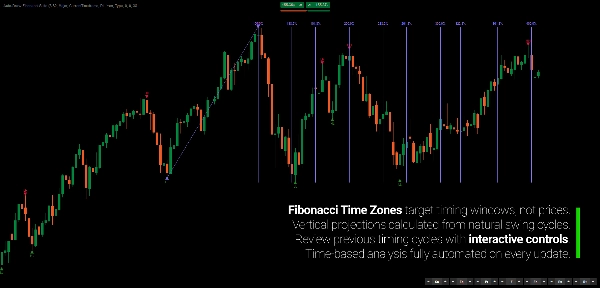
Fibonacci Time Zones
Projects Fibonacci-based intervals along the time axis.
And three complementary geometric tools:
Andrews Pitchfork
A three-point median framework with parallel channels.
Equidistant Channel
Parallel price boundaries with intermediate levels.
Gann Fan
Price-to-time angle projections across multiple geometric ratios, including 8x1, 4x1, 2x1, 1x1, 1x2, and others.
Each tool can be enabled independently.
THE SWING IS DETECTED ONCE
This is the foundation of the suite.
With conventional manual analysis, each geometric tool can end up using slightly different pivots.
Auto-Draw Fibonacci Suite keeps them connected to the same underlying swing detection.
That gives the different projections a common reference.
The geometry stays coherent because the source structure stays coherent.
CHOOSE HOW MUCH STRUCTURE YOU WANT
Not every chart requires the same level of detail.
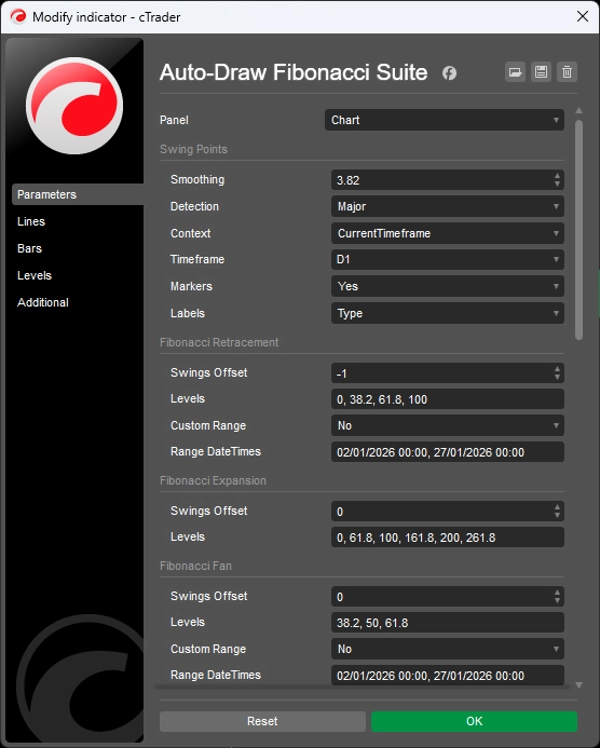
Choose between three swing sensitivities:
Major
Fewer, broader swings for a higher-level view.
Standard
A balanced view of the developing swing structure.
Minor
More detailed swings for examining internal movement.
Swings can also be classified as:
- HH
- HL
- LH
- LL
Additional swing information includes depth, volume, and duration. Visual markers distinguish confirmed swings, unconfirmed swings, and inner swings.
The goal is not to force one definition of structure onto every market.
Choose the level of detail that matches the movement you are studying.
MOVE BACK THROUGH THE STRUCTURE
The geometry does not have to remain locked to the latest swing.
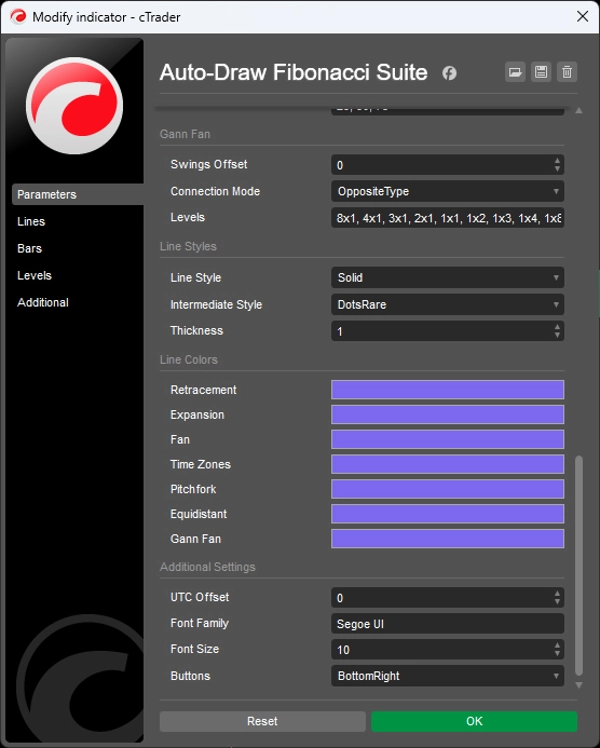
Each tool has its own offset control:
0 → current swing structure
-1 → previous structure
-2 → two structures back
This lets you explore how the geometric relationships looked at earlier points in the market without manually rebuilding the tools.
You can also change the reference of one projection without changing the others.
The structure is automated. The reference remains under your control.
HIGHER-TIMEFRAME GEOMETRY ON A LOWER-TIMEFRAME CHART
Swing detection can come from a higher timeframe while the geometric projections remain visible on your current chart.
For example:
Daily swings → H1 chart
This allows higher-timeframe geometric context to remain visible while you analyze or execute on a lower timeframe.
No repeated timeframe switching.
No manually reproducing the higher-timeframe swings.
GEOMETRY IS A MEASUREMENT LANGUAGE
Fibonacci ratios, pitchforks, channels, fans, and time projections do not need to be treated as predictions.
They provide different ways of describing relationships between price, time, and prior movement.
A retracement describes proportional price movement.
A fan describes diagonal relationships.
A time zone describes temporal spacing.
A channel describes parallel movement.
A pitchfork describes median relationships.
When several projections converge, you can examine that convergence as a geometric relationship across different measurement dimensions.
The geometry describes the market. It does not cause the market.
BUILT FOR ANALYSIS, NOT SIGNAL CHASING
Auto-Draw Fibonacci Suite is not a buy/sell signal system.
It is an automation tool for traders who already use Fibonacci and geometric analysis but don't want to spend their time maintaining drawings.
Use it to study:
- Retracements
- Expansions
- Swing projections
- Geometric confluence
- Price channels
- Price-to-time relationships
- Higher-timeframe structure
- The evolution of geometric relationships as price develops
The indicator does not decide what a particular projection means to you.
It keeps the geometry synchronized with the structure you are studying.
KEY FEATURES
- Automatic swing detection
- Unified swing references across all geometric tools
- Four Fibonacci tools
- Andrews Pitchfork
- Equidistant Channel
- Gann Fan
- Real-time geometric updates
- Major / Standard / Minor swing sensitivity
- HH / HL / LH / LL classification
- Swing depth, volume, and duration metrics
- Smart swing grouping to eliminate redundant intermediate swings
- Independent offset control for each tool
- Multi-timeframe swing detection
- Optional individual tools
- Customizable Fibonacci levels and visual styles
- Highlighted source swings
---
Trading involves risk. This indicator is a technical analysis tool and should be used together with appropriate risk management.
Summary
The indicator employs a regression-based method for swing detection, offering three sensitivity modes (Major, Standard, Minor) to tailor swing granularity. Swings are classified (higher highs, lower lows, etc.) and visually marked for clarity. Users can interactively adjust which historical swings each tool references via offset controls, enabling analysis of past structural relationships independently per tool.
Multi-timeframe support allows applying swing detection from a higher timeframe while viewing a lower timeframe chart, facilitating comprehensive structural analysis without switching views. The suite is customizable in terms of levels, colors, and styles.
Designed for traders familiar with Fibonacci and geometric analysis, it streamlines workflow by automating complex, multi-tool geometric projections, supporting swing and position traders, multi-timeframe analysts, and discretionary traders seeking coherent, real-time updated geometric market structure visualization.
Customer reviews
Discussion
FAQ






!["[Hamster-Coder] Pivot Points MTF" logo](https://cdn.ctrader.com/image/webp/4c143e5a-309c-40e3-a578-f04d1e133ffa_31159)








Price
