PnL Studio
Desktop plugin
7 purchases
Version 1.0, Nov 2025
Windows, Mac
"PnL Studio" uploaded image"PnL Studio" uploaded image"PnL Studio" uploaded image"PnL Studio" uploaded image"PnL Studio" uploaded image
182.36M
Traded volume
368.54K
Pips won
65
Sales
197
Free installs

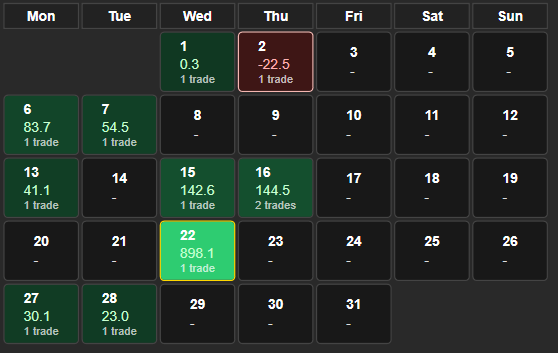
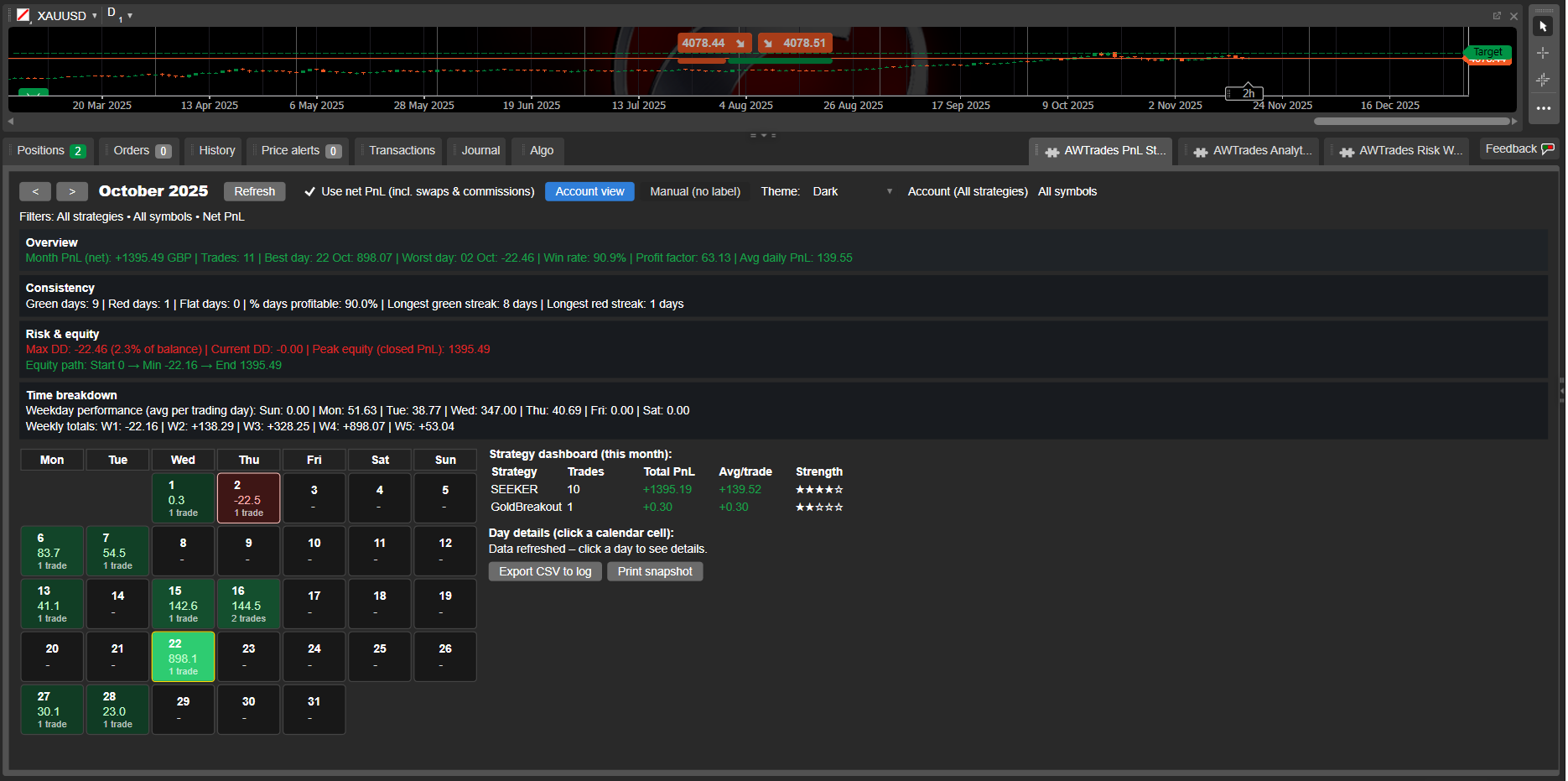
PnL Studio is a powerful performance-tracking plugin that turns your cTrader history into a clean, colour-coded PnL calendar – with strategy analytics, risk stats and equity insights, all inside the TradeWatch panel.

Instead of digging through raw history, you get an instant visual of how your month is going: green and red calendar tiles for each day, strategy breakdowns, weekly totals, and max drawdown / equity path – all filterable by symbol, label (strategy) and net vs gross PnL.

Use it to monitor a single bot, a cluster of strategies, or your entire account at a glance.

Key Features

PnL Calendar in TradeWatch
See your monthly performance as a calendar grid – each day shows PnL and trade count, with best and worst days highlighted for quick review.

Strategy Dashboard (per month)
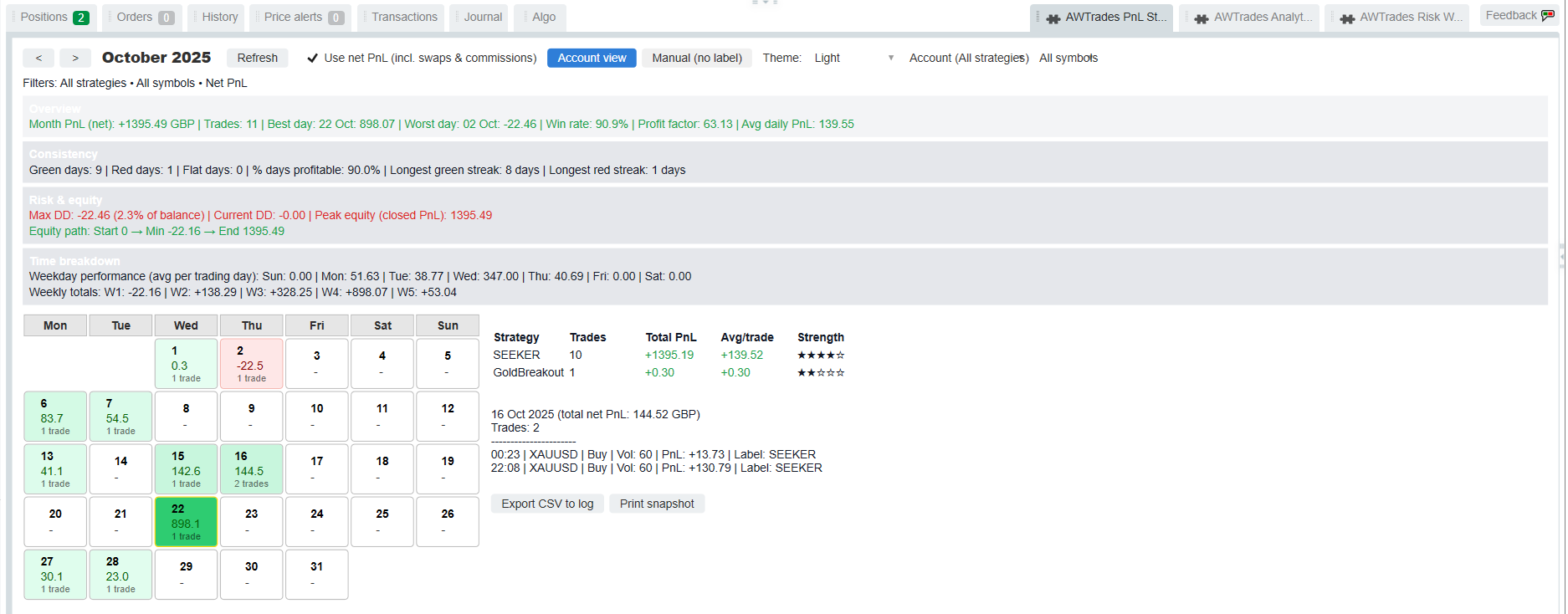
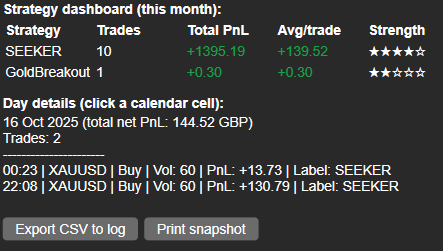
Automatic breakdown by label (strategy): total PnL, number of trades, average PnL per trade and a 1–5 ★ “strength” rating so you can instantly see which bots are carrying the account.

Built-in Equity & Drawdown Stats
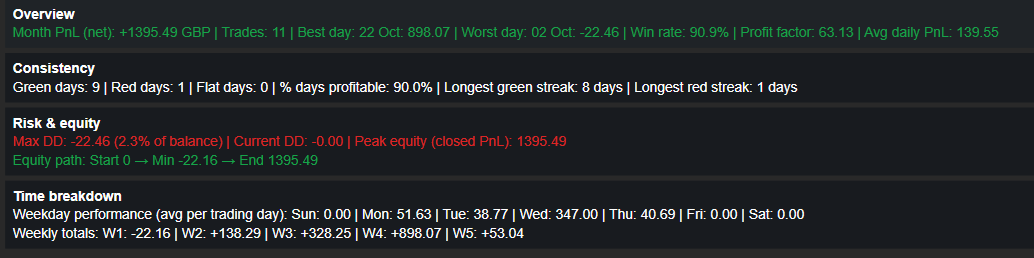
Closed-PnL equity path summary (start → peak → min → end) plus max drawdown, current drawdown and DD as % of balance – perfect for risk monitoring and investor reporting.

Weekday & Weekly Insights
Average PnL by weekday and weekly totals, so you can see which days and weeks are driving or dragging performance.

Fast Filters & Presets
Filter by:

  • Account (all strategies)
  • Manual only (no label)
  • Any specific label / strategy
  • Any symbol or all symbols
    Switch between gross and net (incl. swaps & commissions) with one checkbox.

Light & Dark-Mode Friendly
Optimised for both dark and light cTrader themes: colours, borders and text contrast are tuned so the calendar stays readable in any scheme.

Trade-Level Drilldown
Click any calendar day to see every trade for that day: time, symbol, direction, volume, PnL and label – ideal for quick review or journaling.

Export & Snapshot Tools
Export the current view to CSV in the log, or print a concise performance snapshot line you can paste into reports, chat, or your trading journal.


How to Use

  1. Add AWTrades PnL Studio as a plugin in cTrader.
  2. Open the TradeWatch panel and select the “PnL Studio” tab.
  3. Use the month arrows and Account view / Manual (no label) presets to switch perspectives.
  4. Filter by symbol or strategy label to analyse individual bots or portfolios.
  5. Click calendar days for trade lists; use Export CSV or Print snapshot for journaling or investor updates.

PnL Studio is built by AWTrades, a systematic trader focused on clear, practical tools that help you understand what your strategies are really doing – day by day, week by week, month by month.


0.0
Reviews: 0
Customer reviews
No reviews for this product yet. Already tried it? Be the first to tell others!
NAS100
NZDUSD
Martingale
Forex
Fibonacci
EURUSD
MACD
BTCUSD
SMC
Indices
ATR
Stocks
Grid
RSI
Breakout
XAUUSD
FVG
Commodities
Signal
Bollinger
GBPUSD
AI
VWAP
ZigZag
Prop
Supertrend
Crypto
USDJPY
Scalping

More from this author

Desktop plugin
NAS100
NZDUSD
Martingale
+26
Risk Watch
See your live exposure, risk and open-position health - all in one real-time dashboard.
cBot
XAUUSD
ATR
Commodities
+7
SUPERTREND PRO
Dominate the markets with Supertrend Pro – Backtested with +1002% ROI!
cBot
NAS100
NZDUSD
XAUUSD
+13
SEEKER v2.0
Multi‑Timeframe Breakout cBot. Scalp or swing‑trade any FX pair. Backtested with +990% ROI! Live signal - real results.
Desktop plugin
NAS100
NZDUSD
Martingale
+26
Trade Analytics
Trade Analytics delivers advanced trading insights and heatmaps directly inside TradeWatch.

You may also like

Desktop plugin
Commodities
Forex
Close open trades before friday close
Close all non crypto trades at 19:55 utc Friday
Desktop plugin
Indices
Commodities
Forex
Deriv Trading Calculator
Deriv Calculator Plugin for cTrader
Desktop plugin
NAS100
Indices
XAUUSD
+4
AlgoCorner Flash OCO OSO
Place professional OCO & OSO orders in cTrader — visually, instantly, and without execution mistakes.
cTrader Web
This is a sample plugin that allows directly accessing cTrader web inside cTrader desktop.
Desktop plugin
Indices
Prop
Commodities
+3
Performance Calendar
Visual monthly trading journal that displays your performance day-by-day in a calendar view.
Desktop plugin
NAS100
NZDUSD
Martingale
+26
Risk Watch
See your live exposure, risk and open-position health - all in one real-time dashboard.
Desktop plugin
Indices
XAUUSD
Prop
+8
wt.Custom Timeframe
Build custom second and tick charts using adjustable bar sampling intervals.
Desktop plugin
NAS100
NZDUSD
Martingale
+26
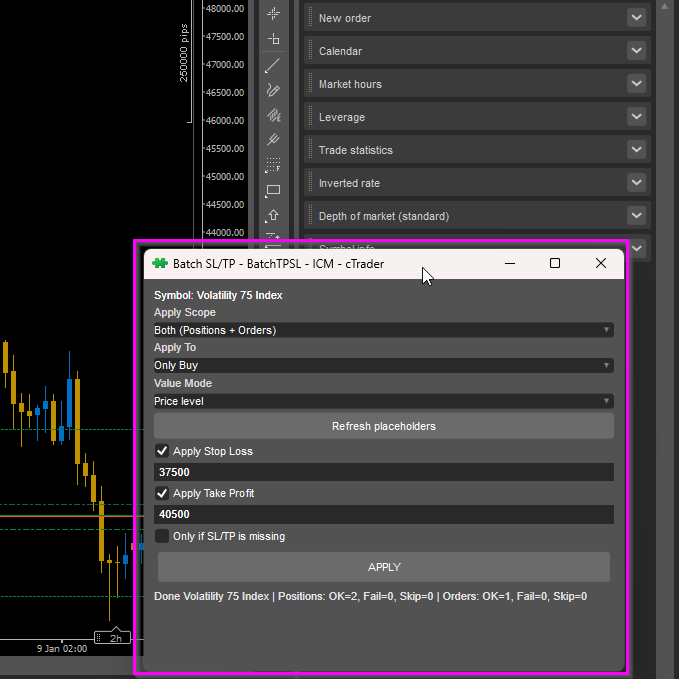
BatchTPSL
Apply Stop Loss and Take Profit to all positions and pending orders in one click.
VegaXLR cTrader Toolbox
Centralized access to VegaXLR's cBots, indicators, and educational content in cTrader.
Desktop plugin
Indices
Commodities
Stocks
wt.Custom Session
Build custom charts based on specific trading sessions.
Desktop plugin
Breakout
Signal
RiskRewardCalculator
The Risk-Reward plugin is a tool to visualize a trading idea based on other analysis tools,
182.36M
Traded volume
368.54K
Pips won
65
Sales
197
Free installs