


Description
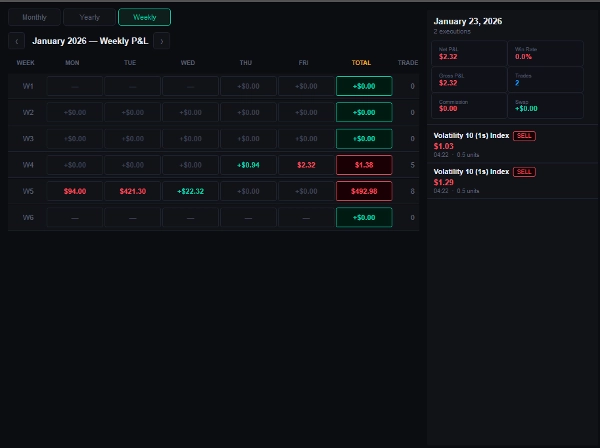
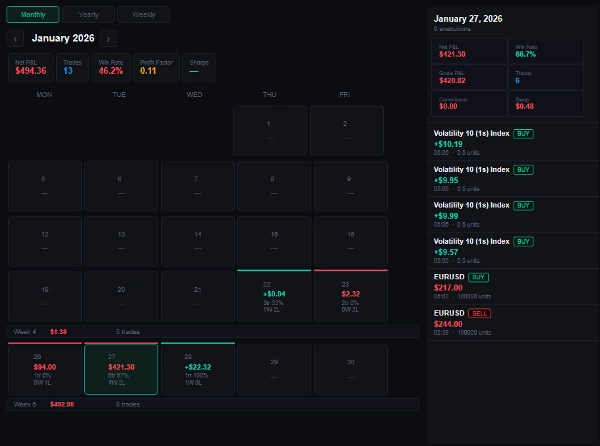
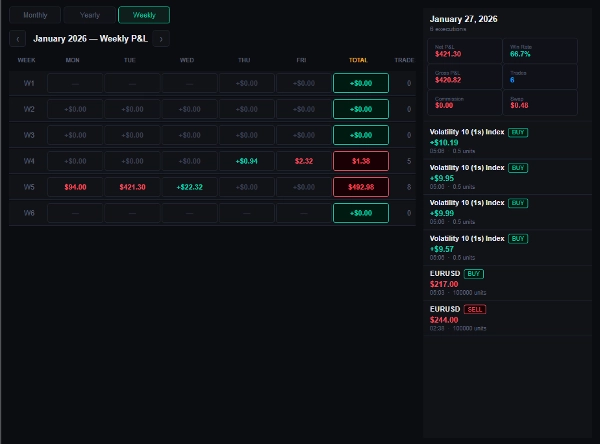
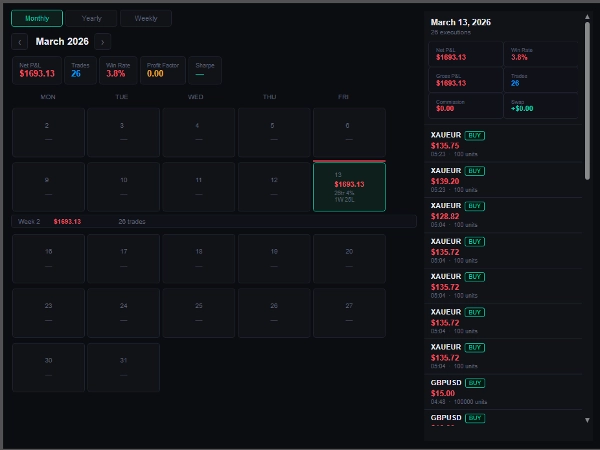
Trade Day Ledger is a TradeWatch panel plugin that turns your cTrader trade history into a structured performance journal, giving you a clear picture of your P&L across any day, week, or month without leaving the platform.
What it adds to your workflow: Most traders review performance in spreadsheets or external tools after the fact. Trade Day Ledger brings that review process directly into cTrader, updating automatically as trades close so your journal is always current.
How it integrates., The plugin appears as a tab inside your TradeWatch panel. It reads directly from your account's trade history — no setup, no imports, no internet connection required. Open it and your data is already there.
Key settings and parameters
- Include Commission — toggle commission into your net P&L calculation
- Include Swap — toggle swap into your net P&L calculation
- Symbol Filter — enter a specific symbol (e.g., EURUSD), a wildcard pattern (e.g., *USD), or leave as ALL to view everything
Typical use cases
- Reviewing which days and sessions your strategy performs best
- Identifying losing streaks by week or month before they compound
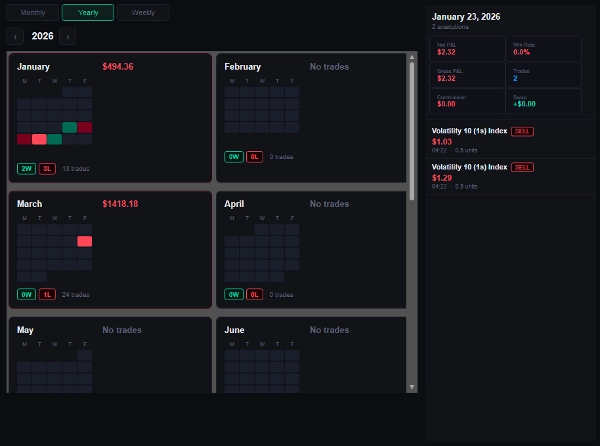
- Comparing monthly performance across a full year in the Yearly heat-map
- Drilling into a specific day to audit individual executions
Who this is best suited for: Any cTrader user who runs a consistent strategy and wants to track performance without leaving the platform. Works equally well for manual traders, algo traders, and prop firm participants who need a clean daily P&L record.
Limitations and usage notes
- Displays closed trade history only — open positions are not included
- Performance metrics (Profit Factor, Sharpe Ratio) are calculated from the filtered data set currently in view
- Works on demo and live accounts across all brokers that support cTrader
Summary
Key features include toggles to include commission and swap in net P&L calculations, and a symbol filter allowing you to view specific instruments or all trades. It supports demo and live accounts across all brokers compatible with cTrader.
Typical use cases involve reviewing strategy performance by day or session, identifying losing streaks by week or month, comparing monthly results in a yearly heat-map, and auditing individual trade executions. The plugin suits manual traders, algorithmic traders, and prop firm participants who need a clean daily P&L record integrated into cTrader.
Performance metrics such as Profit Factor and Sharpe Ratio are calculated based on the filtered data currently displayed. Open positions are not included in the analysis.
Discussion
Customer reviews
FAQ
More from this author










Price