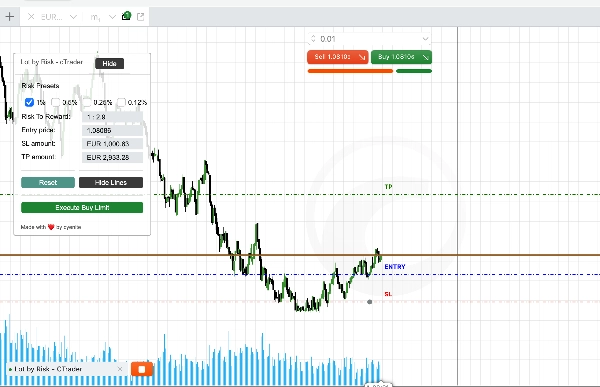
Description
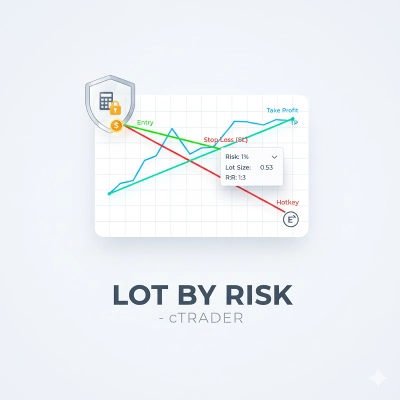
The Lot by Risk - cTrader cBot is designed to assist traders in managing risk effectively while trading. This cBot provides a range of features to set risk parameters, draw trading lines on charts, and interact with these lines for placing trades. It is user-friendly and enhances the trading experience by providing a visual and interactive interface for risk management.
Features
1. Risk Management:
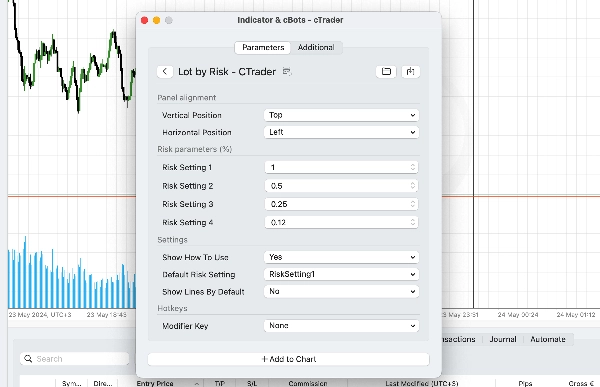
• Set different risk percentages (e.g., 1%, 0.5%, 0.25%, 0.12%) and choose the default risk setting.
• Visualize risk-to-reward ratio based on entry, stop loss, and take profit lines.
• Automatically calculate lot sizes based on the chosen risk percentage.
2. Interactive Trading Lines:
• Draw Entry, Stop Loss (SL), and Take Profit (TP) lines directly on the chart.
• Move lines interactively to update trade parameters.
• Hotkeys for quick drawing of lines.
3. Trading Panel:
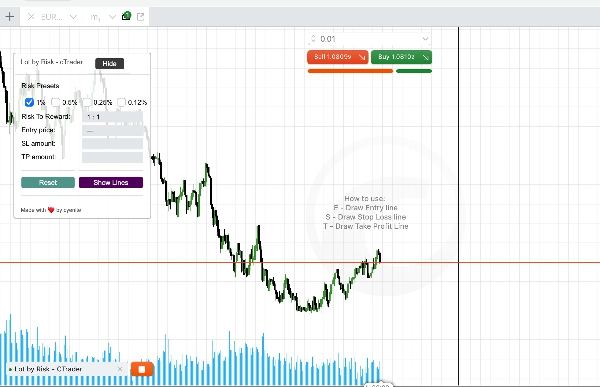
• A trading panel that displays current trade settings and risk/profit amounts.
• Options to show/hide and reset lines for better chart management.
• Minimize and maximize the panel for focused trading.
How to Use
1. Setting Parameters
• Step 1: Open the Lot by Risk - cTrader cBot settings.
• Step 2: Adjust the risk percentages as per your trading strategy.
• Step 3: Select the default risk setting.
• Step 4: Choose your desired hotkeys for drawing Entry, SL, and TP lines on your chart.
• Step 3: Add the cBot to your chart.
2. Drawing Trading Lines
Hotkeys:
• Press the configured hotkeys to draw Entry, SL, and TP lines.
• Default keys: E for Entry, S for SL, T for TP.
• Modifier key can be set for combination key presses.
Interactive Lines:
• Adjust the lines on the chart to set desired entry, stop loss, and take profit levels.
• The cBot will automatically calculate the lot size based on the risk percentage and update the panel.
Summary
Key features include interactive trading lines for Entry, Stop Loss (SL), and Take Profit (TP) that can be drawn and adjusted on the chart using configurable hotkeys (default: E for Entry, S for SL, T for TP). The cBot automatically calculates appropriate lot sizes according to the selected risk percentage and updates a trading panel that shows current trade settings along with risk and profit amounts.
The trading panel offers options to show, hide, reset lines, and can be minimized or maximized for better chart management. This tool supports multiple markets including Forex, Indices, Commodities, Crypto, and Stocks, providing a visual and interactive interface to enhance risk management during trading.
Discussion
Customer reviews
5 | 67 % | |
4 | 0 % | |
3 | 33 % | |
2 | 0 % | |
1 | 0 % |