
Description
Challenge Dashboard – Your Prop Firm Companion
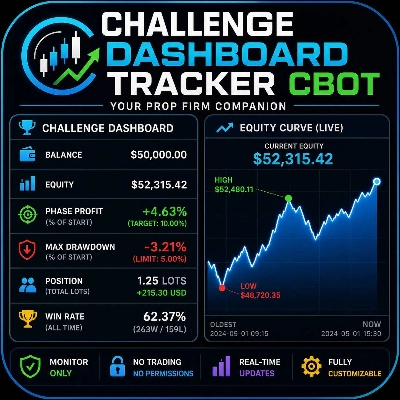
Stay on top of your challenge evaluation without ever leaving the chart. The Challenge Dashboard is a non‑intrusive, real‑time monitoring panel that lives directly on your cTrader chart, giving you instant access to every metric that matters for passing prop firm evaluation phases – profit target, maximum drawdown, win rate, and current position exposure.
Key Features
- Real‑Time Challenge Metrics
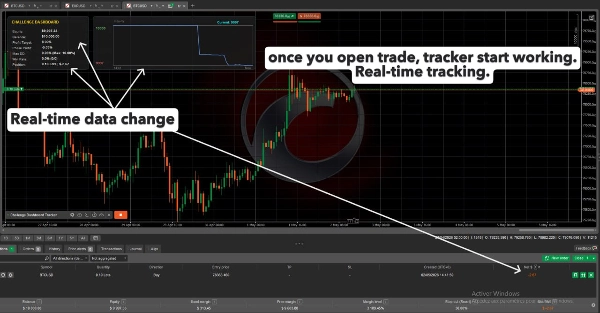
See your current equity, balance, phase profit (as % of your starting balance), and maximum drawdown at a single glance. The configurable profit target and maximum drawdown limits let the dashboard adapt to any prop firm’s rules instantly.
- Intelligent Breach Alerts
The Max DD value automatically turns red the moment your drawdown exceeds your set limit. Phase Profit turns green when your profit target is reached. No more manual checks – the dashboard tells you when you’re safe and when you’re in danger.
- Integrated Trade Awareness
A dedicated “Position” row displays total lots and unrealized P&L of all currently open trades. Know your exposure without opening the trade watch panel.
- Live Mini Equity Curve
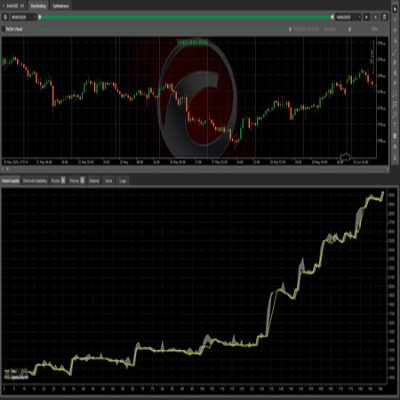
A separate, beautifully styled chart panel sits to the right of the main dashboard, drawing a real‑time equity line. It includes high/low markers, the current equity value at the top, and time references (oldest point + “Now”) so you can visually track your account’s performance throughout the session.
- Persistent Win Rate
The win rate is calculated from all historical trades on the account – it never resets when you restart the bot. That way you can monitor your consistency over the entire challenge, not just the current session.
- Non‑Interactive Overlay
Both panels are completely non‑interactive. All clicks, drags, and scrolls pass through to the chart behind, so you can zoom, pan, and draw without ever accidentally moving the dashboard.
- Fully Customizable
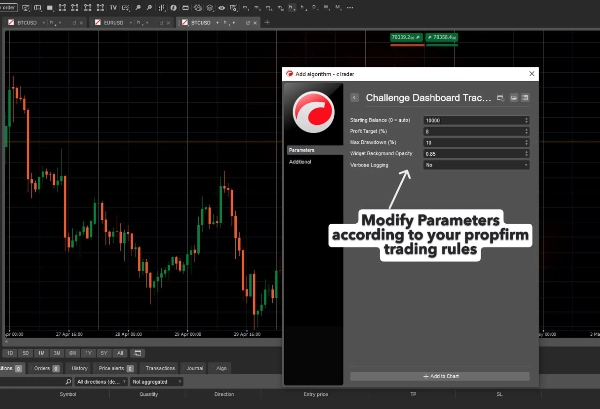
Adjust the starting balance (or leave it at zero to use the current account balance), set your own profit target and max drawdown percentages, and control the panel background opacity to match your chart’s brightness.
- Zero‑Touch, Zero‑Risk
- The bot does not trade, does not modify orders, and does not require any dangerous permissions (AccessRights.None). It simply reads account data and displays it. Safe to use on any evaluation account.
How to Use
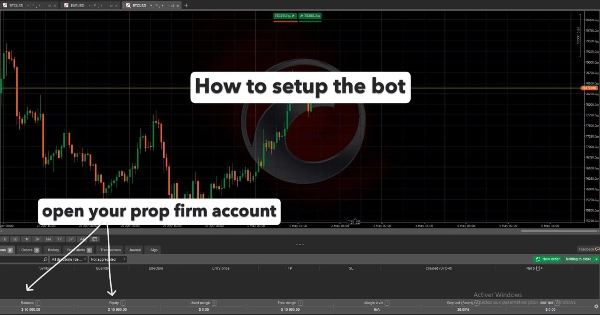
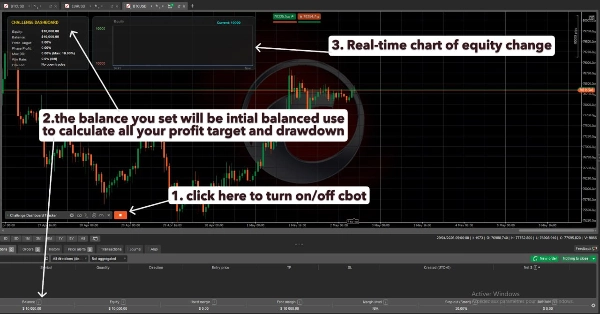
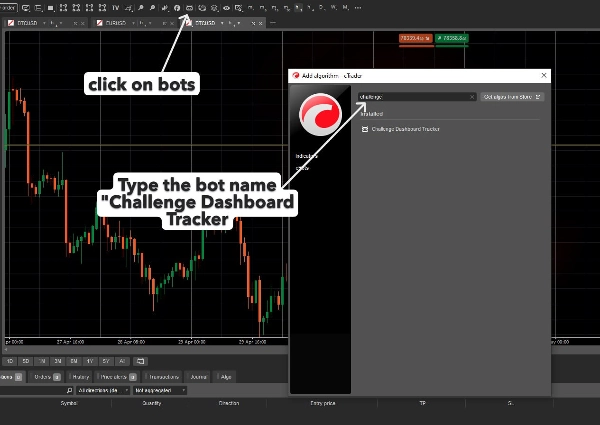
- Attach the cBot to any chart (any symbol, any timeframe).
- Enter your challenge parameters in the settings panel: Starting Balance (leave 0 to auto‑detect) / Profit Target % / Max Drawdown %.
- The dashboard instantly appears at the top‑left of your chart.
- Trade as usual – the metrics update on every tick.
Who Is It For?
Traders participating in any prop firm challenge (e.g., FTMO, The Funded Trader, etc.) who want a constant, visual reminder of where they stand relative to the challenge rules. It’s also excellent for anyone who wants a clean, minimal equity monitor without extra windows or external tools.
Requirements
cTrader Desktop (any version supporting .NET cBots)
No trading permissions needed – works on demo and live accounts alike.
Important Disclaimer
- This cBot is a monitoring tool only. It does not execute trades, manage risk, or guarantee challenge passage. Always verify your challenge rules with your prop firm provider and use the dashboard as a secondary reference.
Summary
Key functionalities include intelligent alerts that visually indicate when drawdown limits are breached or profit targets are met, a live mini equity curve chart displaying real-time account performance with high/low markers, and a position summary showing total lots and unrealized P&L of open trades. The win rate metric persists across sessions, reflecting all historical trades on the account.
The tool requires no trading permissions, does not execute trades or modify orders, and operates safely on demo or live accounts. Users can customize starting balance, profit target, drawdown thresholds, and panel opacity. It supports any symbol and timeframe within cTrader Desktop and is intended as a visual aid to help traders stay aligned with prop firm challenge requirements without leaving their trading charts.