Description
Does your strategy actually hold up out of sample — or did you just get lucky curve-fitting one backtest?
cTrader doesn't have native rolling walk-forward optimization — only a single in-sample/out-of-sample split. WFO Studio adds real walk-forward validation directly inside the platform: no CSV exports, no external tools, no spreadsheets.
HOW IT WORKS
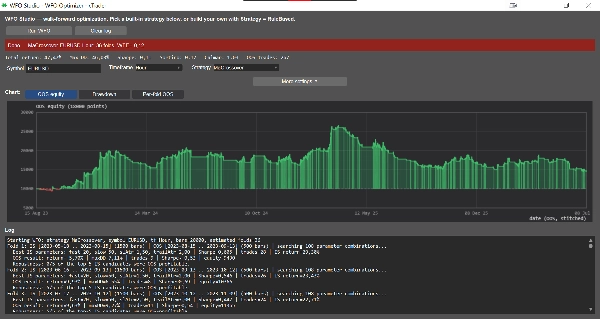
Pick a symbol and timeframe, choose a strategy, set your in-sample/out-of-sample windows, and click Run WFO. You get a full report:
• Rolling or anchored folds across your history
• Walk-Forward Efficiency (how much of your in-sample edge survives out of sample)
• Parameter stability across folds — flags strategies that only worked because of one lucky parameter set
• Top-N robustness check — validates the top-N in-sample parameter sets on out-of-sample data, not just the single best one
• A stitched out-of-sample equity curve, with equity / drawdown / per-fold return chart views and a summary stats line (Total return, Max DD, Sharpe, Sortino, Calmar, trade count)
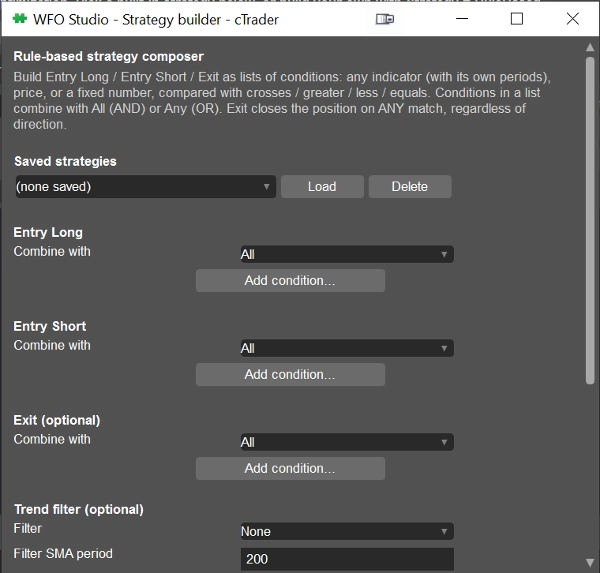
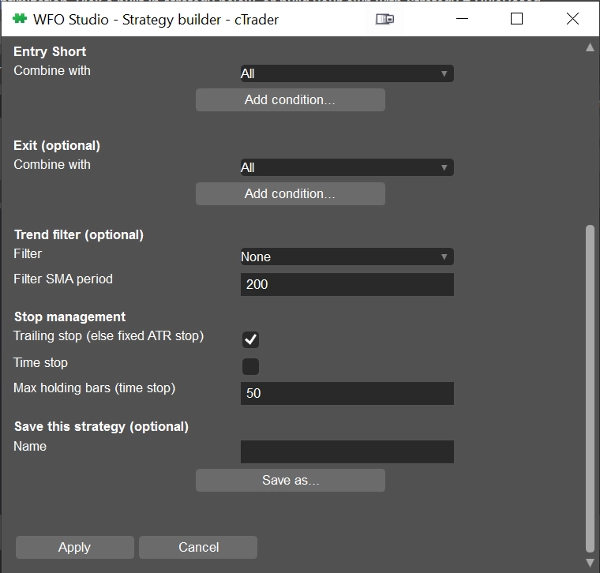
BUILD YOUR OWN RULES — NO CODE REQUIRED
Prefer your own logic over a fixed strategy? The built-in Strategy Builder lets you compose Entry Long, Entry Short, and Exit conditions from 15 indicators — RSI, MACD, Bollinger Bands, Stochastic, ADX/DMI, Aroon, Parabolic SAR, Supertrend, Keltner Channels, SMA/EMA, ATR, Donchian Channels, CCI, Williams %R. Compare any indicator line against another indicator, price, or a fixed number using crosses / greater / less / equals, combine with AND/OR, and save multiple strategies to switch between anytime.
All indicator math runs through cTrader's own Indicators API, so the numbers you see match exactly what's on your charts — not a separate reimplementation.
WHO IT'S FOR
Traders who want to stress-test an idea before risking real capital, and developers who want a ready-made walk-forward harness instead of writing one from scratch.
WFO Studio is a research and validation tool — it does not place live trades. Always confirm final parameters with a full backtest in cTrader's native backtester before going live.
Summary
Users select a symbol, timeframe, strategy, and define in-sample and out-of-sample windows to generate detailed reports including Walk-Forward Efficiency, parameter stability across folds, top-N robustness checks, and stitched out-of-sample equity curves with performance metrics such as total return, maximum drawdown, Sharpe ratio, and trade count.
Additionally, WFO Studio features a no-code Strategy Builder that allows users to create custom entry and exit rules using 15 technical indicators (e.g., RSI, MACD, Bollinger Bands, Stochastic, ADX/DMI) combined with logical operators. Indicator calculations use cTrader’s native Indicators API to ensure consistency with chart data.
This tool is designed for traders seeking to validate strategies before live deployment and for developers needing a ready-made walk-forward testing framework. It functions solely as a research and validation tool and does not execute live trades.
Discussion
Customer reviews
5 | 100 % | |
4 | 0 % | |
3 | 0 % | |
2 | 0 % | |
1 | 0 % |