Description
Custom Timeframes for cTrader: the original plugin
👨🔧Created, tested and maintained directly by its developer.
I created cTrader's original Custom Timeframe Plugin to give traders exact control over chart granularity without breaking their usual cTrader workflow. I trade and develop on cTrader every day, and I test and update this plugin with each major cTrader Desktop release to keep it stable.
Chart Types
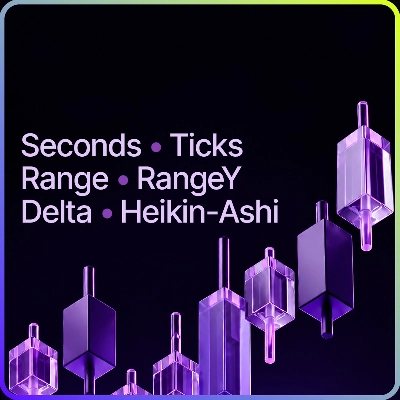
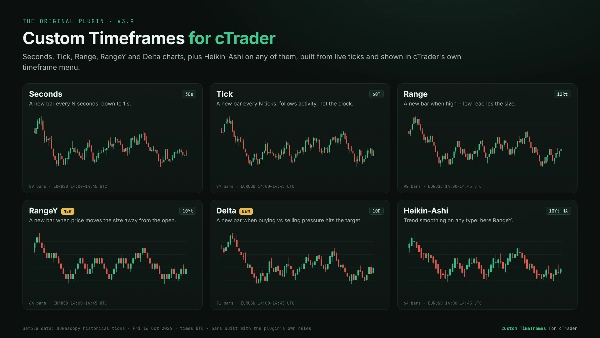
Seconds: custom intervals down to 1 second. See how a move unfolds inside the minute, which a single 1-minute candle hides.
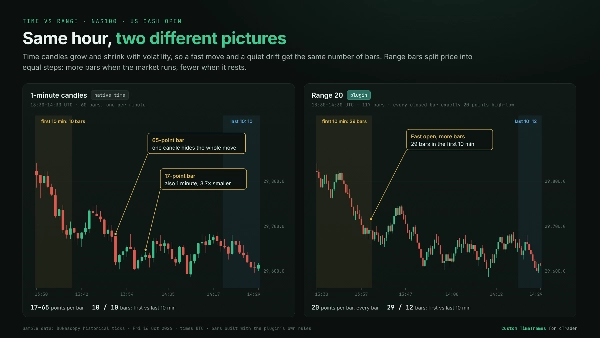
Tick: a new bar every N ticks. Bars follow market activity instead of the clock, so busy sessions get more detail and quiet periods compress.
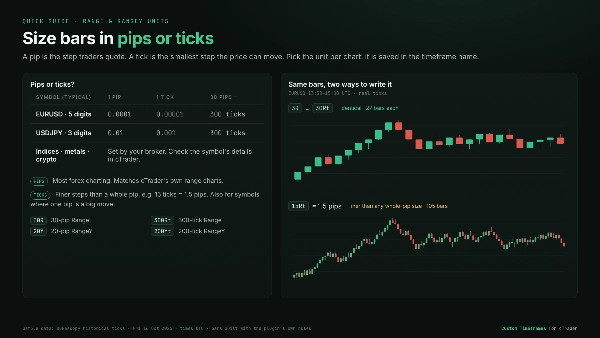
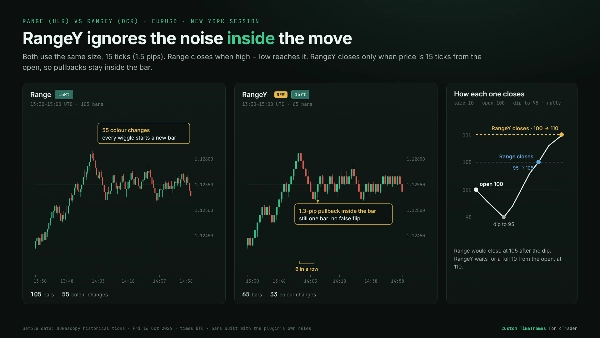
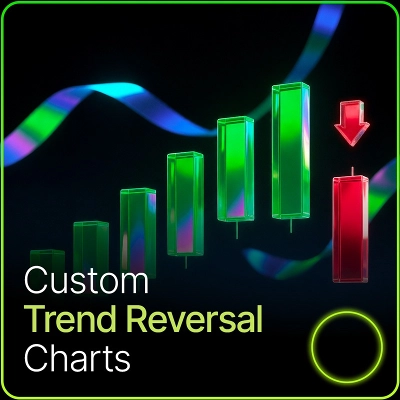
Range: a new bar each time high minus low reaches your size. Every bar covers the same price range. Chop clusters into small bars and breakouts stand out. Size it in pips or ticks.
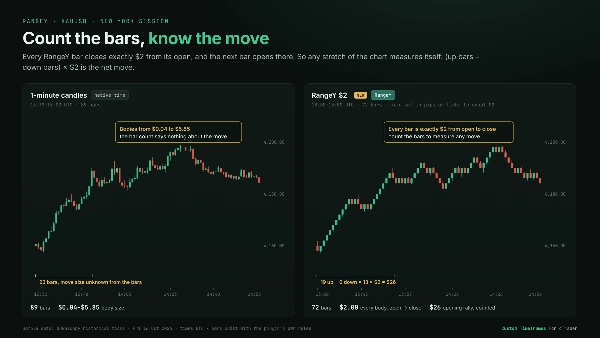
⭐RangeY: a new bar each time price moves your size away from the bar's open, in either direction. Pullbacks stay inside the bar, so each bar marks a real move. Every bar closes exactly one size from its open, so counting bars measures the move. Size it in pips or ticks.
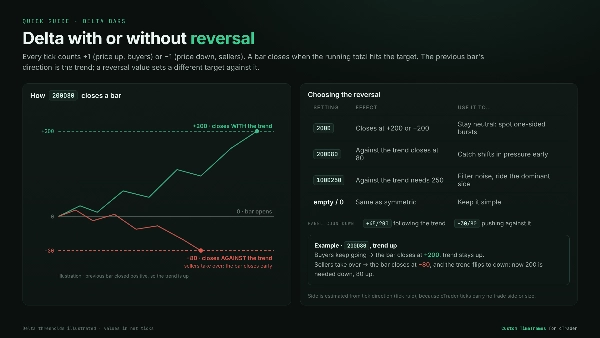
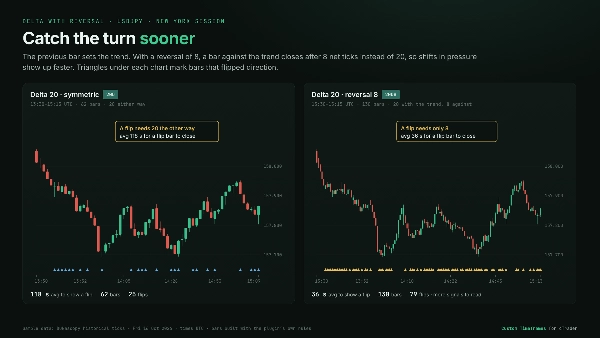
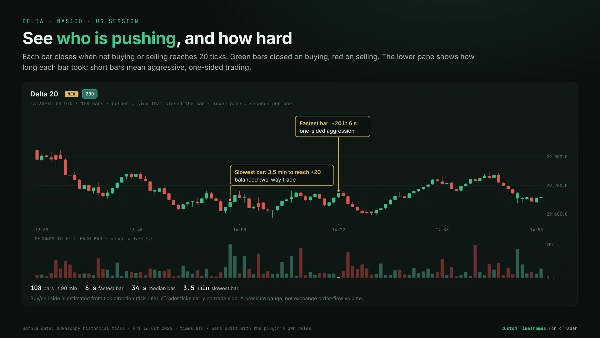
⭐Delta: a new bar when buying vs. selling pressure reaches your target. Each tick is counted as a buy or a sell from the direction price moved, because cTrader provides no buyer/seller data. One-sided aggression closes bars fast, and balanced trading keeps them open. You can optionally set a separate reversal target, so a shift in pressure against the previous bar shows up sooner.
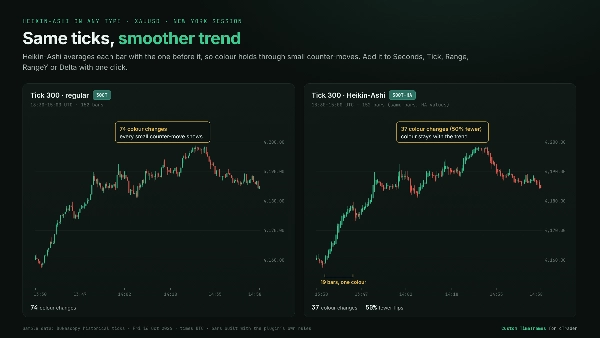
Heikin-Ashi: trend smoothing available on every chart type above.
Built for Daily Trading
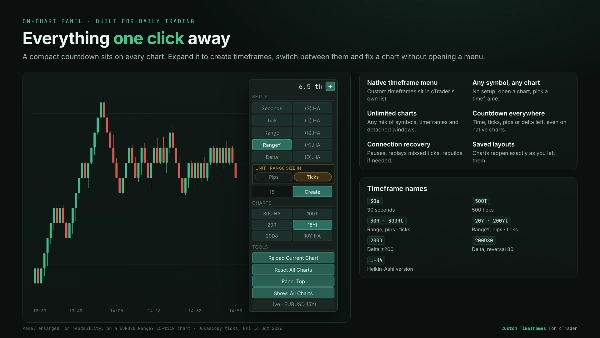
- Native timeframe menu: custom timeframes appear in cTrader's standard timeframe list, just like the native charts.
- Any symbol, any chart: no symbol setup. Open any chart and pick a custom timeframe.
- Unlimited charts: run any mix of symbols and timeframes across main and detached windows at the same time.
- Switches like a normal chart: changing symbol or timeframe works the same way it does on built-in timeframes.
- On-chart control panel: a compact countdown to the next bar, which expands to create timeframes, a one-click list of all your custom timeframes, and Reload / Reset tools. Settings take effect immediately, with no plugin restart.
- Countdown on every chart: time, ticks, pips or delta left in the current bar, including on standard cTrader charts.
- Restored from layouts: saved layouts reopen with the exact same custom charts.
Reliable data handling
- Automatic history and live updates: history loads by itself, and scrolling back loads older bars.
- Connection recovery: after a dropped connection or a stalled data feed, charts pause, replay the missed data and continue without gaps. If that data is gone, the chart rebuilds itself.
- Light on resources: symbols you're no longer viewing stop loading data, and very busy charts load in chunks so the platform stays responsive.
👉 See the gallery for Real-market Examples, Comparisons with standard time charts, and Quick Guides to pips vs. ticks and Delta settings.
Active development. Direct support from the creator. Built for the long haul.
Summary
The plugin integrates seamlessly into the trading interface with an on-chart panel for quick bar type and size selection, eliminating the need for separate settings menus or restarts. Custom timeframes appear directly in the platform’s standard Period dropdown menu. It loads historical data and updates live in real time, maintaining smooth performance even on high-activity instruments.
This tool is applicable across multiple markets including Forex, indices, cryptocurrencies, and stocks, supporting market, limit, stop, and stop-limit order types. It is designed to facilitate fast execution and detailed price action analysis by providing flexible charting options tailored to user preferences.
Customer reviews
5 | 100 % | |
4 | 0 % | |
3 | 0 % | |
2 | 0 % | |
1 | 0 % |













!["Custom Timeframes [Iridio Capital]" logo](https://cdn.ctrader.com/image/webp/4d75a920-23c7-4fea-a7b5-594a9d067f2e_63286)