Description
IMPORTANT NOTICE / Project Update
HTKP cBot → TradeFlow™ Pugin
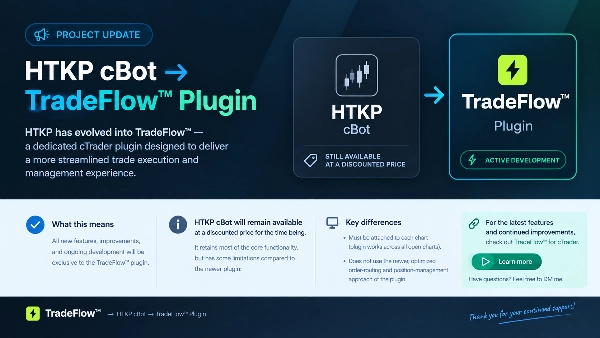
HTKP has evolved into TradeFlow™, a dedicated cTrader plugin designed to deliver a more streamlined trade execution and management experience.
Going forward, all new features, improvements, and ongoing development will be exclusive to the TradeFlow™ plugin.
The HTKP cBot will remain available at a discounted price for the time being. It retains most of the core functionality, but has some limitations compared to the newer plugin:
- Key Differences & Plugin Advantages
- Multi-Chart Workflow - Works across open charts and symbols without attaching to each chart individually.
- Enhanced Execution - Updated order routing and position management using cTrader's newer order and position formats.
- Revised On-chart Interaction - All visual elements have been revised for a better experience and a streamlined workflow.
Development Update: HTKP cBot remains available at a discounted price, but all future features and updates will be exclusive to TradeFlow™ Plugin.
For the latest features and continued improvements, I recommend checking out TradeFlow™ for cTrader.
Have questions about the differences or which version best suits your workflow? Feel free to send me a direct message.
Thank you!
-------------------------------------------------------------------------
cBot Usage Notes:
It will require this custom font installed on your PC to display / size values correctly in panels
Check Discussion Section for the link
Leave comment in Discussion Section or reach directly if you can not see / download the last version
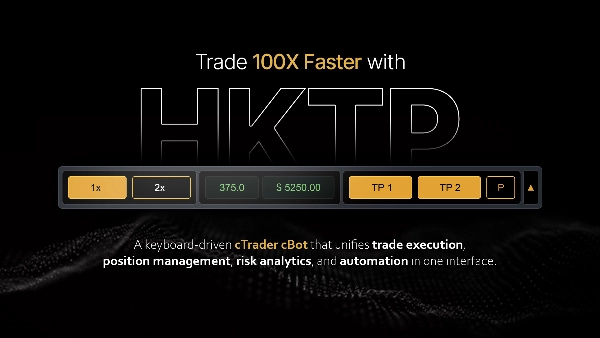
A cTrader cBot for fast, risk-based manual trading. It sizes every entry from a fixed dollar risk, places trades by hotkeys or interactive price levels, manages stops and partial exits, and enforces an account-wide loss limit.
Pick a dollar-risk preset. Press a key to buy or sell; lot size is computed so the stop-loss distance risks exactly that amount. Optional auto-targets take partial profit at set distances. A drawdown limit closes everything if account equity falls too far.
Core concept: Risk-based Sizing
- The panel runs in dollar-risk mode. You choose one of three risk presets (e.g. $15, $30, $50). On entry, lot size is derived so that price moving from entry to the stop-loss risks that dollar amount: lots = riskAmount / (stopLossPips × pipValue)
- If the stop is too tight for the preset to fit at the broker's minimum lot, the entry is blocked rather than silently over-risking, and the panel shows Check Risk Warning Message. Widen the stop or change the risk preset .
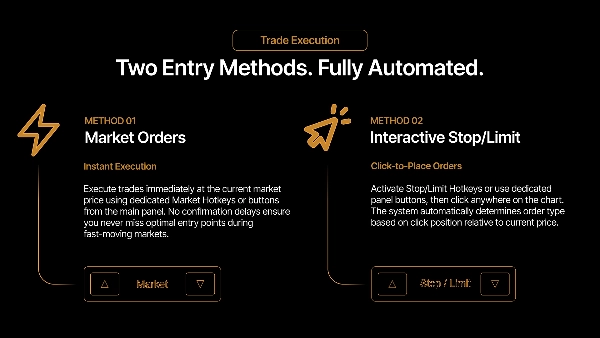
Entries: Two ways to enter, both using the risk sizing above
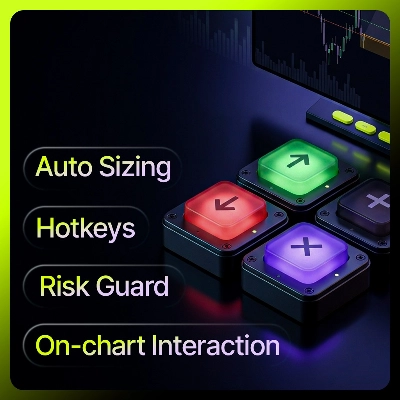
- Market hotkeys. Buy and Sell keys open immediately at market.
- Pending box. A hotkey draws a draggable box on the chart whose height equals the stop distance. Drag it to the price you want, arm it, and the order fires as a market entry when price touches the box mid-line. Resize the box only by changing the panel stop-loss; vertical drag relocates it. Pressing the same direction again hides the box; the opposite direction switches it.
By default, opposite-direction positions are prevented, so a Buy while short is ignored rather than hedging.
Position Management
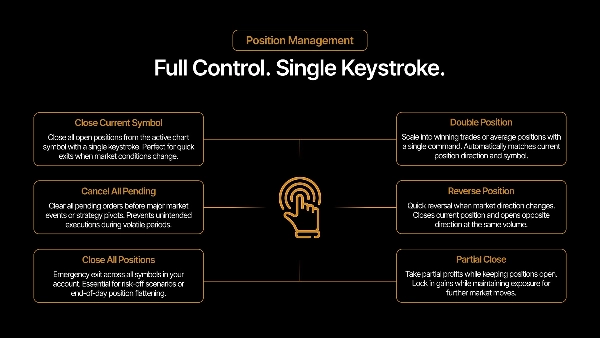
- Partial close - Closes a set percentage of the position; if the remainder would fall below the broker minimum, closes it fully.
- Reduce stop-loss - Moves the stop a fixed step closer to entry. Won't cross current price.
- Breakeven - Moves the stop to entry. Won't apply if price hasn't cleared entry.
- Double - Doubles position volume (scale-in), up to an optional cap.
- Reverse - Closes and re-opens in the opposite direction.
- Close - Close current symbol, or close all symbols.
Doubling and scaling-in merge into one cTrader position with a blended entry. The cBot tracks the individual fills internally so partial-exit profit estimates reflect the real per-fill prices, not just the blended average.
Auto-target Execution
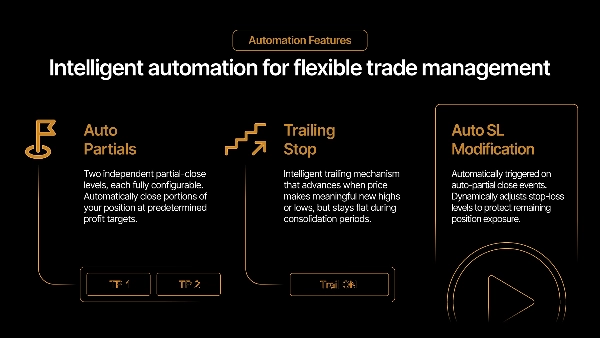
- Two optional automatic partial-take-profit levels. Each has its own distance (pips) and volume percentage. When price reaches a level, that percentage is closed from the oldest fills first (FIFO). TP2 takes its percentage of whatever remains after TP1.
- Enabled levels draw a line and a label on the chart showing the distance and the estimated profit at that level. The profit estimate is calibrated from the position's live platform value, so it tracks the broker's realised figure closely; on a scaled-in position a small residual remains from price-rounding in the data the platform exposes.
- Optional follow-ups: reduce the stop by half after TP1 fires, and move the stop to breakeven after TP2.
Drawdown Protection
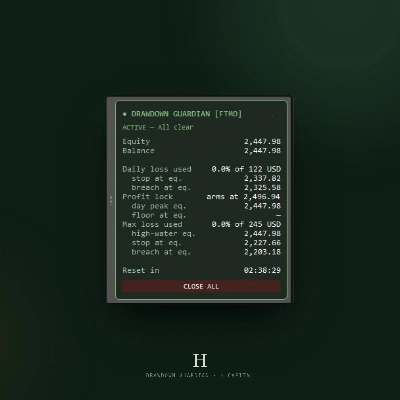
- On by default. If account equity falls to start balance − max loss, every position on the account is closed and new entries are blocked until you reset it from the panel.
- With trail enabled, the limit follows account equity upward — the trigger becomes peak equity − max loss — locking in gains instead of measuring from the starting balance.
Panels
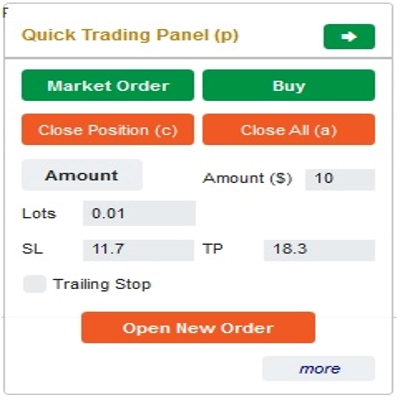
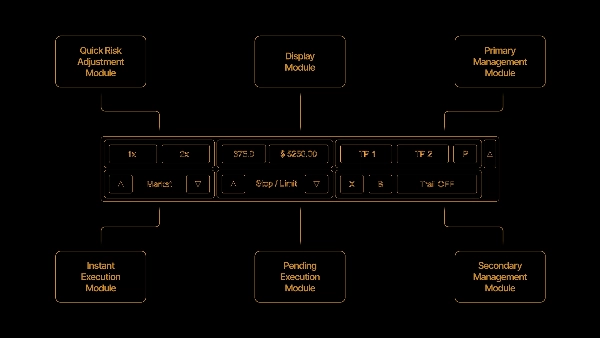
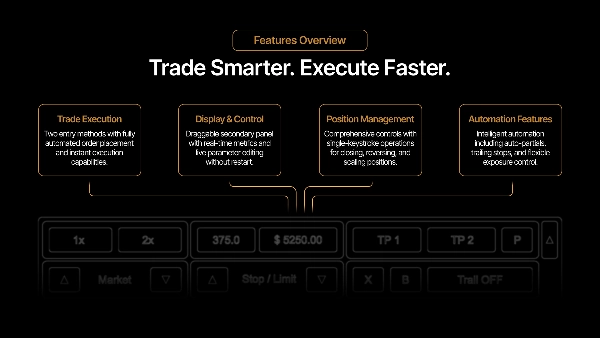
- Main panel shows exposure (open risk), live pips and value, lot size, the risk presets, and entry and management buttons.
- Secondary panel shows session profit, the drawdown-protection state with remaining headroom, and a session-reset button.
Notes and limits
- Hedging is disabled by design; opposite positions are prevented.
- Profit and exposure figures are estimates calibrated from live platform values and may differ from the broker's realised number by a few cents, mainly from price rounding and commission/swap timing.
- Auto-targets and partial closes act only on the chart's symbol; "close all" and drawdown protection act on the whole account.
Summary
The panel manages positions with features including partial closes, stop-loss adjustments, breakeven stops, position doubling (scaling-in), reversing trades, and closing single or all symbols. It supports two automatic partial take-profit levels with configurable distances and volume percentages, displaying profit estimates and chart markers. Optional follow-up actions adjust stops after take-profits trigger.
Risk management includes an account-wide drawdown protection that closes all positions and blocks new entries if equity falls beyond a set limit, with an optional trailing feature to lock in gains. The main panel displays exposure, live pips and value, lot size, risk presets, and trade controls, while a secondary panel shows session profit and drawdown status.
Hedging is disabled; opposite-direction entries are prevented. Profit and exposure figures are estimates calibrated from live platform data. The tool supports stop, limit, stop-limit, and market orders, suitable for scalping and trend strategies with medium trade frequency. Recommended minimum account balance is $1,000.
Discussion
Customer reviews
5 | 100 % | |
4 | 0 % | |
3 | 0 % | |
2 | 0 % | |
1 | 0 % |