Description
TCM Trade Assistant is a manual trading panel for cTrader. You decide every trade; the panel does the maths and the housekeeping. It has no strategy and never opens trades on its own.
PLACE TRADES WITH THE RISK YOU CHOSE
- Set your risk (% of equity) and your target (R multiple) on the panel. Settings are remembered per symbol.
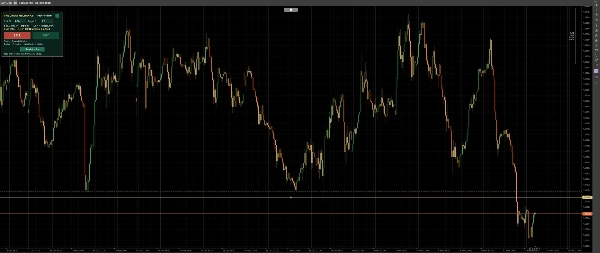
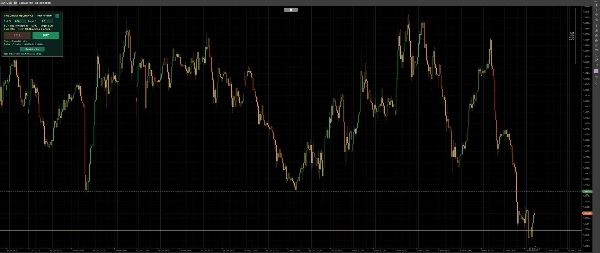
- Drag the gold stop line on the chart: below price = BUY, above price = SELL.
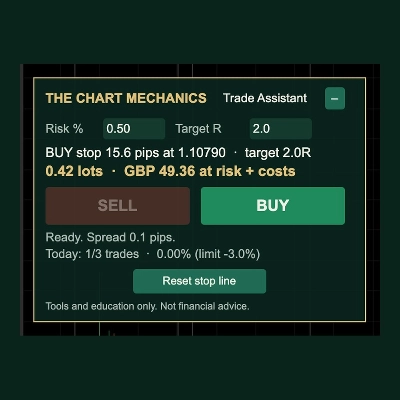
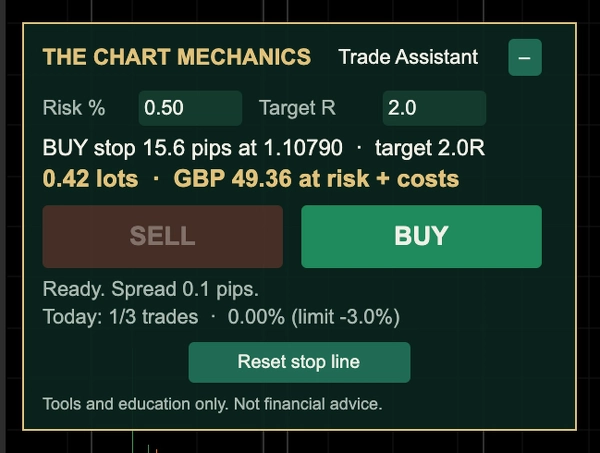
- Before you click, the panel shows the stop distance in pips, the lot size for your risk and the money at risk. Enter what one lot costs you in commission (round turn) and it is included in the risk.
- BUY/SELL need a second click to confirm (optional). A stop, and a target if you set one, are attached to every order. If a stop can't be attached, the trade is closed for safety; if the broker refuses that too, the panel warns you, keeps trying to add the stop and locks BUY/SELL until the trade has one.
- Lot sizes are rounded down, so a trade never risks more than you set.
MANAGE OPEN TRADES
- Adds a stop to trades opened without one while it is running, and warns if the risk is above your setting. Panel trades always keep a stop: if one is removed, the panel puts it back.
- Optional break-even (with a small lock-in to cover costs), partial close and ATR trailing stop.
- Optional close before the weekend.
- One-click Break-even, Close 50% and Close all (with confirm).
- Manage your trades on the symbol (panel and manual trades, not trades another cBot opened with its own label), or only trades opened from the panel.
SAFETY LIMITS
- Daily loss limit (resets at the New York close and survives restarts): BUY/SELL lock when it is hit.
- Max trades per day (default 3) and max spread. Locked buttons show the reason.
WHO IT IS FOR
- Manual traders on any account size who want consistent, risk-based position sizing and fewer order-entry mistakes.
- Works on forex, metals, indices and other cTrader symbols; lot size uses each symbol's own pip and tick values. Any timeframe.
- Run one copy per symbol. Needs a hedging account (netting accounts are not supported). Test on a demo account first.
Tools and education only. Not financial advice. Trading involves risk.
Summary
Each order includes attached stop loss and optional target levels. The panel manages open trades by adding stops if missing, enforcing risk limits, and offering features such as break-even adjustments, partial closes, ATR trailing stops, and optional pre-weekend closures. One-click controls allow quick break-even, partial, or full trade closures.
Safety features include daily loss limits, maximum trades per day, and maximum spread restrictions, which lock trading buttons when triggered. The tool supports forex, metals, indices, and other cTrader symbols, using each symbol’s pip and tick values. It requires a hedging account and is intended for manual traders seeking consistent risk control and reduced order-entry errors. The panel operates on any timeframe and runs one instance per symbol.