Description
Your 3 a.m. trade should not reach your channel at 9.
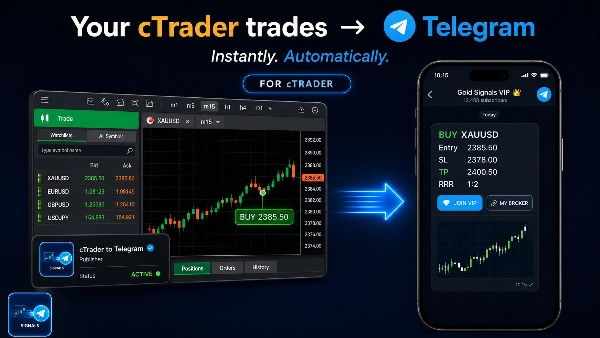
DoIt Signal Publisher posts every trade on your cTrader account to your own channels and groups through your bot, the moment it happens: the entry, every SL and TP change, partial closes, the close with its result, and daily, weekly or monthly reports. You trade. Your channels stay up to date.
How it publishes
- Through your own bot: up to 3 channels or groups (group topics included).
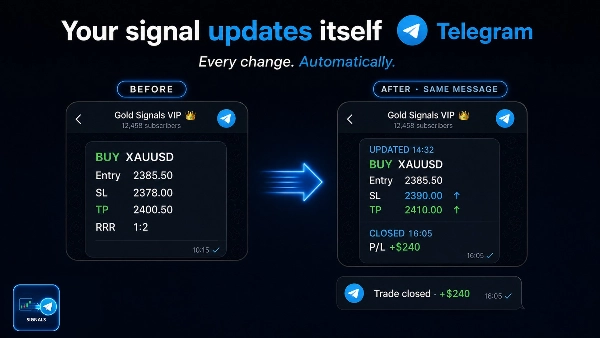
- When you move the SL or TP or close the trade, the original message is edited, so the first post always shows the real state. The close also arrives as a reply to the signal.
- Up to 4 buttons under every signal with your own links: join VIP, your broker, your site.
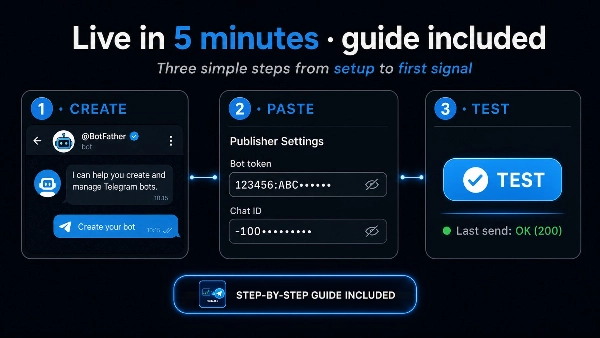
Setup in three steps
- Create your bot, add it as an administrator of your channel and copy its token and the chat id.
- Paste them into the cBot parameters (one group per channel).
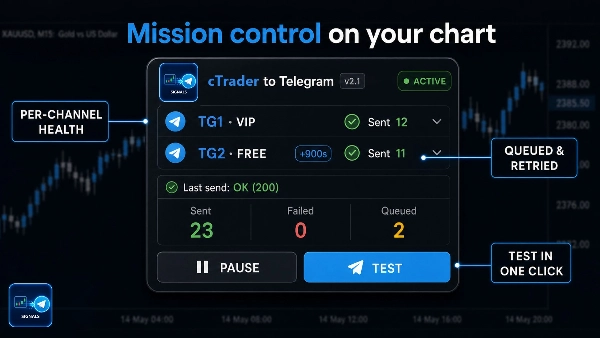
- Press TEST on the chart panel: a test message reaches every channel. The step-by-step guide link is in the parameters.
Main settings
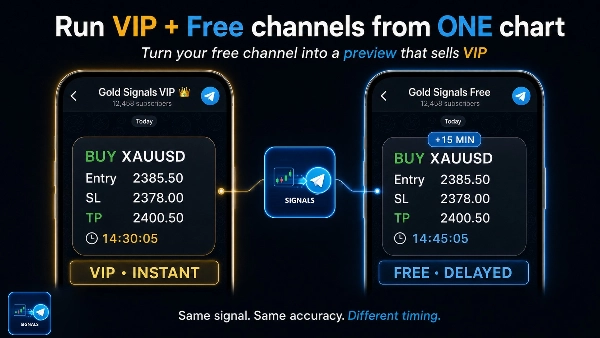
- Per channel: a delay in seconds (your VIP channel gets the signal instantly, your free channel 15 minutes later), and filters by cBot label, symbol and direction.
- Events: order executed, position closed, partial close, pending order placed and deleted, SL/TP modified, closes in profit or in loss; edit the original message on modify and on close.
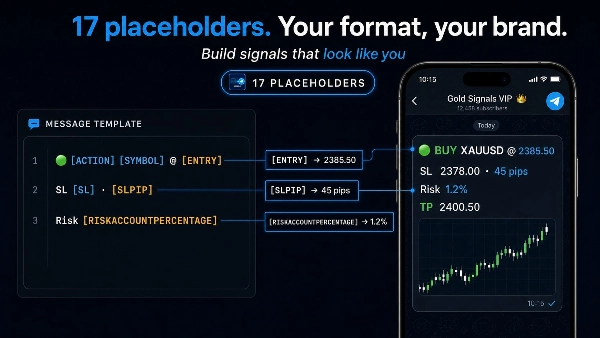
- Templates: one message per event with placeholders for entry, SL and TP in price and pips, RRR, lots, profit, risk and more. Emojis and any symbol name.
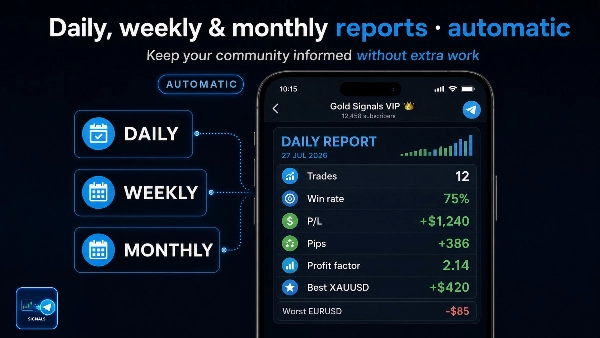
- Reports: daily, weekly and monthly, with trades, win rate, P/L, pips and profit factor.
- On-chart panel: a health line per channel, sent, failed and queued counters, PAUSE and TEST.
Single version or Pro?
This is the single version for bot channels, up to 3. DoIt Signal Publisher Pro also publishes to community server channels through webhooks, up to 6 channels in total.
What it never does
It never opens, closes or modifies a trade: it reads your account and publishes. It needs no special access rights. Manual trades and the trades of every other cBot on the account are published too, and it remembers its messages across restarts.
Where it runs
On cTrader desktop or on a VPS with cTrader. Not in cTrader Cloud, which sends no web requests.
Risk disclaimer: this cBot does not trade and is not financial advice. Trading involves a high risk of loss, and publishing signals does not guarantee any result.
Summary
Key features include support for up to three Telegram channels or groups (including group topics), customizable message templates with placeholders for trade details (entry, SL, TP, risk/reward ratios, profit, etc.), and up to four interactive buttons per signal for links like VIP access or broker sites. Users can set per-channel delays and filters based on cBot label, symbol, and trade direction. The on-chart panel provides status indicators, counters for sent/failed/queued messages, and controls for pausing and testing.
Setup involves creating a Telegram bot, adding it as an admin to your channels, and configuring tokens and chat IDs in the cBot parameters. The bot runs on cTrader desktop or VPS environments but not on cTrader Cloud. It only reads and publishes trade data without executing or modifying trades.