Descrição
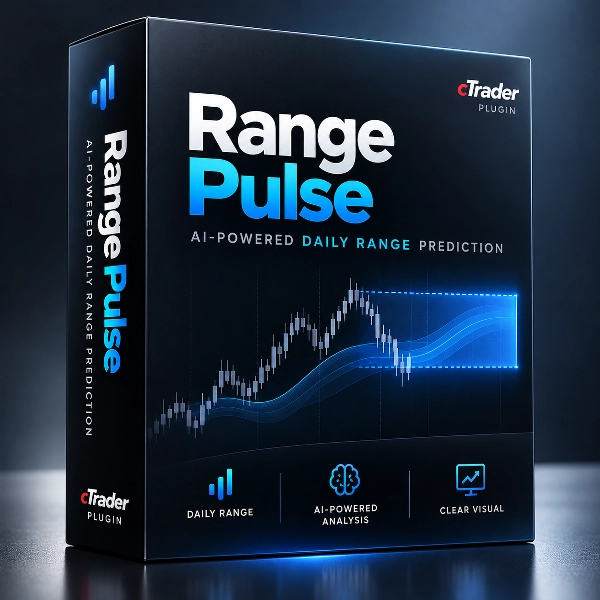
Range Pulse is a native cTrader Desktop plugin that helps traders assess expected daily volatility, compare markets, and plan trading distances using a consistent range estimate.
What the plugin adds
The plugin estimates the daily high-to-low range for 14 supported markets, including major forex pairs, selected yen crosses, and gold.
It provides:
- Daily range estimate: A median forecast with an estimated 80% interval for range magnitude.
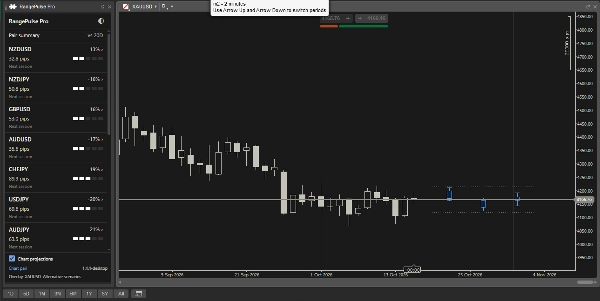
- Market comparison: Ranks pairs by their forecast range relative to the average of the previous 20 completed sessions.
- Volatility context: Classifies the estimate from Very Quiet to Extreme using its percentile against available historical ranges.
- Session tracking: Shows the current session’s actual range and how much of the estimate has been used.
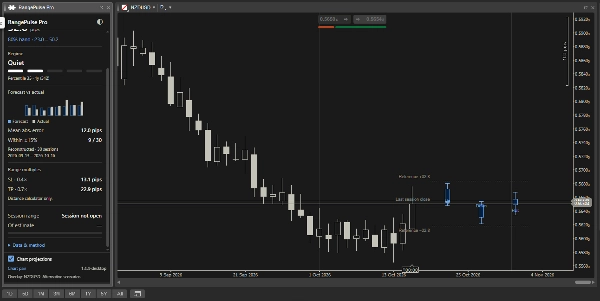
- Historical comparison: Displays reconstructed forecasts against realized ranges, with available error and accuracy statistics.
- Chart projections: Illustrates alternative placements of the estimated range around the previous completed session’s close.
How it fits into your workflow
Range Pulse runs in a separate panel beside your chart. It uses cTrader’s Free-chart mode so you can resize the panel independently.
Start with the market overview to compare expected volatility, then select a pair for detailed analysis. Selecting a pair in the panel does not automatically change your chart; the Open chart button provides that action explicitly.
Projections follow the selected chart. Clicking the Range Pulse panel preserves the last selected chart as the projection target.
Forecasts run locally using embedded models and broker H1 history. No Python installation or external prediction service is required.
Key settings and parameters
- Session UTC offset: Defines the daily session boundary using a fixed UTC offset.
- Session timezone: Overrides the fixed offset and applies daylight-saving rules.
- Broker symbol mappings: Connects supported pairs to broker-specific names, such as XAUUSD=GOLD.
- Training pair override: Identifies the supported training pair for an equivalent chart alias. Usually left empty.
- Display units: Uses automatic units, pips, or price distances.
- Concept theme: Selects the light or dark appearance.
- Match chart to panel: Applies the panel’s theme to the target chart.
- Show chart scenarios: Enables or disables chart projections.
- Start on overview: Opens the market comparison instead of chart-pair detail.
Strip indicators appear black in the light theme and white in the dark theme.
Typical trading scenarios
- Before a session: Compare expected ranges to identify markets with relatively quiet or active conditions.
- During a session: Check how much of the estimated range has already developed before assessing a setup.
- Trade planning: Use the displayed range multiples as reference distances alongside your entry method and risk rules.
- Chart analysis: Compare upward, downward, and centered range placements against your own technical levels.
The distance calculator displays 0.4× range for SL and 0.7× range for TP. These are reference calculations, not automatic trade recommendations.
Who it is best suited for
Range Pulse is best suited to discretionary intraday and short-term swing traders who already have an entry strategy and want additional volatility context.
Intermediate traders will find it easiest to integrate. Beginners can use it to learn about range and session behavior, provided they understand pips, session boundaries, and basic risk management.
Important limitations and usage notes
- The forecast estimates range size, not market direction, entry timing, or separate high and low prices.
- Chart scenarios are alternative illustrations, not predicted price paths.
- The 80% interval describes range magnitude; it does not guarantee coverage.
- Actual range can exceed the estimate.
- Historical performance figures are reconstructed using the frozen model, rather than a record of forecasts captured live.
- Results depend on broker history, symbol mappings, and the chosen session boundary. Forecasts require at least 50 completed sessions; additional history improves historical context.
- Projections require a supported matching chart feed, a time-based chart, and sufficient space beside the latest candles.
- The plugin does not execute orders or calculate position size.
- Frame width must be adjusted through cTrader. Native layout and rendering still require Desktop verification.
Resumo
The plugin features session tracking to display the current session’s actual range and usage of the forecasted range, historical comparisons of forecast versus realized ranges with accuracy statistics, and chart projections illustrating alternative placements of the estimated range around the previous session’s close. It operates in a resizable panel alongside charts, allowing users to compare markets and analyze individual pairs without automatically changing the main chart.
Range Pulse runs locally using embedded models and broker H1 historical data, requiring no external services or Python installation. Key configurable settings include session time boundaries, broker symbol mappings, display units, and visual themes. It is suited for discretionary intraday and short-term swing traders seeking additional volatility context to complement their entry strategies. The plugin does not provide directional forecasts, trade execution, or position sizing.