


Описание
ПОЛНАЯ ВЕРСИЯ! https://ctrader.com/products/2705
ОГРАНИЧЕНИЯ ДЕМО-ВЕРСИИ:
- Небольшой набор отобранных инструментов
- 4 таймфрейма (M1, M10, M30, H2)
- Ограничение на данные для бэктестинга — 2 года
- x4 одновременных бэктестов
Чтобы получить доступ к полной версии, пожалуйста, обратитесь по ссылке выше!
----------------
Почему OmniSim?
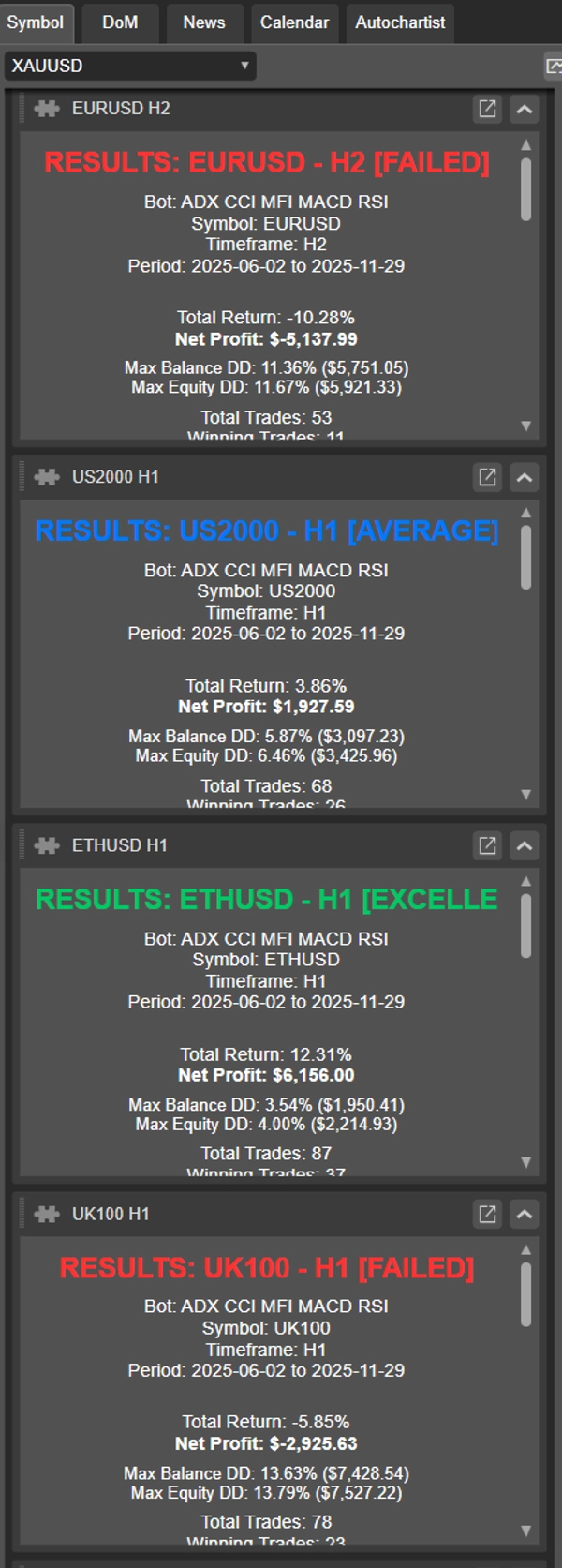
Традиционный бэктестинг в cTrader потребляет значительные системные ресурсы для отображения кривых капитала и графиков баланса в реальном времени, что замедляет работу компьютера и снижает эффективность тестирования. OmniSim оптимизирует весь процесс, напрямую получая данные тиков с сервера и выполняя легкие, сфокусированные бэктесты по выбранным инструментам и таймфреймам без визуальной нагрузки, но при этом не лишая её.
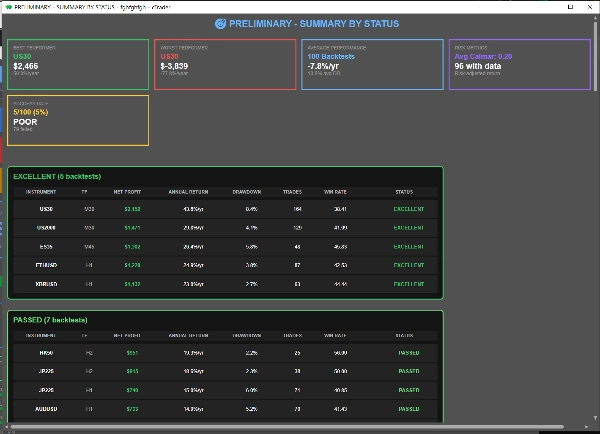
По мере завершения тестов OmniSim автоматически генерирует отдельные отчеты для каждого бэктеста, а также комплексный сводный отчет, предоставляя полный обзор производительности одним взглядом.
Как это работает?
Интерфейс OmniSim разработан с учетом интуитивности и простоты.
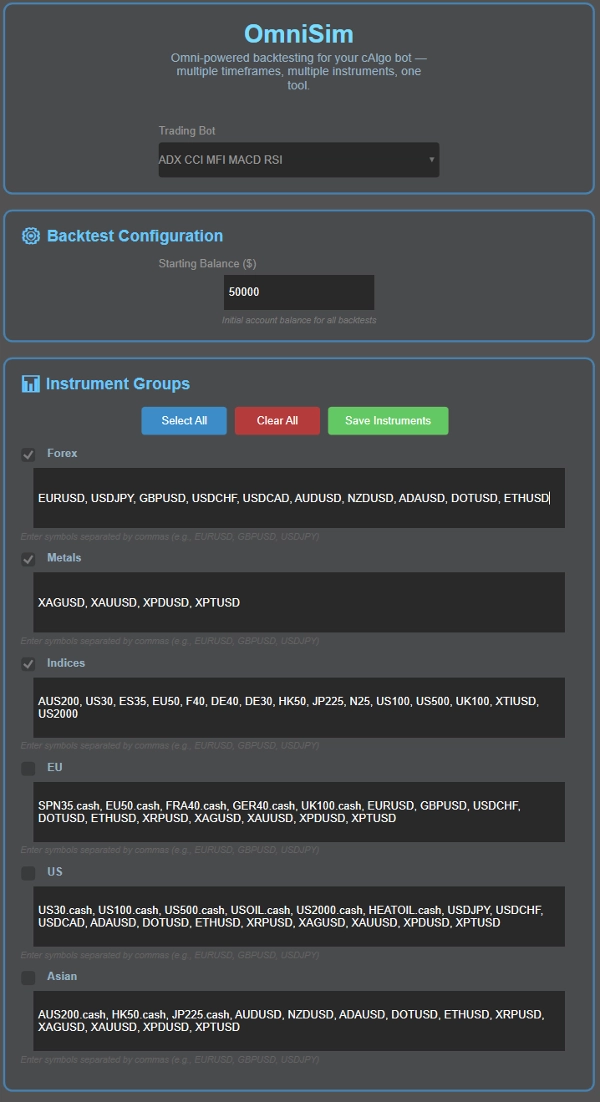
- Выберите вашего бота: Omni автоматически загружает всех установленных ботов и отображает их в выпадающем списке в верхней части интерфейса
- Выберите ваш капитал
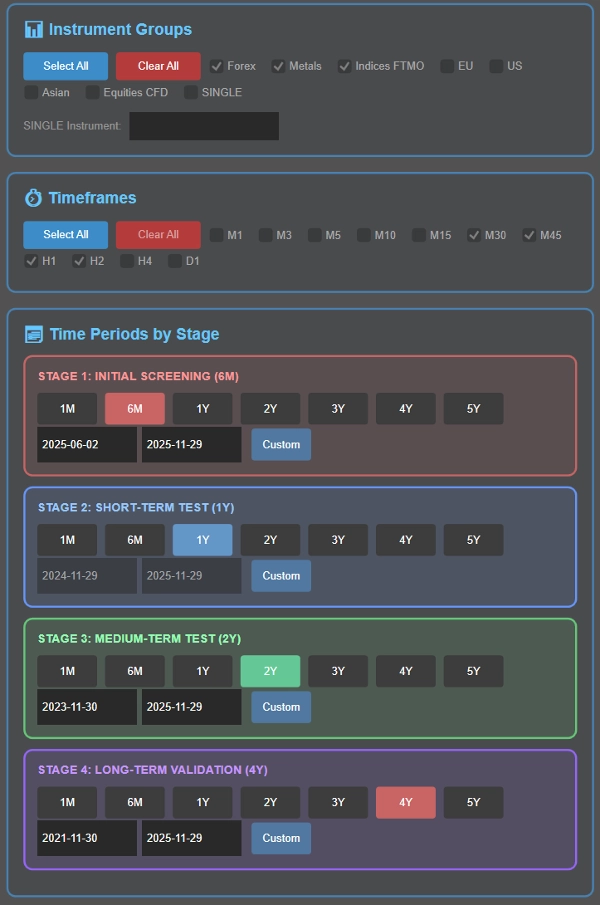
- Выберите инструмент(ы): здесь вас встретят 5 групп (Forex, Metals, Indices, EU, US, Asian), их инструменты настраиваются для вашего удобства. Перед бэктестом вы можете выбрать группу инструментов, которые хотите протестировать
- Выберите таймфрейм(ы): выберите таймфреймы для тестирования: M1, M3, M5, M10, M15, M30, M45, H1, H2, H4, D1
- Установите периоды бэктестинга в рамках интеллектуального каскадного процесса (подробно ниже) или выберите один конкретный период, если предпочитаете.
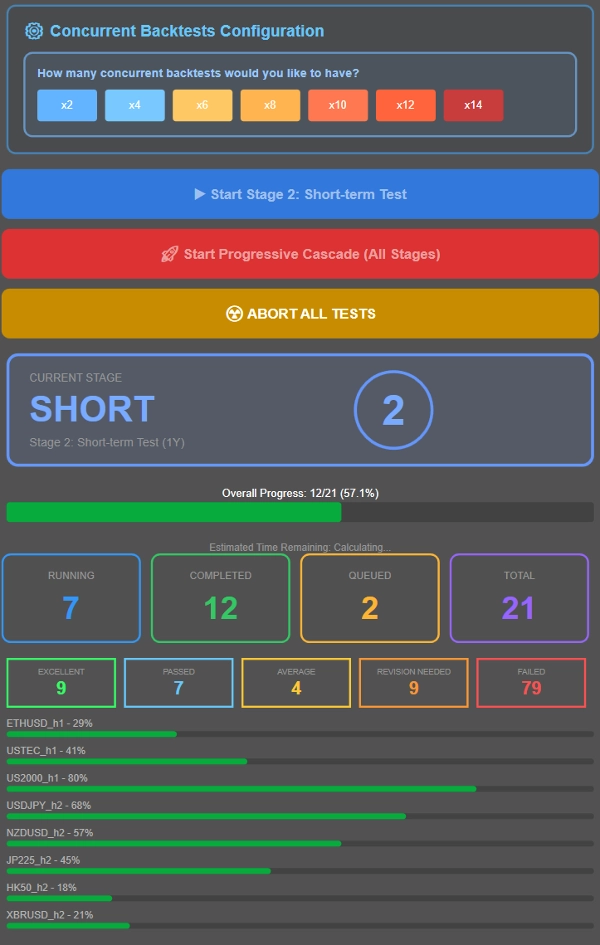
- Контролируйте количество одновременных тестов в зависимости от характеристик вашей системы. Для справки: система с 16 ГБ ОЗУ и Ryzen 7 5800X3D легко справляется с 8 одновременными бэктестами, при этом производительность остается плавной до 12-14 одновременных тестов. Настройте под ваше оборудование.
- Запустите либо каскадный бэктест (прогрессивная фильтрация через несколько периодов времени), либо протестируйте все комбинации против одного конкретного периода с значениями параметров по умолчанию cbot.
Что такое каскадный процесс бэктестинга?
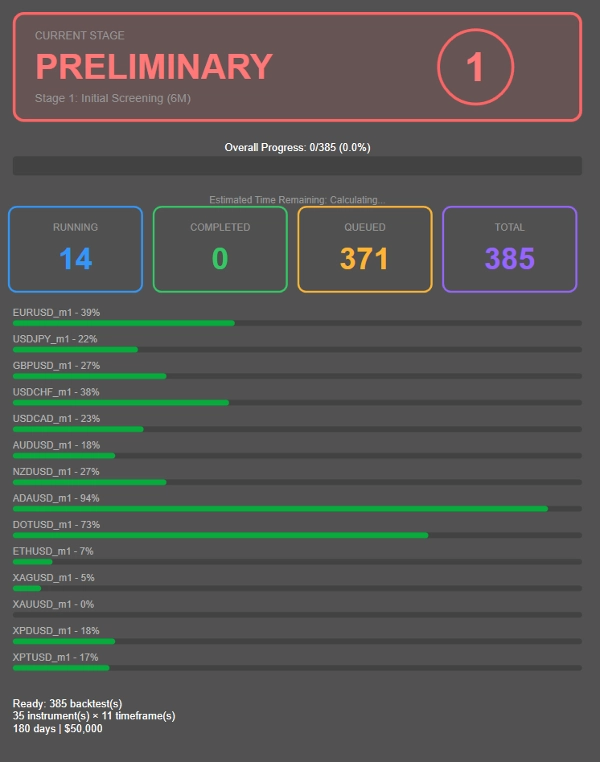
Вместо того чтобы запускать длительные 4-летние бэктесты для каждой комбинации инструмент-таймфрейм (включая убыточные), OmniSim использует прогрессивную каскадную методологию, которая интеллектуально отфильтровывает неэффективные варианты на ранних этапах:
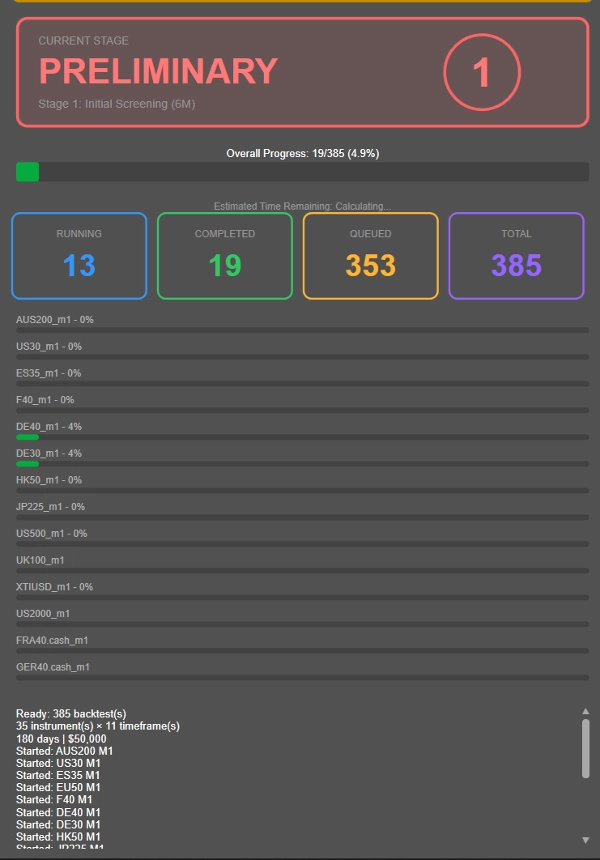
- Этап 1: Первичный отбор за 6 месяцев
- Этап 2: Выжившие переходят к тестированию за 1 год
- Этап 3: Стабильные исполнители переходят к проверке за 2 года
- Этап 4: Только самые надежные комбинации проходят полный 4-летний тест
---------------
- Вышеуказанная продолжительность каждого этапа была выбрана мной как разумно удобная длительность бэктестинга. Вы можете настроить длительность по своему усмотрению, вместо 6М → 1Г → 2Г → 4Г, вы можете выбрать 1М → 2Г → 4Г → 8Г! Полностью настраиваемо.
---------------
Этот подход значительно сокращает потери вычислительных ресурсов на убыточные комбинации, позволяя сосредоточить ресурсы на стратегиях, которые действительно показывают потенциал.
Хотите протестировать всё против одного периода вместо этого? Просто настройте желаемый таймфрейм на Этапе 2 и запустите все комбинации против этого конкретного периода, нажав синюю кнопку.
Классификация производительности, может быть изменена по запросу после покупки!
- ОТЛИЧНО: ≤10% среднее просадка, ≥20% годовая прибыль
- ПРОЙДЕНО: ≤10% среднее просадка, 10-20% годовая прибыль
- СРЕДНЕЕ: ≤10% среднее просадка, 5-10% годовая прибыль
- ТРЕБУЕТСЯ ПЕРЕСМОТР: 10-20% просадка с >5% прибылью ИЛИ ≤5% просадка с 0-5% прибылью
- НЕУДАЧА: Всё остальное
Этот плагин разработан с учетом критериев прохождения и провала популярных проп-фирм (10% дисквалификационная просадка). В зависимости от того, сколько рискуется на сделку, может быть сложно определить истинную производительность, поэтому есть другие категории, такие как требующие пересмотра и средние, все в рамках разумных показателей производительности. Неудача предназначена для посредственных доходов, отсутствия просадки или огромной просадки.
Метрики производительности:
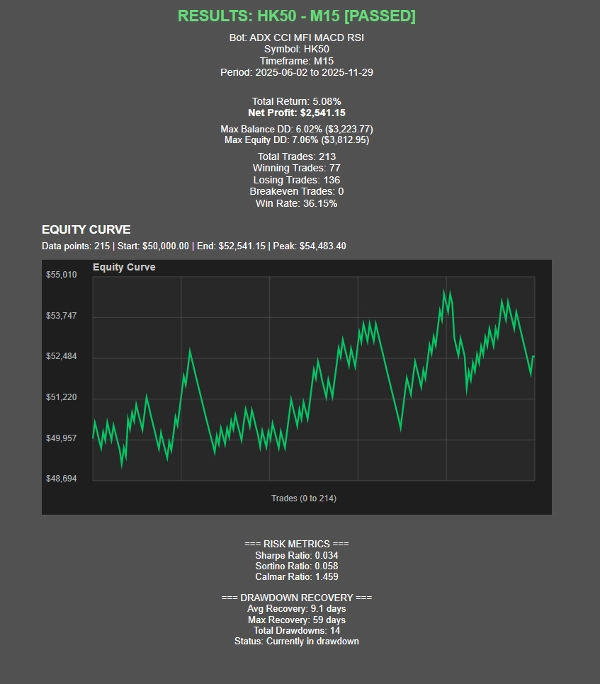
- Коэффициент Шарпа, коэффициент Сортино, коэффициент Калмара (в разработке)
- Статистика восстановления после просадки
- Визуализация кривой капитала
- Отслеживание прогресса в реальном времени с расчетом времени до завершения
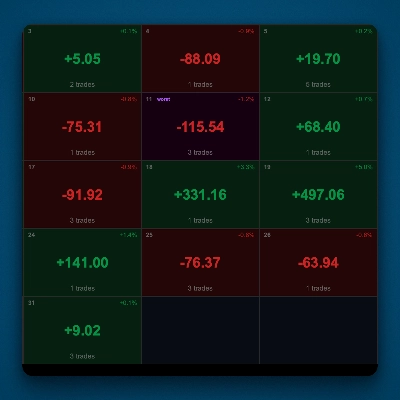
Представление результатов
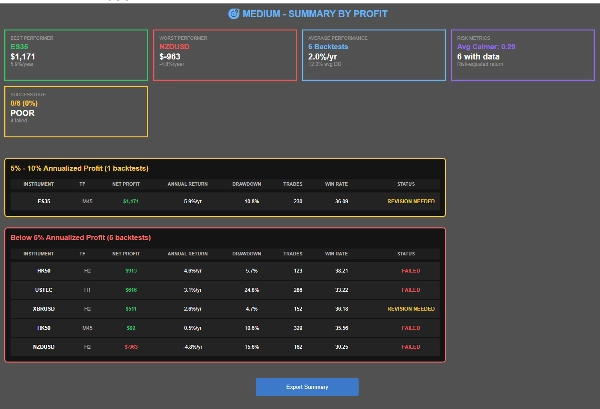
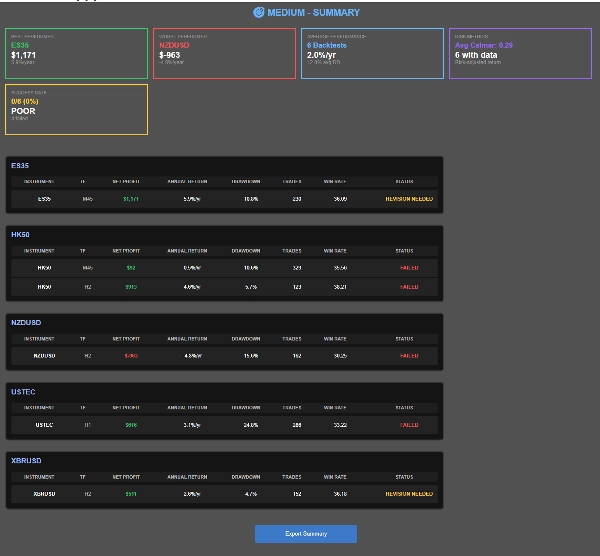
- Три сводных вида: по инструменту, по статусу, по прибыли
- Навигация по результатам с возможностью клика
- Функция экспорта в CSV
- Визуальные карточки статуса и индикаторы прогресса
Сводка
Отзывы покупателей
Обсуждение
Частые вопросы
Больше от этого автора


![Логотип продукта "Custom Timeframes [Iridio Capital]"](https://cdn.ctrader.com/image/webp/4d75a920-23c7-4fea-a7b5-594a9d067f2e_63286)









Цена