
Deskripsi
✅ UATKit disediakan secara gratis sebagai kontribusi niat baik untuk komunitas cTrader, dibuat oleh seorang trader profesional yang memahami tantangan sehari-hari dalam analisis grafik dan eksekusi.
⚠️Harap periksa halaman produk secara berkala untuk pembaruan, karena cTrader tidak memberi tahu pengguna saat versi baru indikator dirilis.
⭐️ Saya juga akan senang menerima komentar dan masukan Anda di Ulasan Pelanggan dan Diskusi bagian.
1. Apa Produk Ini
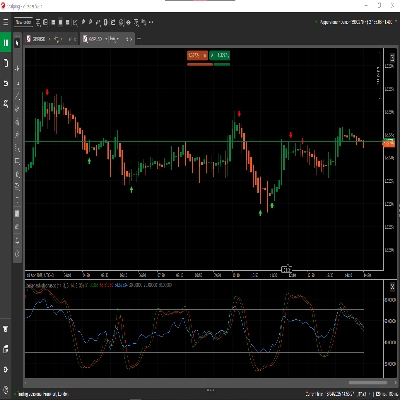
Toolkit peningkatan alur kerja yang komprehensif dirancang untuk membuat pembuatan grafik di cTrader lebih lancar, jelas, dan lebih efisien.
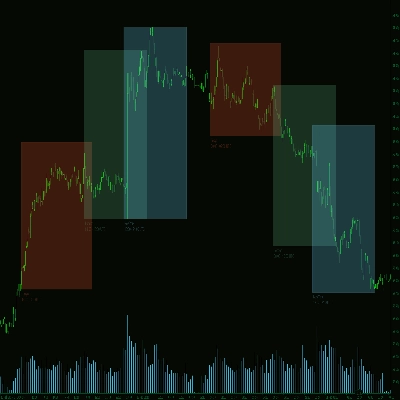
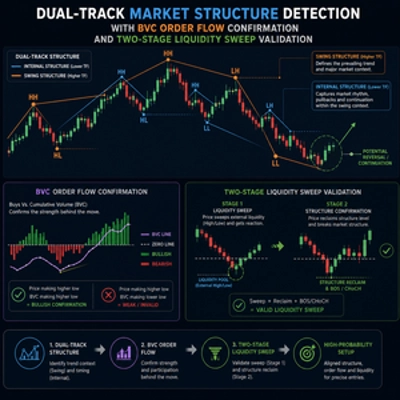
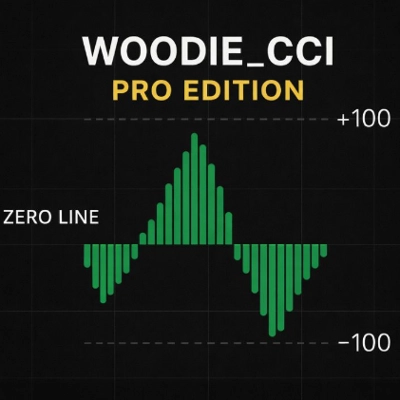
Universal Assistant Toolkit (UATKit) adalah pendamping sisi grafik multi-fitur untuk cTrader.
Ini menggabungkan beberapa alat praktis - masing-masing dirancang untuk memenuhi kebutuhan alur kerja tertentu - menjadi satu indikator ringan yang terpadu.
Setiap fitur di UATKit sepenuhnya dapat disesuaikan dan beroperasi secara independen, memberikan kontrol penuh kepada trader untuk menyesuaikan perilaku, visual, dan hotkey sambil mengaktifkan hanya alat yang mereka butuhkan untuk pengalaman pembuatan grafik yang bersih dan responsif.
UATKit disediakan secara gratis sebagai kontribusi niat baik untuk komunitas cTrader, dibuat oleh seorang trader profesional yang memahami tantangan sehari-hari dalam analisis grafik dan eksekusi.
2. Untuk Siapa Toolkit Ini
UATKit dibuat untuk trader yang:
- Menghabiskan waktu signifikan untuk menganalisis grafik
- Menyukai tata letak grafik yang bersih, informatif, dan dapat disesuaikan
- Ingin akses lebih cepat ke tindakan umum melalui hotkey
- Membutuhkan kejelasan visual selama pasar yang bergerak cepat
- Menghargai alat yang meningkatkan alur kerja tanpa menambah kebisingan
Apakah Anda scalping, swing trading, atau hanya ingin lingkungan pembuatan grafik yang lebih terorganisir, UATKit menyesuaikan dengan gaya Anda.
3. Ikhtisar Grup Fitur
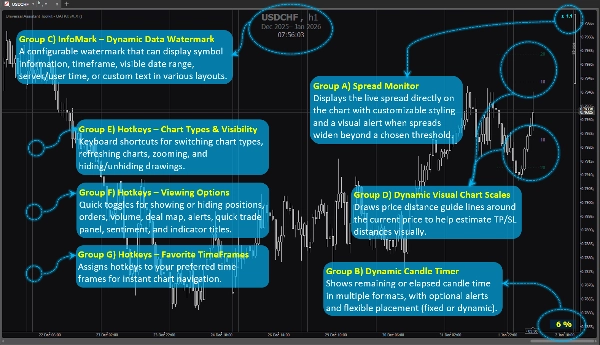
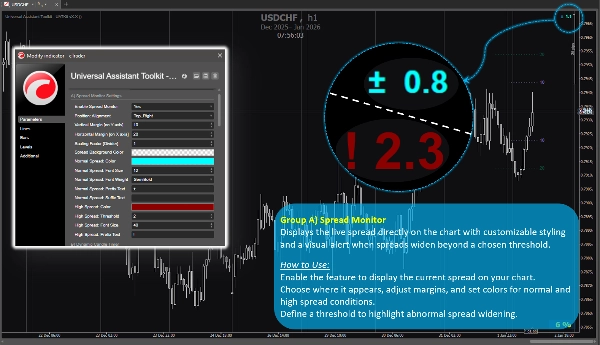
Grup Fitur A) 🔸 Monitor Spread
Menampilkan spread langsung langsung di grafik dengan gaya yang dapat disesuaikan dan peringatan visual saat spread melebar melewati ambang batas yang dipilih.
Cara Menggunakan:
Aktifkan fitur untuk menampilkan spread saat ini di grafik Anda.
Pilih tempat tampilannya, sesuaikan margin, dan atur warna untuk kondisi spread normal dan tinggi.
Tentukan ambang batas untuk menyoroti pelebaran spread yang tidak normal.
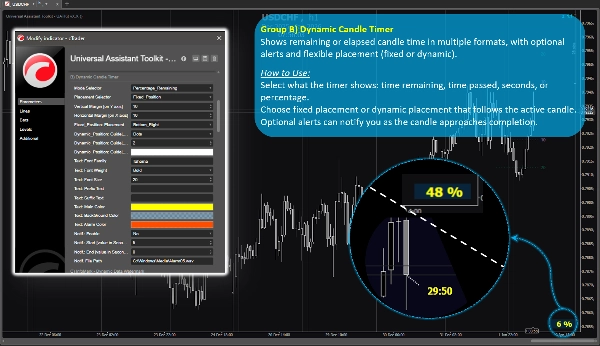
Grup Fitur B) 🔸 Timer Lilin Dinamis
Menampilkan waktu lilin yang tersisa atau telah berlalu dalam berbagai format, dengan peringatan opsional dan penempatan fleksibel (tetap atau dinamis).
Cara Menggunakan:
Pilih apa yang ditampilkan timer: waktu tersisa, waktu yang telah berlalu, detik, atau persentase.
Pilih penempatan tetap atau penempatan dinamis yang mengikuti lilin aktif.
Peringatan opsional dapat memberi tahu Anda saat lilin mendekati penyelesaian.
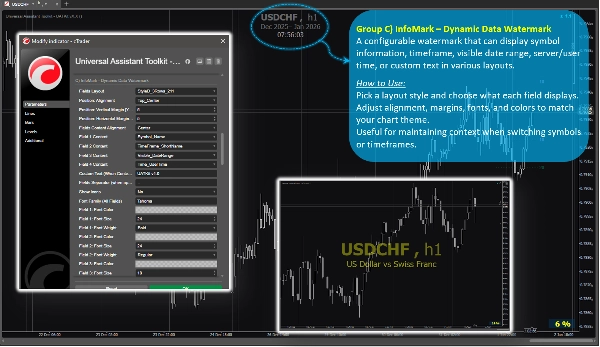
Grup Fitur C) 🔸 InfoMark – Watermark Data Dinamis
Watermark yang dapat dikonfigurasi yang dapat menampilkan informasi simbol, kerangka waktu, rentang tanggal yang terlihat, waktu server/pengguna, atau teks khusus dalam berbagai tata letak.
Cara Menggunakan:
Pilih gaya tata letak dan pilih apa yang ditampilkan setiap bidang.
Sesuaikan penjajaran, margin, font, dan warna agar sesuai dengan tema grafik Anda.
Berguna untuk mempertahankan konteks saat beralih simbol atau kerangka waktu.
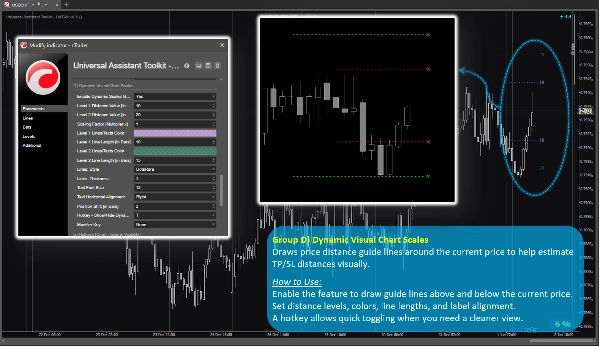
Grup Fitur D) 🔸 Skala Grafik Visual Dinamis
Menggambar garis panduan jarak harga di sekitar harga saat ini untuk membantu memperkirakan jarak TP/SL secara visual.
Cara Menggunakan:
Aktifkan fitur untuk menggambar garis panduan di atas dan di bawah harga saat ini.
Atur level jarak, warna, panjang garis, dan penjajaran label.
Hotkey memungkinkan pengalihan cepat saat Anda membutuhkan tampilan yang lebih bersih.
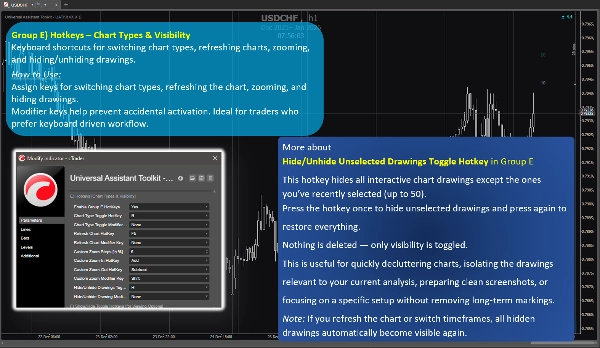
Grup Fitur E) 🔸 Hotkey – Jenis & Visibilitas Grafik
Shortcut keyboard untuk mengganti jenis grafik, menyegarkan grafik, memperbesar, dan menyembunyikan/menampilkan gambar.
Cara Menggunakan:
Tetapkan tombol untuk mengganti jenis grafik, menyegarkan grafik, memperbesar, dan menyembunyikan gambar.
Tombol modifier membantu mencegah aktivasi tidak sengaja. Ideal untuk trader yang lebih suka alur kerja berbasis keyboard.
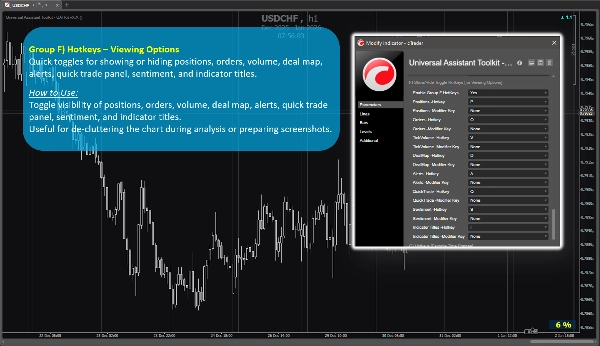
Grup Fitur F) 🔸 Hotkey – Opsi Tampilan
Tombol pengalih cepat untuk menampilkan atau menyembunyikan posisi, order, volume, peta transaksi, peringatan, panel perdagangan cepat, sentimen, dan judul indikator.
Cara Menggunakan:
Alihkan visibilitas posisi, order, volume, peta transaksi, peringatan, panel perdagangan cepat, sentimen, dan judul indikator.
Berguna untuk mengurangi kekacauan grafik selama analisis atau mempersiapkan tangkapan layar.
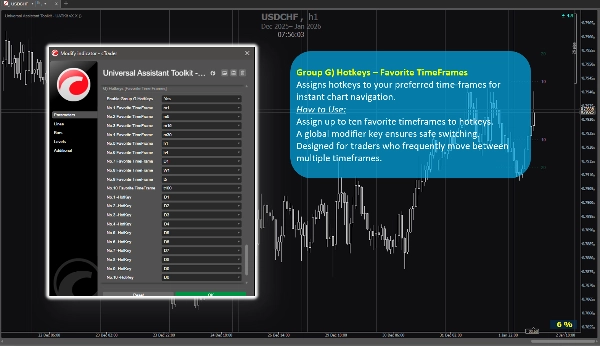
Grup Fitur G) 🔸 Hotkey – TimeFrame Favorit
Menetapkan hotkey ke kerangka waktu favorit Anda untuk navigasi grafik instan.
Cara Menggunakan:
Tetapkan hingga sepuluh kerangka waktu favorit ke hotkey.
Tombol modifier global memastikan pergantian yang aman.
Dirancang untuk trader yang sering berpindah antara beberapa kerangka waktu.
4. Catatan Tambahan untuk Pengguna
- Semua fitur bersifat opsional dan dapat diaktifkan atau dinonaktifkan secara individual.
- Toolkit dioptimalkan untuk kinerja dan dirancang agar tidak mengganggu indikator lain.
- Sebagian besar parameter menyertakan tooltip bawaan. Cukup arahkan kursor ke pengaturan apa pun untuk melihat panduan tambahan dan catatan penggunaan.
- Tidak ada sumber data eksternal yang digunakan; semua informasi berasal dari grafik dan platform.
- Toolkit ini disediakan gratis untuk mendukung komunitas cTrader dan meningkatkan alur kerja pembuatan grafik sehari-hari.
- Pengaturan default masuk akal, sehingga pengguna yang tidak memerlukan konfigurasi khusus dapat mengandalkan parameter preset tanpa menghabiskan waktu ekstra untuk pengaturan.
- ⭐️ Masukan dan saran sangat diterima untuk membantu menyempurnakan versi mendatang (gunakan bagian diskusi di halaman ini).
- ⚠️Harap periksa halaman produk secara berkala untuk pembaruan, karena cTrader tidak memberi tahu pengguna saat versi baru indikator dirilis.
Ringkasan
Key features include:
- **Spread Monitor:** Displays live spread on the chart with customizable visuals and alerts for spread widening.
- **Dynamic Candle Timer:** Shows remaining or elapsed candle time in various formats, with optional alerts and flexible positioning.
- **InfoMark Watermark:** Configurable watermark displaying symbol info, timeframe, date range, server/user time, or custom text.
- **Dynamic Visual Chart Scales:** Price-distance guide lines around current price to estimate take-profit/stop-loss distances visually.
- **Hotkeys for Chart Types & Visibility:** Keyboard shortcuts for switching chart types, refreshing, zooming, and toggling drawing visibility.
- **Hotkeys for Viewing Options:** Quick toggles for positions, orders, volume, deal map, alerts, quick trade panel, sentiment, and indicator titles.
- **Hotkeys for Favorite TimeFrames:** Assign up to ten favorite timeframes to hotkeys for instant navigation.
All features are optional and configurable, optimized for performance without interfering with other indicators. UATKit supports various markets including Forex, indices, commodities, crypto, and stocks. It is intended for traders who seek a clean, customizable, and efficient charting environment with enhanced workflow controls.
Ulasan pelanggan
5 | 100 % | |
4 | 0 % | |
3 | 0 % | |
2 | 0 % | |
1 | 0 % |