
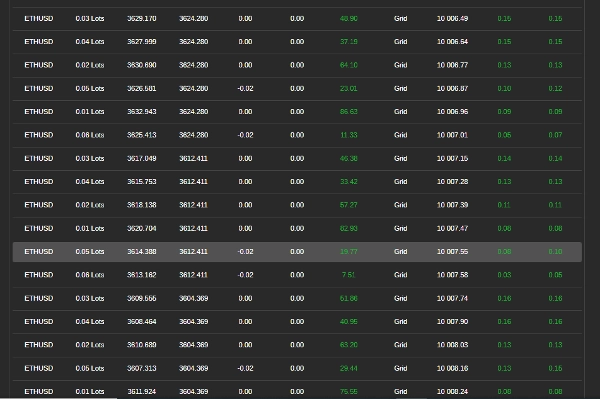
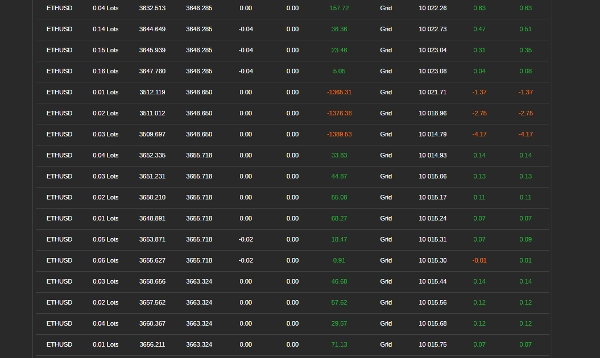
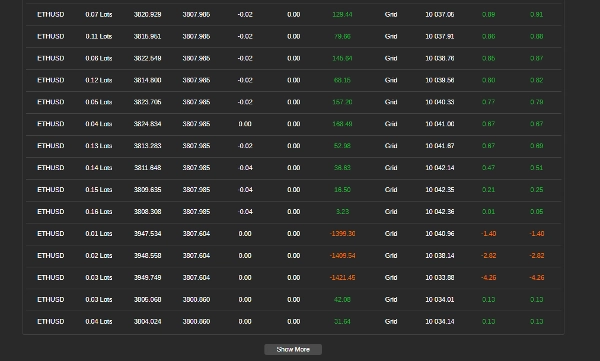

Mô tả
Cách Sử Dụng Bot Giao Dịch Lưới với RSI
Bot này tự động hóa giao dịch lưới sử dụng Chỉ số Sức mạnh Tương đối (RSI) để hướng dẫn việc vào và thoát lệnh. Nó quản lý các vị thế dựa trên các quy tắc đã định trước nhằm tối đa hóa lợi nhuận đồng thời kiểm soát rủi ro. Hãy làm theo các bước sau để thiết lập, cấu hình và sử dụng bot một cách hiệu quả.
Bước 1: Thiết Lập Bot
- Thêm Bot vào Nền tảng Giao dịch của Bạn
-
- Mở nền tảng giao dịch của bạn (ví dụ: cTrader).
- Đi đến phần "Robots" và thêm bot vào biểu đồ của bạn.
- Gắn Bot vào Cặp Giao Dịch
-
- Chọn một cặp tiền tệ (ví dụ: EUR/USD, GBP/USD) mà bạn muốn bot giao dịch.
- Đảm Bảo Tài Khoản Của Bạn Có Đủ Tiền
-
- Đảm bảo tài khoản của bạn có số dư đủ để hỗ trợ các giao dịch, vì giao dịch lưới liên quan đến nhiều vị thế mở.
Bước 2: Cấu Hình Các Thiết Lập Bot
Bot cho phép tùy chỉnh dựa trên điều kiện thị trường và mức độ chịu rủi ro. Dưới đây là các tham số chính bạn có thể điều chỉnh:
Thiết Lập Khối Lượng Giao Dịch
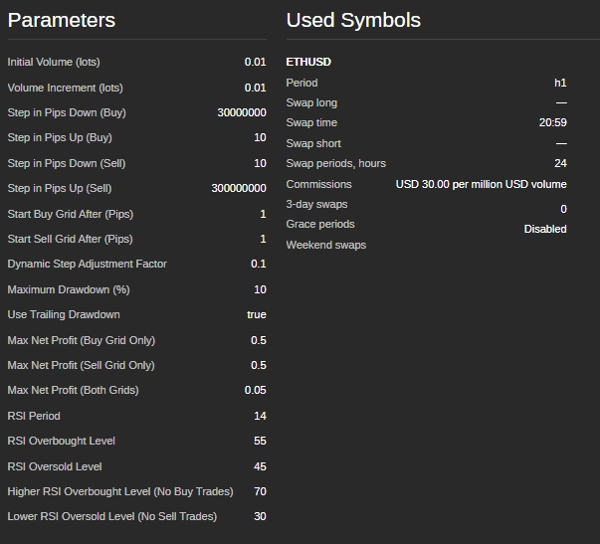
- Kích Thước Giao Dịch Ban Đầu (lots) – Kích thước của giao dịch đầu tiên trong lưới.
- Tăng Khối Lượng (lots) – Mức tăng kích thước giao dịch sau mỗi vị thế.
Mức Lưới (Khoảng Cách Giao Dịch)
- Bước Mua (pips) – Khoảng cách giữa các lệnh mua liên tiếp.
- Bước Bán (pips) – Khoảng cách giữa các lệnh bán liên tiếp.
- Bắt Đầu Lưới Mua (pips) – Sự biến động giá cần thiết trước khi bắt đầu các giao dịch mua.
- Bắt Đầu Lưới Bán (pips) – Sự biến động giá cần thiết trước khi bắt đầu các giao dịch bán.
Điều Kiện Giao Dịch Dựa Trên RSI
- Chu Kỳ RSI – Số lượng nến được sử dụng để tính RSI.
- Mức Quá Mua – Nếu RSI vượt mức này, thị trường được coi là quá mua (vùng có thể bán).
- Mức Quá Bán – Nếu RSI giảm dưới mức này, thị trường được coi là quá bán (vùng có thể mua).
- Mức RSI Không Mua – Nếu RSI quá cao, bot tránh mua.
- Mức RSI Không Bán – Nếu RSI quá thấp, bot tránh bán.
Tính Năng Quản Lý Rủi Ro
- Mức Giảm Tối Đa (%) – Mức lỗ cao nhất cho phép trước khi bot ngừng giao dịch.
- Giảm Theo Sau – Điều chỉnh giới hạn giảm tối đa một cách động khi vốn tài khoản tăng.
- Mục Tiêu Lợi Nhuận Mỗi Lưới – Bot sẽ đóng tất cả các giao dịch trong một lưới khi tổng lợi nhuận đạt giá trị này.
Bước 3: Vận Hành Bot
- Kiểm Tra Lại Các Thiết Lập
-
- Đảm bảo tất cả các tham số được thiết lập theo chiến lược quản lý rủi ro của bạn.
- Khởi Động Bot
-
- Nhấn nút “Start” trên nền tảng.
- Bot sẽ bắt đầu phân tích thị trường và thực hiện giao dịch tự động.
Bước 4: Giám Sát và Quản Lý Giao Dịch
- Kiểm Tra Nhật Ký Giao Dịch
-
- Bot cung cấp cập nhật thời gian thực về các hành động của nó trong cửa sổ nhật ký của nền tảng.
- Theo Dõi Mức Giảm Tài Khoản
-
- Theo dõi số dư tài khoản để đảm bảo các khoản lỗ không vượt quá giới hạn chấp nhận được.
- Xem Xét Lợi Nhuận và Lỗ
-
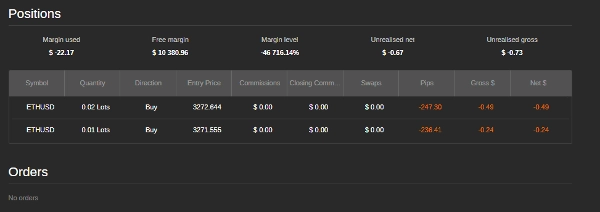
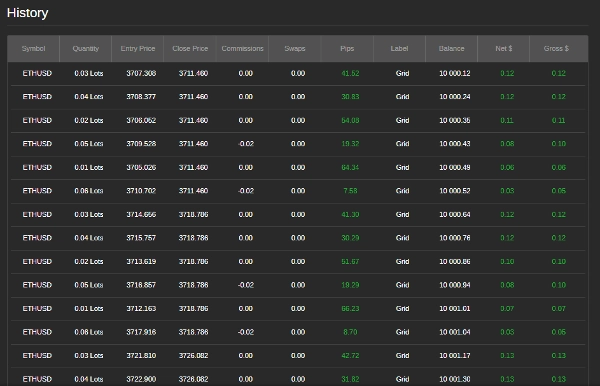
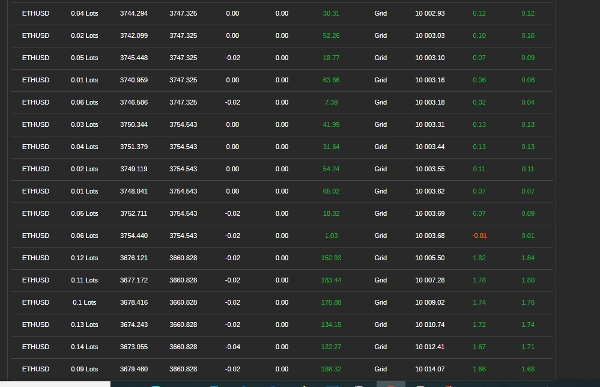
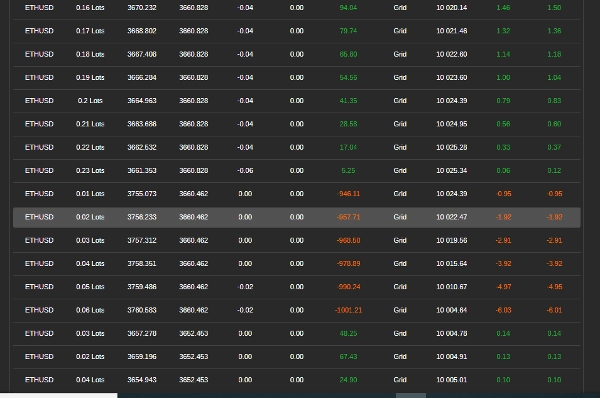
- Bot tự động đóng các vị thế khi đạt mục tiêu lợi nhuận.
Bước 5: Dừng Bot
- Dừng Thủ Công
-
- Nếu bạn muốn ngừng giao dịch, nhấn nút "Stop".
- Dừng Tự Động
-
- Bot sẽ tự dừng nếu đạt mức giảm tối đa hoặc nếu số dư tài khoản quá thấp để mở các giao dịch mới.
Mẹo Để Hiệu Suất Tốt Nhất
- Thử Nghiệm Trên Tài Khoản Demo Trước – Trước khi dùng tiền thật, hãy thử bot để hiểu cách nó hoạt động.
- Điều Chỉnh Thiết Lập Theo Điều Kiện Thị Trường – Bot hoạt động tốt nhất trong thị trường đi ngang hoặc có xu hướng nhẹ.
- Theo Dõi Tin Tức và Sự Kiện Thị Trường – Tránh chạy bot trong các sự kiện kinh tế lớn hoặc khi có tin tức phát hành.
- Tránh Thị Trường Có Khối Lượng Thấp – Giao dịch trong thời điểm thị trường ít hoạt động có thể dẫn đến thực thi kém và rủi ro cao hơn.
Thiết Lập Ví Dụ Cho EUR/USD
- Kích Thước Giao Dịch Ban Đầu: 0.01 lots
- Bước Giao Dịch: 20 pips
- Chu Kỳ RSI: 14
- Mức Quá Mua RSI: 70
- Mức Quá Bán RSI: 30
- Mức Giảm Tối Đa: 5%
- Mục Tiêu Lợi Nhuận Mỗi Lưới: $5
Cần Giúp Đỡ?
Nếu bạn gặp sự cố hoặc có câu hỏi, hãy liên hệ đội hỗ trợ của bot tại siyabongamsg764109@gmail.com hoặc Whats App +2773 714 0490.
Tránh giao dịch trong các sự kiện tin tức lớn là rất quan trọng vì những khoảng thời gian này thường đi kèm với biến động cao và các chuyển động giá không thể đoán trước. Giao dịch theo tin tức có thể dẫn đến hành vi thị trường thất thường, lệch khỏi các xu hướng thông thường, làm tăng rủi ro thua lỗ. Tương tự, giao dịch trong thị trường đi ngang — nơi giá di chuyển ngang mà không có hướng rõ ràng — có thể gây ra các phá vỡ giả và cơ hội lợi nhuận hạn chế, khiến việc thực hiện chiến lược trở nên khó khăn. Thêm vào đó, những ngày có khối lượng thấp thường có thanh khoản giảm, điều này có thể gây ra chênh lệch giá rộng hơn và trượt giá, làm phức tạp thêm việc thực thi giao dịch. Bằng cách tránh giao dịch theo tin tức, thị trường đi ngang và các khoảng thời gian khối lượng thấp, nhà giao dịch có thể tập trung vào các điều kiện thị trường ổn định hơn, cung cấp xu hướng rõ ràng và thực thi tốt hơn, từ đó nâng cao hiệu suất giao dịch tổng thể.
Tóm tắt
Risk management features allow users to set maximum drawdown limits, trailing drawdown adjustments, and profit targets per grid, enabling the bot to stop trading automatically under specified loss conditions. The bot supports trading on currency pairs like EUR/USD and GBP/USD, with example settings including a 0.01 lot initial trade size, 20-pip trade steps, RSI period of 14, and a 5% max drawdown.
Users add the bot to their trading platform, attach it to a chosen trading pair, configure settings according to market conditions and risk tolerance, and start the bot to begin automated trading. The bot provides real-time trade logs and manages positions to close trades when profit targets are met. It is recommended to test the bot on a demo account and avoid trading during major news events, ranging markets, or low-volume periods for optimal performance.
Đánh giá của khách hàng
5 | 100 % | |
4 | 0 % | |
3 | 0 % | |
2 | 0 % | |
1 | 0 % |
Thảo luận
Câu hỏi thường gặp
Sản phẩm khác của tác giả này

















Giá