

AlgoCorner Crosshair Edge
Gösterge
Sürüm 1.0, Apr 2025
Windows, Mac
5.0
Değerlendirmeler: 2
15
Satışlar
423
Ücretsiz yüklemeler
Açıklama
Crosshair Edge: En İyi cTrader Veri Görselleştirme Aracı
İle Crosshair Edge, cTrader platformu içindeki piyasa verilerinin görselleştirilmesini geliştiren güçlü bir araç, grafik analizlerinizi yeni seviyelere taşıyabilirsiniz.
Gelişmiş Grafik Etkileşimi
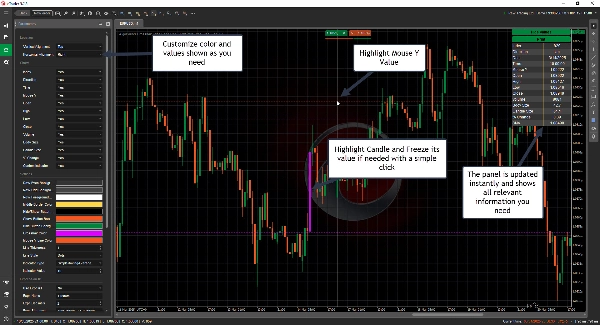
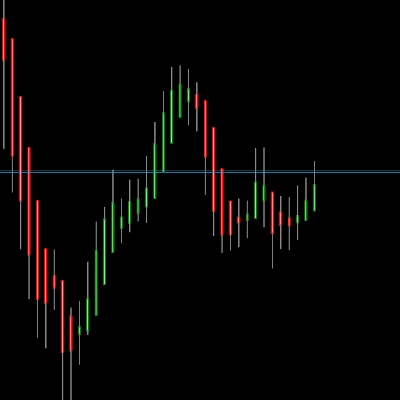
- Mevcut çubuğu ve aralığını vurgulayın
- Bir mum üzerinde tıklayarak imleci dondurun ve gerektiğinde tekrar tıklayarak açın
- Değerleri kolayca kopyalanabilmesi için logunuza gönderin
- İhtiyaç duyulduğunda düzeni gösterin veya gizleyin
Tam Özelleştirme
- Renkleri tarzınıza göre kişiselleştirin
- İmleci grafikte ihtiyacınız olan herhangi bir konuma ayarlayın
- Hangi değerlerin gösterileceğini ve hangilerinin atlanacağını seçin
Anında Mum Verisi Gösterimi
Herhangi bir mumun üzerine gelerek tüm detaylarını ve daha fazlasını kontrol edin
- İndeks
- Yön
- Tarih
- Saat
- Fare Y Fiyatı
- Açılış
- Yüksek
- Düşük
- Kapanış
- Hacim
- Gövde Boyutu
- Mum Boyutu
- % Değişim
- Birden fazla gösterge değeri
-
- ADX
- ATR
- Chaikin Para Akışı
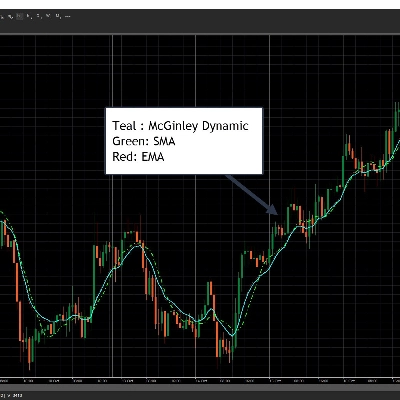
- EMA, HMA, SMA, TSMA, TMA, WMA
- Denge Hacmi
- RSI
- STD
- Ağırlıklı Kapanış
- Welles Wilder Yumuşatma
- Williams %R
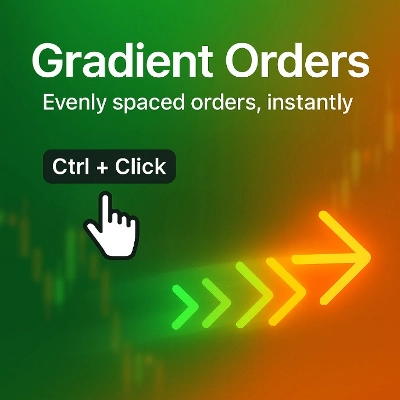
- Kolay kısayollarla Yatay/Dikey Çizgiler Çizin
-
- Yatay Çizgi Çiz: Ctrl + 1
- Dikey Çizgi Çiz: Ctrl + 2
- Kısayollar tamamen özelleştirilebilir
- Özelleştirilebilir Formüller
-
- İhtiyaçlarınıza uygun formüller hesaplamak için Açılış, Yüksek, Düşük, Kapanış ve İndeksi kullanın
- Örnek, Tipik Fiyat: (Yüksek[indeks] + Düşük[indeks] + Kapanış[indeks])/3.0
Sorunsuz Entegrasyon
- Kullanım kolaylığı için lisansınız cTrader ID'nize bağlıdır
- Gelecekteki güncellemeler dahildir
Ticaret deneyiminizi bugün Crosshair Edge ile yükseltin! 🚀
Özet
YZ özeti
AlgoCorner Crosshair Edge is a data visualization indicator designed for the cTrader platform to enhance chart analysis and market data interaction. It highlights the current bar and its range, allows users to freeze the crosshair on a specific candle with a click, and unlock it as needed. Users can send values to a log for easy copying and toggle the layout display.
The tool offers full customization, including color personalization, adjustable crosshair positioning within the chart, and selective display of data values. Instant candle data is available by hovering over any candle, showing details such as index, direction, date, time, mouse Y price, open, high, low, close, volume, body size, candle size, percentage change, and multiple indicator values (e.g., ADX, ATR, Chaikin Money Flow, various moving averages, RSI, and others).
Crosshair Edge supports drawing horizontal and vertical lines using customizable hotkeys (default: Ctrl+1 for horizontal, Ctrl+2 for vertical). It also allows users to create custom formulas based on open, high, low, close, and index values for tailored calculations.
The license is linked to the user’s cTrader ID for seamless integration, and future updates are included. This tool is intended to improve precision and efficiency in market data visualization within cTrader.
The tool offers full customization, including color personalization, adjustable crosshair positioning within the chart, and selective display of data values. Instant candle data is available by hovering over any candle, showing details such as index, direction, date, time, mouse Y price, open, high, low, close, volume, body size, candle size, percentage change, and multiple indicator values (e.g., ADX, ATR, Chaikin Money Flow, various moving averages, RSI, and others).
Crosshair Edge supports drawing horizontal and vertical lines using customizable hotkeys (default: Ctrl+1 for horizontal, Ctrl+2 for vertical). It also allows users to create custom formulas based on open, high, low, close, and index values for tailored calculations.
The license is linked to the user’s cTrader ID for seamless integration, and future updates are included. This tool is intended to improve precision and efficiency in market data visualization within cTrader.
Gösterge profili
Tartışma
Müşteri değerlendirmeleri
5.0
Değerlendirmeler: 2
5 | 100 % | |
4 | 0 % | |
3 | 0 % | |
2 | 0 % | |
1 | 0 % |
Müşteri değerlendirmeleri
April 23, 2025
SSS
Indices
RSI
ATR
cTrader Store üzerinden erişilebilen işlem botları, göstergeler ve eklentiler gibi ürünler, üçüncü taraf sağlayıcılar tarafından sağlanır ve yalnızca bilgilendirme ve teknik erişim amaçlarıyla sunulur. cTrader Store bir broker değildir ve yatırım tavsiyesi, kişisel öneriler vermez veya gelecekteki performansı garanti etmez.








Fiyat
15
Satışlar
423
Ücretsiz yüklemeler