
NNFX TP AND SL V1.1
อินดิเคเตอร์
เวอร์ชัน 1.0, Apr 2025
Windows, Mac
4.5
รีวิว: 2
ตั้งแต่ 24/04/2025
27.69M
ปริมาณการเทรด
629.04K
Pips ที่ได้กำไร
คำอธิบาย
🔹 สิ่งที่ทำ
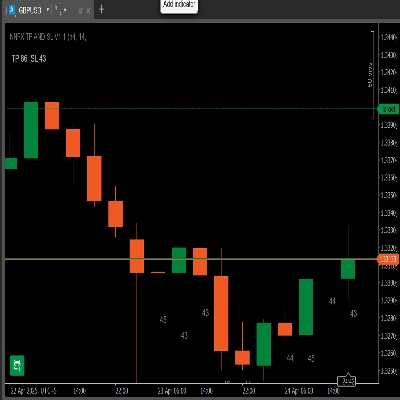
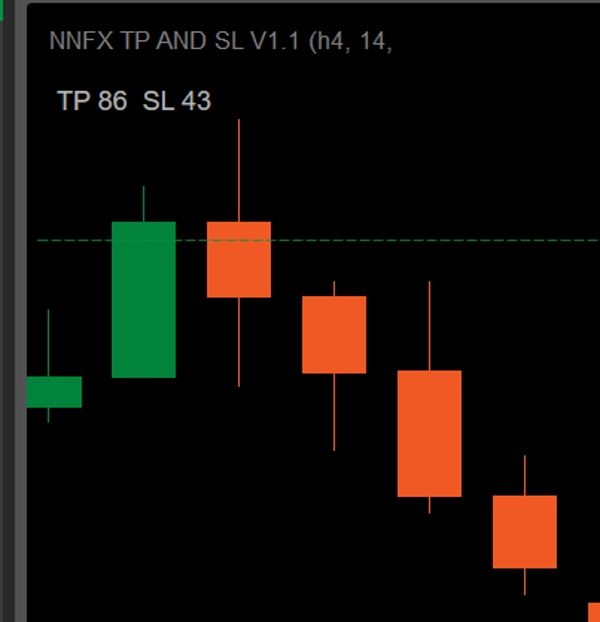
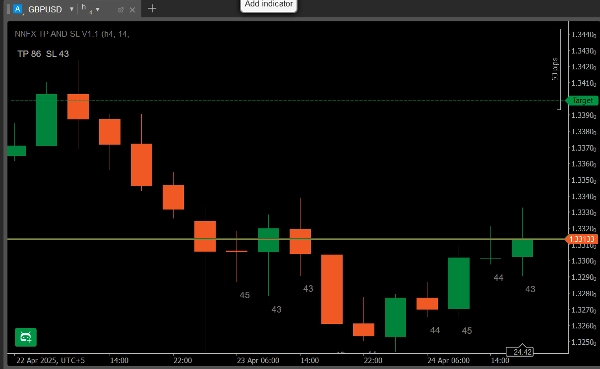
- แผงควบคุมแบบไดนามิก: แสดง “TP × SL” เป็นพิปส์ตามช่วง ATR ที่คุณเลือกและตัวคูณ TP.
- ป้าย ATR 10 แท่งล่าสุด: พิมพ์ค่า ATR เป็นพิปส์ใต้แท่งเทียน 10 แท่งล่าสุด (ในกรอบเวลาที่เหมือนกัน).
- ตรวจสอบกรอบเวลา: หากคุณแนบไว้บนกราฟที่มีกรอบเวลาแตกต่างกัน จะแจ้งเตือนว่า “กรอบเวลาไม่ตรงกัน – ไม่แสดง ATR บนแท่งเทียน.”
🔹 คุณสมบัติหลัก
- การแสดงผลแผงควบคุม
-
- TP = ATR × ตัวคูณของคุณ (เลือก 1 ÷ 4.5 ทีละ 0.5)
- SL = ATR เป็นพิปส์
- ตัวอย่าง: ATR = 43 → SL = 43 พิปส์ หากตัวคูณ = 2 → TP = 86 พิปส์.
- ป้าย ATR ต่อแท่ง
-
- แสดงค่า ATR เป็นพิปส์ใต้แท่งเทียน 10 แท่งล่าสุด.
- ช่วยให้คุณรับรู้ความผันผวนล่าสุดได้ทันที.
- การตรวจสอบกรอบเวลา
-
- วาดป้ายเฉพาะเมื่อกรอบเวลาของกราฟตรงกับการตั้งค่ากรอบเวลา ATR ของคุณ.
- หากไม่ตรงกัน จะมีคำเตือนสีแดงแสดงที่ด้านล่าง.
- การกรองสไปค์ (ตัวเลือก)
-
- เปิดใช้งานตัวกรองค่าเฉลี่ย + k·σ เพื่อจำกัดแท่งที่เกิดการล่มอย่างรวดเร็ว.
- ตั้งค่าตัวคูณ σ ได้ตามต้องการ.
🔹 วิธีติดตั้งและใช้งาน
- ดาวน์โหลด
NNFXATRInfoIndicator_v1.1.algo. - ใน cTrader → Algo → Indicators, คลิก Import Indicator และเลือกไฟล์
.algo. - เพิ่มลงในกราฟ และเปิดแท็บ Parameters:
-
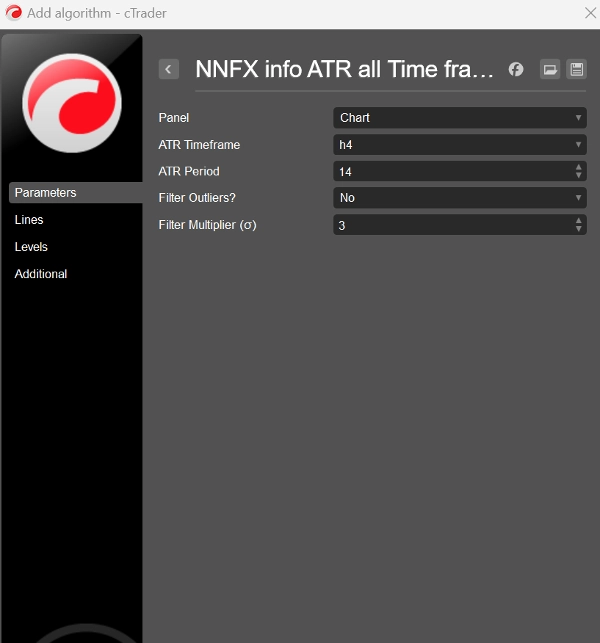
- กรอบเวลา ATR: เช่น H4
- ช่วง ATR: ค่าเริ่มต้น 14
- ตัวคูณ TP: 1 – 4.5
- ใช้ตัวกรองสไปค์?: ใช่/ไม่ใช่
- ตัวคูณตัวกรอง σ: ค่าเริ่มต้น 3
- คลิก เพิ่มลงในกราฟ คุณจะเห็นแผง “TP × SL” ที่มุมบนซ้ายและป้าย ATR 10 แท่งล่าสุดแสดงขึ้นโดยอัตโนมัติ (ถ้ากรอบเวลาตรงกัน).
🔹 ทำไมคุณจะชอบมัน
- ไม่ต้องคำนวณ: ไม่ต้องแปลงทศนิยมเป็นพิปส์อีกต่อไป—ทุกอย่างเป็นพิปส์เต็ม.
- พร้อมสำหรับ NNFX: SL & TP ถูกกำหนดขนาดตามกฎ ATR ของระบบคุณอย่างแม่นยำ คุณเพียงเลือก กรอบเวลา และ ทิศทางการเทรด ที่คุณต้องการเทรด—แล้วปรับ ตัวคูณ TP ให้เหมาะกับอัตราความเสี่ยง-ผลตอบแทนที่คุณชอบ.
- ชัดเจนและสะอาด: ข้อมูลความผันผวนทั้งหมดในเลเยอร์เดียวที่กะทัดรัด—ไม่มีหน้าต่างเสริม.
- ยืดหยุ่นสูง: คู่เงิน FX ใดก็ได้ กรอบเวลาใดก็ได้ ปรับแต่งได้เต็มที่.
- เพิ่มพลังให้การเข้าตลาด NNFX ของคุณด้วยจุดหยุดและเป้าหมายที่แม่นยำตาม ATR!
สรุป
สรุปโดย AI
NNFX TP AND SL V1.1 is a cTrader indicator designed to display Average True Range (ATR)-based stop loss (SL) and take profit (TP) levels directly on trading charts in pips. It features a dynamic panel showing TP and SL values calculated from the chosen ATR period and a user-defined TP multiplier (ranging from 1 to 4.5 in 0.5 increments). The SL is set equal to the ATR value in pips, while TP equals ATR multiplied by the selected multiplier.
The indicator overlays ATR values for the last 10 bars beneath each candle on the same timeframe, providing immediate insight into recent market volatility. It includes a timeframe validation feature that ensures ATR labels only appear when the chart timeframe matches the ATR timeframe setting; otherwise, a warning message is displayed.
An optional spike filter can be enabled to smooth out flash-crash bars using a configurable mean plus standard deviation (σ) multiplier.
Installation involves importing the provided .algo file into cTrader’s Algo → Indicators section, adding it to the chart, and configuring parameters such as ATR timeframe, ATR period (default 14), TP multiplier, and spike filter settings.
This tool supports any FX pair and timeframe, offering a compact, clear overlay for precise ATR-based trade management aligned with NNFX system rules.
The indicator overlays ATR values for the last 10 bars beneath each candle on the same timeframe, providing immediate insight into recent market volatility. It includes a timeframe validation feature that ensures ATR labels only appear when the chart timeframe matches the ATR timeframe setting; otherwise, a warning message is displayed.
An optional spike filter can be enabled to smooth out flash-crash bars using a configurable mean plus standard deviation (σ) multiplier.
Installation involves importing the provided .algo file into cTrader’s Algo → Indicators section, adding it to the chart, and configuring parameters such as ATR timeframe, ATR period (default 14), TP multiplier, and spike filter settings.
This tool supports any FX pair and timeframe, offering a compact, clear overlay for precise ATR-based trade management aligned with NNFX system rules.
โปรไฟล์อินดิเคเตอร์
การสนทนา
รีวิวจากลูกค้า
4.5
รีวิว: 2
5 | 50 % | |
4 | 50 % | |
3 | 0 % | |
2 | 0 % | |
1 | 0 % |
รีวิวจากลูกค้า
May 3, 2025
the first test should keep DD under 3 percent, and the trade idea gets a pause before execution.
April 28, 2025
The setup gets an extra sanity check, but the chart still needs a human read.
คำถามที่พบบ่อย
ATR
ผลิตภัณฑ์ที่มีให้บริการผ่าน cTrader Store รวมถึงบอทการเทรด อินดิเคเตอร์ และปลั๊กอิน มีให้บริการโดยนักพัฒนาบุคคลที่สามและมีไว้เพื่อวัตถุประสงค์ในการเข้าถึงข้อมูลและทางเทคนิคเท่านั้น cTrader Store ไม่ใช่โบรกเกอร์และไม่ได้ให้คำแนะนำการลงทุน คำแนะนำส่วนบุคคล หรือการรับประกันผลการดำเนินงานในอนาคต










ราคา
ตั้งแต่ 24/04/2025
27.69M
ปริมาณการเทรด
629.04K
Pips ที่ได้กำไร