


说明
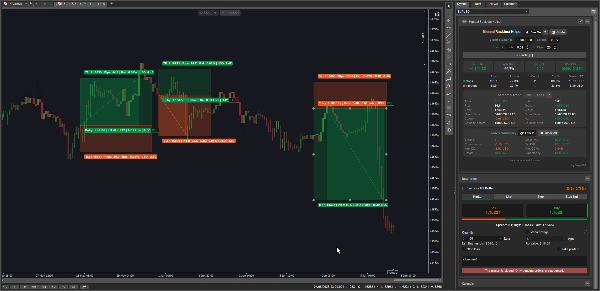
Manual Backtest Helper 是一个 cTrader 插件,允许您直接在图表上记录、评分和分析您的策略 — 无需电子表格、无外部工具、无需导出数据。
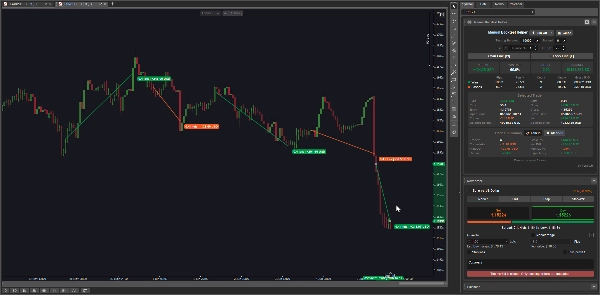
您可以直观地绘制交易,插件会即时计算您的 胜率、利润因子、净盈亏、最大回撤、期望值等。随着您添加或编辑交易,所有数据实时更新。
它适用于:
- 自主交易者 希望在历史价格数据上手动回测策略的人
- 成长中的交易者 在实盘前建立其交易设置的业绩记录
- 策略评审者 希望回放过去交易并客观衡量优势的人
- 任何想要回答这个问题的人: “我的策略真的有优势吗?”
--------------- 注意:此插件目前在 macOS 上运行不佳 ---------------
主要功能
📊 两种记录模式
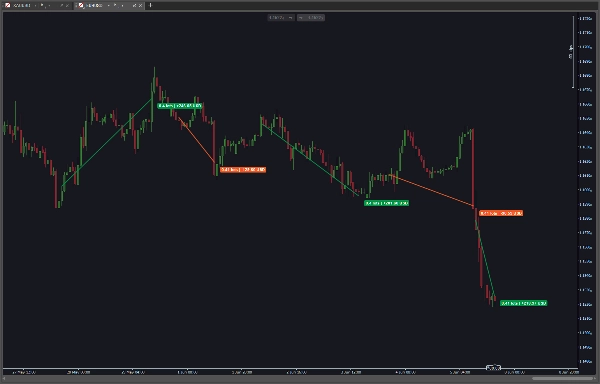
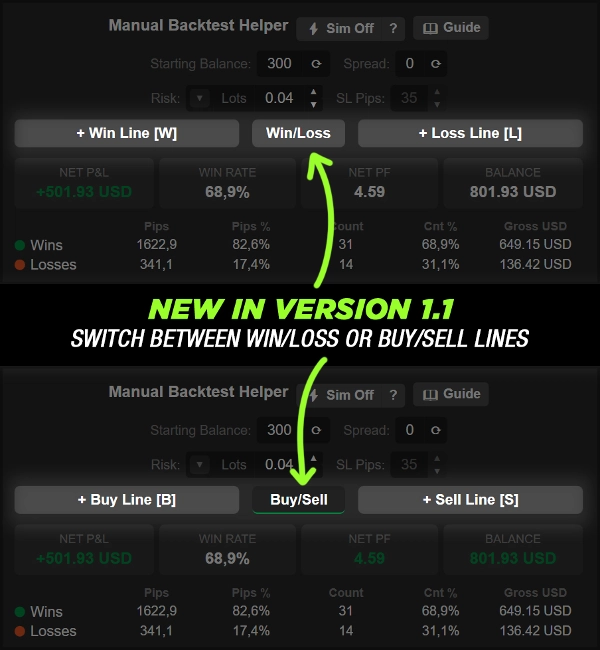
- 手动模式 — 在两个价格点之间绘制一条简单的趋势线表示赢或输。方向(买入/卖出)根据线的角度自动推断
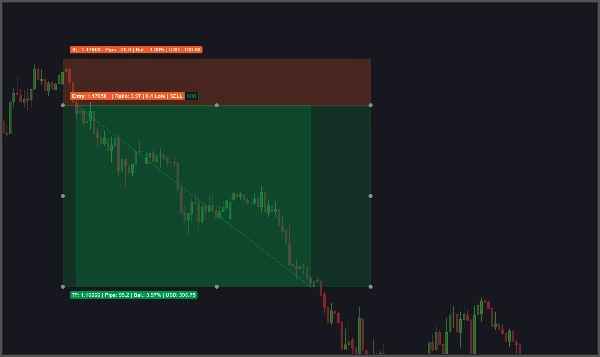
- 模拟模式 (⚡) — 点击即可放置完整的交易设置,包括入场、止盈目标和止损。插件会向前扫描蜡烛图并自动判定结果为赢或输
🎯 自动交易判定(模拟模式)
- 逐根蜡烛扫描以确定先触及止盈目标还是止损
- 当两个水平在同一根蜡烛上被触及时,标记交易为 模糊
- 模糊交易可在检查器中手动覆盖为 赢 或 输
💰 三种风险模式
- 固定手数 — 直接输入具体手数
- 余额百分比 — 输入起始余额的风险百分比;手数根据止损点数自动计算
- 货币金额 — 输入固定的风险货币金额;手数根据止损点数自动计算
📐 手数计算引擎
- 根据风险金额和止损点数自动反算正确的手数
- 自动贴合品种的最小交易量步长
- 限制在品种允许的最小和最大交易量范围内
🔢 可配置输入项
- 起始余额 — 手动输入或一键同步自实盘账户
- 点差 — 手动输入或一键复制自实盘图表品种
- 止损点数 — 用于手数计算和模拟交易绘制的止损距离
- 便捷的 ▲ / ▼ 微调按钮 用于快速增减调整
📈 实时关键绩效指标面板
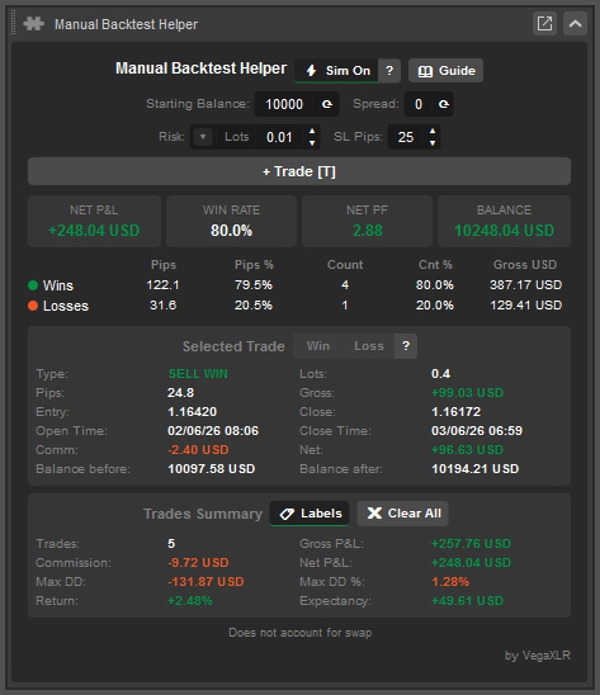
三个始终可见的主要指标,随着交易的添加或编辑实时更新:
- 净盈亏 — 扣除佣金后的所有交易总利润/亏损
- 胜率 — 赢利交易的百分比
- 净利润因子 — 净利润因子
- 余额 — 回测后的余额
📋 胜负统计表
五列并排显示的胜负细分:
- 总计 点数
- 点数百分比 占总点数的比例
- 交易 数量
- 数量百分比 占总交易数的比例
- 总货币价值
🔍 单笔交易检查器
点击图表上的任意交易查看其详细信息:
- 类型(例如 买入赢,卖出输,买入模糊)
- 手数
- 获得或损失的点数
- 毛盈亏
- 入场价和收盘价
- 开仓和收盘时间戳
- 佣金
- 净盈亏(扣除佣金后)
- 选中交易前的余额
- 选中交易后的余额
📑 交易汇总部分
所有记录交易的图表级统计:
- 交易总数
- 毛盈亏
- 总佣金
- 净盈亏
- 最大回撤(货币)
- 最大回撤百分比
- 起始余额的回报百分比
- 期望值(每笔交易的平均净货币回报)
🏷️ 图表标签
- 可直接从交易汇总标题切换交易标签的显示或隐藏
🗑️ 带确认的全部清除
- ✖ 全部清除 按钮删除所有记录的交易
- 执行前需要 ✓ 确认 步骤,防止误删
- ✗ 取消 操作中止
⌨️ 键盘快捷键
- 可配置的快捷键,用于赢线、输线和交易绘制操作
- 快捷键标签直接显示在操作按钮上
💾 持久状态
- 所有交易、设置和界面数值自动保存
- 下次打开图表或平台时完全恢复
🎨 主题感知界面
- 面板颜色、按钮状态和状态文本会根据当前主题自动调整
- 切换按钮高亮显示以表明当前绘图模式
摘要
AI summary
VegaXLR - Manual Backtest Helper is a cTrader plugin designed for manual strategy backtesting directly on price charts without external tools. It enables traders to visually draw trades and instantly calculates key performance metrics such as win rate, profit factor, net profit and loss, maximum drawdown, and expectancy, updating these statistics in real time.
The plugin supports two recording modes: Manual Mode, where trades are drawn as trendlines with automatic direction detection, and Sim Mode, which allows placing full trade setups (entry, take profit, stop loss) that automatically resolve outcomes by scanning candle data. Ambiguous trades, where both target and stop loss are hit in the same candle, can be manually classified.
Risk sizing is flexible with three modes: fixed lot size, percentage of starting balance, or fixed monetary amount, with an automatic lot size calculator that respects symbol volume constraints. Configurable inputs include starting balance, spread, and stop loss pips, adjustable via spinner controls.
Users benefit from live KPI tiles showing net P&L, win rate, profit factor, and balance, a detailed win/loss stats table, and a per-trade inspector providing comprehensive trade details. Additional features include on-chart trade labels, keyboard shortcuts, persistent state saving, and a theme-aware user interface. This tool is suited for discretionary traders, strategy developers, and reviewers seeking objective edge analysis.
The plugin supports two recording modes: Manual Mode, where trades are drawn as trendlines with automatic direction detection, and Sim Mode, which allows placing full trade setups (entry, take profit, stop loss) that automatically resolve outcomes by scanning candle data. Ambiguous trades, where both target and stop loss are hit in the same candle, can be manually classified.
Risk sizing is flexible with three modes: fixed lot size, percentage of starting balance, or fixed monetary amount, with an automatic lot size calculator that respects symbol volume constraints. Configurable inputs include starting balance, spread, and stop loss pips, adjustable via spinner controls.
Users benefit from live KPI tiles showing net P&L, win rate, profit factor, and balance, a detailed win/loss stats table, and a per-trade inspector providing comprehensive trade details. Additional features include on-chart trade labels, keyboard shortcuts, persistent state saving, and a theme-aware user interface. This tool is suited for discretionary traders, strategy developers, and reviewers seeking objective edge analysis.
插件配置
插件类别
实用工具
数据访问
市场数据
账户
图表
风险模型
固定手数
固定风险百分比
动态
支持的风险控制
止损
止盈
客户评价
0.0
评价:0
客户评价
该产品尚无评价。已经试过了?抢先告诉其他人!
讨论
常见问答
Chart UI Tools
Risk/Reward
Performance Report
Risk Calculator
Trade Statistics
cTrader Store 提供的所有产品,包括交易机器人、指标和插件,均由第三方开发者提供,仅供信息参考和技术访问之用。cTrader Store 并非经纪商,不提供投资建议、个人推荐或任何未来业绩保证。
该作者的其他作品









!["Custom Timeframes [Iridio Capital]" 标识](https://cdn.ctrader.com/image/webp/4d75a920-23c7-4fea-a7b5-594a9d067f2e_63286)



价格
255
销售
1.49K
免费安装