

คำอธิบาย
เปลี่ยนการวิเคราะห์ทางเทคนิคของคุณด้วยตัวบ่งชี้ค่าเฉลี่ยมัธยฐานที่ล้ำหน้าที่สุดบน cTrader!
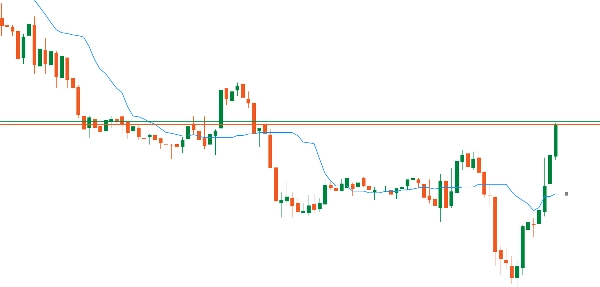
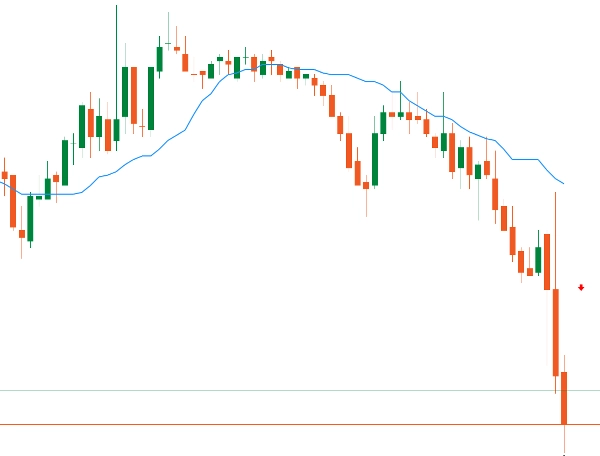
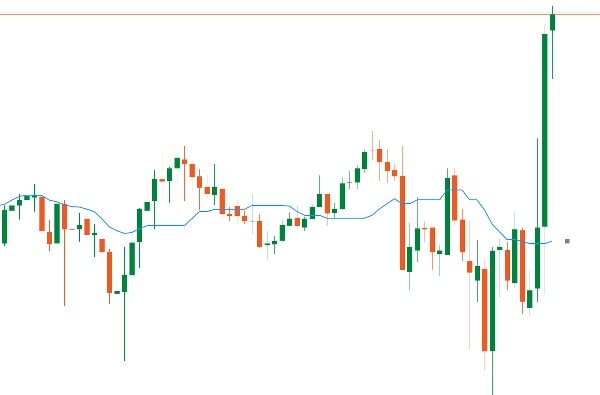
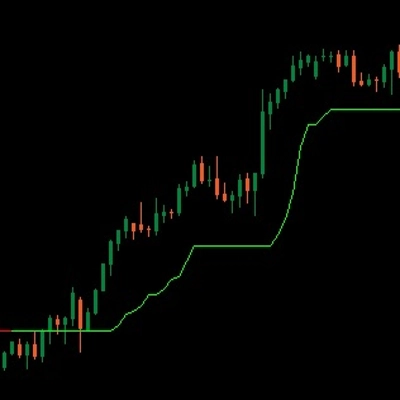
VMM Average Median คือวิวัฒนาการที่ปฏิวัติวงการของตัวบ่งชี้มัธยฐานคลาสสิก ออกแบบมาสำหรับเทรดเดอร์มืออาชีพที่ต้องการความแม่นยำ ความรวดเร็ว และความน่าเชื่อถือ ด้วยอัลกอริทึมที่ได้รับการปรับแต่งและการตรวจจับแนวโน้มอย่างชาญฉลาด ตัวบ่งชี้นี้มอบความได้เปรียบที่แท้จริงในตลาดการเงิน
🎯 การตรวจจับแนวโน้มอัจฉริยะ
อัลกอริทึมที่ปรับแต่งได้ (2-5 แท่งเทียน) สำหรับสไตล์การเทรดที่แตกต่างกัน
ตัวกรองสัญญาณรบกวนขั้นสูง - ไม่สนใจโดจิและแท่งเทียนที่ไม่มีนัยสำคัญ
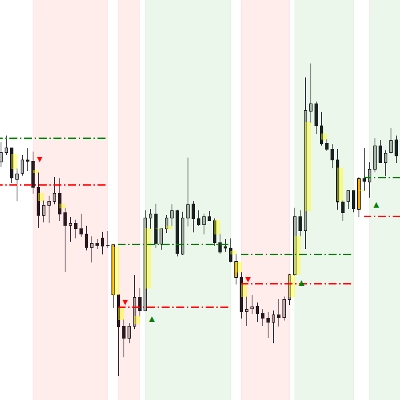
ลูกศรที่แม่นยำพร้อมการปรับออฟเซ็ตได้
ตรรกะ "Smart Price" ที่ปรับปรุงเพื่อคุณภาพสัญญาณที่ดียิ่งขึ้น
🎨 การปรับแต่งครบถ้วน
พารามิเตอร์ที่ปรับได้มากกว่า 15 รายการเพื่อให้เหมาะกับกลยุทธ์ใดก็ได้
สี สไตล์ และความหนาที่ปรับแต่งได้อย่างเต็มที่
การควบคุมละเอียดระหว่างประสิทธิภาพกับความแม่นยำ
อินเทอร์เฟซที่ใช้งานง่าย จัดกลุ่มอย่างมีเหตุผล
📊 ประโยชน์สำหรับเทรดเดอร์
⚡ สำหรับสแคปเปอร์และเทรดเดอร์รายวัน:
ตอบสนองรวดเร็วมาก (มิลลิวินาที)
การตรวจจับการกลับตัวทันที
การใช้ทรัพยากรน้อยที่สุด
เหมาะสำหรับกราฟแท่งเทียนแบบ tick และกราฟ 1 นาที
📈 สำหรับเทรดเดอร์สวิงและนักลงทุน:
การวิเคราะห์แนวโน้มที่น่าเชื่อถือมากขึ้น
การกรองสัญญาณรบกวนที่ซับซ้อน
ประสิทธิภาพที่มั่นคงในระยะยาว
เหมาะสำหรับหลายช่วงเวลา
💻 สำหรับผู้ใช้ VPS/หลายคู่สกุลเงิน:
ลดการใช้ CPU ได้ถึง 80%
การใช้หน่วยความจำที่ได้รับการปรับแต่ง
การทำงานพร้อมกันโดยไม่มีความล่าช้า
ประหยัดค่าโฮสติ้งจริง
🔧 คุณสมบัติทางเทคนิคขั้นสูง
ระบบแคชอัจฉริยะ:
ประสิทธิภาพแคช: 85-95% ในการใช้งานปกติ
การทำความสะอาดอัตโนมัติเป็นระยะ
ปลอดภัยสำหรับเธรดด้วย ConcurrentDictionary
การปรับแต่งอัลกอริทึม:
การคำนวณมัธยฐาน O(n log n) ที่ได้รับการปรับแต่ง
การจัดสรรหน่วยความจำล่วงหน้าเพื่อความเร็วสูงสุด
การตรวจสอบขอบเขตที่แข็งแกร่ง
การแสดงผลระดับมืออาชีพ:
เส้นมัธยฐานที่เรียบและต่อเนื่อง
ลูกศรแนวโน้มที่มีการจัดตำแหน่งอย่างชาญฉลาด
สไตล์เส้นที่หลากหลาย (ทึบ, จุด ฯลฯ) สีที่ปรับแต่งได้สำหรับตลาดกระทิง/ตลาดหมี
มัธยฐาน vs SMA: ข้อได้เปรียบที่แท้จริง
📊 วิธีการทำงาน:
SMA: ค่าเฉลี่ยง่าย - รวมราคาทั้งหมด (รวมถึงค่าผิดปกติ)
มัธยฐาน: ค่ากลางหลังจากการจัดเรียง - ไม่สนใจการกระโดดของราคาโดยอัตโนมัติ
🎯 ตัวอย่างอย่างรวดเร็ว:
ราคา: 100, 101, 102, 103, 150 (การกระโดด)
SMA: 111.2 ❌ (เบี่ยงเบนโดยการกระโดด)
มัธยฐาน: 102 ✅ (ค่าตลาดจริง)
⭐ ข้อได้เปรียบหลัก:
1️⃣ ตัวกรองธรรมชาติ - ไม่สนใจค่าผิดปกติ/การกระโดดโดยอัตโนมัติ
2️⃣ สัญญาณที่สะอาดกว่า - ลดการแจ้งเตือนผิดพลาด 40-60%
3️⃣ ทนต่อการบิดเบือน - การปั๊ม/ดั๊มป์มีผลน้อยลง
4️⃣ เหมาะสำหรับความผันผวน - รักษาความมั่นคงในตลาดที่วุ่นวาย
🔥 สำหรับเทรดเดอร์:
สแคปปิ้ง: กรองสัญญาณรบกวนความถี่สูง
เทรดรายวัน: เวลาเข้าที่แม่นยำกว่า
สวิง: ระบุแนวโน้มจริง ไม่ใช่สัญญาณรบกวน
🚀 มัธยฐานคือ SMA อัจฉริยะ - แสดงความเห็นพ้องราคาที่แท้จริง!
สรุป
รีวิวจากลูกค้า
การสนทนา
คำถามที่พบบ่อย
เพิ่มเติมจากผู้เขียนคนนี้




















ราคา
