


Beschreibung
CTRADER JOURNAL - WENIGER PROTOKOLLIEREN. MEHR LERNEN.
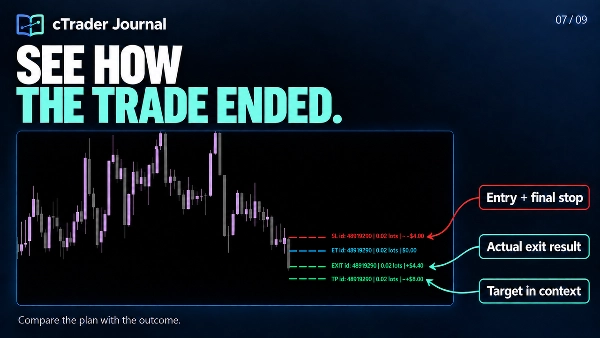
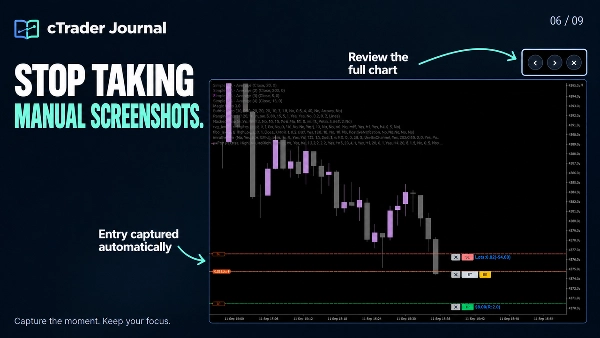
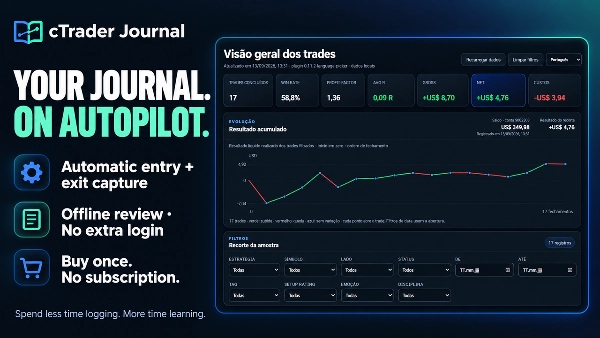
Verbringen Sie Ihre Überprüfungszeit nicht damit, zu rekonstruieren, was passiert ist. cTrader Journal zeichnet Ihre Trades automatisch auf und erstellt Screenshots beim Ein- und Ausstieg, damit Sie sich darauf konzentrieren können, Ihre Entscheidungen zu verstehen, Muster zu erkennen und Ihren Prozess zu verbessern.
Einmaliger Kauf. Kein Journal-Abonnement. Kein zusätzliches Journal-Login. Einfachheit ist der Schlüssel!
✅ MACHEN SIE AUS IHRER HANDELSHISTORIE ETWAS NÜTZLICHES
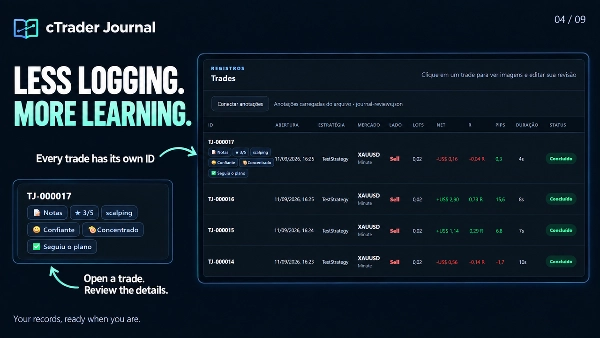
- Sparen Sie Zeit: automatische Erfassung von Ein- und Ausstieg hält Aufzeichnungen und Screenshots verknüpft mit jeder Trade-ID, einschließlich mehrerer Positionen.
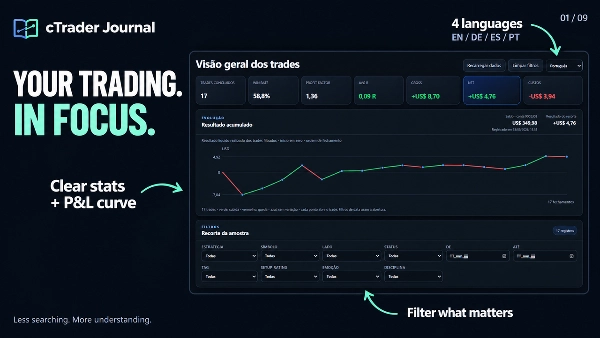
- Sehen Sie, was Aufmerksamkeit verdient: klare Statistiken, eine kumulative realisierte P&L-Kurve und fokussierte Filter helfen Ihnen, die relevante Stichprobe zu überprüfen.
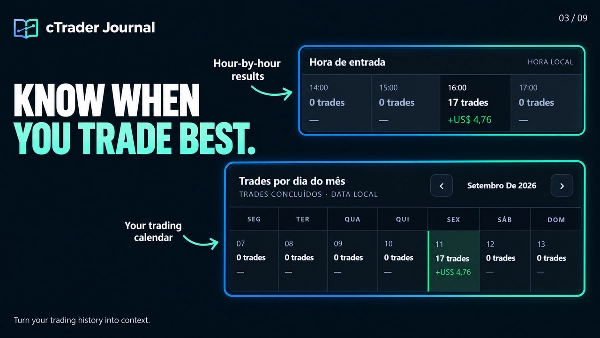
- Vergleichen Sie Ihren Ansatz: überprüfen Sie Strategien, Sitzungen, Einstiegszeiten und Handelstage. Untersuchen Sie Kosten, Ausführungsslippage und MFE/MAE zur Unterstützung Ihrer Analyse.
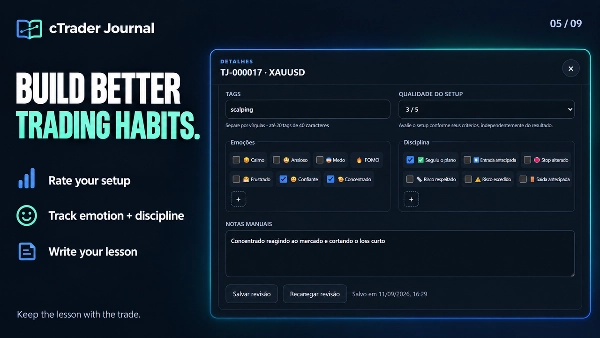
- Lernen Sie aus Ihren Entscheidungen: fügen Sie persönlichen Notizen, Setup-Bewertungen, Tags, Emotionen und Disziplinmarkierungen zu einzelnen Trades hinzu. Erstellen Sie Ihre eigenen Optionen für Emotionen und Disziplin.
- Überprüfen Sie das Gesamtbild: vergrößern Sie Screenshots und wechseln Sie zwischen Ein- und Ausstieg, ohne den Viewer zu verlassen.
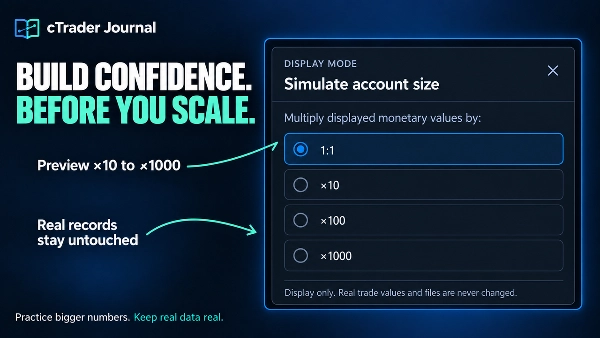
- Simulieren Sie größere Kontogrößen, ohne gespeicherte Handelsdaten zu ändern.
- Fügen Sie Screenshots hinzu, kommentieren Sie Charts und aktualisieren Sie Handels-Checklisten.
- Navigieren Sie schneller durch Aufzeichnungen und erkunden Sie die kumulative Kurve.
- Stellen Sie unterbrochene Aufnahmen durch sicherere automatische Wiederholungen wieder her.
- Bewahren Sie Überprüfungen, Screenshots und Notizen lokal gespeichert auf.
✅Setzen Sie Ihre Grenzen. Schützen Sie Ihren Prozess.
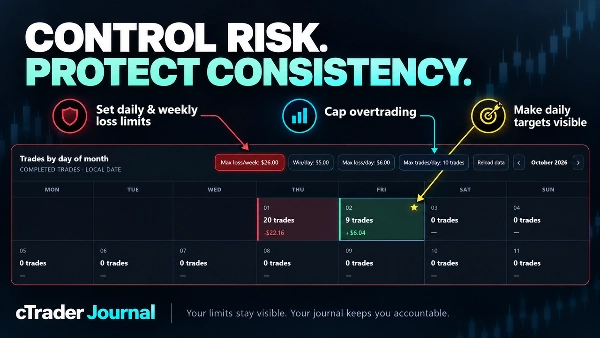
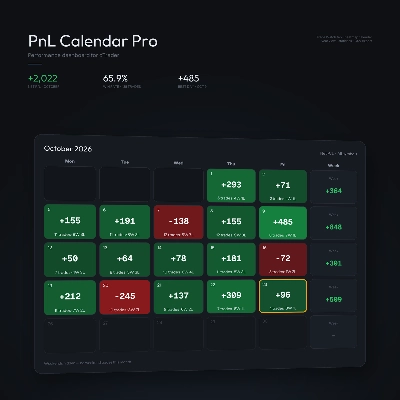
- Stärken Sie Ihre Handelsdisziplin mit dauerhaften Risikokontrollen direkt in Ihrem Journal-Kalender.
- Legen Sie tägliche und wöchentliche Verlustgrenzen nach Geldwert oder Anzahl verlustreicher Trades fest.
- Verhindern Sie Überhandel mit einer maximalen Anzahl von Trades pro Tag.
- Definieren Sie ein tägliches Gewinnziel und sehen Sie sofort erreichte Tage, die mit einem goldenen Stern markiert sind.
- Behalten Sie Grenzen und aktive Warnungen über Neuladen und Browser-Refreshs hinweg bei.
🖥️ IHR JOURNAL, MIT RAUM ZUM DENKEN
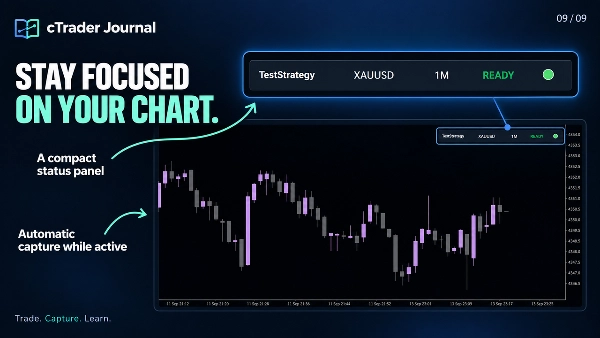
- Das Journal öffnet lokal in Ihrem Browser und bietet Charts, Statistiken, Screenshots und persönliche Bewertungen im Raum eines vollständigen Browserfensters. Ein kompaktes Panel bleibt auf Ihrem cTrader-Chart.
- Ihre Journal-Dateien bleiben auf Ihrem Computer. Überprüfen Sie gespeicherte Daten offline, ohne einen Server zu hosten oder sich bei einem separaten Journal-Dienst anzumelden.
- Die Oberfläche unterstützt Englisch, Portugiesisch, Deutsch und Spanisch. Englisch ist die Standardsprache; schreiben Sie Ihre Notizen und benutzerdefinierten Labels in jeder Sprache.
📂 WO SIE IHR JOURNAL FINDEN
Klicken Sie auf "Open Journal" im kompakten Panel, um die lokale Adresse zu öffnen. Wenn der Browser nicht automatisch öffnet, wählen Sie die angezeigte Adresse aus, kopieren Sie sie mit Strg+A / Strg+C und fügen Sie sie in die Adressleiste von Edge oder Chrome ein.
Die generierte Seite ist journal .html. Ein typischer Windows-Pfad ist:
Documents\cAlgo\Data\Plugins\CTrader Jornal\jornal\journal.html
Der genaue Speicherort hängt von Ihrer Documents/OneDrive-Konfiguration, dem installierten Plugin-Namen und der Journal-Unterordnereinstellung ab. Verwenden Sie die vom Plugin angezeigte Adresse.
✍️ VERBINDEN SIE IHRE PERSÖNLICHEN BEWERTUNGEN
- Öffnen Sie journal .html in Microsoft Edge oder Google Chrome.
- Klicken Sie auf Anmerkungen verbinden.
- Wählen Sie journal-reviews .json aus DEM GLEICHEN Journal-Ordner und erlauben Sie dem Browser, Änderungen zu speichern.
- Öffnen Sie einen Trade, fügen Sie Ihre Bewertung hinzu und klicken Sie auf Bewertung speichern.
Beispiel: bewerten Sie das Setup mit 3/5, wählen Sie „Ängstlich“, fügen Sie einen Disziplinmarker für frühzeitigen Einstieg hinzu und schreiben Sie: „Ich bin vor der Bestätigung eingestiegen. Warten Sie beim nächsten Mal auf den Kerzenschluss.“
Wichtig: Dies verbindet die vorhandene Bewertungsdatei; Sie müssen Trades nicht manuell importieren. Bewahren Sie journal-reviews .json mit Ihrem Journal auf und schließen Sie es beim Sichern des Ordners ein. Wenn der Browser Sie später auffordert, erneut zu verbinden, wählen Sie dieselbe Datei aus.
🌐 WÄHLEN SIE EDGE ODER CHROME FÜR DAS VOLLE ERLEBNIS
Das Journal ist für Microsoft Edge und Google Chrome optimiert, deren Datei-Zugriffs-Funktionen das direkte Speichern Ihrer Bewertungen in der lokalen JSON-Datei unterstützen.
In Firefox und Browsern ohne die erforderliche Unterstützung können Sie weiterhin das Dashboard, Statistiken und Screenshots ansehen. Das Erstellen oder Bearbeiten von Bewertungen – einschließlich Notizen, Bewertungen, Emotionen, Disziplin und Tags – ist in diesem Workflow nicht verfügbar. Ohne eine verbundene Bewertungsdatei spiegeln angezeigte Anmerkungen den zuletzt generierten Dashboard-Snapshot wider.
⚙️ ERFASSUNGSBEREICH
Halten Sie das Plugin aktiv und das Original-Chart für Screenshots sichtbar. Die automatische Registrierung erfasst neue Positionen auf dem Symbol des aktiven Charts; registrierte Trades werden weiterhin nach ID verfolgt, wenn Sie Charts wechseln. Bereits vor der Registrierung offene Positionen werden nicht automatisch importiert. Das Journal zeichnet Trades auf und bewertet sie; es platziert oder verwaltet keine Orders.
Zusammenfassung
Users can add personal notes, setup ratings, tags, emotions, and discipline markers to individual trades, with customizable options to support personalized analysis. The journal interface opens locally in a web browser (optimized for Microsoft Edge and Google Chrome) and stores all data on the user's computer, allowing offline access without requiring subscriptions or external servers. A compact panel integrates with the cTrader chart for easy access.
The plugin supports multiple languages for the interface and allows connection of personal review files for annotation and editing directly within the browser. It captures trades only from the active chart symbol while the plugin is active and visible, but does not place or manage orders. This tool is intended to enhance trading review efficiency and insight through automated data capture and comprehensive trade journaling.
Diskussion
Kundenbewertungen
5 | 0 % | |
4 | 100 % | |
3 | 0 % | |
2 | 0 % | |
1 | 0 % |
Häufig gestellte Fragen (FAQ)












![„Custom Timeframes [Iridio Capital]“-Logo](https://cdn.ctrader.com/image/webp/4d75a920-23c7-4fea-a7b5-594a9d067f2e_63286)








Preis