

vWAP plus
Indicateur
1 achats
Version 1.0, Oct 2025
Windows, Mac
4.0
Avis : 3

42.11M
Volume tradé
6.13M
Pips gagnés
274
Ventes
10.62K
Installations gratuites
Description
VWAP Plus Pro pour cTrader
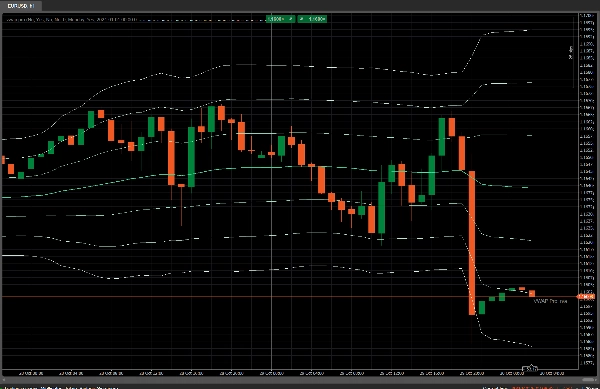
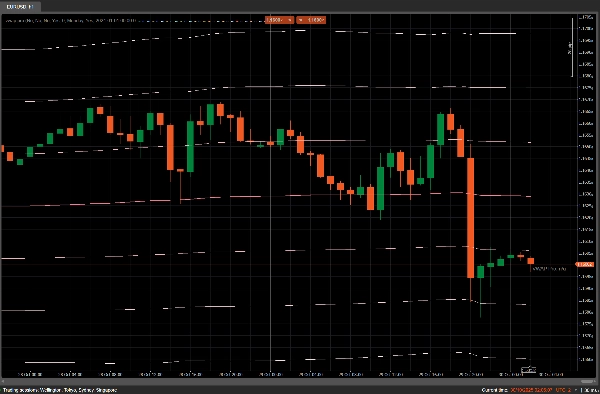
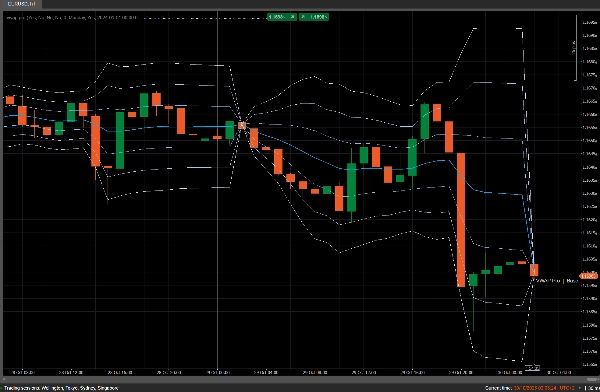
Un VWAP avancé avec multi-VWAP (Quotidien/Hebdomadaire/Mensuel/Ancré), clic-pour-ancrer, alertes configurables, un panneau de statistiques, et une mise en évidence optionnelle des bandes extérieures.
Paramètres (expliqués)
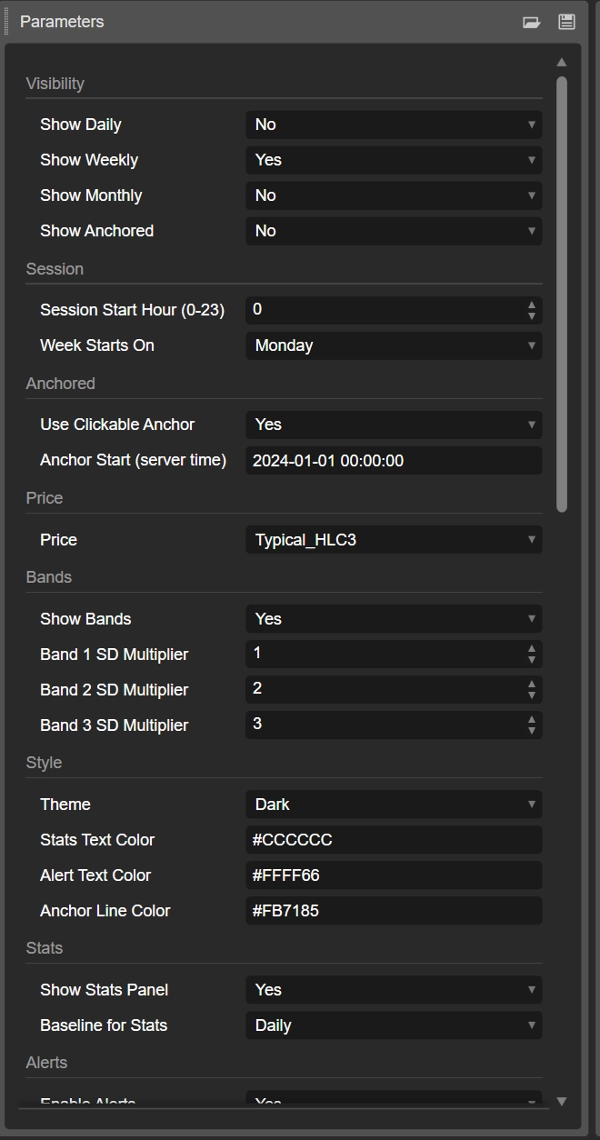
Visibilité
- Afficher Quotidien / Hebdomadaire / Mensuel / Ancré
Activez chaque VWAP. Astuce : gardez Quotidien activé pour les alertes de référence.
Session
- Heure de début de session (0–23)
Décale la limite de réinitialisation pour les VWAP Quotidien/Hebdomadaire/Mensuel.
Exemples : 9 (ouverture cash EU), 15 ou 16 (US, selon l'heure d'été).
Note : cela affecte aussi à quelle bougie appartient la semaine “courante”. - Début de semaine (Lundi/Dimanche/Samedi)
Définit le début de semaine utilisé pour la réinitialisation Hebdomadaire.
Ancré
- Utiliser l'ancre cliquable (true/false)
Si true, trace une ligne verticale VWAP_Anchor — glissez pour choisir le début du VWAP ancré. - Début de l'ancre (heure serveur)
Utilisé lorsque le clic-pour-ancrer est désactivé. Format recommandé :YYYY-MM-DD HH:MM:SS.
Prix & Bandes
- Prix (Typique HLC3 / Clôture / OHLC4)
Source du prix pour les calculs. Typique (HLC3) = par défaut ; OHLC4 = plus lisse ; Clôture = plus réactif. - Afficher les bandes (true/false)
Affiche jusqu'à 3 bandes calculées avec la variance pondérée par le volume (plus précise que l'écart-type simple du prix). - Multiplicateur d'écart-type Bandes 1/2/3 (≥ 0)
Multiplicateurs d'écart-type (courants : 1.0 / 2.0 / 3.0).
Mettre 0 pour désactiver une bande spécifique.
Style & Thème
- Thème (Sombre/Clair)
Affecte les couleurs du texte/alerte/mise en évidence. - Couleur du texte des stats / Couleur du texte des alertes / Couleur de la ligne d'ancrage (HEX)
Couleurs pour le texte en superposition, les messages d'alerte et la ligne d'ancrage.
Statistiques
- Afficher le panneau de statistiques (true/false)
Affiche la superposition supérieure avec Référence, Δ en pips (distance par rapport au VWAP), et l'estimation du score z. - Référence pour les stats (Quotidien/Hebdomadaire/Mensuel/Ancré)
Choisit à quel VWAP le Δ et le score z se réfèrent.
Alertes
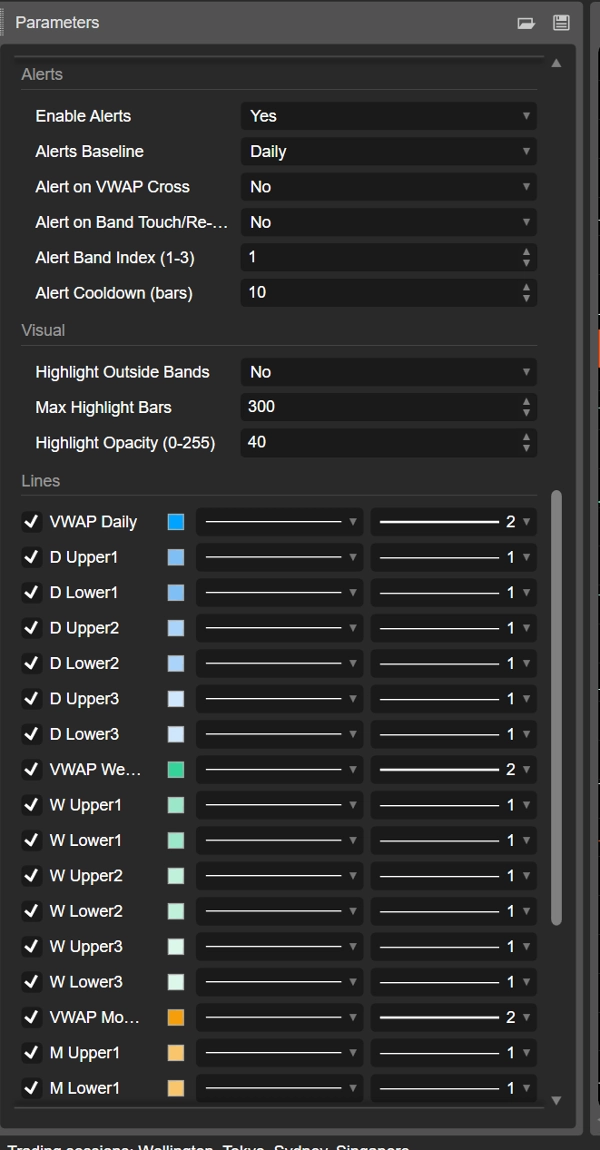
- Activer les alertes (true/false)
Interrupteur principal pour les alertes. - Référence des alertes (Quotidien/Hebdomadaire/Mensuel/Ancré)
VWAP utilisé par les alertes. - Alerte sur croisement VWAP (true/false)
Se déclenche lorsque la Clôture croise le VWAP choisi. - Alerte sur contact/rentrée dans la bande (true/false)
Se déclenche au contact de la bande choisie ou à la rentrée après une excursion. - Index de la bande d'alerte (1–3)
Quelle bande surveiller (1 = la plus proche du VWAP). - Temps de recharge des alertes (barres)
Nombre minimum de barres entre les alertes (réduit le bruit).
Visuel
- Mettre en évidence les bandes extérieures (true/false)
Dessine des rectangles semi-transparents lorsque le prix dépasse la bande sélectionnée (référence = Référence des alertes). - Nombre maximum de barres mises en évidence
Nombre de barres à garder mises en évidence (évite l'encombrement). - Opacité de la mise en évidence (0–255)
Opacité des rectangles (plus élevé = plus visible).
Préréglages rapides
- Intrajournalier EU : Heure de début de session 9, Référence des alertes Quotidien, Index de bande 1, Temps de recharge 10.
- Breakout/tendance : désactivez la Bande3, utilisez le prix Clôture, alertes sur croisement + rentrée.
- Réversion à la moyenne : Typique HLC3, bande1=1, bande2=2, activez la mise en évidence des bandes extérieures pour les points de “sur-extension”.
Résumé
AI summary
vWAP Plus is an advanced volume-weighted average price (VWAP) indicator designed for cTrader. It supports multiple VWAP types including Daily, Weekly, Monthly, and Anchored, with the ability to toggle each VWAP's visibility. Users can set a custom session start hour and define the week start day to adjust VWAP reset boundaries. The Anchored VWAP feature includes a click-to-anchor function allowing users to drag a vertical line to select the anchor start point.
The indicator offers configurable alerts based on VWAP crosses and band touches or re-entries, with adjustable alert cooldown periods to reduce noise. It calculates price using selectable sources such as Typical (HLC3), Close, or OHLC4 and can display up to three volume-weighted variance bands with customizable standard deviation multipliers. Visual enhancements include optional outside-band highlighting with adjustable opacity and maximum highlight bars.
A stats panel displays key metrics like baseline VWAP, pip distance (Δ), and z-score estimates, with user-selectable baselines for stats and alerts. The indicator supports dark and light themes and customizable colors for text, alerts, and anchor lines. Quick presets are provided for common trading styles such as EU intraday, breakout/trend, and mean-reversion. This tool is applicable across various markets including Forex, indices, commodities, stocks, and cryptocurrencies.
The indicator offers configurable alerts based on VWAP crosses and band touches or re-entries, with adjustable alert cooldown periods to reduce noise. It calculates price using selectable sources such as Typical (HLC3), Close, or OHLC4 and can display up to three volume-weighted variance bands with customizable standard deviation multipliers. Visual enhancements include optional outside-band highlighting with adjustable opacity and maximum highlight bars.
A stats panel displays key metrics like baseline VWAP, pip distance (Δ), and z-score estimates, with user-selectable baselines for stats and alerts. The indicator supports dark and light themes and customizable colors for text, alerts, and anchor lines. Quick presets are provided for common trading styles such as EU intraday, breakout/trend, and mean-reversion. This tool is applicable across various markets including Forex, indices, commodities, stocks, and cryptocurrencies.
Profil de l'indicateur
Avis clients
4.0
Avis : 3
5 | 0 % | |
4 | 100 % | |
3 | 0 % | |
2 | 0 % | |
1 | 0 % |
Avis clients
November 13, 2025
the reason it feels usable is the first signal should not decide the only input. The setup needs patience.
November 9, 2025
The only reason it stays interesting is the setup gets a second look, and a basic exit rule helps the review.
November 8, 2025
Discussion
Questions fréquentes
Signal
Indices
Commodities
GBPUSD
RSI
Bollinger
Fibonacci
Scalping
AI
XAUUSD
NAS100
MACD
BTCUSD
Forex
Breakout
EURUSD
NZDUSD
Martingale
Prop
ZigZag
Supertrend
Fair Value Gap
SMC
Crypto
Grid
Stocks
ATR
USDJPY
VWAP
Les produits disponibles sur cTrader Store, notamment les bots de trading, les indicateurs et les plug-ins, sont fournis par des développeurs tiers et mis à disposition à titre informatif et à des fins d'accès technique uniquement. cTrader Store n'est pas un courtier et ne fournit aucun conseil en investissement, aucune recommandation personnelle ni aucune garantie quant aux performances futures.












Vous pourriez aussi aimer









Prix
42.11M
Volume tradé
6.13M
Pips gagnés
274
Ventes
10.62K
Installations gratuites