


Description
L'IDÉE
Quatre outils Fibonacci et trois outils géométriques qui partagent la même structure de swing détectée automatiquement au lieu de s'appuyer sur des références manuelles séparées.
LE PROBLÈME
L'analyse géométrique devient fastidieuse lorsque chaque outil nécessite sa propre sélection de swing.
Trouver le swing.
Tracer le retracement.
Trouver à nouveau le même swing.
Tracer l'éventail.
Trouver trois swings pour la fourchette.
Ajuster le canal.
Puis tout redessiner lorsque le prix crée un nouveau swing.
Mais il y a un autre problème au-delà du travail manuel.
Lorsque chaque outil est construit indépendamment, ils peuvent finir par utiliser des références de swing légèrement différentes.
Le retracement peut décrire un mouvement.
L'éventail peut en décrire un autre.
La fourchette peut utiliser une séquence à trois points différente.
Les projections résultantes peuvent sembler utiles individuellement tout en décrivant en réalité différentes parties du marché.
Le problème n'est pas seulement de redessiner la géométrie. C'est de garder la géométrie connectée à la même structure sous-jacente.
LE CONCEPT FONDAMENTAL : LES SWINGS SONT AUTOMATIQUES. LA GÉOMÉTRIE RESTE COHÉRENTE.
Auto-Draw Fibonacci Suite détecte une fois la structure de swing sous-jacente.
Les outils géométriques activés utilisent ensuite automatiquement cette même structure.
Cela crée un système de référence commun à travers différentes mesures géométriques.
Une carte de swing. Plusieurs vues géométriques.
La géométrie peut changer à mesure que la structure de swing se développe, tandis que la référence sous-jacente reste cohérente.
L'objectif n'est pas de créer sept signaux indépendants.
C'est de laisser différents outils géométriques décrire la même structure de marché.
CE QUE ÇA FAIT
L'indicateur automatise la construction et la maintenance de sept outils géométriques :
- Retracement Fibonacci
- Expansion Fibonacci
- Éventail Fibonacci
- Zones temporelles Fibonacci
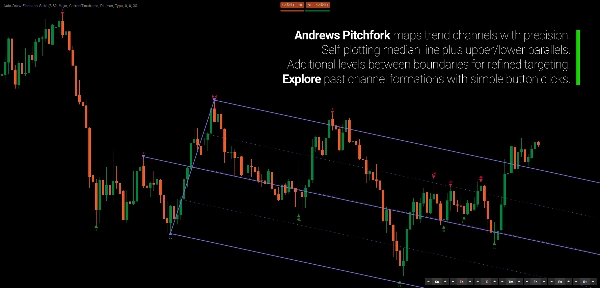
- Fourchette d'Andrews
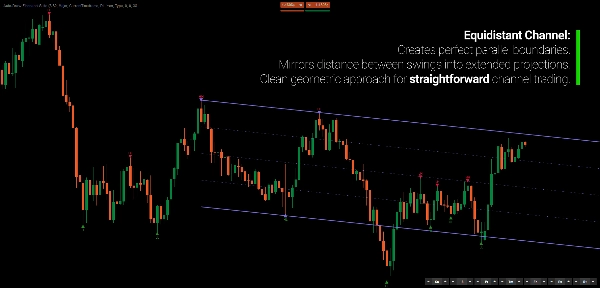
- Canal équidistant
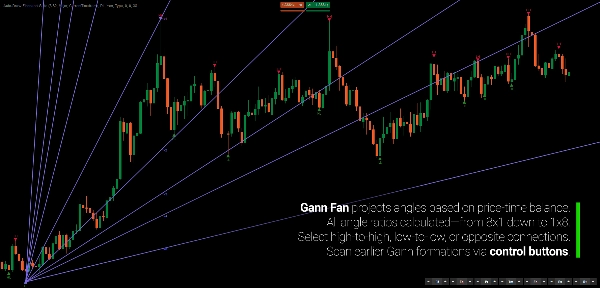
- Éventail de Gann
Au lieu de sélectionner et de mettre à jour manuellement les points de référence pour chaque outil, la suite les dérive de sa détection commune de swing.
Lorsqu'un nouveau swing se développe, les projections pertinentes se mettent à jour automatiquement.
La géométrie suit la structure.
COMMENT ÇA FONCTIONNE
Le processus est délibérément simple.
1. Détecter les swings.
L'indicateur identifie les points de swing en utilisant son moteur de détection basé sur la régression.
2. Construire la structure de swing.
Les swings sont classifiés et organisés en une séquence cohérente.
3. Projeter la géométrie.
Chaque outil activé utilise automatiquement les références de swing appropriées.
4. Laisser le prix évoluer.
Lorsqu'un nouveau swing se forme, les projections actives se mettent à jour.
Vous ne redessinez pas sept outils.
La géométrie suit la structure.
SEPT OUTILS. UN SYSTÈME DE RÉFÉRENCE.
La suite comprend quatre outils basés sur Fibonacci :
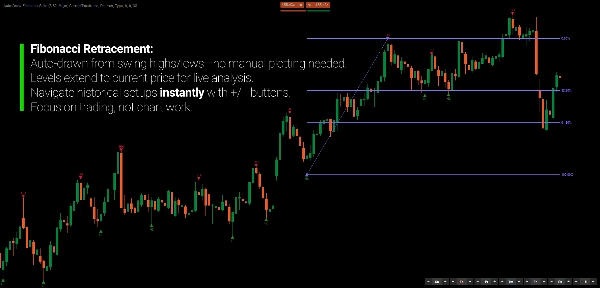
Retracement Fibonacci
Niveaux proportionnels horizontaux entre les swings structurels, incluant 0%, 38,2%, 61,8% et 100%.
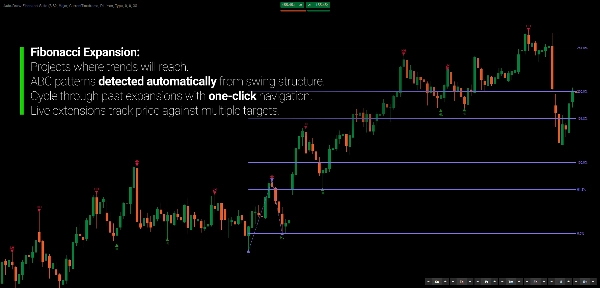
Expansion Fibonacci
Projette les relations Fibonacci au-delà du troisième swing.
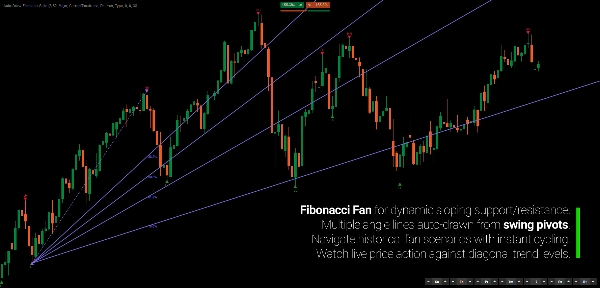
Éventail Fibonacci
Projette des relations diagonales Fibonacci à partir des pivots structurels.
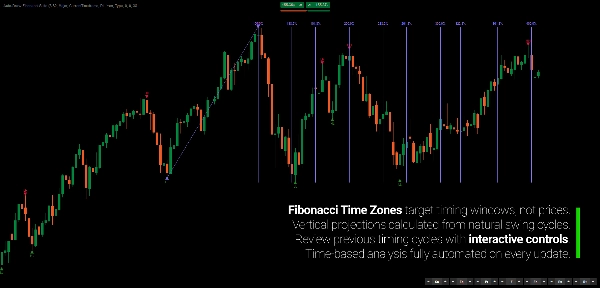
Zones temporelles Fibonacci
Projette des intervalles basés sur Fibonacci le long de l'axe temporel.
Et trois outils géométriques complémentaires :
Fourchette d'Andrews
Un cadre médian à trois points avec des canaux parallèles.
Canal équidistant
Limites de prix parallèles avec des niveaux intermédiaires.
Éventail de Gann
Projections d'angles prix-temps à travers plusieurs ratios géométriques, incluant 8x1, 4x1, 2x1, 1x1, 1x2, et d'autres.
Chaque outil peut être activé indépendamment.
LE SWING EST DÉTECTÉ UNE FOIS
C'est la base de la suite.
Avec l'analyse manuelle conventionnelle, chaque outil géométrique peut finir par utiliser des pivots légèrement différents.
Auto-Draw Fibonacci Suite les maintient connectés à la même détection de swing sous-jacente.
Cela donne aux différentes projections une référence commune.
La géométrie reste cohérente parce que la structure source reste cohérente.
CHOISISSEZ LE NIVEAU DE STRUCTURE QUE VOUS SOUHAITEZ
Tous les graphiques ne nécessitent pas le même niveau de détail.
Choisissez entre trois sensibilités de swing :
Majeur
Moins de swings, plus larges, pour une vue d'ensemble.
Standard
Une vue équilibrée de la structure de swing en développement.
Mineur
Des swings plus détaillés pour examiner le mouvement interne.
Les swings peuvent également être classifiés comme :
- HH
- HL
- LH
- LL
Les informations supplémentaires sur les swings incluent la profondeur, le volume et la durée. Des marqueurs visuels distinguent les swings confirmés, non confirmés et internes.
L'objectif n'est pas d'imposer une définition unique de la structure à chaque marché.
Choisissez le niveau de détail qui correspond au mouvement que vous étudiez.
RETOURNEZ DANS LA STRUCTURE
La géométrie n'a pas à rester verrouillée sur le dernier swing.
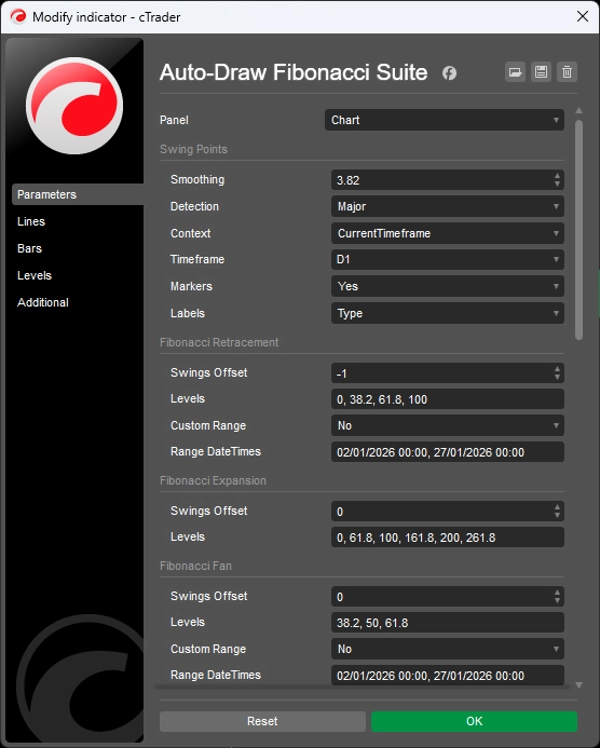
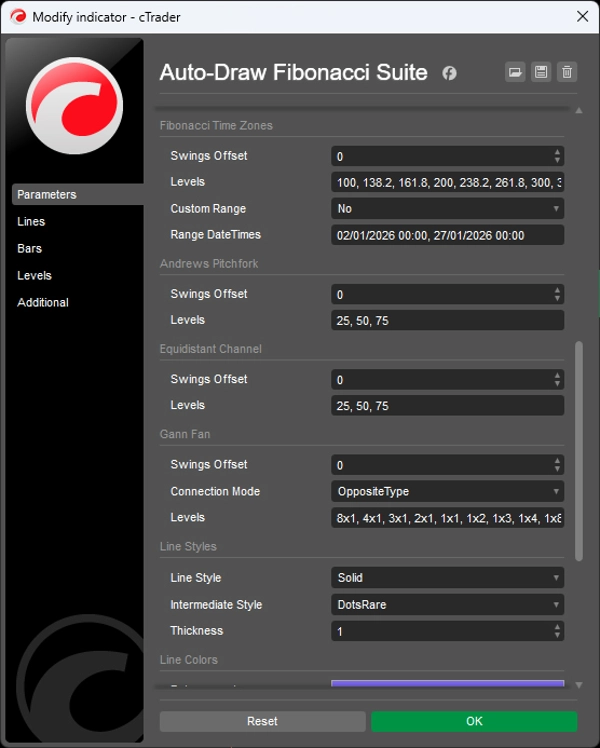
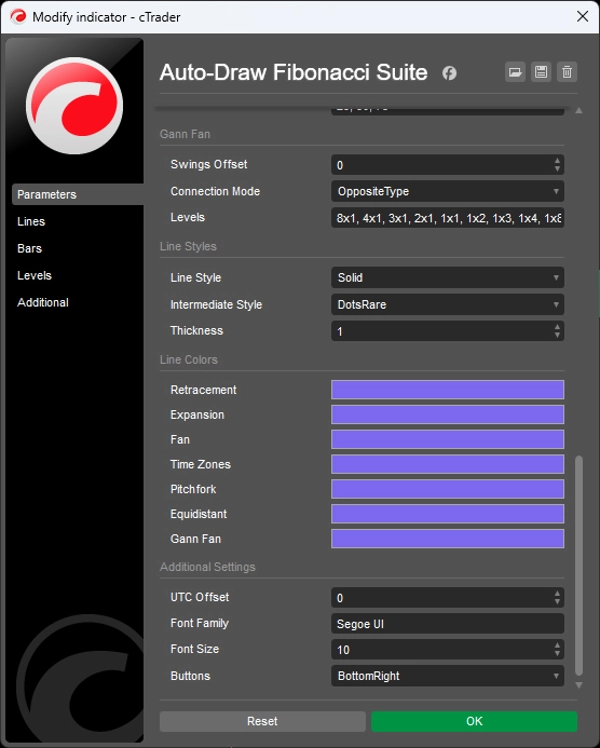
Chaque outil dispose de son propre contrôle de décalage :
0 → structure de swing actuelle
-1 → structure précédente
-2 → deux structures en arrière
Cela vous permet d'explorer comment les relations géométriques apparaissaient à des points antérieurs du marché sans reconstruire manuellement les outils.
Vous pouvez également changer la référence d'une projection sans changer les autres.
La structure est automatisée. La référence reste sous votre contrôle.
GÉOMÉTRIE DE CADRAGE SUPÉRIEUR SUR UN GRAPHIQUE DE CADRAGE INFÉRIEUR
La détection de swing peut provenir d'un cadrage supérieur tandis que les projections géométriques restent visibles sur votre graphique actuel.
Par exemple :
Swings journaliers → graphique H1
Cela permet au contexte géométrique de cadrage supérieur de rester visible pendant que vous analysez ou exécutez sur un cadrage inférieur.
Pas de changement de cadrage répété.
Pas de reproduction manuelle des swings de cadrage supérieur.
LA GÉOMÉTRIE EST UN LANGAGE DE MESURE
Les ratios Fibonacci, les fourchettes, les canaux, les éventails et les projections temporelles ne doivent pas être considérés comme des prédictions.
Ils fournissent différentes façons de décrire les relations entre le prix, le temps et le mouvement antérieur.
Un retracement décrit un mouvement proportionnel du prix.
Un éventail décrit des relations diagonales.
Une zone temporelle décrit un espacement temporel.
Un canal décrit un mouvement parallèle.
Une fourchette décrit des relations médianes.
Lorsque plusieurs projections convergent, vous pouvez examiner cette convergence comme une relation géométrique à travers différentes dimensions de mesure.
La géométrie décrit le marché. Elle ne cause pas le marché.
CONÇU POUR L'ANALYSE, PAS POUR LA CHASSE AUX SIGNES
Auto-Draw Fibonacci Suite n'est pas un système de signaux d'achat/vente.
C'est un outil d'automatisation pour les traders qui utilisent déjà l'analyse Fibonacci et géométrique mais ne veulent pas passer leur temps à entretenir les dessins.
Utilisez-le pour étudier :
- Les retracements
- Les expansions
- Les projections de swing
- La confluence géométrique
- Les canaux de prix
- Les relations prix-temps
- La structure de cadrage supérieur
- L'évolution des relations géométriques à mesure que le prix évolue
L'indicateur ne décide pas ce qu'une projection particulière signifie pour vous.
Il maintient la géométrie synchronisée avec la structure que vous étudiez.
CARACTÉRISTIQUES PRINCIPALES
- Détection automatique des swings
- Références de swing unifiées pour tous les outils géométriques
- Quatre outils Fibonacci
- Fourchette d'Andrews
- Canal équidistant
- Éventail de Gann
- Mises à jour géométriques en temps réel
- Sensibilité des swings Majeur / Standard / Mineur
- Classification HH / HL / LH / LL
- Mesures de profondeur, volume et durée des swings
- Regroupement intelligent des swings pour éliminer les swings intermédiaires redondants
- Contrôle de décalage indépendant pour chaque outil
- Détection de swing multi-cadrages
- Outils individuels optionnels
- Niveaux Fibonacci personnalisables et styles visuels
- Swings source mis en évidence
---
Le trading comporte des risques. Cet indicateur est un outil d'analyse technique et doit être utilisé conjointement avec une gestion appropriée des risques.
Résumé
The indicator employs a regression-based method for swing detection, offering three sensitivity modes (Major, Standard, Minor) to tailor swing granularity. Swings are classified (higher highs, lower lows, etc.) and visually marked for clarity. Users can interactively adjust which historical swings each tool references via offset controls, enabling analysis of past structural relationships independently per tool.
Multi-timeframe support allows applying swing detection from a higher timeframe while viewing a lower timeframe chart, facilitating comprehensive structural analysis without switching views. The suite is customizable in terms of levels, colors, and styles.
Designed for traders familiar with Fibonacci and geometric analysis, it streamlines workflow by automating complex, multi-tool geometric projections, supporting swing and position traders, multi-timeframe analysts, and discretionary traders seeking coherent, real-time updated geometric market structure visualization.
Avis clients
Discussion
Questions fréquentes
Plus de cet auteur













Prix