
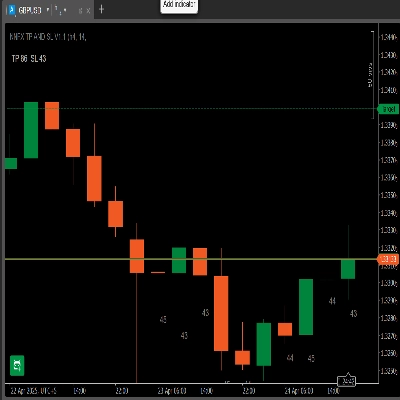
NNFX TP AND SL V1.1
指标
版本 1.0, Apr 2025
Windows 版、Mac 版
4.5
评价:2
注册日期 24/04/2025
27.69M
交易量
629.1K
盈利点数
说明
🔹 它的功能
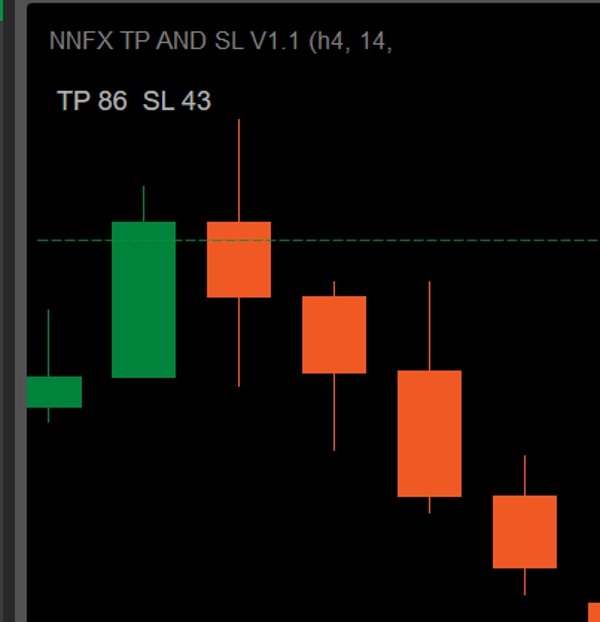
- 动态面板: 根据您选择的ATR周期和TP倍数显示以点数计的“TP × SL”。
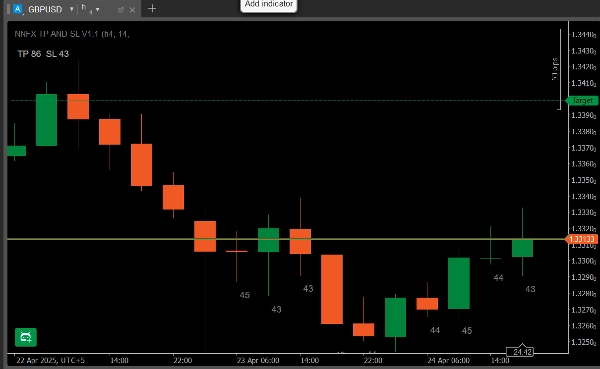
- 最近10根K线的ATR标签: 在最近10根蜡烛线(同一时间框架)下方打印以点数计的ATR值。
- 时间框架检查: 如果您将其附加到不同的图表时间框架,它会警告“时间框架不匹配 – ATR未显示在K线上。”
🔹 主要特点
- 面板显示
-
- TP = ATR × 您的倍数(选择1 ÷ 4.5,步长为0.5)
- SL = 以点数计的ATR
- 示例:ATR = 43 → SL = 43点。如果倍数 = 2 → TP = 86点。
- 每根K线的ATR标签
-
- 在最近10根K线下方显示它们以点数计的ATR值。
- 让您即时了解近期的波动性。
- 时间框架验证
-
- 仅当图表的时间框架与您的ATR时间框架设置匹配时才绘制标签。
- 否则底部会出现红色警告。
- 尖峰过滤(可选)
-
- 启用均值 + k·σ过滤器以限制闪崩K线。
- 可配置的σ倍数。
🔹 如何安装和使用
- 下载
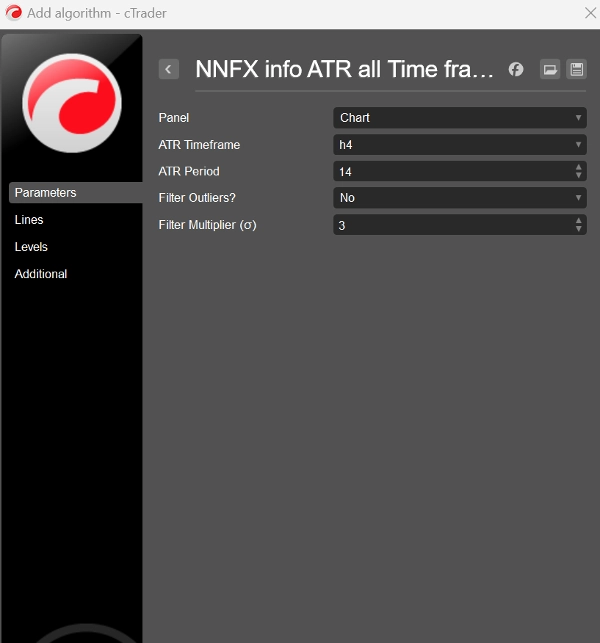
NNFXATRInfoIndicator_v1.1.algo。 - 在 cTrader → Algo → Indicators 中,点击 导入指标 并选择
.algo文件。 - 添加到图表 并打开 参数 标签:
-
- ATR时间框架:例如 H4
- ATR周期:默认14
- TP倍数:1 – 4.5
- 使用尖峰过滤器?:是/否
- 过滤倍数σ:默认3
- 点击 添加到图表。您将看到左上角的“TP × SL”面板和自动出现的最近10根K线ATR标签(如果时间框架匹配)。
🔹 您会喜欢它的原因
- 零数学计算: 不再需要小数转点数——所有数据均以整数点数显示。
- NNFX兼容: SL和TP完全按照您的系统ATR规则设定。您只需选择 时间框架和 交易方向,然后简单调整 TP倍数以符合您偏好的风险回报比。
- 清晰简洁: 所有波动性信息集中在一个紧凑的叠加层——无额外面板。
- 超灵活: 适用于任何外汇对,任何时间框架,完全可定制。
- 用精准的基于ATR的止损和目标,助力您的NNFX入场!
摘要
AI 摘要
NNFX TP AND SL V1.1 is a cTrader indicator designed to display Average True Range (ATR)-based stop loss (SL) and take profit (TP) levels directly on trading charts in pips. It features a dynamic panel showing TP and SL values calculated from the chosen ATR period and a user-defined TP multiplier (ranging from 1 to 4.5 in 0.5 increments). The SL is set equal to the ATR value in pips, while TP equals ATR multiplied by the selected multiplier.
The indicator overlays ATR values for the last 10 bars beneath each candle on the same timeframe, providing immediate insight into recent market volatility. It includes a timeframe validation feature that ensures ATR labels only appear when the chart timeframe matches the ATR timeframe setting; otherwise, a warning message is displayed.
An optional spike filter can be enabled to smooth out flash-crash bars using a configurable mean plus standard deviation (σ) multiplier.
Installation involves importing the provided .algo file into cTrader’s Algo → Indicators section, adding it to the chart, and configuring parameters such as ATR timeframe, ATR period (default 14), TP multiplier, and spike filter settings.
This tool supports any FX pair and timeframe, offering a compact, clear overlay for precise ATR-based trade management aligned with NNFX system rules.
The indicator overlays ATR values for the last 10 bars beneath each candle on the same timeframe, providing immediate insight into recent market volatility. It includes a timeframe validation feature that ensures ATR labels only appear when the chart timeframe matches the ATR timeframe setting; otherwise, a warning message is displayed.
An optional spike filter can be enabled to smooth out flash-crash bars using a configurable mean plus standard deviation (σ) multiplier.
Installation involves importing the provided .algo file into cTrader’s Algo → Indicators section, adding it to the chart, and configuring parameters such as ATR timeframe, ATR period (default 14), TP multiplier, and spike filter settings.
This tool supports any FX pair and timeframe, offering a compact, clear overlay for precise ATR-based trade management aligned with NNFX system rules.
指标配置
讨论
客户评价
4.5
评价:2
5 | 50 % | |
4 | 50 % | |
3 | 0 % | |
2 | 0 % | |
1 | 0 % |
客户评价
May 3, 2025
the first test should keep DD under 3 percent, and the trade idea gets a pause before execution.
April 28, 2025
The setup gets an extra sanity check, but the chart still needs a human read.
常见问答
ATR
cTrader Store 提供的所有产品,包括交易机器人、指标和插件,均由第三方开发者提供,仅供信息参考和技术访问之用。cTrader Store 并非经纪商,不提供投资建议、个人推荐或任何未来业绩保证。






价格
注册日期 24/04/2025
27.69M
交易量
629.1K
盈利点数