
Pip Value & Margin Calculators
Pip value and margin calculators help you understand what a move means for P&L and required margin before entering a trade. Compare tools that compute pip value, exposure, and margin requirements across FX pairs, gold and indices. Helpful when switching symbols, adjusting leverage, or trading multiple positions.
Strumenti
Confronto strumenti
Domande frequenti
Robot di trading automatici in esecuzione 24/7 su qualsiasi piattaforma tramite cTrader Cloud.



Strumenti per i grafici che evidenziano i pattern e ti aiutano a operare manualmente su desktop.
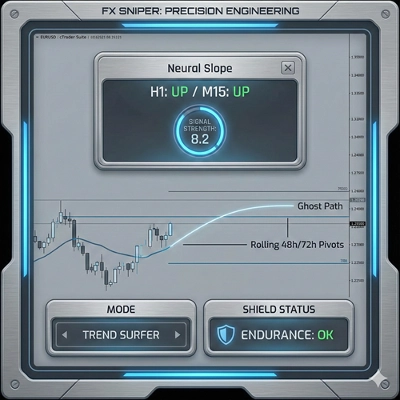

Add-on classici per cTrader Windows e Mac. Potenzia la tua area di lavoro con strumenti avanzati dedicati ai trader professionisti.

Confronto strumenti
Prodotto | Recensioni | Download | Vendite | Prezzo | Piattaforme compatibili |
|---|---|---|---|---|---|
Deriv Trading Calculator | 4.0 (1) | 673 | — | Gratis | Windows, Mac |
RiskManagement - Full | 4.5 (4) | — | 57 | $45 | Windows, Mac |
VegaXLR cTrader Toolbox | 4.7 (3) | 401 | — | Gratis | Windows, Mac |
PositionManager | 5.0 (3) | — | 7 | $39 | Windows, Mac, Web |
FX Sniper | 4.7 (7) | — | 6 | $20 | Windows, Mac |
RiskPilot One-Click Trader - FULL | 4.5 (2) | — | 3 | $39 | Windows, Mac, Mobile, Web |
Equity and Balance | 4.4 (5) | — | 1 | $19 | Windows, Mac |
Mean Reversion NAS100 | 3.8 (4) | — | 1 | $100 | Windows, Mac, Mobile, Web |
CandleStrengthBaseStartegy | 4.5 (2) | — | — | $40 | Windows, Mac, Mobile, Web |
CandleDashboardV1 | 4.4 (5) | — | — | $19 | Windows, Mac |
Domande frequenti
A pip value calculator turns a pip, the standard unit of price movement for a symbol, into an amount in your account currency at a chosen volume. A margin calculator adds how much of your balance a new position would lock up at the account's leverage.
Pip value depends on the symbol's pip size, its contract size and the exchange rate between the quote currency and your account currency. Brokers specify gold and index contracts in their own way, so a calculator should read symbol details from your account rather than assume them.
They should read the leverage your broker applies to each symbol, because margin requirements are set by the broker and can differ between instrument types. Opposite positions on a hedging account may be treated differently from one net position on a netting account, so confirm a tool handles your account type.
An indicator version only displays numbers, while a calculator built as a cBot or plugin may also send an order at the volume it computes. Any such order remains the trader's responsibility, so compare its figures with the result of a small demo trade before using it live.
Coverage and inputs: check which symbol types it supports, whether it reads contract details from your account and whether it totals the requirement across open positions. A couple of tools here are free and some paid ones offer a trial, which may limit features or time.