present
Sign up and get $50 off your first purchase
Trading product for HFTCandleLite Desktop plugin Balanced, image 1
HFTCandleLite
Desktop plugin
Version 1.0, Oct 2026
Windows, Mac
Trading product for HFTCandleLite Desktop plugin Balanced, image 2
Trading product for HFTCandleLite Desktop plugin Balanced, image 3
Trading product for HFTCandleLite Desktop plugin Balanced, image 4
Trading product for HFTCandleLite Desktop plugin Balanced, image 5
Since 09/03/2026
2
Sales
194
Free installs

Description

HFTCandleLite : Higher TimeFrame candles, live on your chart

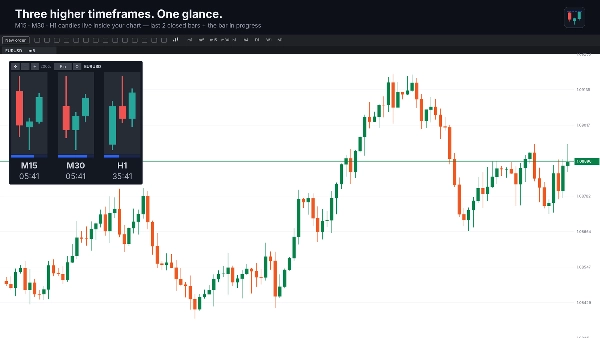
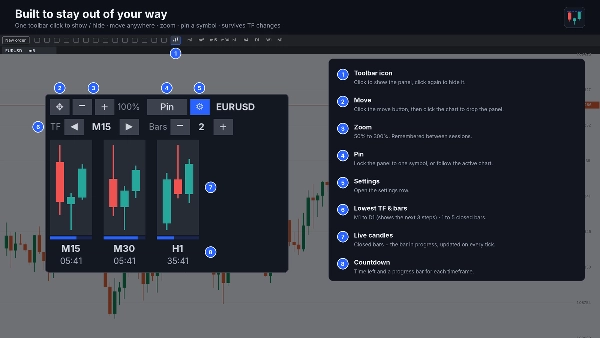
HFTCandleLite adds a compact panel inside your active chart showing the latest candles of three higher timeframes side by side — by default M15, M30 and H1. Each timeframe shows the last closed bars plus the bar in progress, updated on every tick, with a countdown and progress bar showing how long the current bar has left.

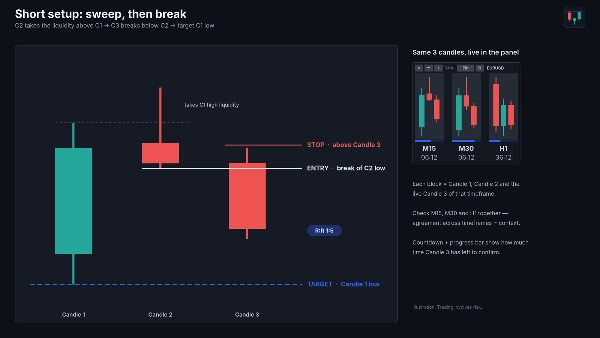
Built for the 3-candle sweep-and-break model
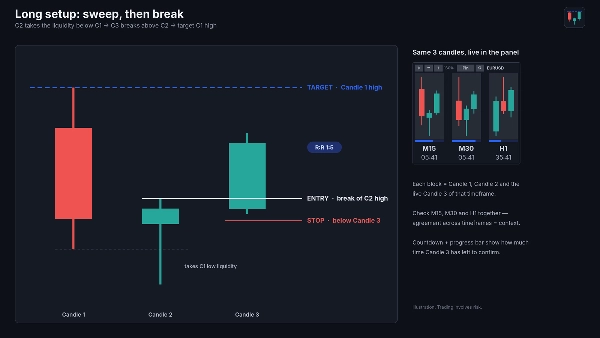
With the default 2 closed bars + live bar, every block shows exactly the three candles of the model:
• Candle 1 sets the range
• Candle 2 sweeps Candle 1’s low (long) or high (short) and closes back inside
• Candle 3 breaks Candle 2’s high (long) or low (short)
• Target: the opposite side of Candle 1

Seeing M15, M30 and H1 together lets you check whether the higher timeframes agree before you act, without switching charts.

Features
• Choose the lowest timeframe from M1 to D1; the panel shows it plus the next two (e.g. M15/M30/H1, H1/H4/D1, D1/W1/MN)
• 1 to 5 closed bars per timeframe, plus the live bar
• Countdown and progress bar per timeframe
• Toolbar icon to show or hide the panel
• Move the panel anywhere on the chart; zoom from 50% to 300%
• Follows the active chart’s symbol, or pin it to one symbol
• Stays in place when you change chart timeframe or symbol
• Position, zoom and settings are remembered between sessions

Install & launch

  1. Click Install on this page. The plugin is added to the cTID you are signed in with.
  2. Open cTrader Windows or Mac with the same cTID. With cloud synchronisation on, the plugin appears automatically.
  3. Click the Plugins icon in the top-left corner of the main menu (or go to Settings → Plugins) and switch HFTCandleLite on.
  4. On any chart, click the HFTCandleLite icon (three candles) in the chart toolbar. The panel appears on the active chart.
  5. Click the icon again to hide the panel. Use ⚙ in the panel to change the lowest timeframe and number of bars, − / + to zoom, ✥ to move it, and Pin to lock it to one symbol.

If the plugin doesn’t appear, restart cTrader, sign in again with the cTID used for the purchase, and check that the plugin is switched on in the Plugins window.

Use cases
• Multi-timeframe candle context while executing on a lower timeframe
• Spotting liquidity sweeps and breaks of the previous candle on higher timeframes
• Timing entries around higher-timeframe candle closes

Requirements: cTrader Windows or Mac (desktop plugin).

HFTCandleLite displays candles only. It does not place trades or generate signals; all trading decisions remain yours.

Trading involves risk. Past performance does not guarantee future results.

Summary

Plugin profile
Plugin category
Utilities
Data access
Chart
Supported order types
Market
Limit
Stop
Stop-limit
Risk model
Fixed risk percentage

Discussion

Customer reviews

0.0
Reviews: 0
Customer reviews
No reviews for this product yet. Already tried it? Be the first to tell others!

FAQ

Balanced
Products available through cTrader Store, including trading bots, indicators and plugins, are provided by third-party developers and made available for informational and technical access purposes only. cTrader Store is not a broker and does not provide investment advice, personal recommendations or any guarantee of future performance.

More from this author

Indicator
Key Levels
Every major liquidity level drawn for you: PDH/PDL, PWH/PWL, PMH/PML and more. Same price on every timeframe. Free.
Desktop plugin
Trade Journal
Trade Statistics
Journal, statistics, trade analysis and a daily coach for your real cTrader trades. Know why you lose; fix it.
Indicator
Fair Value Gap
Auto-draws every Fair Value Gap on any timeframe and removes it once filled. Clean, fast, free. Built for cTrader.
Indicator
EMA
Flag
+2
Liquidity levels, trend lines, filtered chart patterns and a composite bias HUD in one cTrader overlay.
Indicator
Key Levels
Support & Resistance
Day and week separators plus previous day high, low and close lines for every day on H1 and lower charts
Desktop plugin
Prop Firm Fit
Trade Journal
+1
Paper trade your broker’s live prices in cTrader: demo accounts, prop challenges, a stats dashboard and trading journal
Indicator
Order Block
Order blocks confirmed by BOS, displacement and FVG, plus up to 3 higher-timeframe levels on one chart. No repaint
Desktop plugin
SL Manager
Risk/Reward
+5
Drag SL & TP on the chart, see risk, reward, R:R and lot size live, then place Buy or Sell orders in one click
Indicator
EMA
Outlines the first candle of the real session open for indices, forex & crypto. Auto DST, HTF candle panel & EMA.
Desktop plugin
Chart UI Tools
Replay your broker’s charts candle by candle. Rewind any time, switch timeframes and practise trades with full stats.
Indicator
BOS
CHOCH
+1
BoS & CHoCH on any timeframe. Body-close confirmed, no repaint, exact swing levels, H1–Monthly trend dashboard.
Indicator
BOS
CHOCH
+5
SMC structure indicator for cTrader: BOS/CHoCH, order blocks, FVGs, liquidity sweeps, key levels and alerts.

You may also like

Desktop plugin
Forex
Crypto
+4
Apply Stop Loss and Take Profit to all positions and pending orders in one click.
Desktop plugin
External Data
Trade Journal
+2
Real Quant Audit, Live equity, open-position risk and 24 quant tests on your full account. IS THE EDGE REAL?
Desktop plugin
Risk/Reward
Trade Alerts
+3
QC Signals - regime-aware entries, enforced reward:risk, and risk-based one-click trading, right in the Symbol panel.
Desktop plugin
Forex
Signal
+2
Adaptive Renko chart builder for precise, flexible trading - ideal for both scalping and trend analysis.
Desktop plugin
Trade Journal
AI Integration
+1
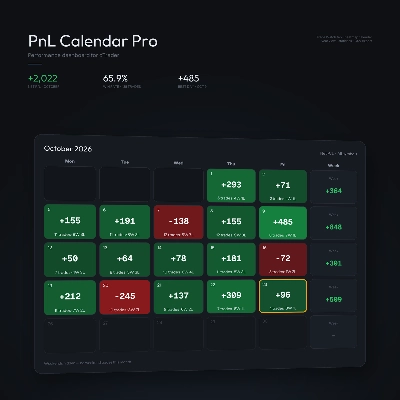
Turn your closed-trade history into an at-a-glance monthly calendar and a deep performance dashboard.
Desktop plugin
Trade Journal
AI Integration
+1
#1 Trade Journal, PnL analytics, bot monitoring and strategy statistics.
Desktop plugin
Risk/Reward
Chart UI Tools
+3
Visual cTrader backtesting tool with trade drawing, risk sizing, stats, and automatic trade simulation.
Desktop plugin
RSI
Prop
+5
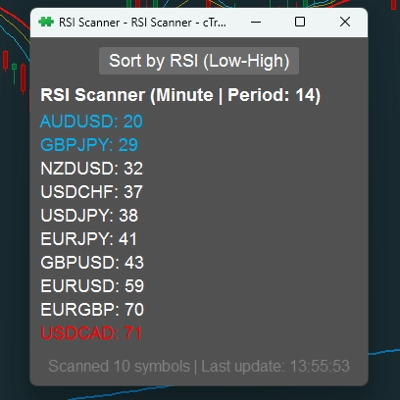
RSI Scanner - Fully Adjustable
Desktop plugin
Prop
Forex
+3
Visual calendar with daily PnL, trades, win rate, profit factor, and performance insights.
Desktop plugin
Forex
Crypto
+3
Seconds | Ticks | Range | RangeY | Delta | Heikin-Ashi Bar types. Any size or Symbol.
Desktop plugin
A powerful Plugin for cTrader that helps traders to identify and visualize advanced market patterns on the chart
Desktop plugin
Risk/Reward
Trade Alerts
+1
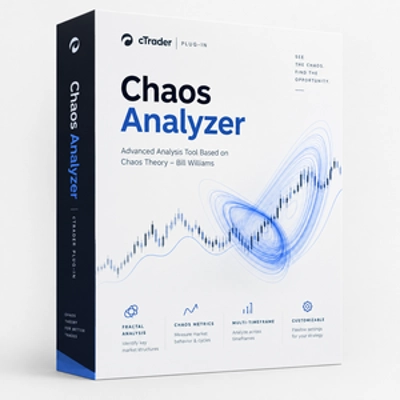
Trading Chaos analysis based on Bill Williams' framework, with multi-timeframe scanning, trade zones, and alerts.
Desktop plugin
Signal
Breakout
The Risk-Reward plugin is a tool to visualize a trading idea based on other analysis tools,
Desktop plugin
Chart UI Tools
Replay your broker’s charts candle by candle. Rewind any time, switch timeframes and practise trades with full stats.
Desktop plugin
Market Scanner
Scan markets, compare timeframe bias, and track key SMC zones in a customizable desktop dashboard.
Desktop plugin
AI
ATR
+27
Turn your cTrader trade history into a visual performance dashboard to see trading patterns and strategy strength
Desktop plugin
Trade Journal
Trade Statistics
Journal, statistics, trade analysis and a daily coach for your real cTrader trades. Know why you lose; fix it.
Desktop plugin
Risk/Reward
Trade Journal
+5
cTrader Journal - Automatic Trade Capture. Offline Reviews. No Subscription.

Price

Since 09/03/2026
2
Sales
194
Free installs