
Order Flow Ticks v2.0
Indikator
13.45K muat turun
Versi 1.4, Sep 2026
Windows, Mac
4.4
Ulasan: 25

Sejak 12/12/2024
2
Jualan
37.49K
Pemasangan percuma
Penerangan
Setiap aspek Order Flow Ticks (Versi Terkumpul) direka dengan teliti dengan prestasi dalam fikiran, supaya ia boleh berjalan walaupun pada mesin berprestasi rendah.
Namun, berikut adalah beberapa "Petua dan Trik" untuk penggunaan yang lebih baik:
- Data Tick disimpan dalam RAM, walaupun cTrader sudah mempunyai pengurusan memori yang baik:
-
- Muatkan hanya apa yang benar-benar diperlukan untuk dagangan langsung.
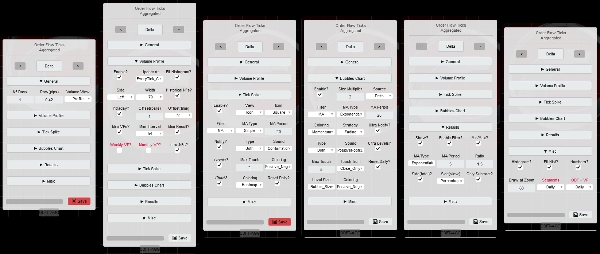
- Panel Params sudah menunjukkan parameter mana yang disokong oleh setiap mod.
- Selang Segmen boleh mengubah analisis penapis, gunakan Harian untuk momentum Intraday.
- Pada Jangka Masa Lebih Tinggi (Carta Berasaskan Harga termasuk)
-
- Tetapkan ODF + VP kepada Mingguan
- Bilangan hari / Tetapkan Semula Harian? parameter kini adalah Minggu/Mingguan.
- Semua penapis akan diset semula setiap Minggu dan bukannya setiap Hari.
- "Jangka Masa Lebih Rendah" dengan "Saiz Baris Kecil":
-
- MA Tersuai dibuat untuk mempercepat pengiraan semula apabila menukar tetapan di Panel Params.
- Jika anda ingin menggunakan Purata Pergerakan cTrader, tetapkan [ODF] Gunakan MA Tersuai? kepada Palsu
-
- Bersabar jika mana-mana Penapis [Keputusan / Spike / Bubbles] diaktifkan.
- Jika Prestasi Tinggi diperlukan:
-
- Nyahaktifkan Profil Isipadu dan/atau gunakan Mini-VP sebagai gantinya. (lalai)
- Gunakan "Serentak" pada "[VP] Strategi Kemas Kini" di "Tetapan Khusus", walaupun ada kos penggunaan RAM. (lalai)
- Gunakan "Lukis_Semula_Terpantas" pada tetapan "Lukisan Prestasi" (lalai)
- Gunakan MA Tersuai (lalai)
- Mana-mana lukisan berisi dan/atau teks agak berat apabila terdapat banyak daripadanya.
- Apabila ujian semula, beberapa lukisan pada Carta Berasaskan Harga rosak, tetapi berfungsi dengan baik dalam masa nyata.
- Tetapan Disimpan disimpan di "Documents/cAlgo/LocalStorage/ODFT-AGG ..."
Ciri analisis baru Order Flow Ticks:
- Penapis Spike Tick
-
- Purata Pergerakan atau Sisihan Piawai.
- sebagai Ikon atau Bubbles.
- Tahap Spike.
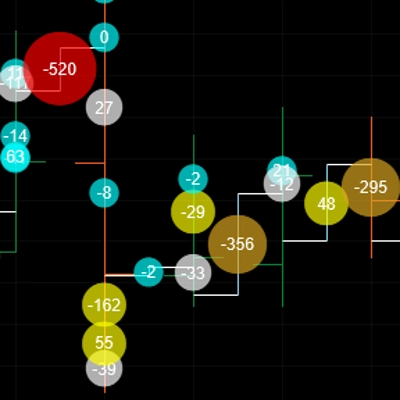
- Carta Spike (Bubbles):
-
- Pewarnaan Heatmap.
- Pewarnaan Positif/Negatif.
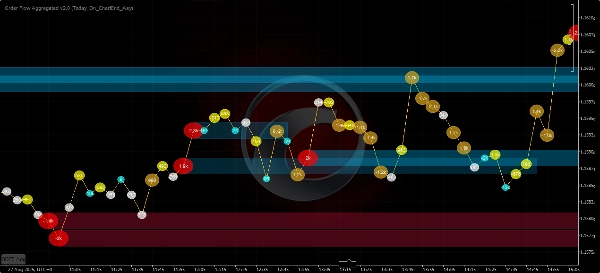
- Carta Bubbles
-
- Purata Pergerakan, Sisihan Piawai, atau kedua-duanya.
- [Delta Isipadu / Perubahan Delta Kumulatif / Tolak Delta] sebagai sumber.
- Tahap Ultra Bubbles.
- Pewarnaan Heatmap.
- Pewarnaan Momentum:
-
- Pudar
- Positif/Negatif
- Profil Isipadu
-
- Mini-VP - Dari 5 minit hingga 1 hari.
- Profil Harian, Mingguan, Bulanan!
- Profil Julat Tetap.
=============================
Sentiasa utamakan versi Kedai cTrader, ia dikemas kini terlebih dahulu.
Semua penunjuk yang saya bangunkan adalah sumber terbuka. Jika anda tidak mempunyai akses kepada kod, sila lihat repositori Github
Ringkasan
Ringkasan AI
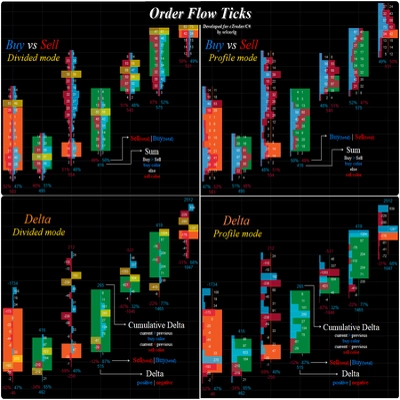
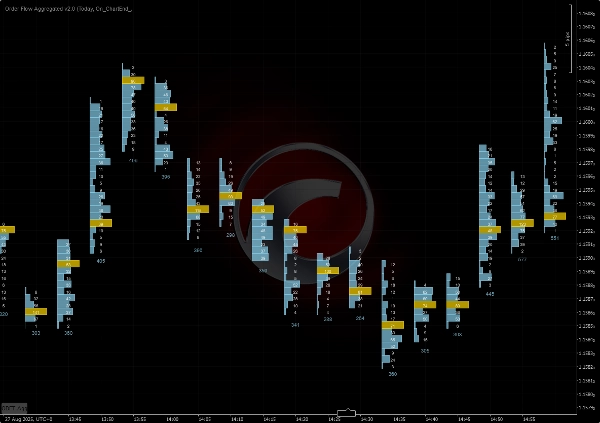
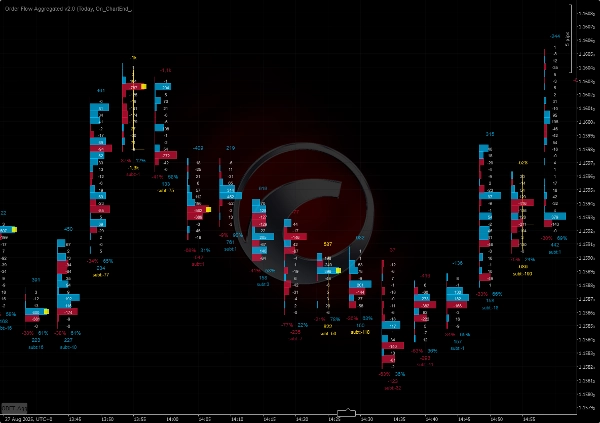
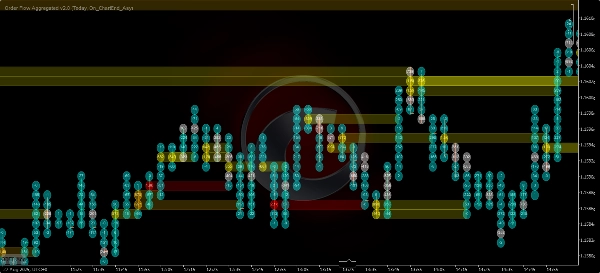
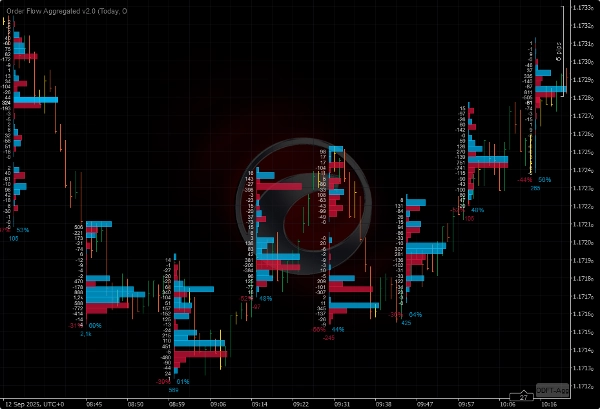
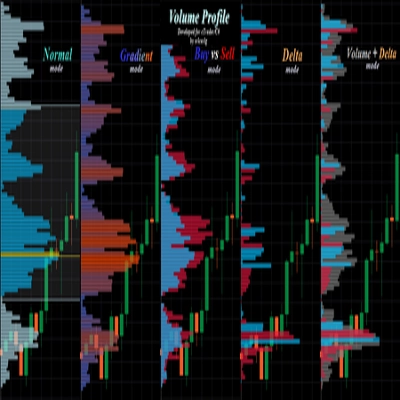
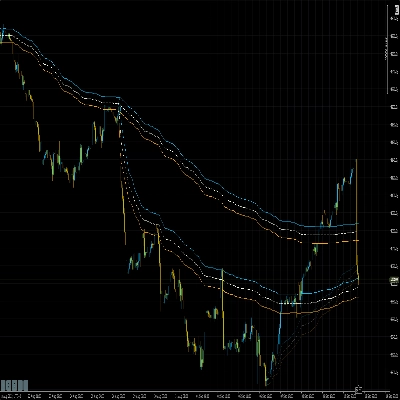
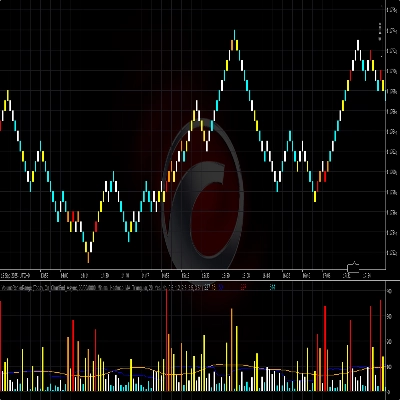
Order Flow Ticks v2.0 is an open-source indicator for the cTrader platform that adapts traditional Order Flow (Footprint) concepts to tick volume data. It supports multiple chart types including ticks, Renko, and range charts. The indicator offers several visualization modes: Normal Mode (volume profile per bar), Buy vs Sell Divided Mode (bid/ask footprint), Buy vs Sell Profile Mode, Delta Divided Mode (delta footprint), and Delta Profile Mode.
Version 2.0 introduces a parameters panel for quick switching between settings such as volume modes and row height, and it uses the Colors API exclusively. It is compatible with Mac OS and requires .NET 6.0 or higher.
Key features include:
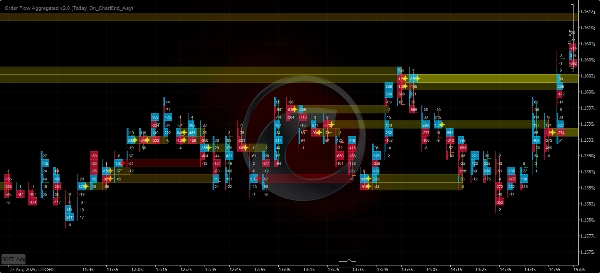
- Tick Spike Filter with moving average or standard deviation, displayed as icons or bubbles with heatmap and positive/negative coloring.
- Bubbles Chart showing volume delta, cumulative delta change, or subtract delta with momentum coloring and ultra bubble levels.
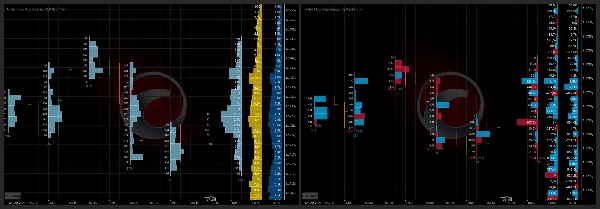
- Volume Profile options including mini-profiles from 5 minutes to 1 day, daily, weekly, monthly, and fixed range profiles.
The indicator is optimized for performance to run efficiently on lower-end machines. It stores tick data in RAM and offers settings to balance performance and detail, including custom moving averages and concurrent update strategies. Saved settings are stored locally.
Version 2.0 introduces a parameters panel for quick switching between settings such as volume modes and row height, and it uses the Colors API exclusively. It is compatible with Mac OS and requires .NET 6.0 or higher.
Key features include:
- Tick Spike Filter with moving average or standard deviation, displayed as icons or bubbles with heatmap and positive/negative coloring.
- Bubbles Chart showing volume delta, cumulative delta change, or subtract delta with momentum coloring and ultra bubble levels.
- Volume Profile options including mini-profiles from 5 minutes to 1 day, daily, weekly, monthly, and fixed range profiles.
The indicator is optimized for performance to run efficiently on lower-end machines. It stores tick data in RAM and offers settings to balance performance and detail, including custom moving averages and concurrent update strategies. Saved settings are stored locally.
Profil indikator
Perbincangan
Ulasan pelanggan
4.4
Ulasan: 25
5 | 76 % | |
4 | 12 % | |
3 | 4 % | |
2 | 0 % | |
1 | 8 % |
Ulasan pelanggan

August 10, 2026
Brother did people a favor by making this OF and VP indicator free. Love you man
May 13, 2026
Just a note to say thank you to the creator for making this free of charge. Appreciate it.
March 23, 2026
It's great, Thank you! Can you pls make an update, it doesnt work fully on Indices on CFD
March 9, 2026
"Thank you very much for your work on Order Flow Tick 2.0. It is truly excellent and unique."
October 22, 2025
this is great, i just can't see all the options because the panel is cut short. i don't have access to the bubbles and other features that are apparently there in the code

September 27, 2025
August 3, 2025
Amazing indicator! Once you learn how to use it it really helps out so much, love it!
July 9, 2025
Pros: Real-time tick flow visualization with buy/sell separation. Helps assess market activity and hidden liquidity. Easy to set up, works stable on major assets. Cons: No alerts on tick spikes. No history or tooltips. Requires experience to interpret data correctly.
July 3, 2025
June 20, 2025
Great indicator. It takes a bit of work to learn how to use it properly. Not to be used in isolation, you need to plan potential reversal zones.
April 15, 2025
This looks promising! I tested it out manually, but I would love to automate it! How could we get the source code? :) Really, Pls.
Soalan Lazim
VWAP
Produk yang tersedia melalui cTrader Store, termasuk bot dagangan, indikator dan plugin, disediakan oleh pembangun pihak ketiga dan diberikan akses untuk tujuan maklumat dan teknikal sahaja. cTrader Store bukan broker dan tidak memberikan nasihat pelaburan, syor peribadi atau sebarang jaminan prestasi masa hadapan.








![Logo "Smart Money Concepts (SMC) [Iridio Capital]"](https://cdn.ctrader.com/image/webp/b4b5414d-a5ca-44b7-a947-e28eca44a218_61548)
Harga
Sejak 12/12/2024
2
Jualan
37.49K
Pemasangan percuma