
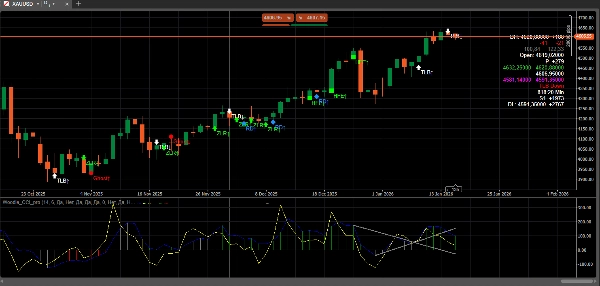
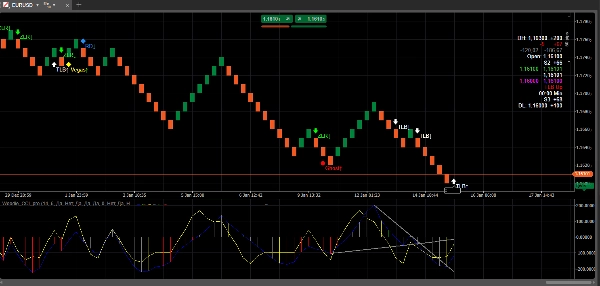
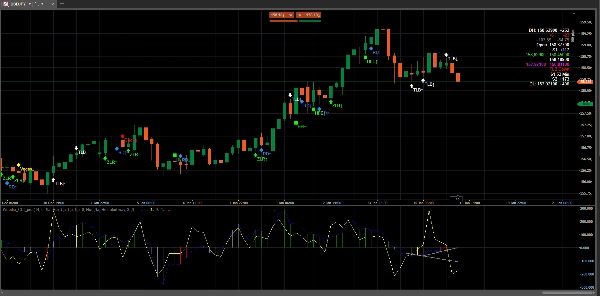
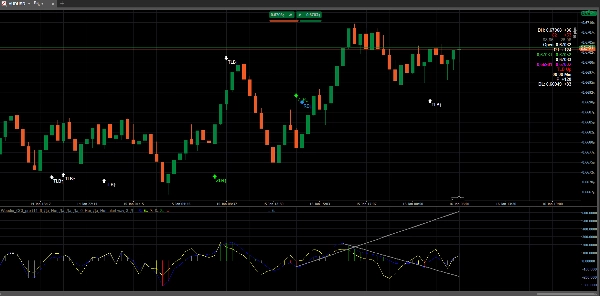

Opis
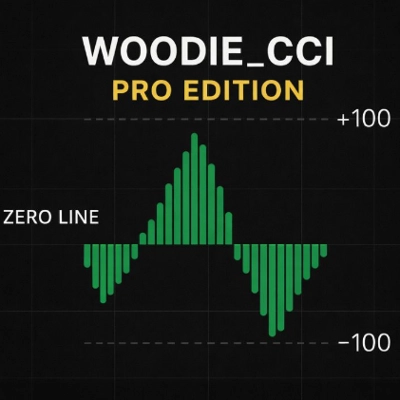
Woodie_CCI_pro to zaawansowany zestaw narzędzi oparty na CCI, zbudowany wokół klasycznej metodologii Woodie CCI.
Rysuje CCI w stylu Woodie z wygładzaniem i podkreśla najważniejsze wzory Woodie za pomocą czytelnych sygnałów na wykresie, opcjonalnych znaczników oscylatora oraz opcjonalnego prowadzenia linii trendu TLB w panelu CCI dla lepszego kontekstu i szybszego podejmowania decyzji.
Zaprojketowany dla czystej widoczności historycznej: wszystkie sygnały są rysowane na historii, etykiety pokazują dokładną nazwę wzoru, a renderowanie linii trendu jest zoptymalizowane, aby uniknąć zniekształceń skali i „artefaktów linii”.
Główne funkcje
1) Wykrywanie wzorów Woodie (automatyczne sygnały)
Woodie_CCI_pro wykrywa i oznacza następujące wzory Woodie:
- ZLR (Zero Line Reject)
- Ghost
- HFE (Hook From Extreme)
- TLB (Trend Line Break)
- HTLB (Horizontal Trend Line Break)
- RD (Reverse Divergence)
- Famir
- Vegas Trade (VT)
Każdy sygnał jest rysowany ze znacznikami wskazującymi kierunek (w górę/w dół) oraz etykietą (np. ZLR↑, TLB↓), dzięki czemu zawsze wiesz dokładnie, co zostało wygenerowane.
2) Sygnały bezpośrednio na wykresie cenowym
Sygnały są wyświetlane na wykresie cenowym jako strzałki/ikony z etykietami tekstowymi dla maksymalnej czytelności podczas przeglądania historii i bieżących ustawień.
Opcje obejmują:
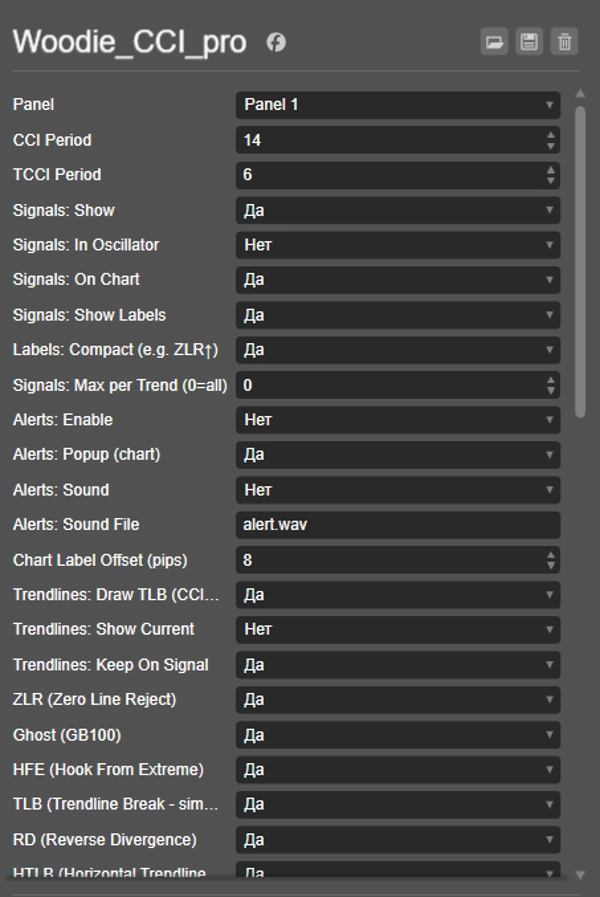
- pokazywanie/ukrywanie sygnałów na wykresie
- pokazywanie/ukrywanie etykiet
- zwarty format etykiet (przykład:
RD↑) - przesunięcie etykiety/znacznika w pipsach dla czystego umieszczenia
3) Opcjonalne znaczniki oscylatora
Jeśli wolisz klasyczne odczucie Woodie, możesz włączyć opcjonalne znaczniki sygnałów w panelu CCI (punkty/kropki).
Jest to całkowicie opcjonalne, dzięki czemu oscylator pozostaje czysty, gdy chcesz mieć tylko sygnały na poziomie wykresu.
4) Prowadzenie linii trendu TLB w panelu CCI (bez problemów ze skalą)
Dla lepszego rozpoznawania struktury wskaźnik może rysować linie trendu TLB w panelu CCI:
- Aktualne linie TLB (najnowsze wskazania od wahnięcia do wahnięcia)
- Opcja Zachowaj na sygnale pozwalająca zachować linię trendu używaną w momencie wybicia do późniejszej analizy
Renderowanie jest zaprojektowane tak, aby pozostawać czyste na historii i unikać „artefaktów krawędzi” lub wymuszonego skalowania.
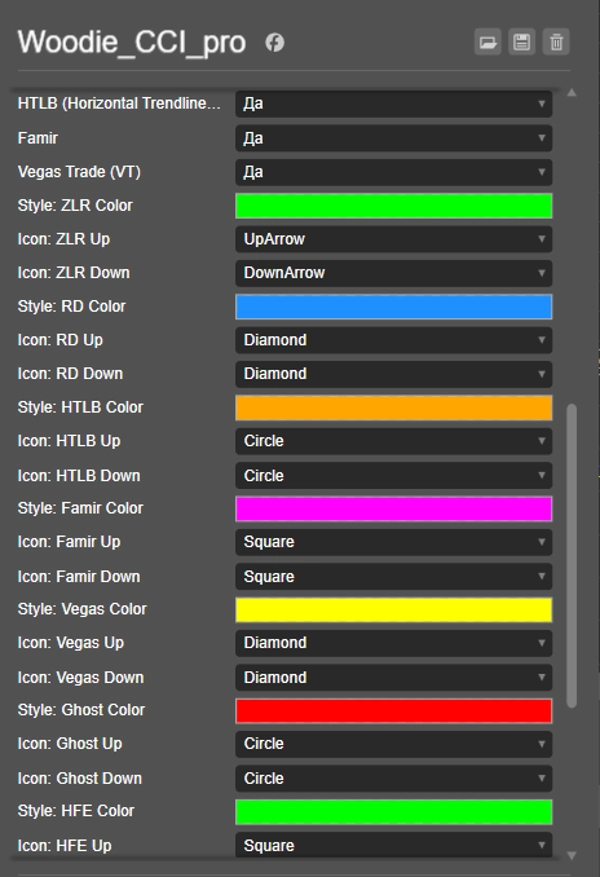
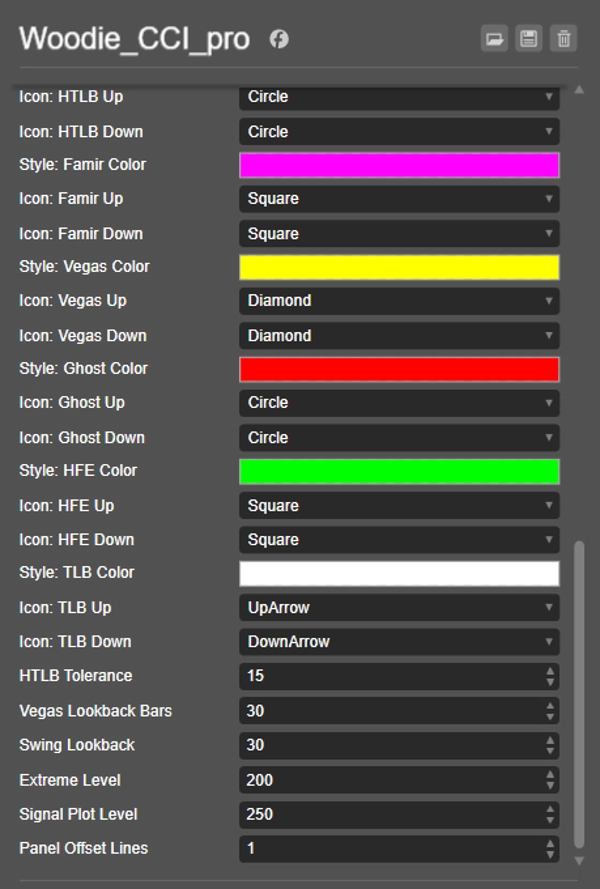
5) Kontrola stylu i wizualizacji (dla każdego wzoru)
Możesz dostosować wygląd wizualny dla każdego wzoru:
- typ ikony dla kierunku w górę/w dół
- kolor dla wzoru (tam gdzie obsługiwany)
- zwarta lub pełna etykieta
6) Alerty (opcjonalne)
Włącz alerty dla wybranych sygnałów:
- wiadomość w stylu popup na wykresie
- opcjonalne powiadomienie dźwiękowe (jeśli obsługiwane przez twoją platformę)
7) Filtr „Maksymalna liczba sygnałów na trend” (opcjonalny)
Aby zmniejszyć szumy, możesz ograniczyć liczbę sygnałów na trend:
Maksymalnie na trend (0 = bez limitu)- liczy tylko sygnały zgodne z aktualnym trendem (na podstawie znaku TCCI)
Typowy przebieg pracy
- Dodaj Woodie_CCI_pro do wykresu.
- Włącz Sygnały na wykresie oraz Etykiety, aby szybko analizować zachowanie wzorów na historii.
- Włącz linie trendu TLB, jeśli chcesz mieć kontekst strukturalny dla wybicia i kontynuacji transakcji.
- Opcjonalnie włącz znaczniki oscylatora, jeśli preferujesz klasyczne potwierdzenie kropką Woodie.
Uwagi i filozofia
- Ten wskaźnik ma być praktyczny i czytelny, a nie „nadmiernie dopasowany”.
- Niektóre wzory (zwłaszcza oparte na liniach, takie jak TLB/HTLB/RD/Vegas) zawierają regulowane tolerancje/okresy cofania, ponieważ struktura rynku różni się w zależności od symboli i interwałów czasowych.
- Wizualizacja jest zoptymalizowana pod kątem czystej historii, stabilnej skali i minimalnego bałaganu.
Podsumowanie
The indicator offers optional oscillator markers within the CCI pane and draws TLB trendlines to provide structural context without scale distortion. Users can customize visual elements per pattern, such as icon types, colors, and label formats. Alerts can be enabled for selected signals with popup messages and optional sound notifications.
Additional features include a “Max Signals Per Trend” filter to limit noise by restricting signals aligned with the current trend. The design emphasizes clean historical visibility, stable scaling, and minimal chart clutter, supporting efficient analysis and faster decision-making across markets including Forex, indices, and cryptocurrencies.
Opinie klientów
5 | 50 % | |
4 | 50 % | |
3 | 0 % | |
2 | 0 % | |
1 | 0 % |
Dyskusja
Częste pytania
Więcej od tego autora








Cena