
![Trading product for [Stellar Strategies] Market Regime Filter Wskaźnik Forex Indices, image 1](https://cdn.ctrader.com/image/webp/3bdeba11-7e8b-4e5f-9af9-d562f48df039_28423)
[Stellar Strategies] Market Regime Filter
Wskaźnik
161 pobrania
Wersja 1.0, Apr 2025
Windows, Mac
![Trading product for [Stellar Strategies] Market Regime Filter Wskaźnik Forex Indices, image 2](https://cdn.ctrader.com/image/webp/fca20c9e-045b-48d9-8a0b-c633040ed401_28424)
![Trading product for [Stellar Strategies] Market Regime Filter Wskaźnik Forex Indices, image 3](https://cdn.ctrader.com/image/webp/b2dbd1b3-4b93-4837-9689-192a2d53cb06_28425)
![Trading product for [Stellar Strategies] Market Regime Filter Wskaźnik Forex Indices, image 4](https://cdn.ctrader.com/image/webp/85c3bcad-7210-473d-a4cf-b40ce7627c83_28426)
![Trading product for [Stellar Strategies] Market Regime Filter Wskaźnik Forex Indices, image 5](https://cdn.ctrader.com/image/webp/988a3ea3-ac76-4434-96b0-225b162f9917_28427)

20.46M
Wolumen transakcji
8.02K
Zysk w pipsach
27
Sprzedaż
4.89K
Bezpłatne instalacje
Opis
Wskaźnik filtra reżimu rynkowego dla cTrader
Przegląd:
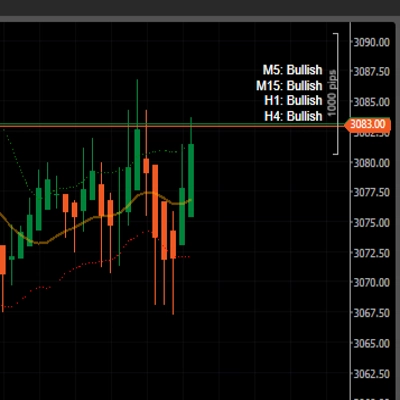
Ten wskaźnik próbuje sklasyfikować aktualny stan rynku lub „reżim” na podstawie kombinacji danych technicznych. Jego głównym celem jest pomoc traderom w zrozumieniu panującego środowiska rynkowego (trend, konsolidacja, zmienność), aby potencjalnie filtrować sygnały handlowe lub odpowiednio dostosować swoją strategię.
Analizuje:
- Kierunek i siła trendu: z wykorzystaniem wykładniczych średnich kroczących (EMA) oraz wskaźnika Average Directional Index (ADX).
- Zmienność: z wykorzystaniem Average True Range (ATR) lub szerokości wstęg Bollingera.
- Wolumen: opcjonalnie z użyciem wolumenu tickowego w porównaniu do jego średniej kroczącej w celu potwierdzenia siły trendu.
Funkcje:
- Wiele stanów reżimu: klasyfikuje rynek na odrębne stany:
-
- Silny byk / Silny niedźwiedź
- Słaby byk / Słaby niedźwiedź
- Korekta byka / Korekta niedźwiedzia (tymczasowe ruchy przeciwnetendencyjne w trendzie)
- Zakres wysoka zmienność / Zakres niska zmienność
- Inicjalizacja (podczas uruchamiania wskaźnika)
- Wybieralna miara zmienności: wybierz między ATR a szerokością wstęg Bollingera za pomocą parametrów (
Volatility Source). - Filtr trwałości reżimu: wymaga, aby nowy reżim utrzymywał się przez minimalną liczbę świec (
Min Bars In Regime) przed potwierdzeniem zmiany, co redukuje szumy. - Opcjonalny filtr wolumenu: pozwala filtrować silne sygnały trendu na podstawie tego, czy wolumen jest znacząco powyżej swojej średniej kroczącej (
Enable Volume Filter). - Alerty dźwiękowe: zapewnia opcjonalne powiadomienia dźwiękowe (
Enable Sound Alert) przy zmianie potwierdzonego reżimu rynkowego. - Wynik histogramu: wyświetla aktualny potwierdzony reżim jako histogram w podoknie wskaźnika. Wysokość odpowiada wartości numerycznej reżimu (patrz odniesienie poniżej).
- Etykieta tekstowa: pokazuje nazwę aktualnego potwierdzonego reżimu w prawym górnym rogu okna wskaźnika dla szybkiego odniesienia.
Jak używać:
- Zastosuj do wykresu: dodaj wskaźnik „Market Regime Filter” do swojego wykresu cTrader.
- Skonfiguruj parametry: dostosuj parametry wejściowe do konkretnego instrumentu, interwału czasowego i stylu handlu. Kluczowe parametry to:
-
- Okresy MA (szybki/wolny)
- Ustawienia ADX (okres, progi)
- Źródło zmienności i jego ustawienia (ATR/szerokość BB)
- Min Bars In Regime (ustawienie potwierdzenia)
- Ustawienia filtra wolumenu (włącz, okres, współczynnik)
- Ustawienia alertów
- Interpretuj histogram: poziom histogramu wskazuje aktualny potwierdzony reżim. Odnieś się do wartości numerycznych poniżej. Ogólnie:
-
- Wyższe wartości (6-8): warunki bycze.
- Niższe wartości (1-3): warunki niedźwiedzie.
- Średnie wartości (4-5): warunki konsolidacji.
- Wartości korekty (2, 7): potencjalne ruchy przeciwnetendencyjne w ramach większego trendu.
- Filtruj sygnały: używaj odczytu reżimu jako filtra kontekstowego dla sygnałów z innych wskaźników lub strategii.
-
- Przykład: rozważaj sygnały długoterminowe podążające za trendem tylko gdy reżim to Silny byk, Korekta byka lub Słaby byk. Rozważaj sygnały oparte na konsolidacji (np. odwrócenia oscylatorów) tylko gdy jesteś w Zakresie niskiej lub wysokiej zmienności.
- Dostosuj strategię: dostosuj zarządzanie handlem w zależności od reżimu.
-
- Przykład: stosuj szersze stop lossy lub pozwól zyskom rosnąć dłużej podczas silnych trendów. Rozważaj ciaśniejsze cele zysku podczas zakresów niskiej zmienności. Bądź ostrożny podczas przejść między reżimami.
- Używaj etykiety tekstowej: rzuć okiem na etykietę tekstową, aby natychmiast zrozumieć aktualny stan.
- Włącz alerty: włącz alerty dźwiękowe, jeśli chcesz otrzymywać powiadomienia o zmianach reżimu.
Na co zwracać uwagę:
- Wrażliwość parametrów: wydajność wskaźnika jest silnie zależna od wybranych parametrów. Ustawienia, które dobrze działają na jednym interwale lub rynku, mogą nie działać na innym. Zalecane jest testowanie historyczne i optymalizacja.
- Opóźnienie: ponieważ wskaźnik opiera się na średnich kroczących i innych elementach opóźnionych (jak ADX), zmiany reżimu będą identyfikowane z pewnym opóźnieniem po faktycznej zmianie rynku.
- Fałszywe sygnały/przejścia: rynki nie zawsze przechodzą płynnie między reżimami. Spodziewaj się potencjalnych fałszywych sygnałów (szybkie zmiany tam i z powrotem), zwłaszcza wokół granic zakresów lub gdy trendy słabną. Parametr
Min Bars In Regimepomaga to ograniczyć, ale nie eliminuje całkowicie. - Wiarygodność wolumenu: filtr wolumenu używa wolumenu tickowego, który może nie odzwierciedlać prawdziwego wolumenu rynkowego, szczególnie na zdecentralizowanych rynkach jak Forex. Używaj tego filtra z rozwagą.
- Kontekst jest kluczowy: ten wskaźnik daje jedno spojrzenie na rynek. Nie używaj go w izolacji. Zawsze uwzględniaj analizę cen, poziomy wsparcia/oporu, formacje wykresów oraz potencjalnie inne wskaźniki dla potwierdzenia.
- Inicjalizacja: wskaźnik wymaga pewnej liczby historycznych świec (wartość
Required Barswyświetlana w zakładce Automate > Log podczas uruchamiania), aby w pełni zainicjalizować swoje obliczenia. Upewnij się, że na wykresie jest załadowana wystarczająca ilość danych.
Wartości histogramu reżimu (odniesienie):
8: Silny byk7: Korekta byka6: Słaby byk5: Zakres wysoka zmienność4: Zakres niska zmienność3: Słaby niedźwiedź2: Korekta niedźwiedzia1: Silny niedźwiedź0: Inicjalizacja
Podsumowanie
Podsumowanie AI
The Market Regime Filter indicator for cTrader classifies current market conditions into distinct regimes—such as strong/weak bull or bear trends, pullbacks, and ranging states with varying volatility—by analyzing trend direction and strength (using EMAs and ADX), volatility (via ATR or Bollinger Band Width), and optionally volume (tick volume relative to its moving average). It features a regime persistence filter that confirms changes only after a minimum number of bars to reduce noise, and an optional volume filter to validate strong trend signals. The indicator displays the confirmed regime as a histogram and a text label on the chart for quick reference, and can provide sound alerts upon regime changes. Users can configure key parameters including moving average periods, ADX settings, volatility source, minimum bars for regime confirmation, volume filter settings, and alert options. The regime reading can be used to filter signals from other indicators or adapt trade management strategies, such as adjusting stop-loss distances or profit targets based on the prevailing market environment. The indicator requires sufficient historical data to initialize and is sensitive to parameter settings, which should be optimized for each market and timeframe. It is designed to support trading across Forex, indices, and other markets.
Profil wskaźnika
Dyskusja
Opinie klientów
0.0
Opinie: 0
Opinie klientów
Ten produkt nie ma jeszcze opinii. Wypróbowałeś(-aś) go już? Bądź pierwszy(-a) i powiedz o tym innym!
Częste pytania
Forex
Indices
ATR
Bollinger
Produkty dostępne za pośrednictwem cTrader Store, w tym boty handlowe, wskaźniki i wtyczki, dostarczane są przez deweloperów zewnętrznych i udostępniane wyłącznie w celach informacyjnych oraz w celu zapewnienia dostępu technicznego. cTrader Store nie jest brokerem i nie zapewnia doradztwa inwestycyjnego, nie udziela spersonalizowanych rekomendacji ani nie gwarantuje przyszłych wyników.
![Logo „[Stellar Strategies] Market Structure Breakout”](https://cdn.ctrader.com/image/webp/bceec265-3247-4b11-915f-6295a29c106d_28465)
![Logo „[Stellar Strategies] Market Session Ultimate”](https://cdn.ctrader.com/image/webp/61ffd537-0125-4246-9e72-42eca1791d64_28232)
![Logo „[Stellar Strategies] Wave Trend Pro”](https://cdn.ctrader.com/image/webp/5f226fbb-245a-41cd-9cdd-b018257d5e6d_28617)
![Logo „[Stellar Strategies] Inside Bar with Signals”](https://cdn.ctrader.com/image/webp/1d9e8bfa-3b2c-4440-bb37-5856902008a7_30683)
![Logo „[Stellar Strategies] BOS Trend 1.0”](https://cdn.ctrader.com/image/webp/6cdec0f1-0e97-4a82-a8a4-2b67aed54d38_25695)
![Logo „[Stellar Strategies] Smart ADX”](https://cdn.ctrader.com/image/webp/af13b084-b6f6-41db-b7bc-c7e688b57b05_36929)
![Logo „[StellarStrategies] Scheduled Trade Executor”](https://cdn.ctrader.com/image/webp/daefc6af-7eca-453e-878d-1b981be2c401_25646)
![Logo „[Stellar Strategies] VBO”](https://cdn.ctrader.com/image/webp/f034c012-94d4-445a-a01b-febd1cdedaef_36944)
![Logo „[Stellar Strategies] Linear Regression Candles 1.1”](https://cdn.ctrader.com/image/webp/8b9cff9f-2431-46d2-b0ec-c7f55f4a4a6d_27918)
![Logo „[Stellar Strategies] Candlestick Patterns Dashboard”](https://cdn.ctrader.com/image/webp/ae8691a5-4884-4553-9bcc-64e16ac82a30_38344)
![Logo „[Stellar Strategies] SP500 Gap Closure cBot 1.0”](https://cdn.ctrader.com/image/webp/92c23fdc-4ad1-4e61-bdb5-c77f6ec8c539_27686)
![Logo „[Stellar Strategies] QQE”](https://cdn.ctrader.com/image/webp/e702104a-874c-4b39-97dd-fb34518d1015_27712)

![Logo „[Hamster-Coder] Bollinger Bands”](https://cdn.ctrader.com/image/webp/21d8e5d6-fb11-4bac-b9ee-cd05c2b76804_30327)



Cena
20.46M
Wolumen transakcji
8.02K
Zysk w pipsach
27
Sprzedaż
4.89K
Bezpłatne instalacje