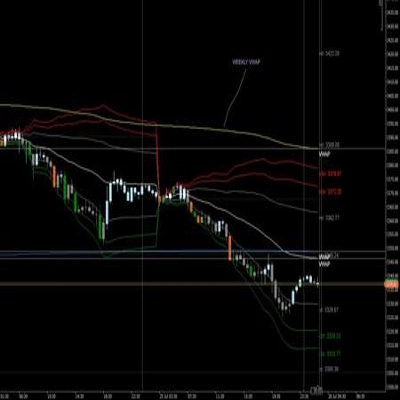
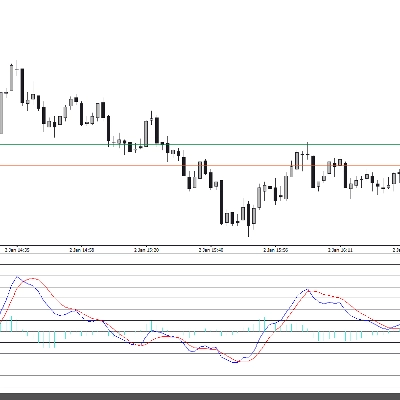
![Trading product for [Stellar Strategies] Market Structure Breakout Indikator Signal Breakout, image 1](https://cdn.ctrader.com/image/webp/bceec265-3247-4b11-915f-6295a29c106d_28465)
![Trading product for [Stellar Strategies] Market Structure Breakout Indikator Signal Breakout, image 2](https://cdn.ctrader.com/image/webp/01ab79aa-faea-416f-a7e8-dac2f6195047_28466)
![Trading product for [Stellar Strategies] Market Structure Breakout Indikator Signal Breakout, image 3](https://cdn.ctrader.com/image/webp/3588f2c0-dd5a-4df4-967c-fe2b4de791f8_28467)
![Trading product for [Stellar Strategies] Market Structure Breakout Indikator Signal Breakout, image 4](https://cdn.ctrader.com/image/webp/c098fda7-69e9-4b38-92b0-1561a798b674_28468)
![Trading product for [Stellar Strategies] Market Structure Breakout Indikator Signal Breakout, image 5](https://cdn.ctrader.com/image/webp/4a442b80-f948-483a-bd0a-8ce3767e6b2e_28469)

Beschreibung
Market Structure Breakout Indikator
Überblick
Dieser Indikator wurde entwickelt, um potenzielle Handelsmöglichkeiten zu identifizieren, indem Ausbrüche aus jüngsten Preisspannen auf Ihrem cTrader-Chart erkannt werden. Er hebt visuell hervor, wenn der Preis deutlich über einem jüngsten Hoch (potenzielle bullische Fortsetzung/Umkehr) oder unter einem jüngsten Tief (potenzielle bärische Fortsetzung/Umkehr) schließt, inspiriert von Konzepten des Marktstrukturbruchs.
Funktionsweise
- Spannenerkennung: Für jeden Balken blickt der Indikator über eine festgelegte Anzahl vorheriger Balken zurück (definiert durch
Lookback Period). Er identifiziert das absolut höchste Hoch und das niedrigste Tief, die in diesem Zeitraum erreicht wurden. - Ausbruchserkennung: Er prüft, ob der Schlusskurs des aktuellen Balkens höher als das höchste Hoch im Lookback-Zeitraum ist (ein bullischer Ausbruch) oder niedriger als das niedrigste Tief (ein bärischer Ausbruch).
- Trendfilterung (optional): Wenn
Enable Trend Filterauftruegesetzt ist, überprüft der Indikator zusätzlich den Preis im Verhältnis zu einem gleitenden Durchschnitt (Trend MA Period&Trend MA Type). -
- Ein bulliges Ausbruchssignal wird nur als gültig betrachtet, wenn der Schlusskurs auch über dem gleitenden Durchschnitt liegt.
- Ein bärisches Ausbruchssignal wird nur als gültig betrachtet, wenn der Schlusskurs auch unter dem gleitenden Durchschnitt liegt. Dies hilft, Ausbrüche herauszufiltern, die gegen den vorherrschenden Trend verlaufen, der durch den gleitenden Durchschnitt definiert wird.
Visuelle Elemente
- Pfeile:
-
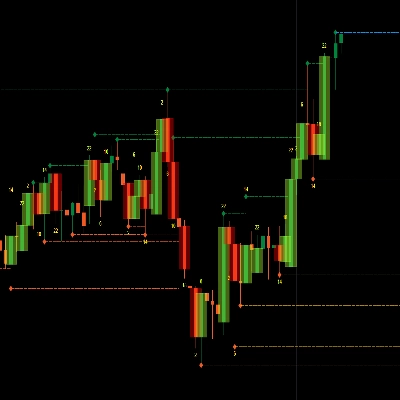
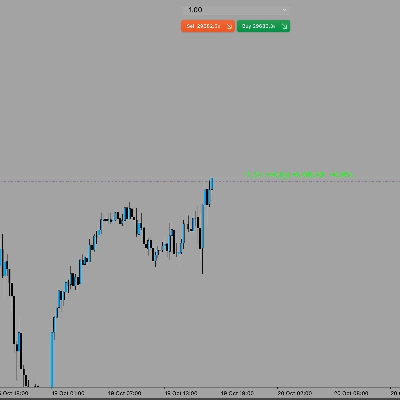
- Ein bullischer Pfeil (Standard LimeGreen) erscheint unter dem Tief eines Balkens, der über dem jüngsten höchsten Hoch schließt (und den Trendfilter erfüllt, falls aktiviert).
- Ein bärischer Pfeil (Standard Rot) erscheint über dem Hoch eines Balkens, der unter dem jüngsten niedrigsten Tief schließt (und den Trendfilter erfüllt, falls aktiviert).
- Der Abstand des Pfeils vom Balken wird automatisch basierend auf der Marktvolatilität unter Verwendung des ATR (
Arrow ATR Offset Multiplier) angepasst.
- Horizontale Linien:
-
- Wenn ein bullischer Ausbruch auftritt, wird eine gebrochene Widerstandslinie (Standard Rot) auf dem Niveau des gebrochenen höchsten Hochs gezeichnet.
- Wenn ein bärischer Ausbruch auftritt, wird eine gebrochene Unterstützungslinie (Standard LimeGreen) auf dem Niveau des gebrochenen niedrigsten Tiefs gezeichnet.
- Diese Linien beginnen am Balken, an dem der Hoch-/Tief-Pivot auftrat, und erstrecken sich über die Ausbruchsbalken hinaus um eine Anzahl von Balken, definiert durch
Line Extension Bars. Dies hilft, das gebrochene Niveau zu visualisieren. - Linienstil und Dicke können angepasst werden.
- Beschriftungen (optional):
-
- Wenn
Label Typenicht aufNonegesetzt ist, erscheint eine Textbeschriftung nahe dem Ende der erweiterten horizontalen Linie. - Diese kann das tatsächliche
Price-Niveau, benutzerdefiniertenText(wie "MSB") oderBothanzeigen. - Beschriftungsfarbe ist anpassbar.
- Wenn
- Historienlimit: Es werden nur die neuesten
Max Historical BreakoutsAnzahl bullischer und bärischer Signale (Pfeil + Linie + Beschriftung) angezeigt, um das Chart übersichtlich zu halten. Eine Einstellung von 0 zeigt alle an.
Anwendung & Worauf Sie achten sollten
- Einstiegssignale: Ausbruchspfeile können potenzielle Einstiegspunkte in Ausbruchsrichtung signalisieren. Ein bullischer Pfeil deutet auf einen möglichen Long-Einstieg hin, während ein bärischer Pfeil einen möglichen Short-Einstieg anzeigt.
- Bestätigung: Verwenden Sie Ausbrüche zusammen mit anderen Analyseformen (z. B. Volumenanalyse, Chartmuster, Fundamentalanalyse), um Signale zu bestätigen. Verlassen Sie sich nicht ausschließlich auf diesen Indikator.
- Unterstützung/Widerstand: Die vom Indikator gezeichneten horizontalen Linien repräsentieren Preisniveaus, an denen der Preis zuvor gestoppt hat. Nach einem Ausbruch können diese Niveaus ihre Rollen tauschen:
-
- Eine gebrochene Widerstandszone (rote Linie) kann als potenzielle zukünftige Unterstützung wirken.
- Eine gebrochene Unterstützungszone (grüne Linie) kann als potenzieller zukünftiger Widerstand wirken. Beobachten Sie, wie der Preis mit diesen erweiterten Linien in den folgenden Balken interagiert.
- Trendkontext: Das Aktivieren des
Trend Filterkann Ihnen helfen, sich auf Ausbrüche zu konzentrieren, die mit der übergeordneten Marktrichtung übereinstimmen, und so Trades gegen starke Trends zu reduzieren. - Parameteranpassung: Experimentieren Sie mit der
Lookback Period. Kürzere Perioden sind empfindlicher und erzeugen mehr Signale (potenziell lauter). Längere Perioden identifizieren Ausbrüche aus bedeutenderen Spannen, erzeugen aber weniger Signale. Passen Sie dies basierend auf dem Zeitrahmen und den Marktcharakteristika an. Stimmen Sie dieTrend MA Periodab, um den Trend zu definieren, dem Sie folgen möchten. - Zeitrahmen: Der Indikator funktioniert in jedem Zeitrahmen. Beachten Sie, dass eine
Lookback Periodvon 20 bedeutet 20 Balken dieses spezifischen Zeitrahmens.
Alarme
- Wenn
Enable Sound Alertsauftruegesetzt ist, spielt der Indikator die angegebeneAlert Sound Fileab, wenn ein neues Ausbruchssignal auf dem neuesten Echtzeitbalken erscheint (es wird während Backtesting oder Historienladen keine Alarme geben).
Wichtige Parameter
Lookback Period: Anzahl der vergangenen Balken, um das höchste Hoch/niedrigste Tief zu finden.Enable Trend Filter: Schaltet den gleitenden Durchschnittsfilter ein/aus.Trend MA Period/Type: Einstellungen für den trendfilternden gleitenden Durchschnitt.Max Historical Breakouts: Begrenzung, wie viele vergangene Signale angezeigt werden.Arrow ATR Offset Multiplier: Steuert den Abstand des Pfeils vom Balken basierend auf der Volatilität.Line Extension Bars: Wie weit die horizontale Linie über den Ausbruch hinaus verlängert wird.Label Type/Custom Label Text: Steuert die Anzeige von Beschriftungen auf den Linien.Enable Sound Alerts/Alert Sound File: Konfiguriert Audioalarme.- Farb-/Stilparameter: Passen das visuelle Erscheinungsbild an.
Haftungsausschluss: Der Handel birgt Risiken. Dieser Indikator liefert technische Signale basierend auf seinen Berechnungen, garantiert jedoch keinen Gewinn oder sagt die Zukunft voraus. Verwenden Sie stets Risikomanagement und führen Sie Ihre eigene Analyse durch, bevor Sie Handelsentscheidungen treffen.
Zusammenfassung
Visual cues include lime green bullish arrows below bars breaking above highs and red bearish arrows above bars breaking below lows. These arrows are positioned dynamically based on market volatility using the ATR (Average True Range). The indicator also draws horizontal lines at broken support or resistance levels, extending forward to help visualize these key price levels. Labels can be optionally displayed on these lines, showing price, custom text, or both, with customizable colors.
Users can limit the number of historical breakout signals shown to maintain chart clarity. Sound alerts can be enabled to notify when new breakout signals occur in real time. The indicator works on any timeframe, with sensitivity adjustable via the lookback period and trend filter settings. It is intended to assist in identifying entry points and support/resistance levels but should be used alongside other analysis methods.
Diskussion
Kundenbewertungen
5 | 100 % | |
4 | 0 % | |
3 | 0 % | |
2 | 0 % | |
1 | 0 % |
![„[Stellar Strategies] Wave Trend Pro“-Logo](https://cdn.ctrader.com/image/webp/5f226fbb-245a-41cd-9cdd-b018257d5e6d_28617)
![„[Stellar Strategies] Market Session Ultimate“-Logo](https://cdn.ctrader.com/image/webp/61ffd537-0125-4246-9e72-42eca1791d64_28232)
![„[Stellar Strategies] BOS Trend 1.0“-Logo](https://cdn.ctrader.com/image/webp/6cdec0f1-0e97-4a82-a8a4-2b67aed54d38_25695)
![„[Stellar Strategies] Inside Bar with Signals“-Logo](https://cdn.ctrader.com/image/webp/1d9e8bfa-3b2c-4440-bb37-5856902008a7_30683)
![„[StellarStrategies] Scheduled Trade Executor“-Logo](https://cdn.ctrader.com/image/webp/daefc6af-7eca-453e-878d-1b981be2c401_25646)
![„[Stellar Strategies] Smart ADX“-Logo](https://cdn.ctrader.com/image/webp/af13b084-b6f6-41db-b7bc-c7e688b57b05_36929)
![„[Stellar Strategies] Linear Regression Candles 1.1“-Logo](https://cdn.ctrader.com/image/webp/8b9cff9f-2431-46d2-b0ec-c7f55f4a4a6d_27918)
![„[Stellar Strategies] VBO“-Logo](https://cdn.ctrader.com/image/webp/f034c012-94d4-445a-a01b-febd1cdedaef_36944)
![„[Stellar Strategies] SP500 Gap Closure cBot 1.0“-Logo](https://cdn.ctrader.com/image/webp/92c23fdc-4ad1-4e61-bdb5-c77f6ec8c539_27686)
![„[Stellar Strategies] Candlestick Patterns Dashboard“-Logo](https://cdn.ctrader.com/image/webp/ae8691a5-4884-4553-9bcc-64e16ac82a30_38344)
![„[Stellar Strategies] QQE“-Logo](https://cdn.ctrader.com/image/webp/e702104a-874c-4b39-97dd-fb34518d1015_27712)
![„[Stellar Strategies] Visual Trend Momentum“-Logo](https://cdn.ctrader.com/image/webp/48aee0a5-f10e-4bc8-9671-78e156fcc5df_27548)