
Best Free Prop Firm Indicators 2026
Discover the best free prop firm indicators for cTrader in 2026. This collection highlights risk dashboards, drawdown trackers, session and killzone tools, and structure indicators that suit funded-account workflows. Compare top free indicators built to support prop-firm discipline and rule compliance across Forex, gold and indices.
Tools
Tool comparison
FAQ

Tool comparison
Product | Reviews | Downloads | Sales | Price | Compatible platforms |
|---|---|---|---|---|---|
Free Smart Money Concepts (SMC) from TradingView | 5.0 (12) | 4.16K | — | Free | Windows, Mac |
vWAP Free | 5.0 (1) | 1.49K | — | Free | Windows, Mac |
ZIG ZAG Free | 5.0 (1) | 857 | — | Free | Windows, Mac |
FREE Squeeze Momentum from TradingView | 5.0 (3) | 645 | — | Free | Windows, Mac |
Ultimate Trend ADX | 5.0 (1) | 463 | — | Free | Windows, Mac |
HKTrading Free ZigZag | 5.0 (1) | 327 | — | Free | Windows, Mac |
H Capital Liquidity Map Lite V1 | — | 326 | — | Free | Windows, Mac |
SMC_Guardian_Visual_Pro | 5.0 (1) | 296 | — | Free | Windows, Mac |
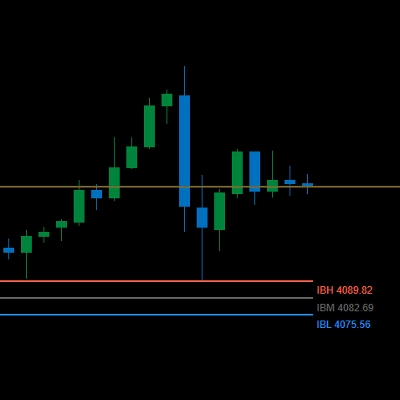
Gold Inicial Balance Basic | — | 257 | — | Free | Windows, Mac |
Trader86-Fraktalline-Decoder- | 5.0 (1) | 168 | — | Free | Windows, Mac |
Profit_Monitor_Free | — | 130 | — | Free | Windows, Mac |
RSI Velocity Gauge | 4.5 (2) | 108 | — | Free | Windows, Mac |
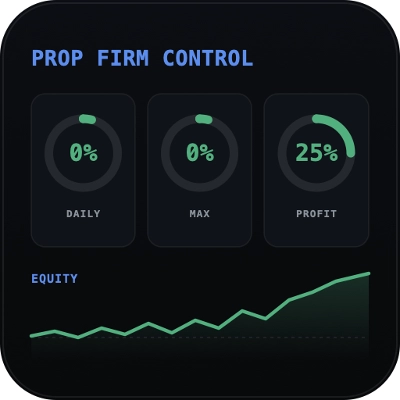
Prop Firm Control Free | 5.0 (1) | 107 | — | Free | Windows, Mac |
MonsterHunt Visual Companion Free | 5.0 (1) | 95 | — | Free | Windows, Mac |
Candle Quality Meter Free | 4.0 (1) | 95 | — | Free | Windows, Mac |
GEKISHIN_Prospect_Defender_Free | — | 49 | — | Free | Windows, Mac |
FAQ
Free prop firm indicators are no-cost chart studies that display figures funded traders watch, such as drawdown, session times or market structure. They read account or price data and draw it on the chart, while every order remains a manual decision.
It shades the hours when chosen trading sessions, such as London or New York, are open, so activity windows stand out on the chart. Session times follow the indicator's time zone setting, so compare it with your broker's server time before relying on the shading.
Start with what each tracker measures: balance or equity, closed trades only or open positions too, and when its daily figure resets. Then check that limits can be typed in by hand, since they differ between firms and change, so the values must come from your firm's current rules.
No, an indicator draws on the chart and may raise alerts, but it cannot close positions or block orders. Seeing a limit helps, and stops or smaller sizes reduce losses, yet neither removes them, so staying within the firm's current rules remains your task.
Custom indicators from the Store, free ones included, run only in cTrader Windows and Mac, not in the web or mobile apps. Once obtained, an indicator appears in the desktop app for your cTrader ID and can be attached to any chart with its own settings.