

Description
FULL VERSION! https://ctrader.com/products/2705
DEMO LIMITATIONS:
- A handful of handpicked instruments
- 4 timeframes (M1, M10, M30, H2)
- 2 years limit on backtesting data
- x4 concurrent backtests
To gain access to the full version, kindly consult the link above!
----------------
Why OmniSim?
Traditional backtesting in cTrader consumes significant system resources rendering real-time equity curves and balance graphs, which bogs down your computer and limits testing efficiency. OmniSim streamlines the entire process by directly fetching server tick data and running lean, focused backtests across your selected instruments and timeframes without the visual overhead, but not lacking it.
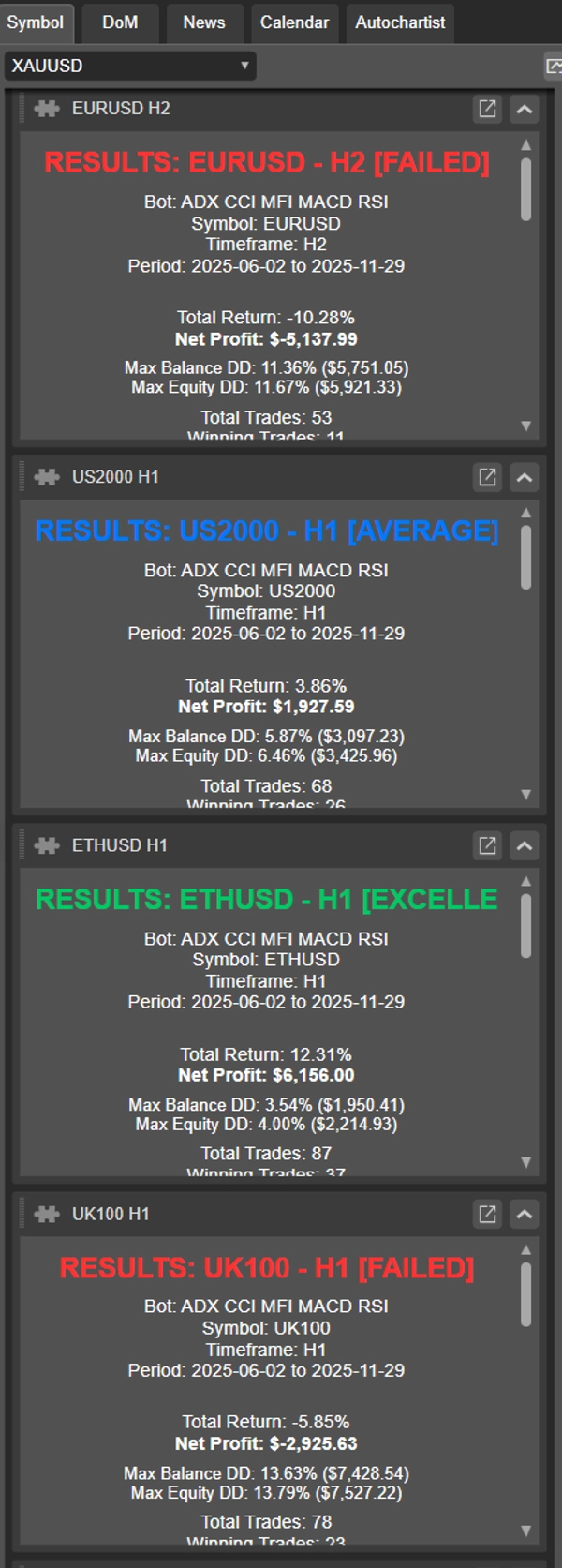
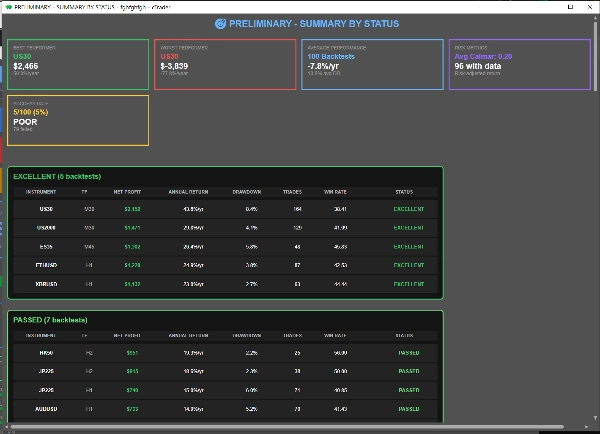
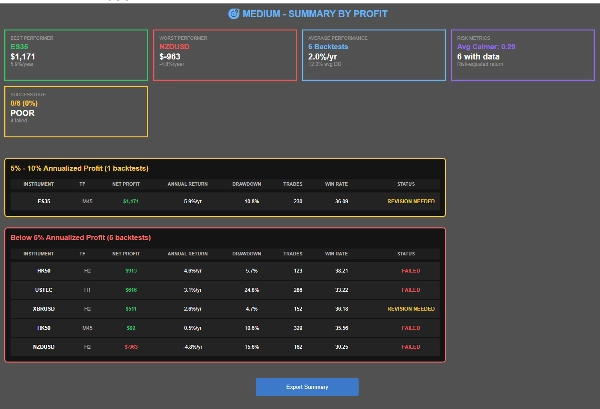
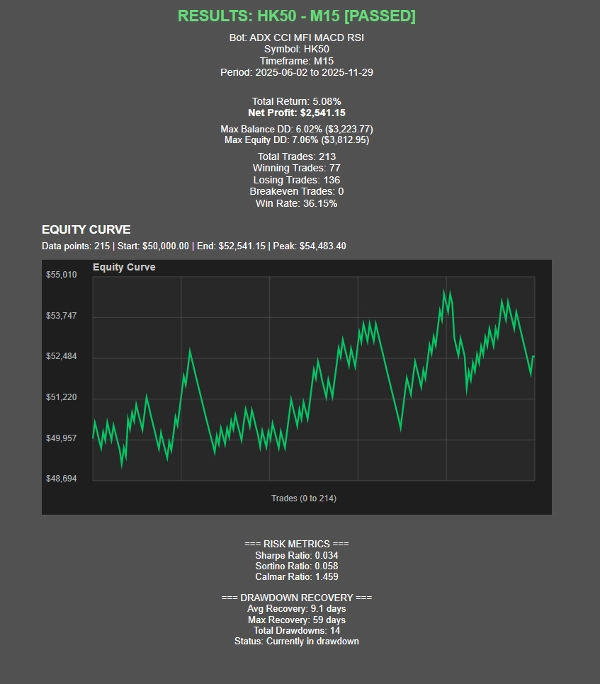
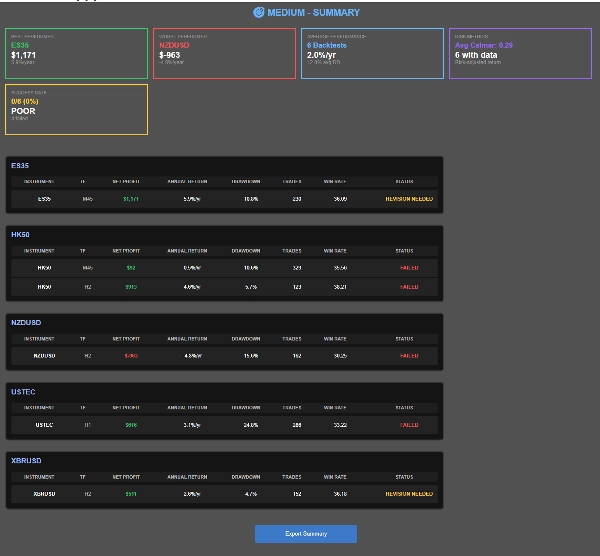
As tests complete, OmniSim automatically generates individual reports for each backtest plus a comprehensive summary report, giving you a complete performance overview at a glance.
How does it work?
OmniSim's UI was designed with intuition and simplicity in mind.
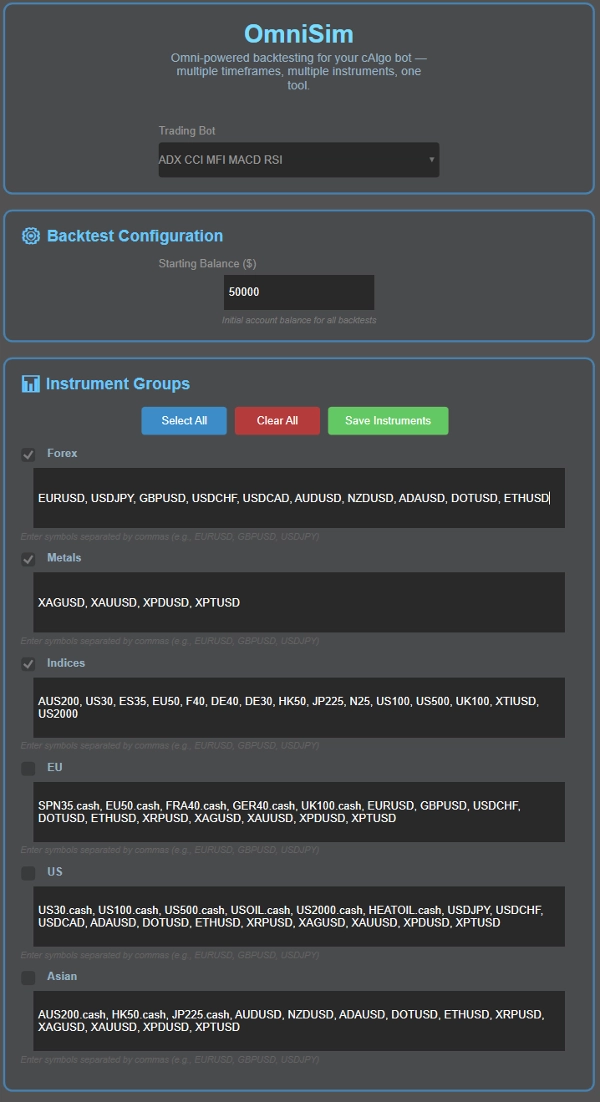
- Choose your bot: Omni automatically loads all installed bots and shows them in a dropdown list at the top of the UI
- Choose your capital
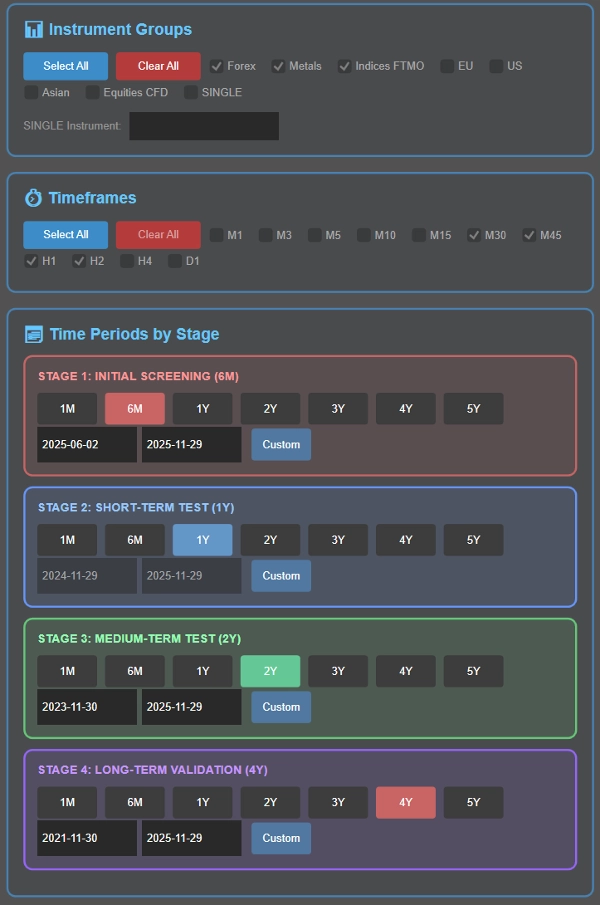
- Choose your instrument(s): here, you will be greeted with 5 groups (Forex, Metals, Indices, EU, US, Asian) their instruments are customizable for your convenience. Before the backtest, you can select the group of instrument(s) you would like to backtest against
- Choose your timeframe(s): Choose which timeframes to test: M1, M3, M5, M10, M15, M30, M45, H1, H2, H4, D1
- Set your backtesting time periods as part of the intelligent cascading process (detailed below), or choose a single specific period if preferred.
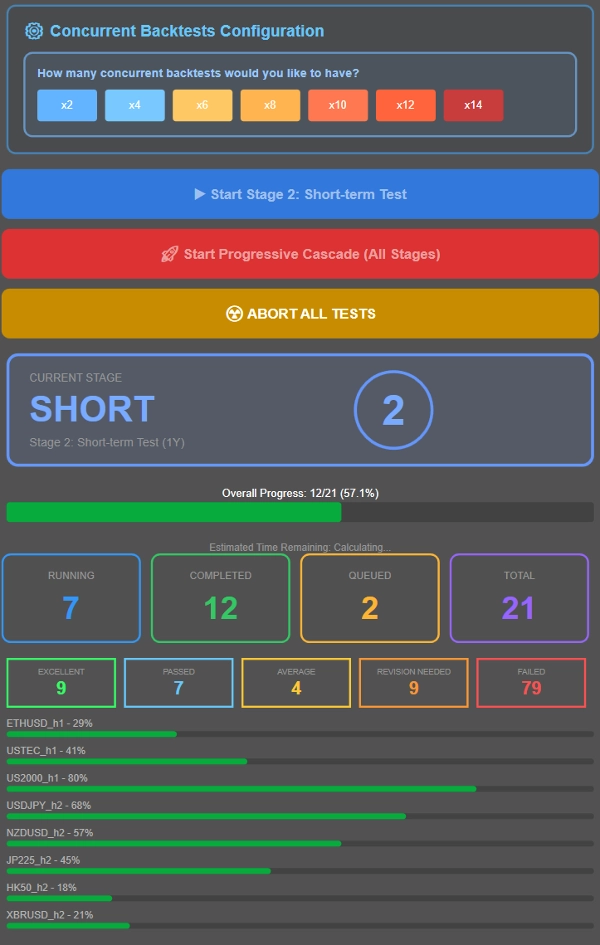
- Control how many tests run simultaneously based on your system specs. For reference, a 16GB RAM system with Ryzen 7 5800X3D easily handles 8 concurrent backtests, with performance remaining smooth up to 12-14 concurrent tests. Adjust to match your hardware.
- Run either a cascading backtest (progressive filtering through multiple time periods) or test all combinations against one specific time perio with the cbot's default parameter values.
What is a cascading backtesting process?
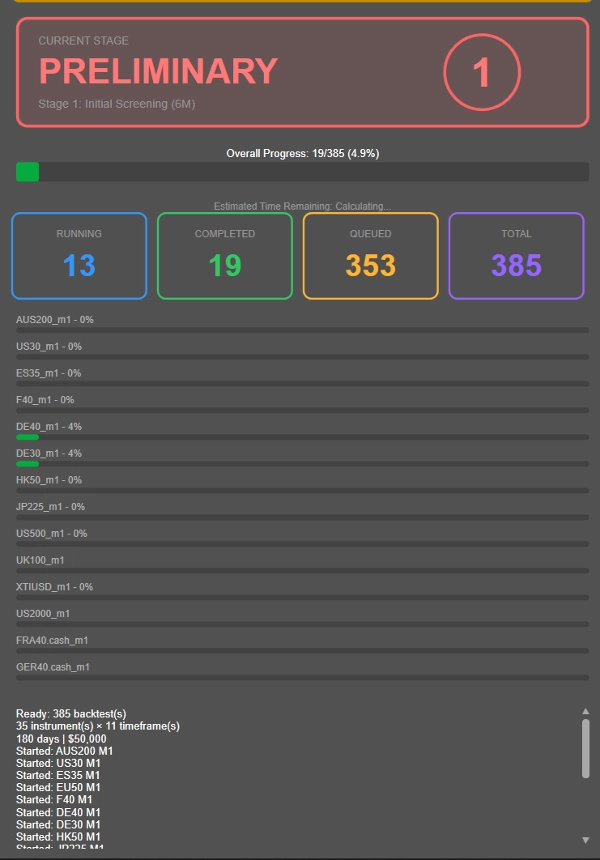
Rather than running lengthy 4-year backtests on every single instrument-timeframe combination (including the unprofitable ones), OmniSim uses a progressive cascade methodology that intelligently filters out underperformers early:
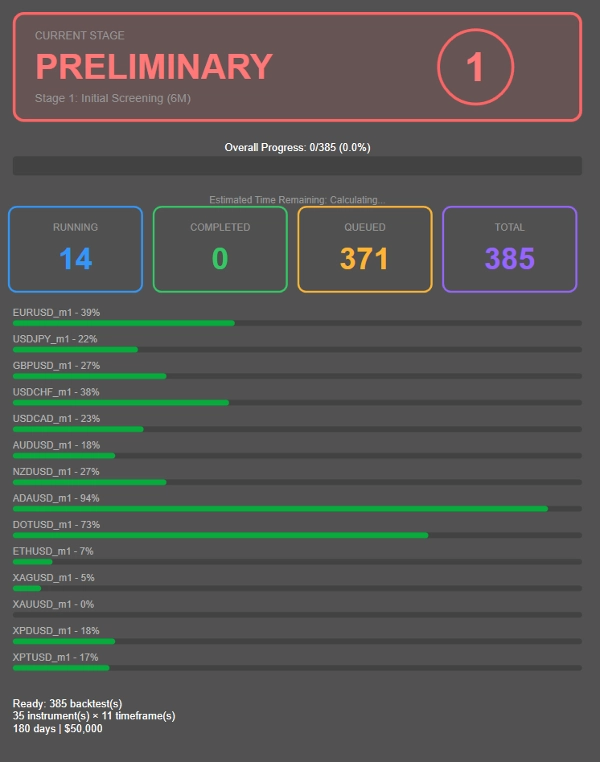
- Stage 1: Initial 6-month screening
- Stage 2: Survivors advance to 1-year testing
- Stage 3: Consistent performers move to 2-year validation
- Stage 4: Only the most robust combinations face the full 4-year test
---------------
- The above duration of each stage was chosen by me for what I think is a reasonably convenient backtesting duration. You may adjust the time duration as you please, instead of 6M → 1Y → 2Y → 4Y, you may choose 1M → 2Y → 4Y → 8Y! Completely customizable.
---------------
This approach dramatically reduces wasted computation on unprofitable combinations, letting you focus resources on strategies that actually show promise.
Want to test everything against a single period instead? Simply configure your desired timeframe in Stage 2 and run all combinations against that specific period by clicking the blue button.
Performance Classification, can be adjusted on request after purchasing!
- EXCELLENT: ≤10% avg DD, ≥20% annualized profit
- PASSED: ≤10% avg DD, 10-20% annualized profit
- AVERAGE: ≤10% avg DD, 5-10% annualized profit
- REVISION NEEDED: 10-20% DD with >5% profit OR ≤5% DD with 0-5% profit
- FAILED: Everything else
This plugin was designed with the passing and failing criteria of popular prop firms (10% disqualification drawdown). Depending on how much being risked per trade, it could prove challenging finding out the true performance, hence the other categories like revision needed and average, all within reasonable performance metrics. Failed is reserved for mediocre returns, nonexistent drawdown or huge drawdown.
Performance Metrics:
- Sharpe Ratio, Sortino Ratio, Calmar Ratio (WIP)
- Drawdown recovery statistics
- Equity curve visualization
- Real-time progress tracking with ETA
Results Presentation
- Three summary views: By Instrument, By Status, By Profit
- Clickable result navigation
- CSV export functionality
- Visual status cards and progress indicators
Summary
Customer reviews
Discussion
FAQ
More from this author


!["Custom Timeframes [Iridio Capital]" logo](https://cdn.ctrader.com/image/webp/4d75a920-23c7-4fea-a7b5-594a9d067f2e_63286)



Price