
Scalper Panel
cBot
Tested on AUS Global Limited
Version 1.0, Jul 2026
Windows, Mac, Mobile, Web
0%
Max drawdown
Since 05/02/2025
Description
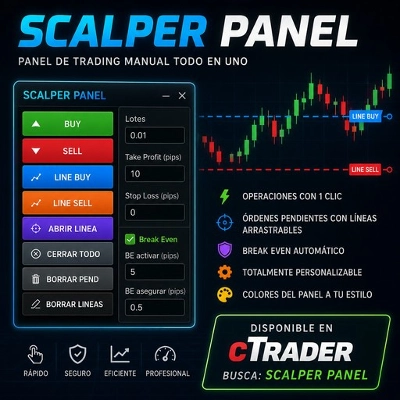
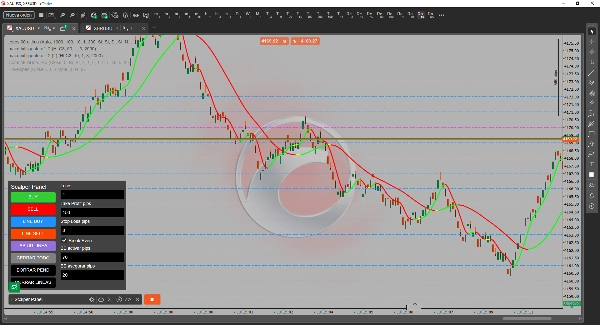
Scalper Panel is a manual trading panel designed for scalpers.
✔ One-click buy and sell.
✔ Pending orders via draggable line.
✔ Configurable Take Profit and Stop Loss.
✔ Automatic Break Even.
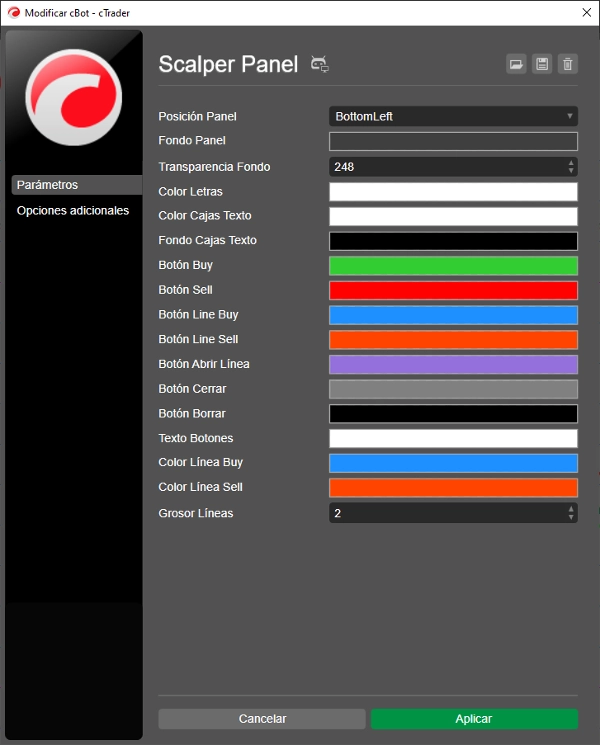
✔ Fully customizable panel colors.Scalper Panel es un panel de trading manual diseñado para scalpers.
✔ Compra y venta con un clic.
✔ Órdenes pendientes mediante línea arrastrable.
✔ Take Profit y Stop Loss configurables.
✔ Break Even automático.
✔ Colores del panel totalmente personalizables.
Summary
AI summary
Scalper Panel is a manual trading interface designed specifically for scalpers. It enables quick trade execution with one-click buy and sell functionality. Users can place pending orders using a draggable line directly on the chart. The panel supports configurable Take Profit and Stop Loss settings to manage risk and potential gains. An automatic Break Even feature helps secure trades once they reach a certain profit level. The panel’s colors are fully customizable to suit user preferences. This tool focuses on trade management and execution efficiency, integrating key features such as TP and SL management, break-even handling, and one-click order placement. It is compatible with the Ausgroup broker and has been backtested over a period from February 2025 to July 2026.
Trading profile
Discussion
Customer reviews
0.0
Reviews: 0
Customer reviews
No reviews for this product yet. Already tried it? Be the first to tell others!
FAQ
TP Manager
Stop Loss (SL) Manager
One-click Trading
SL Manager
Break Even
Take Profit (TP) Manager
Products available through cTrader Store, including trading bots, indicators and plugins, are provided by third-party developers and made available for informational and technical access purposes only. cTrader Store is not a broker and does not provide investment advice, personal recommendations or any guarantee of future performance.




















Price
Since 05/02/2025