
Bullish and Bearish Engulfing Candle Indicators
Discover bullish and bearish engulfing candle indicators for cTrader that highlight powerful reversal patterns the moment they form. Get on-chart markers and alerts for engulfing setups, filter them by trend or zone, and turn classic price action into repeatable trade signals. Great for scalpers and swing traders looking for clear, high-probability entries on Forex, XAUUSD and indices.
Ferramentas
Comparação de ferramentas
Perguntas frequentes
Ferramentas

Comparação de ferramentas
Produto | Avaliações | Transferências | Vendas | Preço | Plataformas compatíveis |
|---|---|---|---|---|---|
Price Action Context Scanner | 5.0 (2) | 699 | — | Grátis | Windows, Mac |
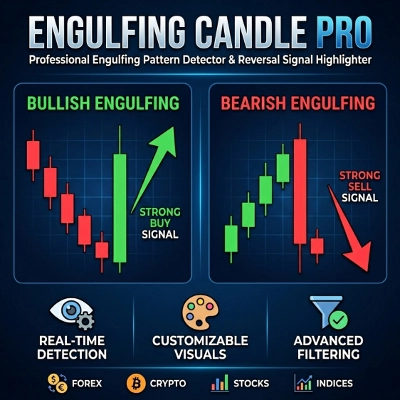
Engulfing CandlePRO | 4.5 (2) | — | 4 | $19 | Windows, Mac |
Engulfing _Indicator | — | 249 | — | Grátis | Windows, Mac |
Perguntas frequentes
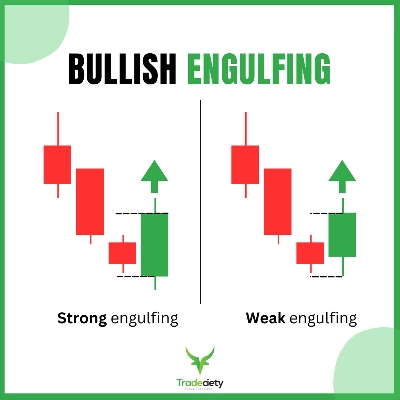
An engulfing candle is a two-bar reversal pattern in which the second body fully covers the first body and closes in the opposite direction. Up versions follow a decline and down versions follow a rise; many definitions ignore wicks and compare bodies only.
Strictness drives the count: whether wicks must be covered or only bodies, a minimum body size versus recent bars or ATR, and whether a prior trend is required. Looser rules print more markers and more noise; trend or zone filters cut the count but can skip valid setups.
Check whether each one alerts on a closed bar or intrabar, which filters it offers, such as trend or zones, and how clearly its markers read. Update history and reviews add context, and both free and paid versions exist, sometimes with a trial.
A two-bar reversal on M15 carries little weight when the H4 or daily trend runs firmly the other way. The shape also appears constantly in the middle of ranges, so many traders consider only patterns forming at a higher-timeframe level, accepting that even those can fail and losses follow.
The pattern is one of the first price-action shapes many people learn, so a marker tool can help newcomers spot it consistently. Once installed, attach it in cTrader's desktop app for Windows or Mac and compare its markers with your own reading for a while, since an indicator never places trades.