
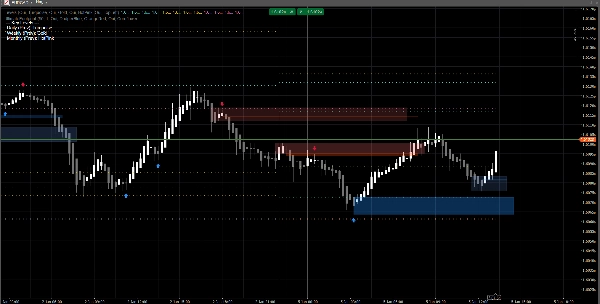
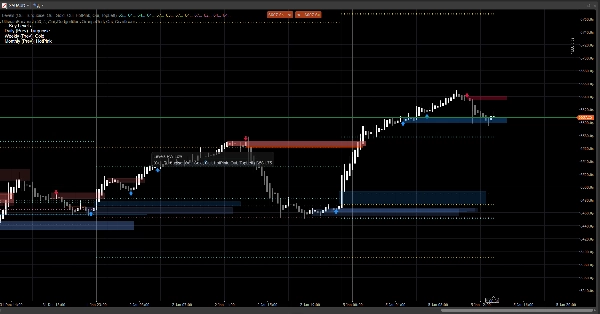
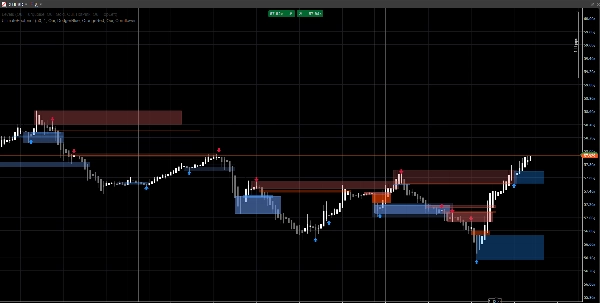
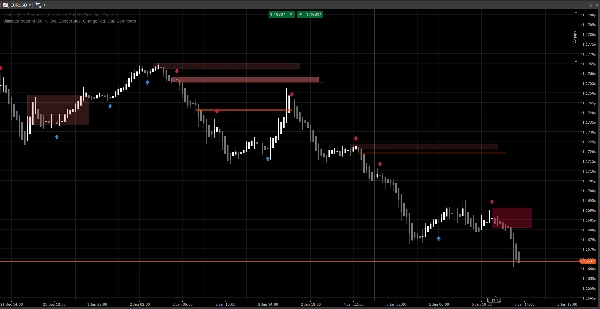
Descrição
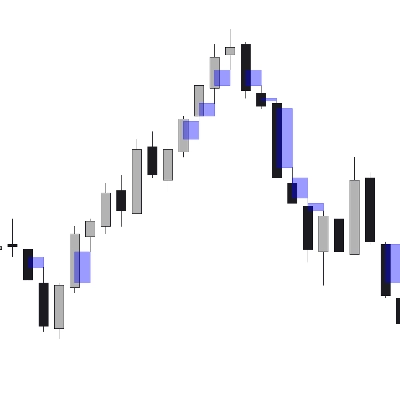
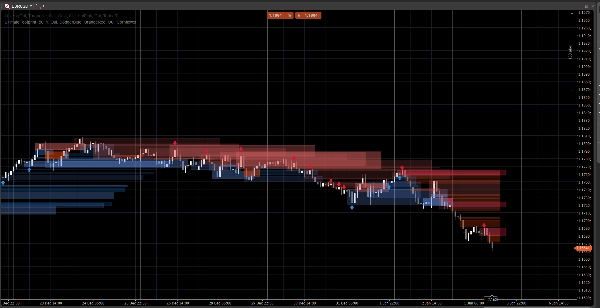
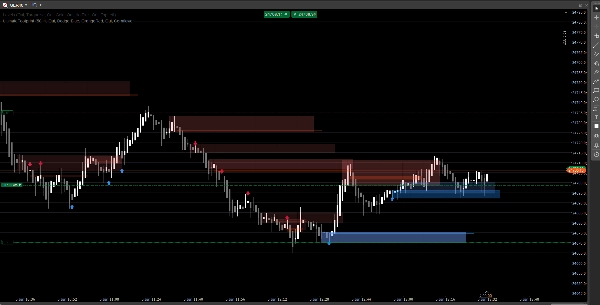
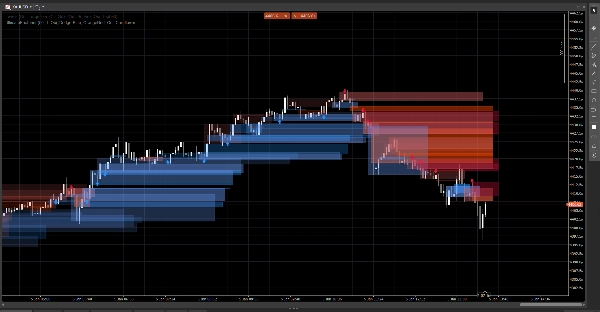
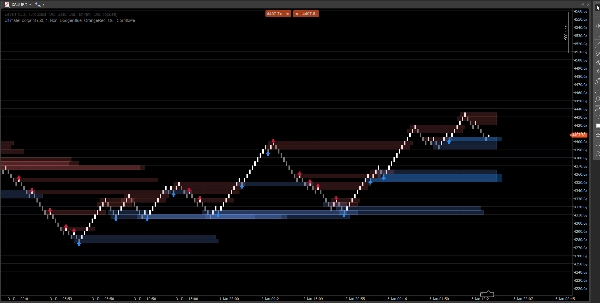
Um sistema de estrutura de mercado limpo que exibe gaps de preço, blocos de ordens e sinais baseados em rompimentos, com confirmação de volume opcional e alertas de reteste. Construído para clareza tanto em gráficos padrão quanto Renko.
Este indicador foca em legibilidade e execução, não em poluição visual. As zonas são estendidas para frente e gerenciadas automaticamente (expiração / invalidação), ajudando você a acompanhar os níveis que importam enquanto o preço se desenrola.
O que ele detecta
Gaps de Preço (ineficiências de 3 barras)
- Destaca gaps de alta e baixa diretamente no gráfico
- Exibição opcional (alternar ligado/desligado)
Blocos de Ordem (última vela oposta antes do deslocamento)
- Zonas OB de alta e baixa
- Estendidas automaticamente para frente até serem invalidadas / atingir extensão máxima
Sinais de Rompimento de Estrutura (lógica de rompimento de swing)
- Detecção baseada em rompimento usando máximas/mínimas de swing
- Imprime setas de sinal (para cima/para baixo) quando um novo bloco de ordem é confirmado
Atualizações em tempo real
- Projetado para atualizar suavemente em condições ao vivo
- Funciona em velas clássicas e se comporta bem em ação de preço estilo Renko
Filtragem inteligente (opcional)
Confirmação de volume
- Você pode exigir uma confirmação de Z-score de volume antes de validar um sinal de bloco de ordem
- Linha base e sensibilidade ajustáveis
Alertas (opcional)
Ative alertas para:
- Novo bloco de ordem detectado
- Reteste de bloco de ordem com direção (vela de rejeição)
Como usar (fluxo simples)
- Use Gaps de Preço e Blocos de Ordem como zonas de reação (áreas de interesse).
- Deixe os Sinais destacarem rompimentos de estrutura e a formação OB correspondente.
- Use alertas de reteste para capturar retornos à zona com comportamento de rejeição.
- Combine com suas próprias entradas/saídas (a gestão de risco continua sendo sua).
Visão geral das entradas
Lógica de Volume
- Linha Base de Volume: período de suavização usado para cálculos de Z-score
- Sensibilidade de Volume: controla o quanto o volume afeta a visibilidade da zona
Gaps de Preço
- Mostrar Gaps de Preço
- Cores de Gap de Alta / Baixa
Blocos de Ordem
- Mostrar OB
- Cores de OB de Alta / Baixa
- Extensão Máxima: até onde as zonas se estendem para frente
Sinais
- Mostrar Setas
- Retrospectiva de Swing: define a janela de detecção de swing
- Exigir Confirmação de Volume (opcional)
- Limite de Volume + Período de Volume
- Cores dos Sinais
- Transparência da Zona
- Barras de Extensão Máxima (sinais)
Alertas
- Ativar Alertas
- Alerta Novo OB
- Alerta de Reteste
FAQ
1) Ele redesenha?
Não.
O indicador não “move” sinais históricos para novos locais após o fechamento da barra.
- Zonas (retângulos de Gaps / OB) são criadas a partir de barras históricas e então estendidas para frente.
- Sinais (setas) são confirmados a partir de condições de barra fechada (rompimento de swing + seleção OB).
Uma vez que uma seta é impressa, ela não é realocada retroativamente.
Nuance importante (comportamento normal):
Enquanto a barra atual ainda está se formando, os preços (Alta/Baixa/Fechamento) ainda podem mudar. Isso pode causar:
- uma zona a atualizar sua extensão na borda direita (extensão visual),
- uma condição de reteste a ser temporariamente verdadeira e depois falsa na mesma barra em formação.
Isso não é redesenho— é atualização em tempo real em uma vela incompleta.
2) Qual a diferença entre “redraw” e “repaint” aqui?
Redraw = sim (por design).
Repaint = não.
- Redraw significa que os retângulos são redesenhados/estendidos no gráfico para que a zona continue projetando para o futuro. Isso é necessário para uma sobreposição ao vivo no estilo “pegada”.
- Repaint significaria que o indicador altera sinais confirmados passados (setas/zonas) depois do fato. Isso não acontece.
3) Por que as zonas às vezes mudam de forma ou opacidade?
Porque as zonas são ponderadas por volume usando um modelo de Z-score:
SMA(volume)+StdDev(volume)sobre seu período base- opacidade/alpha escala com a variação do volume
Então, se você alterar:
- Linha Base de Volume
- Sensibilidade de Volume
- ou o feed do símbolo for diferente
A intensidade visual pode variar. A localização da zona permanece baseada no preço; a visibilidade pode refletir o contexto do volume.
4) Por que alguns alertas às vezes “faltam” ou estão “desligados”?
Existem 3 razões técnicas, e todas são intencionais:
A) Alertas exigem uma condição estrita de confluência
Para um alerta de reteste, o indicador exige:
- o preço sobrepõe a zona OB, E
- uma condição de vela de rejeição é atendida (exemplo: rejeição de alta requer
Fechamento > Abertura)
Se o preço tocar a zona mas fechar neutro / oposto, nenhum alerta de reteste é disparado.
B) Lógica de alerta única (anti-spam)
Cada OB tem uma flag interna (ex: Alertado) para que você não receba alertas repetidos a cada tick.
Então, se o primeiro toque não atendeu à regra de rejeição, e depois atende mas a flag já foi definida (dependendo da sua versão), pode parecer “desligado”.
C) Comportamento do tipo de gráfico (Renko / agregação de ticks)
No Renko, o “tijolo atual” não é uma vela clássica. Durante a formação:
- Abertura/Fechamento podem ser instáveis ou iguais
- a lógica de reteste pode ocorrer intrabar mas não confirmar no fechamento
No trading ao vivo, para máxima confiabilidade:
- Alertas de novo OB geralmente são limpos
- Alertas de reteste são melhores tratados como alertas de “rejeição confirmada” (não apenas toque de pavio)
5) Na captura de tela: por que alguns OBs não mostram uma seta (ou por que a seta não corresponde a todos os OBs)?
Porque zonas e setas não são o mesmo motor:
- Zonas (retângulos OB) podem ser exibidas a partir da lógica de detecção de zona (OB derivado de gap / zonas de ação de preço).
- Setas são impressas apenas quando um evento de estrutura é detectado:
-
- uma máxima/mínima de swing é rompida (Rompimento de Estrutura),
- então o algoritmo busca para trás para encontrar a última vela oposta = o OB válido.
Então você pode ver uma zona OB sem uma seta se:
- não houve rompimento de swing validado,
- o candidato OB não atendeu ao filtro de volume (se ativado),
- ou é uma zona criada pelo motor de gap mas não confirmada pelo motor de estrutura.
É exatamente por isso que a ferramenta é útil:
Zonas dão o mapa. Setas destacam os momentos de maior confluência.
6) Posso forçar os OBs a sempre corresponderem às setas?
Sim, tecnicamente você pode rodar no modo “apenas sinais” desativando a camada de zona que não deseja:
- Desligue Gaps de Preço se quiser apenas zonas guiadas pela estrutura
- Desligue Mostrar OB (zonas) se quiser apenas OBs confirmados por setas
7) Funciona em todos os timeframes e símbolos?
Sim, mas os resultados dependem de:
- volatilidade,
- liquidez,
- qualidade do volume de ticks,
- e a sessão de mercado.
Cripto e índices se comportam de forma diferente do FX.
Notas & Aviso Legal
Este indicador é uma ferramenta visual de suporte à decisão, não um serviço de sinais e não constitui aconselhamento financeiro.
Todos os mercados e timeframes se comportam de forma diferente — sempre valide com seus dados e gerencie o risco adequadamente. Comportamento passado não garante resultados futuros.
Resumo
The indicator uses swing breakout logic to generate structure break signals, displaying directional arrows when new order blocks are confirmed. It supports volume confirmation via a Z-score model to filter signals based on volume deviations, with adjustable baseline and sensitivity settings. Alerts can be enabled for new order block detection and retests with directional rejection candles.
UltimateFootprint is built for clarity and real-time updates, functioning smoothly on both classic candlestick charts and Renko-style price action charts. Zones and signals redraw dynamically as new data arrives but do not repaint historical signals, ensuring consistent visual decision support. The tool is applicable across various markets including Forex, stocks, indices, and cryptocurrencies, and on all timeframes, though results depend on market conditions and data quality.
Users can customize visual aspects such as zone colors, transparency, and signal parameters. The indicator serves as a visual aid for identifying reaction zones and high-confluence moments to support trading decisions, without providing direct trade entries or financial advice.
Avaliações de clientes
5 | 100 % | |
4 | 0 % | |
3 | 0 % | |
2 | 0 % | |
1 | 0 % |