Описание
QX SmartStructure (QX SS)
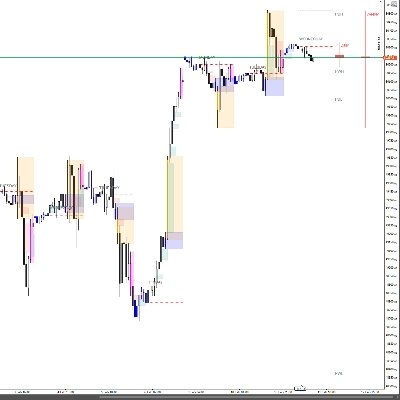
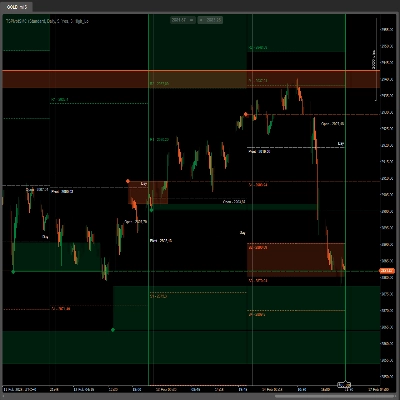
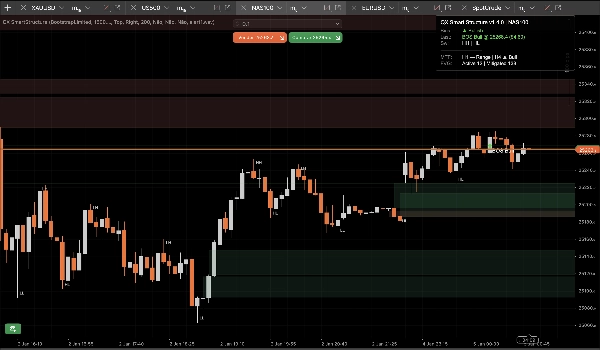
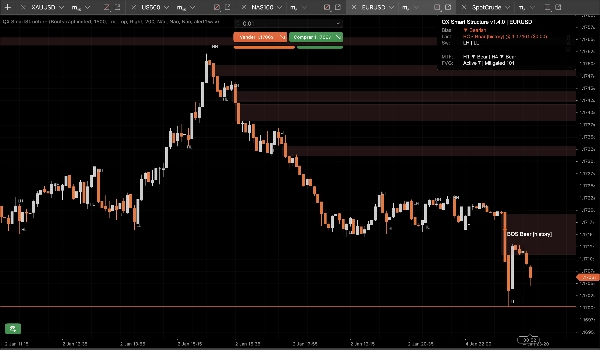
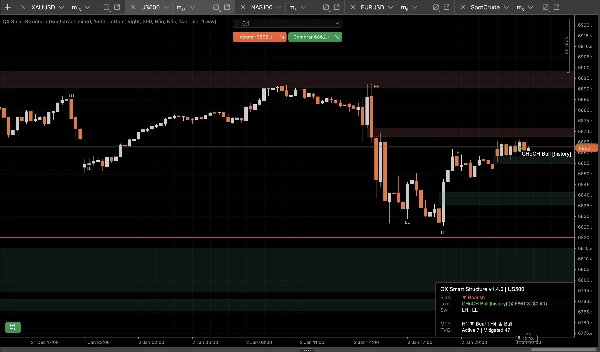
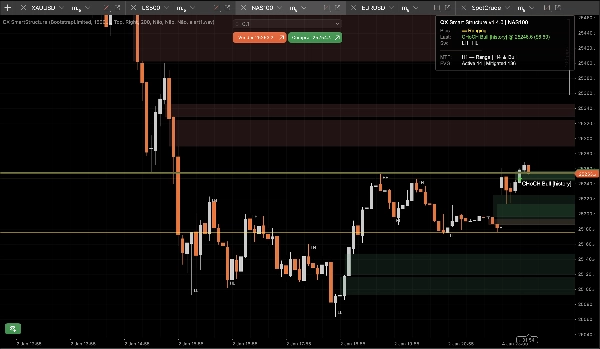
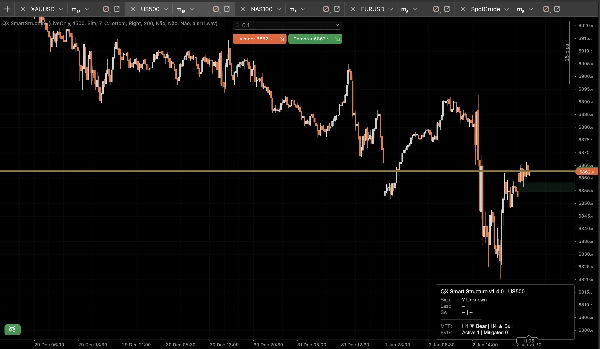
QX SmartStructure (QX SS) — это легкий SMC-оверлей с жестким правым краем для cTrader. Он отображает текущую структуру, прорывы BOS/CHoCH, отфильтрованные и автоматически управляемые зоны FVG, а также компактную панель смещения MTF для H1/H4, чтобы вы перестали переключать таймфреймы.
Только инструмент визуализации. Не совершает сделки.
Что отображается
1) Чистая рыночная структура (жесткий правый край)
- Метки свингов: HH / HL / LH / LL
- Ключевые уровни: последний подтвержденный максимум свинга и последний подтвержденный минимум свинга
- События прорыва: BOS / CHoCH с указанием силы (Сильный против Слабого)
- Режимы отображения:
-
- ActiveOnly (минимальный)
- RecentSwings (контролируемый контекст)
2) Зоны FVG, которые остаются под контролем
- Бычьи и медвежьи прямоугольники FVG
- Мин. размер FVG (шаги) фильтр автоматически удаляет микропробелы
- Правило смягчения на 50% (на основе фитиля): зона считается смягченной, когда цена достигает ее половинного уровня
- Жизненный цикл:
-
- Автоматическое скрытие смягченных = ВКЛ для самого чистого графика
- ВЫКЛ оставляет смягченные зоны как «призрачный» контекст (сниженная непрозрачность)
- Жесткие ограничения предотвращают спам объектов при длительных сессиях (хранятся/рисуются/продлеваются вправо)
3) Панель смещения MTF (H1 / H4)
Компактная панель отображает:
- Смещение текущего таймфрейма: Бычье / Медвежье / Флэт / Неизвестно
- Последнее событие: BOS/CHoCH, направление, сила
- Опциональные снимки: смещение H1 и смещение H4
4) Опциональные звуковые оповещения
Только звуковые оповещения о прорывах, с:
- Опциональное оповещение о слабых прорывах
- Пользовательское имя звукового файла
Преимущество StepSize (FX, золото, индексы)
Большинство инструментов структуры ломаются при смене символов, потому что они предполагают, что «пипсы» везде означают одно и то же.
QX SS использует StepSize как универсальную единицу: TickSize → PipSize → Digits fallback
Преобразуйте любое расстояние в шаги
шаги = price_distance ÷ TickSize
Примеры (распространенные размеры тиков):
- EURUSD TickSize 0.00001: 1 пип (0.00010) = 10 шагов
- XAUUSD TickSize 0.01: $0.10 = 10 шагов, $1.00 = 100 шагов
- Индексы варьируются в зависимости от брокера:
Где найти TickSize
- В cTrader Automate: Symbol.TickSize (QX SS читает его безопасно)
- В интерфейсе платформы: панель спецификации символа (информация о символе в Market Watch)
Рекомендуемый мин. размер FVG (шаги)
Это практические стартовые диапазоны, а не универсальная истина. Важны волатильность и сессия.
M15 (рабочий процесс по умолчанию)
- EURUSD: 20–40 шагов (≈ 2–4 пипса, если TickSize = 0.00001)
- XAUUSD: 30–120 шагов (≈ $0.30–$1.20, если TickSize = 0.01)
- US500 / NAS100: выберите значимое движение в пунктах, затем преобразуйте:
M5 (да, меняется)
M5 отображает больше микропробелов. Если оставить тот же MinFVGSteps, вы отфильтруете слишком много.
Типичная корректировка: уменьшите MinFVGSteps примерно на 30–50% от вашего значения для M15, затем перенастройте.
«Флэт» — это не ошибка!
Смещение становится Флэтом когда последние максимумы/минимумы свингов не выстраиваются четко как HH+HL или LH+LL.
В боковом движении инструмент, который всегда показывает «Бычье», лжет. QX SS консервативен по дизайну.
Пресеты (стартовые точки)
Пресет A: «M15 Сбалансированный» (рекомендуемый по умолчанию)
- Сила свинга (M15=7): 7
- Тип прорыва: Закрытие
- Только подтвержденные: true
- Режим отображения: RecentSwings
- Количество последних свингов: 30
- Мин. размер FVG (шаги): EURUSD 25 | XAUUSD 60 | Индексы 15 (затем настройте)
- Автоматическое скрытие смягченных: true
- Максимум нарисованных FVG: 30
- Продление баров вправо: 50
- Показать MTF H1: true
- Показать MTF H4: true
Пресет B: «M15 Чистый график»
- Режим отображения: ActiveOnly
- Показать метки свингов: false
- Автоматическое скрытие смягченных: true
- Максимум нарисованных FVG: 15–20
- (Остальное оставьте из пресета A)
Пресет C: «M5 Контекст скальпинга»
- Сила свинга: 5–6
- Тип прорыва: Любой
- Только подтвержденные: true (начинайте строго)
- Показывать слабые прорывы: false
- Мин. размер FVG (шаги): ~50–70% от вашего значения для M15
- Количество последних свингов: 20–30
- Продление баров вправо: 30–50
Интеграция cBot / автоматизация (что предоставляет QX SS)
QX SmartStructure предоставляет 3 внутренних серии для cBot:
- BiasSeries: 1 — бычье, -1 — медвежье, 0 — иначе
- BreakSignalSeries: 1 — бычий прорыв, -1 — медвежий прорыв, 0 — иначе
- BreakLevelSeries: ценовой уровень на баре события, NaN в противном случае (чистый сигнал)
Стабильность и производительность (v1.5.1+)
Разработано для мультиграфовых настроек и длительных сессий:
- Обрабатывается только на новых закрытых барах
- Обновления UI ограничены UI Throttle (мс) для снижения нагрузки на CPU
- Контролируемое количество объектов и ограничения обрезки предотвращают спам на графике
- Безопасно обнаруживает настоящие «жесткие перезагрузки» (перезагрузка таймфрейма/символа/истории) и восстанавливает состояние без дрейфа
Новые опции безопасности (v1.5.1+)
Инвалидировать при прыжке гэпа (по умолчанию ВКЛ)
Если цена делает гэп и перепрыгивает через зону FVG, не касаясь ее (выходные/новостное открытие), зона помечается как недействительная из-за гэпа вместо того, чтобы оставаться активной.
Это предотвращает появление устаревших зон на графике после резких открытий.
Полная очистка серии при перестроении (по умолчанию ВЫКЛ)
При жестком перестроении опционально очищает всю историю открытых выходных серий для максимальной согласованности бэктестов/экспорта.
Оставьте ВЫКЛ для лучшей производительности на больших историях. Включайте ВКЛ только для глубоких бэктестов, требующих полной исторической целостности.
Рекомендуемые настройки по умолчанию
- Инвалидировать при прыжке гэпа: Да (ВКЛ)
- Полная очистка серии при перестроении: Нет (ВЫКЛ)
Отказ от ответственности
Этот инструмент предназначен только для визуализации и поддержки принятия решений. Торговля связана с риском. Всегда используйте собственное управление рисками.
Сводка
It automatically detects and manages Fair Value Gap (FVG) zones, filtering out micro-gaps based on a configurable minimum size measured in steps, a universal unit derived from the symbol’s TickSize. The indicator applies a 50% mitigation rule to mark zones as mitigated when price reaches their midpoint, with options to auto-hide or display mitigated zones as ghosted.
QX SmartStructure includes a compact multi-timeframe (MTF) bias panel showing current timeframe bias (Bullish, Bearish, Ranging, or Unknown) and recent break events for H1 and H4 timeframes. Optional sound alerts notify users of break events, including weak breaks.
The tool supports various markets such as Forex, commodities (e.g., gold), indices, and cryptocurrencies by adapting to symbol-specific TickSize values. It exposes internal data series for integration with cBots and is optimized for performance with controlled object counts and throttled updates. The indicator does not place trades and is intended for decision support only.
Отзывы покупателей
5 | 75 % | |
4 | 25 % | |
3 | 0 % | |
2 | 0 % | |
1 | 0 % |