

QX VolumeProfile Pro
Chỉ báo
1 lượt mua
Phiên bản 1.0, Jan 2026
Windows, Mac
4.3
Đánh giá: 3
41.97M
Khối lượng đã giao dịch
208.53K
Pip đạt được
14
Lượt bán
666
Cài đặt miễn phí
Mô tả
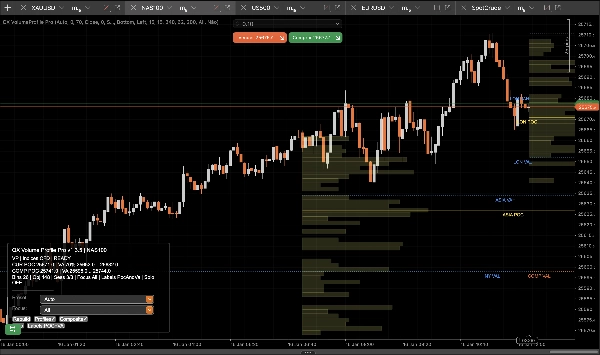
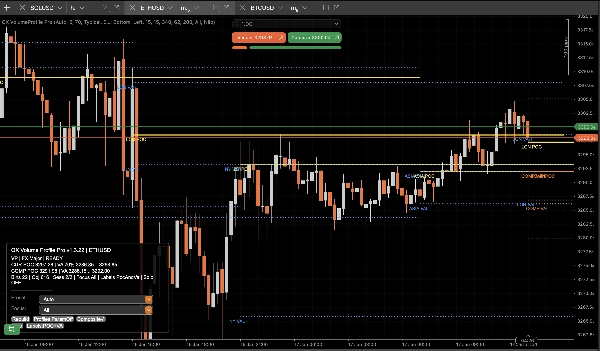
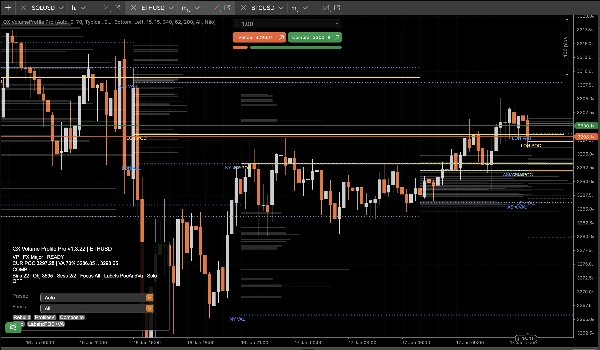
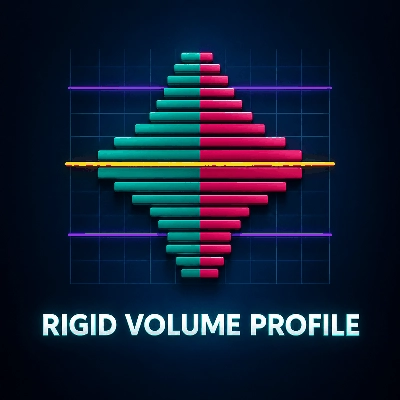
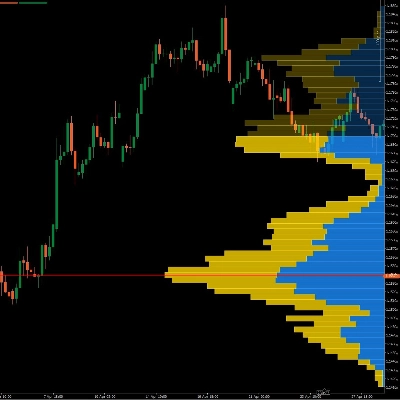
QX Volume Profile Pro là một hồ sơ khối lượng phiên cấp sản xuất được xây dựng cho điều kiện giao dịch thực tế: nhanh, ổn định, xác định, và sạch sẽ ở cạnh phải cứng.
Ngừng sử dụng các công cụ “profile” phình to gây trễ, làm lộn xộn biểu đồ của bạn, phá vỡ tự động điều chỉnh tỷ lệ và để lại các đối tượng ma.
Tại sao QX VP Pro lại khác biệt?
Những gì hầu hết các công cụ làm sai, chúng tôi đã loại bỏ:
- Không có đối tượng ma. Bật/tắt Hồ sơ/Nhãn mà không để lại rác thải.
- Không làm méo biểu đồ. Hành vi phủ thực sự không làm hỏng tự động điều chỉnh giá.
- Hiệu suất sẵn sàng trực tiếp. Chạy đóng thanh để ổn định và tốc độ, không phải hỗn loạn tick.
- Vệ sinh đối tượng + giới hạn. Ngăn chặn spam đối tượng biểu đồ tràn lan làm giảm hiệu suất.
- Xây dựng lại xác định. Tải lại, xây dựng lại và thay đổi tiêu điểm giữ nguyên nhất quán và có thể dự đoán.
Những gì bạn nhận được trên biểu đồ
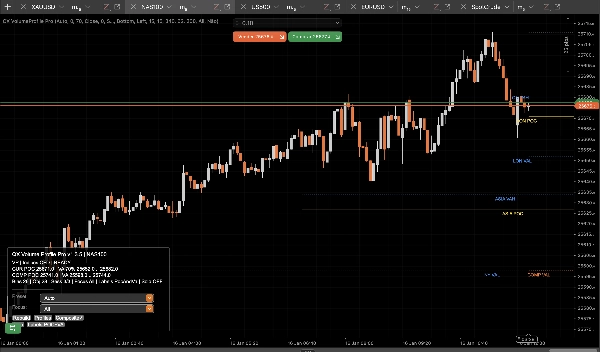
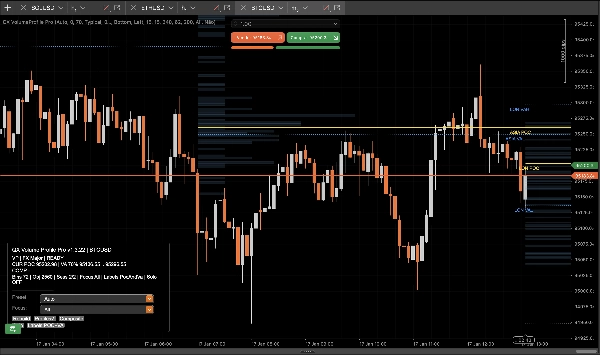
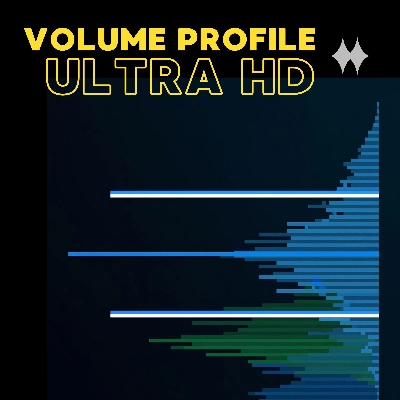
- Hồ sơ Phiên (ASIA / LON / NY / C1 / C2) với các mức POC / VAH / VAL sạch sẽ.
- Hồ sơ Tổng hợp (hợp nhất đa phiên) cho các vùng giá trị chiếm ưu thế và sự chấp nhận thị trường “thực sự”.
- Mức Chính (Hôm qua + Hàng tuần) để cung cấp bối cảnh và sự hội tụ mà không gây lộn xộn.
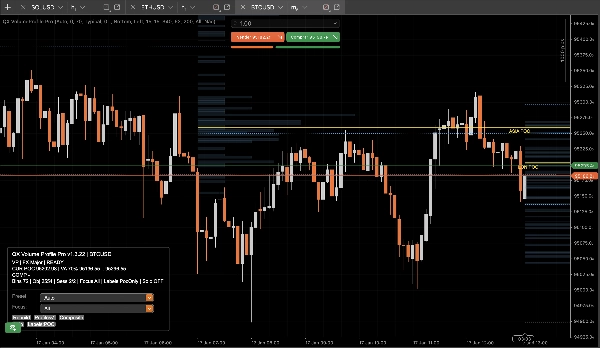
- Nhãn Thông minh nhận diện phiên và giảm chồng chéo để đọc nhanh ở cạnh phải.
- Bộ lọc Phiên Tiêu điểm để cô lập chỉ những gì quan trọng ngay bây giờ.
- Chế độ Solo Tổng hợp cho cái nhìn chính xác: chỉ tổng hợp + mức chính.
Cách sử dụng (Quy trình giao dịch thực tế)
1) Chọn chế độ hoạt động của bạn
- Chế độ Phiên: Sử dụng POC/VAH/VAL phiên làm mức chấp nhận và từ chối trong ngày.
- Chế độ Tổng hợp: Sử dụng POC/VAH/VAL tổng hợp làm mỏ neo “giá trị” có độ tin cậy cao hơn qua các phiên.
2) Thiết lập cho phong cách của bạn
- Scalpers:
-
- Sử dụng XAU Scalper hoặc FX Major cài đặt sẵn
- Chuyển Nhãn = chỉ POC để rõ ràng tối đa
- Sử dụng Tiêu điểm = Hiện tại khi thực thi
- Trong ngày / Swing:
-
- Sử dụng XAU Swing hoặc Indices CFD cài đặt sẵn
- Bật Tổng hợp
- Giữ Hôm qua/Hàng tuần BẬT để căn chỉnh cấu trúc
3) Diễn giải các mức (quy tắc đơn giản)
- POC (Điểm kiểm soát): Giá được khối lượng chấp nhận nhiều nhất.
-
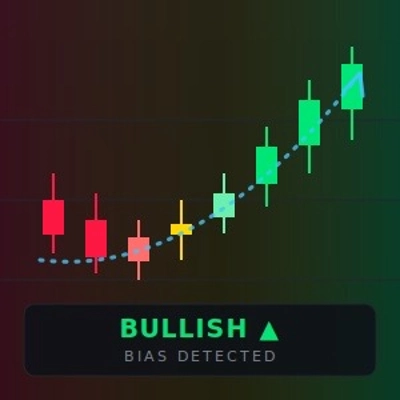
- Trên POC: thiên hướng chấp nhận tăng giá
- Dưới POC: thiên hướng chấp nhận giảm giá
- VAH / VAL (Giá trị vùng cao/thấp): “Ranh giới giá trị công bằng.”
-
- Phá vỡ + giữ ngoài VA: tiếp tục / mở rộng xu hướng
- Từ chối quay lại trong VA: hồi quy trung bình / thiết lập fade
- VA Tổng hợp: Vùng giá trị “vĩ mô trong ngày” mạnh hơn. Sử dụng nó như nam châm hoặc ranh giới.
4) Danh sách kiểm tra thực thi (nhanh)
- Xác định vùng chính của bạn: VA Phiên hoặc VA Tổng hợp
- Tìm phản ứng giá: từ chối hoặc chấp nhận
- Sử dụng Mức Chính (Hôm qua/Hàng tuần) như sự hội tụ
- Sử dụng Tiêu điểm để loại bỏ nhiễu và giữ khách quan
- Sử dụng Chế độ Solo Tổng hợp khi bạn chỉ muốn có cái nhìn tín hiệu cao nhất
Điều khiển (Những gì bảng điều khiển làm)
- Hồ sơ: Hiển thị/ẩn biểu đồ phân phối ngay lập tức (các mức vẫn sạch và nhất quán).
- Tổng hợp: Chuyển đổi các mức hồ sơ hợp nhất.
- Tiêu điểm: Tất cả / Hiện tại / ASIA / LON / NY / C1 / C2.
- Solo: Chỉ Tổng hợp + Mức Chính.
Ghi chú
- Chỉ là chỉ báo. Không thực hiện giao dịch.
- Thiết kế cho sự ổn định và hiệu suất trên biểu đồ trực tiếp.
Tóm tắt
AI summary
QX VolumeProfile Pro is a session-based volume profile indicator designed for real trading conditions, offering fast, stable, and deterministic performance without chart clutter or lag. It provides clean volume profiles for multiple trading sessions (ASIA, LON, NY, C1, C2) with key levels including Point of Control (POC), Value Area High (VAH), and Value Area Low (VAL). The tool supports both session and composite modes, allowing traders to analyze intraday acceptance/rejection levels or multi-session value zones.
Key features include:
- No ghost objects or chart distortion, preserving autoscale integrity.
- Live-ready bar-close updates for stability and speed.
- Object management to prevent performance degradation.
- Smart labels that reduce overlap for clear right-edge reading.
- Focus session filtering to isolate relevant data.
- Composite Solo mode for a simplified view with composite profiles and key levels.
The indicator supports practical workflows for scalpers and intraday/swing traders with presets tailored for instruments like gold (XAU), forex majors, indices, and CFDs. Users can toggle profile visibility, composite levels, focus sessions, and solo mode via an integrated control panel.
QX VolumeProfile Pro is an indicator-only tool, designed to enhance chart analysis by highlighting volume-based market acceptance and rejection zones without executing trades.
Key features include:
- No ghost objects or chart distortion, preserving autoscale integrity.
- Live-ready bar-close updates for stability and speed.
- Object management to prevent performance degradation.
- Smart labels that reduce overlap for clear right-edge reading.
- Focus session filtering to isolate relevant data.
- Composite Solo mode for a simplified view with composite profiles and key levels.
The indicator supports practical workflows for scalpers and intraday/swing traders with presets tailored for instruments like gold (XAU), forex majors, indices, and CFDs. Users can toggle profile visibility, composite levels, focus sessions, and solo mode via an integrated control panel.
QX VolumeProfile Pro is an indicator-only tool, designed to enhance chart analysis by highlighting volume-based market acceptance and rejection zones without executing trades.
Hồ sơ chỉ báo
Đánh giá của khách hàng
4.3
Đánh giá: 3
5 | 33 % | |
4 | 67 % | |
3 | 0 % | |
2 | 0 % | |
1 | 0 % |
Đánh giá của khách hàng
January 27, 2026
Not perfect, but the workflow felt cleaner. It should not replace the chart.
January 20, 2026
Thảo luận
Câu hỏi thường gặp
Signal
Indices
Commodities
GBPUSD
RSI
Bollinger
Fibonacci
Scalping
AI
XAUUSD
NAS100
MACD
BTCUSD
Forex
Breakout
EURUSD
NZDUSD
Prop
ZigZag
Supertrend
Fair Value Gap
SMC
Crypto
Grid
Stocks
ATR
USDJPY
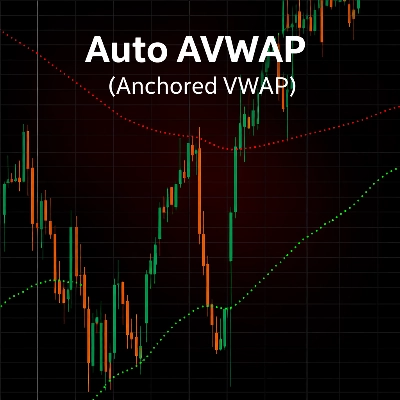
VWAP
Các sản phẩm có sẵn trên cTrader Store, bao gồm bot giao dịch, chỉ báo và plugin, được cung cấp bởi các nhà phát triển bên thứ ba và chỉ nhằm mục đích cung cấp thông tin và tiếp cận kỹ thuật. cTrader Store không phải là nhà môi giới và không cung cấp lời khuyên đầu tư, khuyến nghị cá nhân hay bất kỳ đảm bảo nào về hiệu suất trong tương lai.

















Giá
41.97M
Khối lượng đã giao dịch
208.53K
Pip đạt được
14
Lượt bán
666
Cài đặt miễn phí