Description
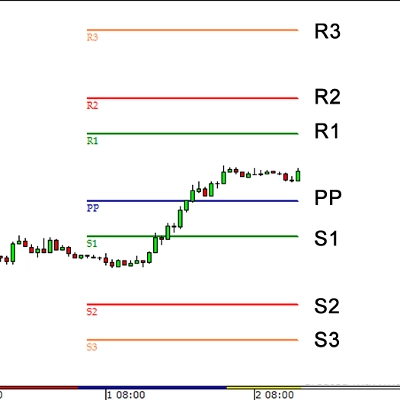
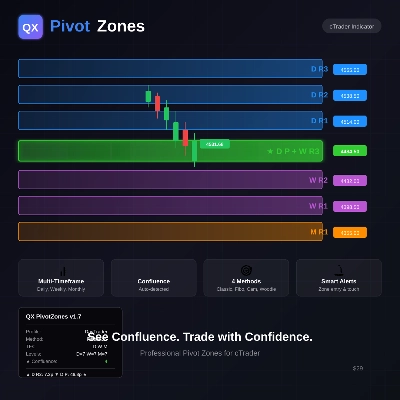
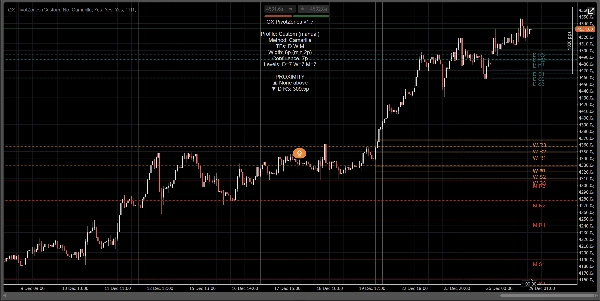
QX PivotZones is a Pivot Points indicator built for real trading decisions, not just static lines that price ignores"
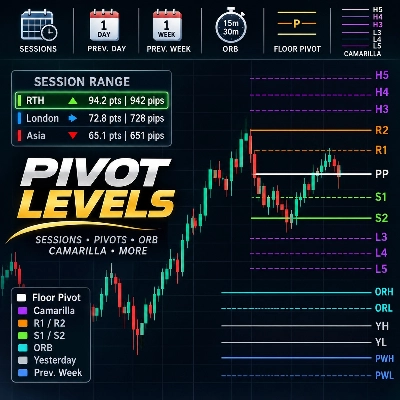
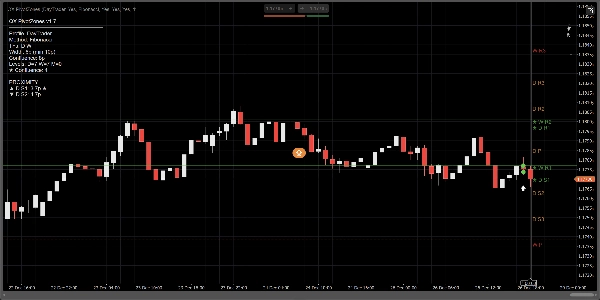
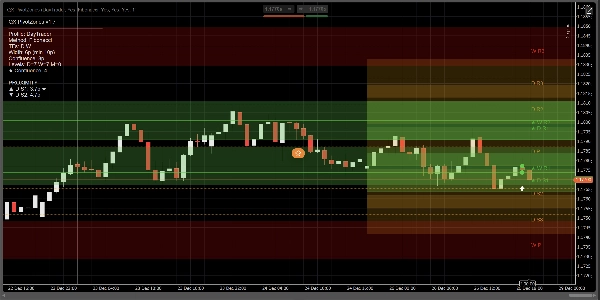
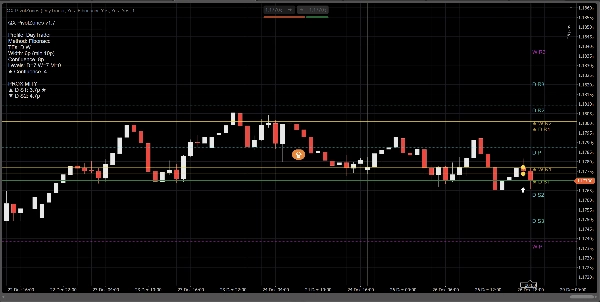
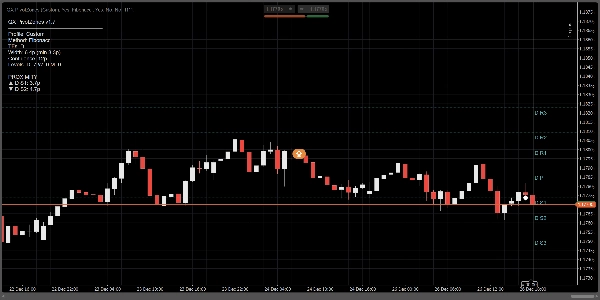
It calculates Daily, Weekly, and Monthly pivots using Classic, Fibonacci, Camarilla, or Woodie, and plots them as true price zones (bands) with adjustable width (Pips or ATR-based). The core edge is simple: it automatically highlights multi-timeframe confluence and turns pivots into actionable areas, not “perfect-line fantasies”.
Why it’s different from typical Fibonacci Pivot / FiboPoints tools:
Most “FiboPoints” indicators stop at basic pivot lines. QX PivotZones adds what traders actually need:
- Automatic D/W/M Confluence Detection: when pivots from different timeframes cluster, the level is highlighted (★) and painted using the confluence color.
- Zones (Bands) instead of thin lines: define width in pips or ATR. This reduces noise from “almost-touch” reactions.
- Nearest Levels Filter (optional): show only the most relevant zones above and below current price.
- Useful Alerts: trigger on Enter Zone, Touch Line, or Both, with cooldown and optional “Confluence Only” filtering.
- Info Panel + Proximity: see enabled TFs, method, zone width, confluence count, and distance to nearest zone above/below.
How to use:
1) Pick a profile
- Scalper: intraday, fewer levels, tighter adaptive zones.
- DayTrader: Daily + Weekly (default).
- Swing: Daily + Weekly + Monthly.
- Custom: manual control of everything.
Tip: If you want “DayTrader + Monthly”, disable profile overrides (or use Custom) and enable Show Monthly manually.
2) Configure zones (the whole point)
Under Zone Width Mode:
- Pips for fixed, consistent bands.
- ATR for volatility-adaptive bands.
Key parameters:
- Zone Width (pips) or ATR k
- Min Zone Width (pips) to avoid bands becoming too thin
- Fill Zones to paint the zones
- Extend Zones Right to project bands into the visible right side
3) Enable Confluence (the main differentiator)
- Highlight Confluence: ON
- Confluence Mode:
- Pips for fixed tolerance
- ATR for adaptive tolerance
- Confluence Distance or Confluence ATR k
Confluent levels get:
- Confluence color
- ★ marker on the label
- Count shown in the panel
4) Alerts (trade without staring at the screen)
- Alerts: EnterZone, TouchLine, or Both
- Alerts: Confluence Only: reduces noise
- Alert Cooldown (bars): prevents spam
- Plot Alert Icons: marks events on the chart
Quick setup presets (suggested)
Scalping (M5–M15)
- Zone Width Mode: ATR
- ATR k: 0.15–0.25
- Confluence Mode: Pips
- Confluence Distance: 4–8 pips
- Only Nearest Zones: ON (3 above / 3 below)
Day Trading (M15–H1)
- Zone Width Mode: Pips
- Width: 6–10 pips
- Confluence: 8–12 pips
- Enable Daily + Weekly
Swing (H4–D1)
- Zone Width Mode: ATR
- ATR k: 0.25–0.45
- Enable Daily + Weekly + Monthly
What it does (and doesn’t)
- This is not a buy/sell signal generator.
- It is a market structure / S&R zone map with event alerts (enter/touch) and confluence highlighting.
- Best use cases: reactions at pivots, rejection/acceptance, pullbacks, targets, scaling out, and trade protection.
Summary
Key features include automatic detection and highlighting of multi-timeframe confluence (daily/weekly/monthly), which marks clustered pivot zones with distinct colors and symbols. Users can filter to show only the nearest relevant zones around the current price. The indicator offers configurable alerts for entering or touching zones, with options to limit alerts to confluence zones and apply cooldown periods to reduce noise.
An information panel provides details on active timeframes, pivot methods, zone widths, confluence counts, and proximity to zones. Predefined profiles support different trading styles such as scalping, day trading, and swing trading, with customizable settings for zone width and confluence parameters.
QX PivotZones functions as a market structure and support/resistance zone tool with event alerts, intended for use in analyzing reactions at pivots, pullbacks, targets, and trade management across various markets including forex, indices, commodities, and cryptocurrencies.
Discussion
Customer reviews
5 | 33 % | |
4 | 67 % | |
3 | 0 % | |
2 | 0 % | |
1 | 0 % |