
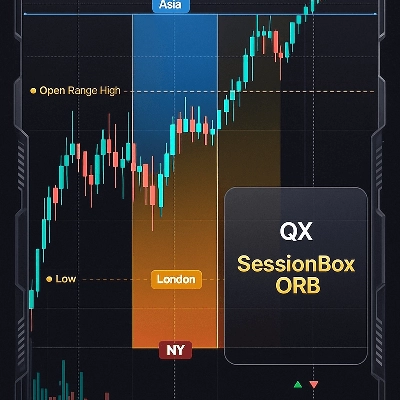
QX SessionBox ORB
Indicator
4 purchases
Version 1.0, Dec 2025
Windows, Mac
4.6
Reviews: 3
41.97M
Traded volume
208.53K
Pips won
14
Sales
712
Free installs
Description
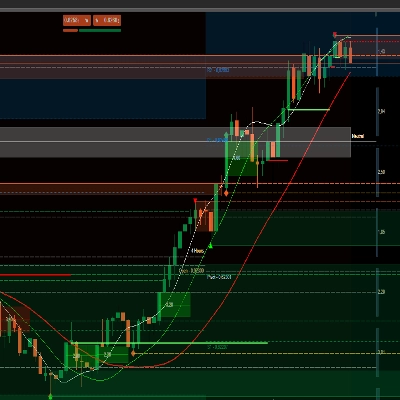
QX SessionBox ORB is a clean session + Opening Range (ORB) overlay for cTrader.
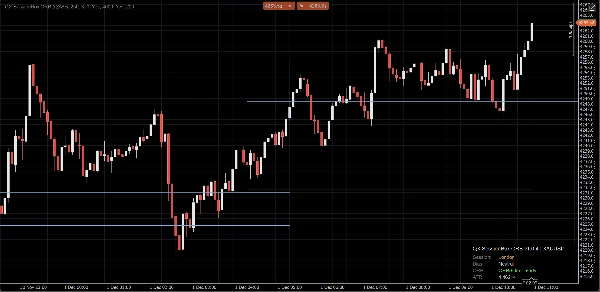
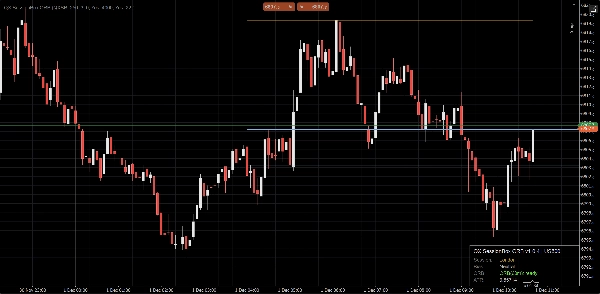
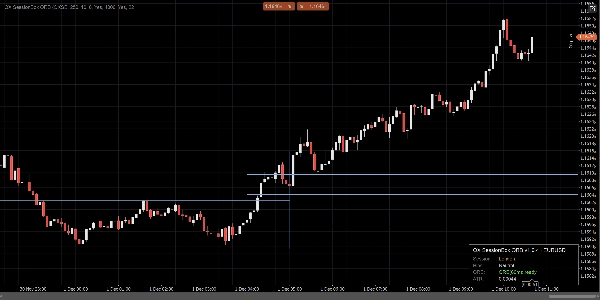
It highlights Asia, London, and NY with minimal chart clutter, builds the Opening Range for the first X minutes, and keeps ORB High/Low levels visible as objective intraday structure. A compact panel shows session status and bias so you can read context in seconds.
What you get
- Asia / London / NY session boxes (custom time ranges + colors)
- Opening Range (ORB) for the first ORB Minutes
- ORB High / ORB Low lines (custom color, width, and style)
- Optional ORB box (range highlight)
- Compact dashboard panel (session, ORB status, bias, ATR)
- Optional breakout confirmations (closed-candle only, stable)
Optional advanced mode
- Overlapping sessions support (optional)
- Draw multiple session boxes when session times overlap
- Primary session controls the panel, signals, and ORB reference lines (configurable)
How to use it (simple workflow)
- Attach QX SessionBox ORB to your chart.
- Set Session UTC Offset to match your intended session hours.
- Choose ORB Minutes (common: 15, 30, 60).
- While ORB is building, the panel shows building. After that it becomes ready.
- Use ORB levels as structure:
- Price above ORB High: bullish pressure for the session
- Price below ORB Low: bearish pressure for the session
- Price inside ORB: range behavior (context matters)
- (Optional) Enable Plot Signals:
- CrossOnly (default): candle closes beyond ORB boundary
- State: confirms when price transitions into a bullish/bearish state
- (Optional) Enable ATR Filter to reduce weak breakouts (ATR k is your main sensitivity control).
Designed for real charts
- Closed-candle logic for stability and clarity (no intrabar flicker)
- Throttled updates for lower CPU usage
- Keep Last Sessions to prevent clutter
- History bootstrap option to populate recent sessions quickly
- Clean right-edge behavior (no chart stretching tricks)
Notes
- This is a visual decision-support tool. It does not place trades and is not financial advice.
- Sessions use UTC + manual offset (no DST automation).
- Historical drawing length is controlled by Bootstrap Bars and Keep Last Sessions.
- “See the session. Mark the range. Trade the breakout with clarity.”
Parameter highlights (quick)
- ORB Minutes: opening range window length
- ORB Line Color / Width / Style: ORB High/Low appearance
- Use ATR Filter + ATR k: breakout strictness control
- Signal Mode: CrossOnly (clean) or State (more visual)
- Allow Overlapping Sessions: multi-session boxes when times overlap
- Keep Last Sessions: how many past sessions stay on the chart
- Update Throttle (ms): performance vs responsiveness
Summary
AI summary
QX SessionBox ORB is an indicator for cTrader that visually overlays trading sessions and Opening Range Breakout (ORB) levels on price charts. It highlights the Asia, London, and New York sessions with customizable time ranges and colors, minimizing chart clutter. The indicator builds the Opening Range for a user-defined number of minutes and displays ORB High and Low lines as key intraday structure levels, with adjustable appearance settings.
A compact dashboard panel provides real-time session status, ORB readiness, bias, and Average True Range (ATR) information for quick context assessment. Optional features include an ORB range highlight box, closed-candle breakout confirmation signals, and an ATR filter to reduce false breakouts. An advanced mode supports overlapping sessions, allowing multiple session boxes to display when session times overlap, with configurable primary session control.
Designed for stability and efficiency, QX SessionBox ORB uses closed-candle logic to avoid intrabar flicker, throttled updates for lower CPU usage, and options to keep a set number of past sessions visible. Users set session UTC offsets manually and can customize parameters such as ORB minutes, signal modes, and update frequency. The tool serves as a visual decision-support aid for intraday breakout trading across various markets including Forex, indices, commodities, and cryptocurrencies.
A compact dashboard panel provides real-time session status, ORB readiness, bias, and Average True Range (ATR) information for quick context assessment. Optional features include an ORB range highlight box, closed-candle breakout confirmation signals, and an ATR filter to reduce false breakouts. An advanced mode supports overlapping sessions, allowing multiple session boxes to display when session times overlap, with configurable primary session control.
Designed for stability and efficiency, QX SessionBox ORB uses closed-candle logic to avoid intrabar flicker, throttled updates for lower CPU usage, and options to keep a set number of past sessions visible. Users set session UTC offsets manually and can customize parameters such as ORB minutes, signal modes, and update frequency. The tool serves as a visual decision-support aid for intraday breakout trading across various markets including Forex, indices, commodities, and cryptocurrencies.
Indicator profile
Customer reviews
4.6
Reviews: 3
5 | 67 % | |
4 | 33 % | |
3 | 0 % | |
2 | 0 % | |
1 | 0 % |
Customer reviews
Discussion
FAQ
BTCUSD
Forex
Signal
Breakout
Indices
EURUSD
Commodities
GBPUSD
NZDUSD
RSI
Bollinger
Fibonacci
Scalping
Grid
Stocks
AI
XAUUSD
NAS100
ATR
USDJPY
VWAP
Products available through cTrader Store, including trading bots, indicators and plugins, are provided by third-party developers and made available for informational and technical access purposes only. cTrader Store is not a broker and does not provide investment advice, personal recommendations or any guarantee of future performance.

!["[Stellar Strategies] Inside Bar with Signals" logo](https://cdn.ctrader.com/image/webp/1d9e8bfa-3b2c-4440-bb37-5856902008a7_30683)





Price
41.97M
Traded volume
208.53K
Pips won
14
Sales
712
Free installs