Description
Here is the formula for calculating standard Pivot Points:
PP = (High + Low + Close)/3
S1 = (PP * 2) – High
S2 = PP – (High – Low)
S3 = Low – 2(High – PP)
R1 = (PP * 2) – Low
R2 = PP + (High – Low)
R3 = High + 2(PP – Low)
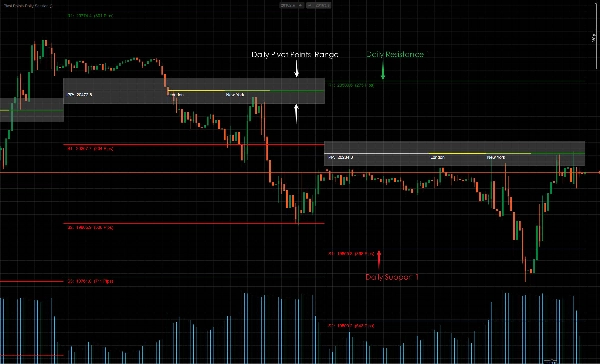
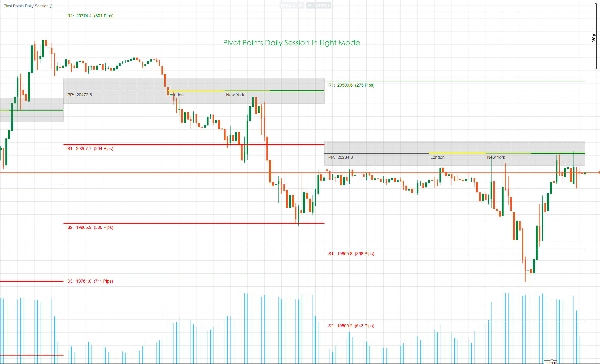
Pivot points can be used to identify the overall trend, since a move through pivot points to the upside indicates an uptrend. Meanwhile the opposite, where a price continues to fall below pivot points during a session, is indicative of a downtrend.
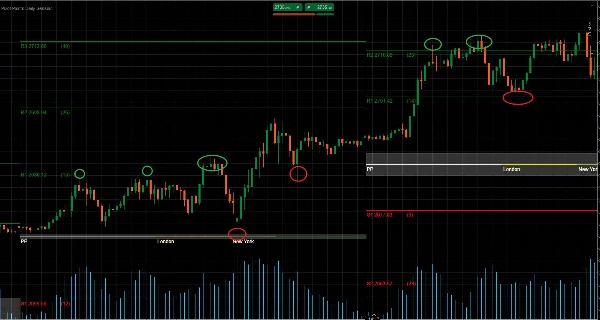
In a ranging market, traders can simply sell (go short) at resistance and buy (go long) at support. For instance, if the market is contained between R1 and S1, buy orders will be placed around S1, with sell orders placed around R1.
In a trending market, relevant Pivot Points will act as reference points for retracing markets to resume the main trend. For instance, if the prices are above PP during an uptrend but below R2. Traders can look to place lucrative buy orders around R1.
Support and resistance levels are bound to be broken in some in the market. These breakout periods can offer many trading opportunities in the market. Pivot points can also be used to trade potential price breakouts in the market.
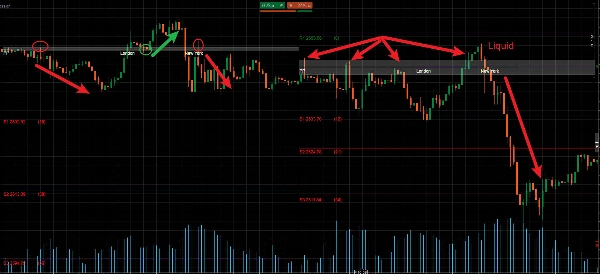
Price breakouts occur when the price surges through an existing support or resistance level and effectively switches its role. For instance, if a downward breakout occurs at S2, the pivot line will cease to be a support line and will now be considered a line of resistance.
In this scenario, only sell orders will be considered below S2, and other pivot lines can guide stop loss and take profit placement. Stop losses for sell orders can be placed above S2 and S1, with profit targets placed at S3 and below.
中文说明:
枢轴点可用于识别整体趋势,因为价格向上突破枢轴点表明上升趋势。与此同时,相反的情况,即价格在交易时段内持续跌破枢轴点,则表明下降趋势。
在区间震荡市场中,交易者可以简单地在阻力位做空(卖出)和在支撑位做多(买入)。例如,如果市场在R1和S1之间波动,买单将放置在S1附近,卖单放置在R1附近。
在趋势市场中,相关的枢轴点将作为回调市场恢复主要趋势的参考点。例如,如果在上升趋势中价格高于PP但低于R2,交易者可以考虑在R1附近设置有利可图的买单。
支撑位和阻力位在某些市场情况下必然会被突破。这些突破期可以在市场中提供许多交易机会。枢轴点也可用于交易市场中潜在的价格突破。
价格突破发生在价格冲破现有的支撑位或阻力位并有效转换其角色时。例如,如果在S2处发生向下突破,该枢轴线将不再是支撑线,而将被视为阻力线。
在这种情况下,只有在S2下方才会考虑卖单,其他枢轴线可以指导止损和止盈的设置。卖单的止损可以设在S2和S1上方,盈利目标设在S3及以下。
Summary
In ranging markets, traders can use pivot points to buy near support levels and sell near resistance levels. In trending markets, pivot points serve as reference points for retracements, helping traders place buy or sell orders aligned with the main trend. The indicator also supports trading potential price breakouts, where support and resistance levels are breached and their roles reverse.
Stop loss and take profit levels can be guided by pivot points, for example, placing stop losses above resistance lines and profit targets near further support levels during downtrends. The indicator covers daily sessions including Asia, London, and New York trading zones and is applicable across multiple markets such as forex, indices, commodities, cryptocurrencies, and stocks.
Customer reviews
5 | 100 % | |
4 | 0 % | |
3 | 0 % | |
2 | 0 % | |
1 | 0 % |