

Описание
ИДЕЯ
Четыре инструмента Фибоначчи и три геометрических инструмента, которые используют одну и ту же автоматически определяемую структуру свинга вместо того, чтобы полагаться на отдельные ручные ссылки.
ПРОБЛЕМА
Геометрический анализ становится утомительным, когда каждый инструмент требует собственного выбора свинга.
Найдите свинг.
Нарисуйте откат.
Снова найдите тот же свинг.
Нарисуйте веер.
Найдите три свинга для вил.
Отрегулируйте канал.
Затем перерисуйте всё, когда цена создаёт новый свинг.
Но есть ещё одна проблема, помимо ручной работы.
Когда каждый инструмент строится независимо, они могут использовать немного разные ссылки на свинги.
Откат может описывать одно движение.
Веер может описывать другое.
Вилы могут использовать другую последовательность из трёх точек.
В результате проекции могут выглядеть полезными по отдельности, хотя на самом деле описывают разные части рынка.
Проблема не только в перерисовке геометрии. Важно сохранять связь геометрии с одной и той же базовой структурой.
ОСНОВНАЯ ИДЕЯ: СВИНГИ АВТОМАТИЧЕСКИЕ. ГЕОМЕТРИЯ ОСТАЁТСЯ СОГЛАСОВАННОЙ.
Auto-Draw Fibonacci Suite определяет базовую структуру свинга один раз.
Включённые геометрические инструменты затем автоматически используют ту же структуру.
Это создаёт общую систему отсчёта для разных геометрических измерений.
Одна карта свингов. Несколько геометрических представлений.
Геометрия может изменяться по мере развития структуры свинга, при этом базовая ссылка остаётся постоянной.
Цель — не создавать семь независимых сигналов.
Цель — позволить разным геометрическим инструментам описывать одну и ту же рыночную структуру.
ЧТО ОН ДЕЛАЕТ
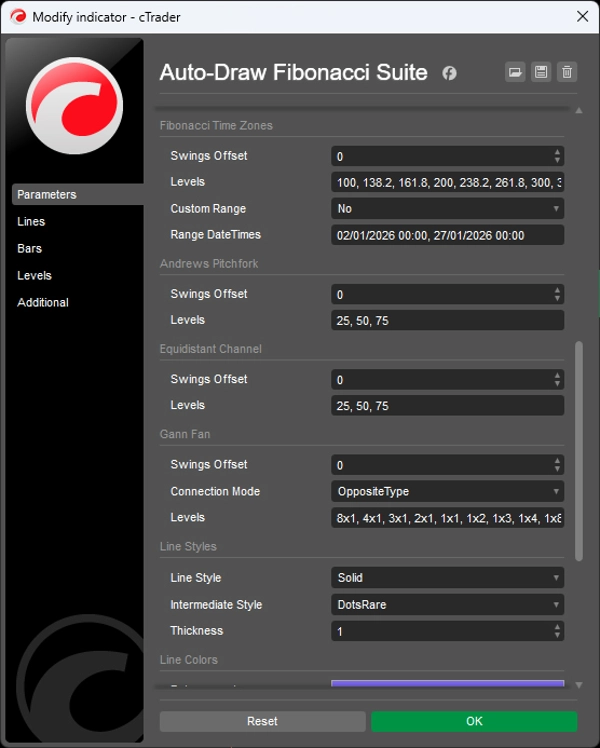
Индикатор автоматизирует построение и поддержание семи геометрических инструментов:
- Фибоначчи откат
- Фибоначчи расширение
- Фибоначчи веер
- Фибоначчи временные зоны
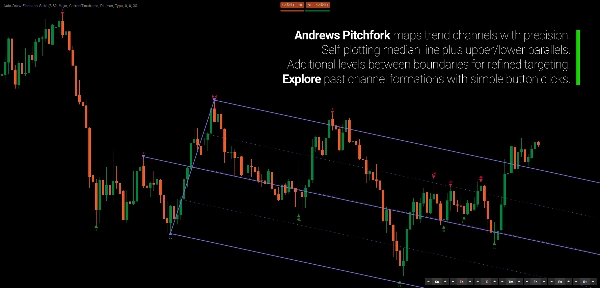
- Вилы Эндрюса
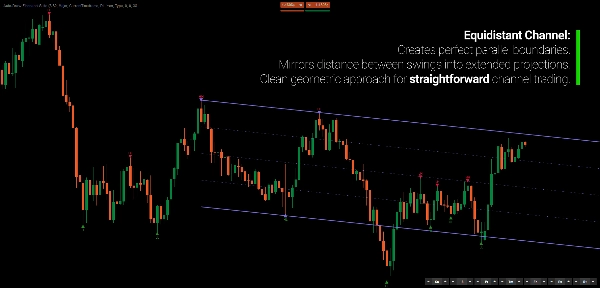
- Равносторонний канал
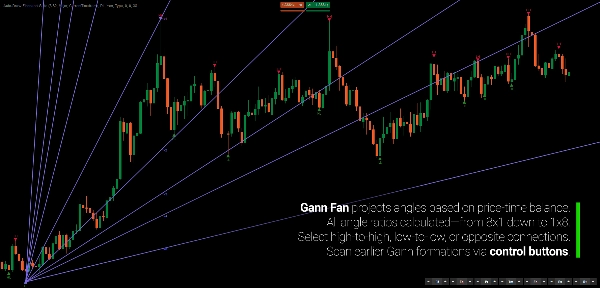
- Веер Ганна
Вместо ручного выбора и обновления опорных точек для каждого инструмента, набор получает их из общей детекции свингов.
Когда появляется новый свинг, соответствующие проекции обновляются автоматически.
Геометрия следует за структурой.
КАК ЭТО РАБОТАЕТ
Процесс преднамеренно прост.
1. Определите свинги.
Индикатор выявляет точки свинга с помощью движка детекции на основе регрессии.
2. Постройте структуру свинга.
Свинг классифицируются и организуются в последовательность.
3. Проецируйте геометрию.
Каждый включённый инструмент автоматически использует соответствующие ссылки на свинги.
4. Позвольте цене развиваться.
Когда формируется новый свинг, активные проекции обновляются.
Вам не нужно перерисовывать семь инструментов.
Геометрия следует за структурой.
СЕМЬ ИНСТРУМЕНТОВ. ОДНА СИСТЕМА ОТСЧЁТА.
Набор включает четыре инструмента на основе Фибоначчи:
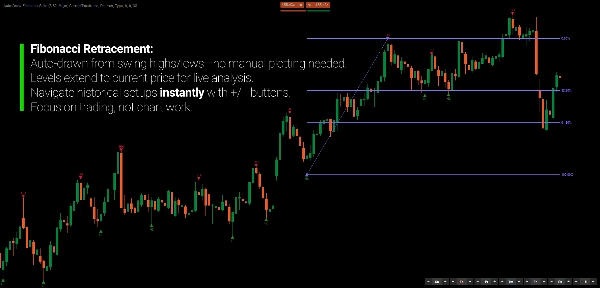
Фибоначчи откат
Горизонтальные пропорциональные уровни между структурными свингами, включая 0%, 38.2%, 61.8% и 100%.
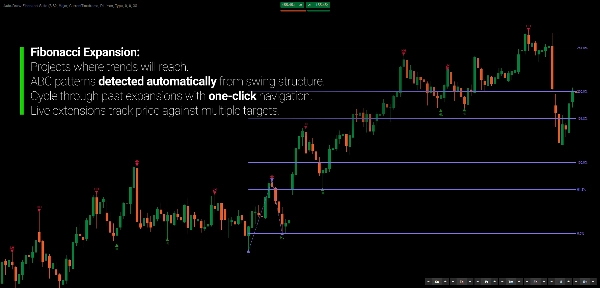
Фибоначчи расширение
Проецирует отношения Фибоначчи за пределами третьего свинга.
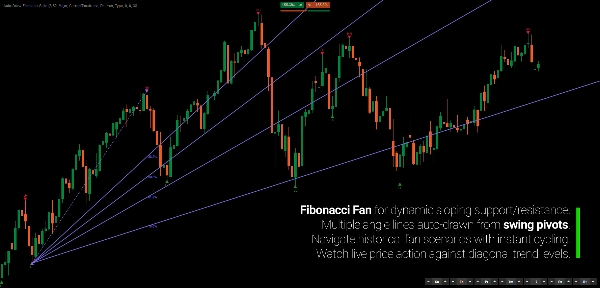
Фибоначчи веер
Проецирует диагональные отношения Фибоначчи от структурных поворотных точек.
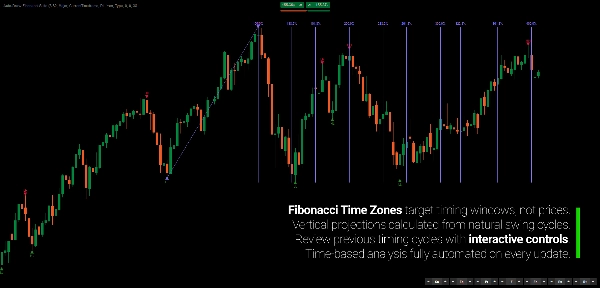
Фибоначчи временные зоны
Проецирует интервалы на основе Фибоначчи вдоль временной оси.
И три дополнительных геометрических инструмента:
Вилы Эндрюса
Трёхточечная медианная структура с параллельными каналами.
Равносторонний канал
Параллельные ценовые границы с промежуточными уровнями.
Веер Ганна
Проекции углов цена-время по нескольким геометрическим соотношениям, включая 8x1, 4x1, 2x1, 1x1, 1x2 и другие.
Каждый инструмент можно включать независимо.
СВИНГ ОПРЕДЕЛЯЕТСЯ ОДИН РАЗ
Это основа набора.
При обычном ручном анализе каждый геометрический инструмент может использовать немного разные поворотные точки.
Auto-Draw Fibonacci Suite связывает их с одной и той же базовой детекцией свингов.
Это даёт разным проекциям общую систему отсчёта.
Геометрия остаётся согласованной, потому что исходная структура остаётся согласованной.
ВЫБИРАЙТЕ, СКОЛЬКО СТРУКТУРЫ ВАМ НУЖНО
Не каждый график требует одинакового уровня детализации.
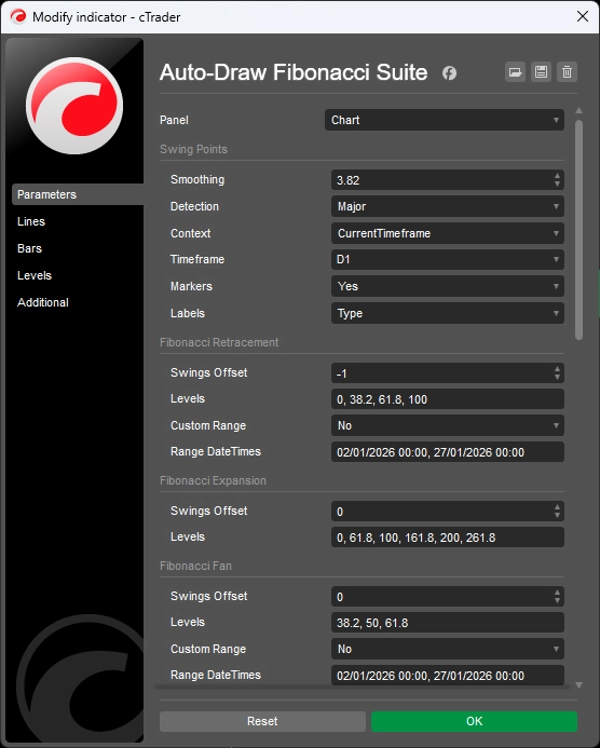
Выбирайте между тремя чувствительностями свингов:
Основной
Меньше, но более широких свингов для обзора на более высоком уровне.
Стандартный
Сбалансированный взгляд на развивающуюся структуру свинга.
Минорный
Более детальные свинги для изучения внутреннего движения.
Свинг также можно классифицировать как:
- HH
- HL
- LH
- LL
Дополнительная информация о свингах включает глубину, объём и продолжительность. Визуальные маркеры различают подтверждённые свинги, неподтверждённые и внутренние свинги.
Цель не в том, чтобы навязать одно определение структуры для каждого рынка.
Выбирайте уровень детализации, соответствующий движению, которое вы изучаете.
ПЕРЕМЕЩАЙТЕСЬ НАЗАД ПО СТРУКТУРЕ
Геометрия не обязательно должна оставаться привязанной к последнему свингу.
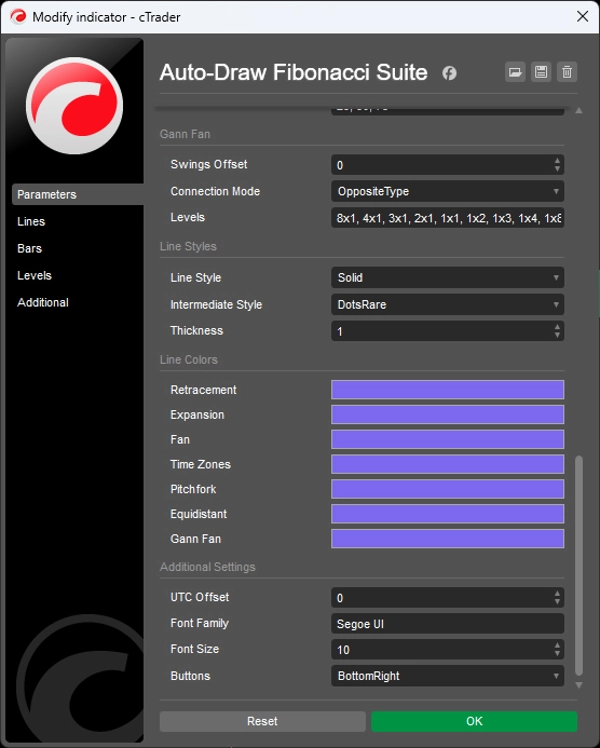
Каждый инструмент имеет собственное управление смещением:
0 → текущая структура свинга
-1 → предыдущая структура
-2 → структура двумя шагами назад
Это позволяет исследовать, как геометрические отношения выглядели в более ранних точках рынка без ручного перестроения инструментов.
Вы также можете изменить ссылку одной проекции, не меняя остальные.
Структура автоматизирована. Ссылка остаётся под вашим контролем.
ГЕОМЕТРИЯ ВЫСШЕГО ТАЙМФРЕЙМА НА ГРАФИКЕ НИЖЕГО ТАЙМФРЕЙМА
Детекция свингов может происходить с более высокого таймфрейма, в то время как геометрические проекции остаются видимыми на вашем текущем графике.
Например:
Дневные свинги → график H1
Это позволяет сохранять контекст геометрии более высокого таймфрейма, пока вы анализируете или торгуете на более низком таймфрейме.
Без постоянного переключения таймфреймов.
Без ручного воспроизведения свингов более высокого таймфрейма.
ГЕОМЕТРИЯ — ЭТО ЯЗЫК ИЗМЕРЕНИЙ
Отношения Фибоначчи, вилы, каналы, вееры и временные проекции не нужно рассматривать как предсказания.
Они предоставляют разные способы описания отношений между ценой, временем и предыдущим движением.
Откат описывает пропорциональное движение цены.
Веер описывает диагональные отношения.
Временная зона описывает временные интервалы.
Канал описывает параллельное движение.
Вилы описывают медианные отношения.
Когда несколько проекций сходятся, вы можете рассматривать это как геометрическое отношение в разных измерениях.
Геометрия описывает рынок. Она не вызывает рынок.
РАЗРАБОТАН ДЛЯ АНАЛИЗА, А НЕ ПОГОНЯ ЗА СИГНАЛАМИ
Auto-Draw Fibonacci Suite не является системой сигналов на покупку/продажу.
Это инструмент автоматизации для трейдеров, которые уже используют анализ Фибоначчи и геометрию, но не хотят тратить время на поддержание рисунков.
Используйте его для изучения:
- Откатов
- Расширений
- Проекций свингов
- Геометрического совпадения
- Ценовых каналов
- Отношений цена-время
- Структуры более высокого таймфрейма
- Эволюции геометрических отношений по мере развития цены
Индикатор не решает, что конкретная проекция значит для вас.
Он поддерживает синхронизацию геометрии с изучаемой структурой.
КЛЮЧЕВЫЕ ОСОБЕННОСТИ
- Автоматическое определение свингов
- Единые ссылки на свинги для всех геометрических инструментов
- Четыре инструмента Фибоначчи
- Вилы Эндрюса
- Равносторонний канал
- Веер Ганна
- Геометрические обновления в реальном времени
- Чувствительность свингов: Основной / Стандартный / Минорный
- Классификация HH / HL / LH / LL
- Метрики глубины, объёма и продолжительности свингов
- Умное группирование свингов для устранения избыточных промежуточных свингов
- Независимое управление смещением для каждого инструмента
- Детекция свингов на нескольких таймфреймах
- Опциональные отдельные инструменты
- Настраиваемые уровни Фибоначчи и визуальные стили
- Выделенные исходные свинги
---
Торговля связана с риском. Этот индикатор является инструментом технического анализа и должен использоваться вместе с соответствующим управлением рисками.
Сводка
The indicator employs a regression-based method for swing detection, offering three sensitivity modes (Major, Standard, Minor) to tailor swing granularity. Swings are classified (higher highs, lower lows, etc.) and visually marked for clarity. Users can interactively adjust which historical swings each tool references via offset controls, enabling analysis of past structural relationships independently per tool.
Multi-timeframe support allows applying swing detection from a higher timeframe while viewing a lower timeframe chart, facilitating comprehensive structural analysis without switching views. The suite is customizable in terms of levels, colors, and styles.
Designed for traders familiar with Fibonacci and geometric analysis, it streamlines workflow by automating complex, multi-tool geometric projections, supporting swing and position traders, multi-timeframe analysts, and discretionary traders seeking coherent, real-time updated geometric market structure visualization.
Отзывы покупателей
Обсуждение
Частые вопросы








![Логотип продукта "[Stellar Strategies] MARSI Signal Plotter"](https://cdn.ctrader.com/image/webp/7b2b8da6-8f8e-4646-8d4a-4710c516c01e_25567)





Цена
