Deskripsi
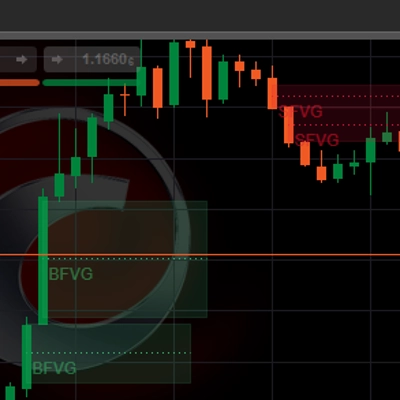
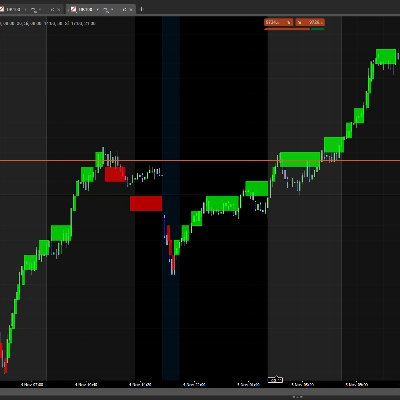
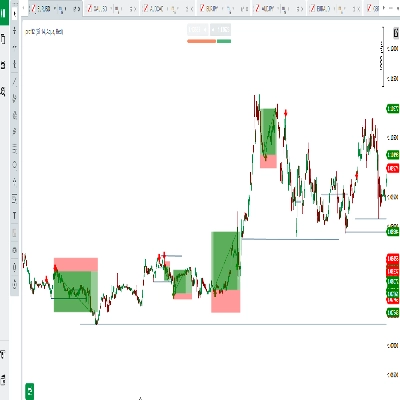
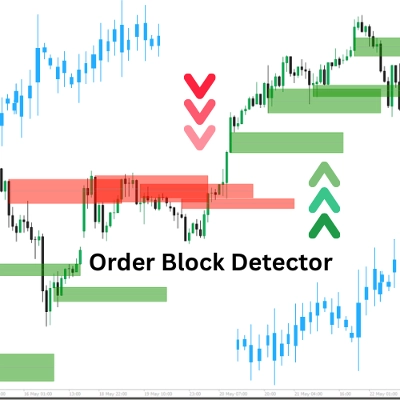
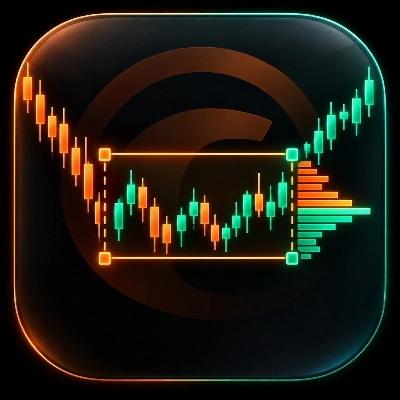
Indikator "Order Block Detector" dibuat untuk mendeteksi dan menampilkan Order Blocks (OBs) pada grafik harga—zona kunci di mana pemain besar (institusi) menempatkan order beli atau jual signifikan, yang sering memicu reaksi harga yang kuat. Ini membantu trader menentukan zona support/resistance untuk entri perdagangan yang lebih cerdas, stop-loss, atau take-profit.
Konsep
- Order Blocks: Ini adalah zona harga di mana pasar berbalik atau berhenti karena aliran order institusional yang besar. Indikator mendeteksi OB dengan menganalisis volume pivot highs dan kondisi pasar (bullish/bearish).
- Cara kerjanya:
-
- Menentukan kondisi pasar (bullish/bearish) dengan membandingkan harga tertinggi/terendah dengan periode lookback (Length).
- Mengidentifikasi OB pada puncak volume yang terkait dengan level harga kunci.
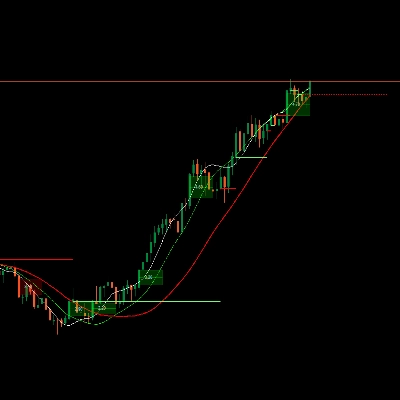
- Menggambar persegi panjang dan garis rata-rata untuk menandai OB, sambil memeriksa dan menghapus OB yang dimitigasi ketika harga menembus.
- Kasus penggunaan: Trader dapat menggunakan OB sebagai zona probabilitas tinggi untuk setup perdagangan, manajemen risiko, atau target keuntungan.
Rincian Parameter
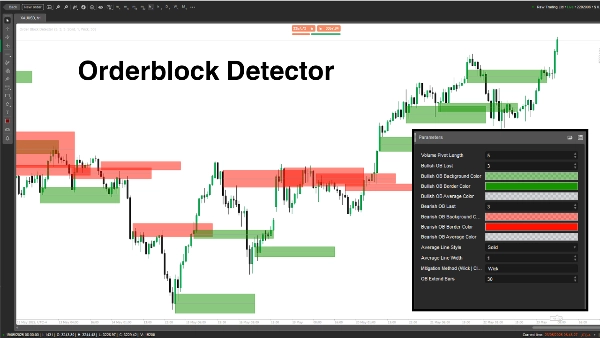
- Volume Pivot Length (Length, Default: 5, Min: 1)
-
- Fungsinya: Menetapkan periode lookback (jumlah bar) untuk menghitung harga tertinggi/terendah dan volume pivot highs.
- Mengapa penting: Panjang yang lebih lama meningkatkan akurasi tetapi mengurangi frekuensi OB; panjang yang lebih pendek menangkap lebih banyak OB tetapi mungkin termasuk noise.
- Bullish OB Last (BullExtLast, Default: 3, Min: 1)
-
- Fungsinya: Membatasi jumlah OB bullish yang disimpan dan dilacak.
- Mengapa penting: Membatasi jumlah OB bullish yang ditampilkan agar grafik tetap bersih dan mengoptimalkan kinerja.
- Warna Latar Belakang OB Bullish (BgBullCss, Default: #80169400)
-
- Fungsinya: Menetapkan warna latar belakang dan transparansi persegi panjang OB bullish.
- Mengapa penting: Membantu membedakan OB bullish secara visual pada grafik.
- Warna Border OB Bullish (BullCss, Default: #169400)
-
- Fungsinya: Menentukan warna border persegi panjang OB bullish.
- Mengapa penting: Meningkatkan visibilitas zona OB bullish.
- Warna Rata-Rata OB Bullish (BullAvgCss, Default: #609598A1)
-
- Fungsinya: Memberi warna garis rata-rata di dalam OB bullish.
- Mengapa penting: Menandai titik tengah OB, sebagai level referensi utama bagi trader.
- Bearish OB Last (BearExtLast, Default: 3, Min: 1)
-
- Fungsinya: Membatasi jumlah OB bearish yang disimpan dan dilacak.
- Mengapa penting: Seperti BullExtLast, menjaga grafik tetap rapi dengan membatasi OB bearish.
- Warna Latar Belakang OB Bearish (BgBearCss, Default: #80FF1100)
-
- Fungsinya: Menetapkan warna latar belakang dan transparansi persegi panjang OB bearish.
- Mengapa penting: Membedakan OB bearish dari yang bullish.
- Warna Border OB Bearish (BearCss, Default: #FF1100)
-
- Fungsinya: Menentukan warna border persegi panjang OB bearish.
- Mengapa penting: Membuat OB bearish menonjol untuk identifikasi cepat.
- Warna Rata-Rata OB Bearish (BearAvgCss, Default: #609598A1)
-
- Fungsinya: Memberi warna garis rata-rata di dalam OB bearish.
- Mengapa penting: Menyoroti level harga tengah OB bearish untuk perencanaan perdagangan.
- Gaya Garis Rata-Rata (LineStyle, Default: Solid)
-
- Fungsinya: Menetapkan gaya garis rata-rata OB (Solid, Dashed, Dotted).
- Mengapa penting: Menyesuaikan tampilan garis rata-rata sesuai preferensi trader.
- Lebar Garis Rata-Rata (LineWidth, Default: 1, Min: 1)
-
- Fungsinya: Mengatur ketebalan garis rata-rata OB.
- Mengapa penting: Mengontrol seberapa menonjol garis rata-rata terlihat pada grafik.
- Metode Mitigasi (Mitigation, Default: "Wick")
-
- Fungsinya: Menentukan bagaimana OB dinyatakan tidak valid:
-
- Wick: Menggunakan harga terendah (OB bullish) atau harga tertinggi (OB bearish) untuk memeriksa mitigasi.
- Close: Menggunakan harga penutupan untuk memeriksa mitigasi.
- Mengapa penting: Mempengaruhi seberapa sensitif indikator terhadap harga yang menembus zona OB, memengaruhi kapan OB dihapus.
Order Block Detector adalah alat yang kuat untuk mendeteksi zona order institusional berdasarkan lonjakan volume dan aksi harga. Ini menggambar persegi panjang OB yang jelas dengan garis rata-rata dan menghapus yang tidak valid secara dinamis. Trader dapat mengubah parameter untuk menyempurnakan deteksi, tampilan, dan pengelolaan OB agar sesuai dengan gaya trading mereka.
Ringkasan
The indicator works by analyzing volume pivot highs and determining market state (bullish or bearish) based on highs and lows over a configurable lookback period. It marks OBs with rectangles and average lines, dynamically removing those invalidated when price breaks through the zones. Users can customize parameters such as the lookback length, the number of bullish and bearish OBs tracked, colors and styles of OB rectangles and average lines, and the method used to detect OB mitigation (using wick or close prices).
This flexibility allows traders to tailor the detection and visualization of Order Blocks to their trading style, aiding in identifying high-probability zones for trade setups, risk management, and profit targeting.
Ulasan pelanggan
5 | 100 % | |
4 | 0 % | |
3 | 0 % | |
2 | 0 % | |
1 | 0 % |
![Logo "[Hamster-Coder] Bollinger Bands"](https://cdn.ctrader.com/image/webp/21d8e5d6-fb11-4bac-b9ee-cd05c2b76804_30327)