

HMA MTF 2.0
مؤشر
5 عمليات الشراء
الإصدار 1.0، Mar 2025
Windows, Mac
4.2
التقييمات: 4

51
المبيعات
1.4K
التثبيتات المجانية
الوصف
HMA MTF (متعدد الأطر الزمنية) – وصف المؤشر
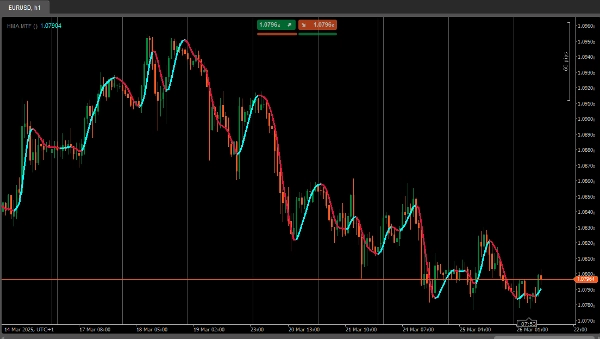
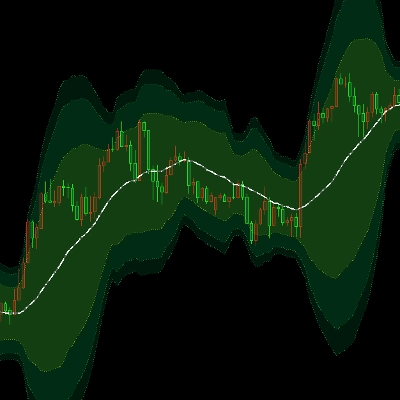
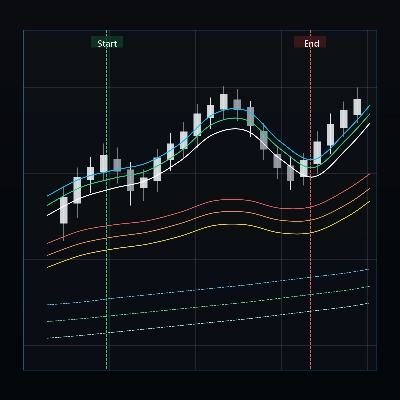
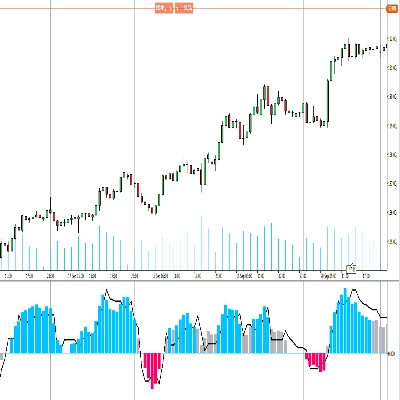
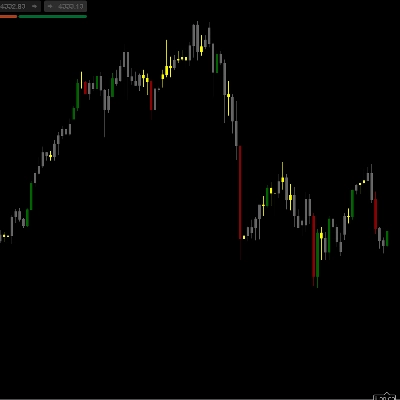
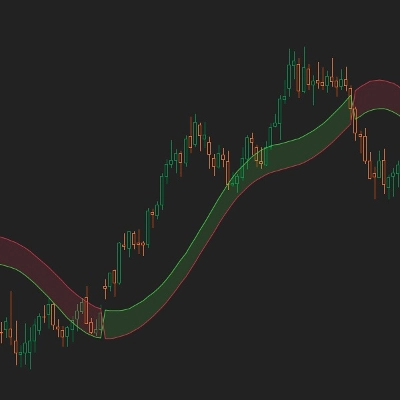
يقوم مؤشر HMAMTF برسم متوسط متحرك من إطار زمني أعلى أو أدنى على الرسم البياني الحالي ويعرضه في خطين ملونين، مما يشير إلى الزخم الصعودي أو الهبوطي. يستخدم وظيفة المتوسط المتحرك المدمجة في cTrader ويحسب ما إذا كان الاتجاه صاعدًا أو هابطًا من خلال مقارنة قيمة المتوسط المتحرك الحالية بالقيمة السابقة.
المعلمات
- الإطار الزمني (
TimeFrame، الافتراضي ="Hour4")
يحدد بيانات أي إطار زمني (مثل 4 ساعات، يومي، أسبوعي) سيتم استخدامها لحساب المتوسط المتحرك. - السعر (
PriceType، الافتراضي =Close)
يحدد أي سعر (الإغلاق، الافتتاح، الأعلى، أو الأدنى) يُستخدم لحساب المتوسط المتحرك. - الفترة (
int، الافتراضي =14، الحد الأدنى =1)
عدد الأعمدة التي تؤخذ في الاعتبار في حساب المتوسط المتحرك. - نوع المتوسط المتحرك (
MovingAverageType، الافتراضي =Weighted)
يختار طريقة المتوسط المتحرك (مثل بسيط، أسي، مملس، موزون) المطبقة على سلسلة الأسعار المختارة.
الملخص
ملخص الذكاء الاصطناعي
HMA MTF 2.0 is a multi-timeframe indicator designed for use on the cTrader platform. It plots a moving average calculated from a user-selected higher or lower timeframe onto the current chart. The indicator displays two color-coded lines that represent bullish or bearish momentum by comparing the current moving average value to the previous one.
Key configurable parameters include:
1. Time Frame – selects the timeframe (e.g., 4-hour, daily, weekly) used for the moving average calculation.
2. Price – chooses the price type (Close, Open, High, or Low) applied in the moving average computation.
3. Period – defines the number of bars considered in the moving average.
4. MA Type – specifies the moving average method, such as Simple, Exponential, Smoothed, or Weighted.
This indicator supports multiple markets including Forex, Indices, Commodities, Crypto, and Stocks, providing a versatile tool for trend analysis across different asset classes.
Key configurable parameters include:
1. Time Frame – selects the timeframe (e.g., 4-hour, daily, weekly) used for the moving average calculation.
2. Price – chooses the price type (Close, Open, High, or Low) applied in the moving average computation.
3. Period – defines the number of bars considered in the moving average.
4. MA Type – specifies the moving average method, such as Simple, Exponential, Smoothed, or Weighted.
This indicator supports multiple markets including Forex, Indices, Commodities, Crypto, and Stocks, providing a versatile tool for trend analysis across different asset classes.
ملف تعريف المؤشر
تقييمات العملاء
4.2
التقييمات: 4
5 | 25 % | |
4 | 75 % | |
3 | 0 % | |
2 | 0 % | |
1 | 0 % |
تقييمات العملاء
April 7, 2025
April 5, 2025
The main upside is the first look still needs context. Manual review still matters.
April 3, 2025
Not perfect, but the workflow felt cleaner. Bad settings can ruin the idea.
April 1, 2025
the part that matters is the workflow stays easier to manage, and M15 is enough for the first pass.
مناقشة
الأسئلة الشائعة
Prop
Forex
Indices
Commodities
Crypto
Stocks
يتم توفير المنتجات المتاحة من خلال cTrader Store، بما في ذلك روبوتات التداول والمؤشرات والإضافات، من قبل مطوري الطرف الثالث وإتاحتها لأغراض الوصول المعلوماتي والفني فقط. cTrader Store ليس وسيطًا ولا يقدم نصائح استثمارية أو توصيات شخصية أو أي ضمان للأداء المستقبلي.













السعر
51
المبيعات
1.4K
التثبيتات المجانية