„Htfbiaspanel“-Logo
Htfbiaspanel
5.0
Bewertungen: 1
In „Htfbiaspanel“ hochgeladenes Bild
Seit 07/10/2025
1
Verkäufe

━━━━━━━━━━━━━━━━━━━━━━━━━━━━━━━━━━━━━━━━

HTF Bias Panel — Bias

━━━━━━━━━━━━━━━━━━━━━━━━━━━━━━━━━━━━━━━━


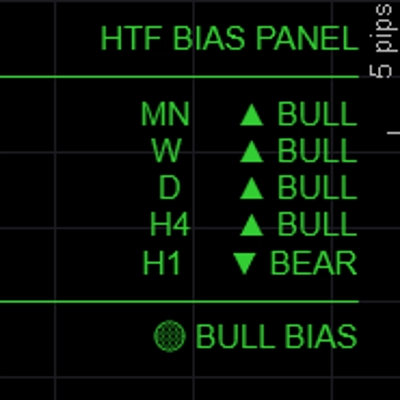
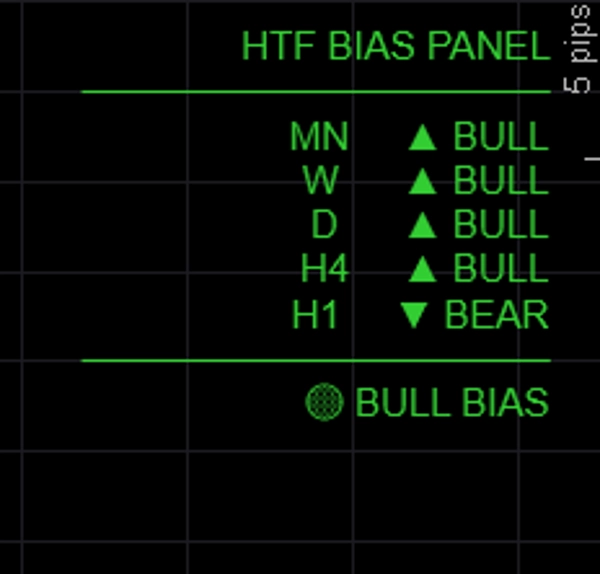
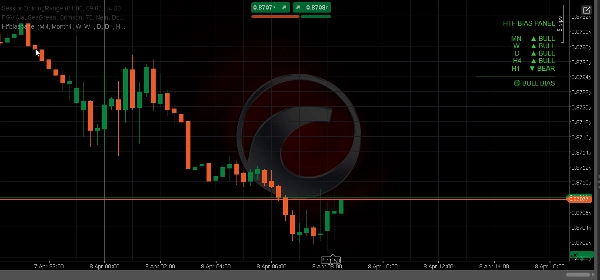
Shows the directional bias for up to five timeframes simultaneously in a clean on-chart panel — so you always know whether the higher timeframes are bullish, bearish, or mixed before entering a trade.


─────────────────────────────

KEY FEATURES


► 5 fully configurable timeframes — default MN / W / D / H4 / H1, all labels and TFs customizable

► Three bias methods — choose how bias is determined per session:

• EMA: close above/below EMA(50) → most reliable for trend following

• Price vs Last Close: current close vs previous close → reactive, momentum-based

• BOS: recent range vs prior range → structure-based bias

► Alignment summary — FULL BULL / FULL BEAR / BULL BIAS / BEAR BIAS / NEUTRAL shown at bottom of panel

► Color-coded output — green for bullish, red for bearish, gray for neutral

► Panel position — place top-left, top-right, top-center, bottom-left, or bottom-right

► Fully customizable colors for bullish, bearish, and neutral states

► Lightweight — no chart drawings, no rectangles, no overhead


─────────────────────────────

BIAS METHODS EXPLAINED


→ EMA (default): Bullish if close > EMA(period). Most stable, ignores short-term noise.

→ Price vs Last Close: Bullish if current bar close > previous bar close. Fast and reactive.

→ BOS: Compares recent N-bar range to prior N-bar range. Bullish if higher highs and higher lows.


─────────────────────────────

DEFAULT SETTINGS


→ TF1 Monthly (MN)

→ TF2 Weekly (W)

→ TF3 Daily (D)

→ TF4 H4

→ TF5 H1 (toggleable)

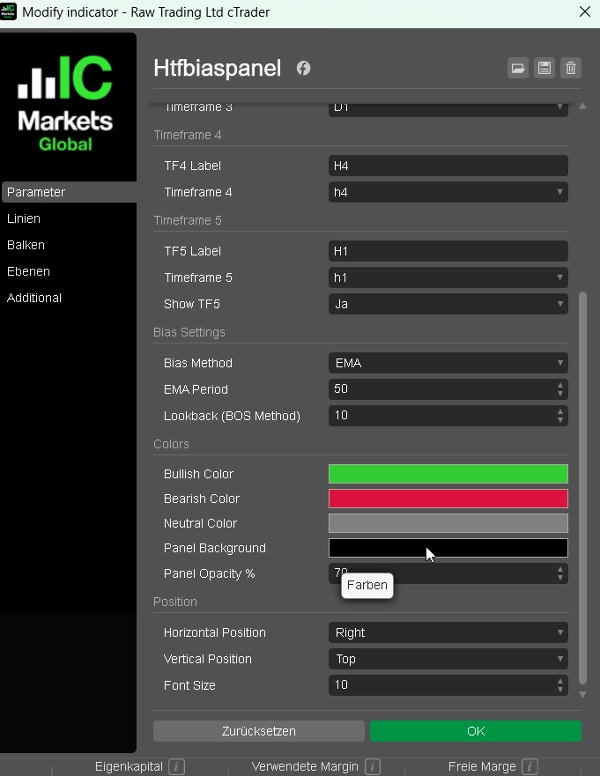
→ Bias Method EMA

→ EMA Period 50

→ Bull Color LimeGreen

→ Bear Color Crimson

→ Position Top Left


─────────────────────────────

HOW TO USE


1. Add the panel to any chart

2. Choose your preferred bias method (EMA recommended for beginners)

3. Check the alignment summary before entering a trade — only take longs when BULL BIAS or FULL BULL

4. Use HTF bias to filter signals from your BOS/CHoCH or FVG indicator — only trade in the direction confirmed by the panel

5. Adjust timeframes to match your trading style (e.g. D / H4 / H1 / M15 / M5 for scalpers)


─────────────────────────────

IDEAL FOR


✔ ICT and Smart Money Concepts traders needing quick top-down analysis

✔ Multi-timeframe traders who want a fast visual bias check

✔ FTMO and prop firm traders who need to trade with confluence

✔ Any trader who wants to avoid trading against the higher timeframe trend

✔ Forex, Gold, Indices, and Crypto CFD traders


─────────────────────────────

COMPATIBILITY


→ Platform cTrader (Desktop & Web)

→ Asset classes Forex, Indices, Commodities, Crypto CFDs

→ Timeframes All (M1 to MN)

→ Access Rights None required

→ Account type Live & Demo


━━━━━━━━━━━━━━━━━━━━━━━━━━━━━━━━━━━━━━━━


Indikatorprofil
Indikatorkategorie
Marktstruktur (SMC)
Ausgabetyp
Datenanforderungen
Unterstützte Signale
5.0
Bewertungen: 1
5
100 %
4
0 %
3
0 %
2
0 %
1
0 %
Kundenbewertungen
April 19, 2026
HTF Bias Panel is a clean and highly practical tool for multi-timeframe analysis. It quickly shows directional bias across up to five timeframes, helping traders stay aligned with the bigger picture. With multiple bias methods and a clear alignment summary, it’s an excellent filter to avoid trading against higher timeframe trends. Simple, fast, and very effective.
BTCUSD
Forex
Indices
EURUSD
Commodities
GBPUSD
NZDUSD
Prop
Fair Value Gap
SMC
Crypto
XAUUSD
NAS100
USDJPY
Über den cTrader Store verfügbare Produkte, einschließlich Handelsbots, Indikatoren und Plugins, werden von externen Entwicklern bereitgestellt und nur zu Informations- und technischen Zugriffszwecken verfügbar gemacht. cTrader Store ist kein Broker und erbringt keine Anlageberatung, persönlichen Empfehlungen oder eine Garantie für zukünftige Performance.

Mehr von diesem Autor

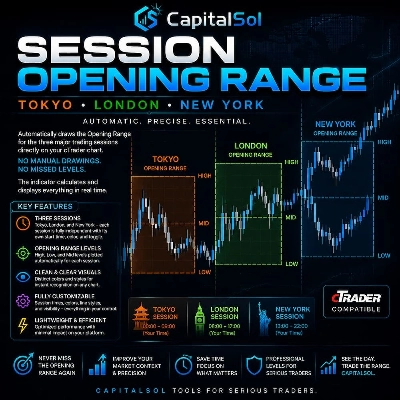
Automatically draws the Opening Range (High & Low) for Tokyo, London, and New York sessions. Configurable start times,
Killzone, ICT, SMC, Session, Asia, London, New York, NY PM, Session High, Session Low, Smart Money, Order Flow, Trading
ATR-based SL and TP1/2/3 levels with pip labels and R-multiples. Essential risk tool for FTMO and prop firm traders.

Das könnte Sie auch noch interessieren

Follow The Trend cBot - INDICATOR - displays two Moving Average Bands for cBot or for your own use
Unlike most indicators that show signals blindly, this show valid entries inside TREND ZONES and visual trend BACKTESTS.
IVB 2.0 is an indicator that works on the strategy of imbalance of the maximum volatility box of indices
Cumulative delta candles + volume profile
Parabolic SAR Alert - Trend reversal alerts with smart signals & custom alerts.
An intelligent chandelier-style trailing stop that flips when price breaks the opposite stop.
Enhance the trading experience with real-time Spread, Time To Close, rPNL, uPNL, PNL and minimalistic Bid / Ask lines
Day of Week Indicator for cTrader
QQEX Trinity Indicator - The Ultimate Trading Filter
SSL Channel with MTF modes, timeframe pattern, ATR envelope, and bar coloring.
Adaptive MA anchored to structural trend changes — no fixed period. Dual Supertrend + swing detection.
Advanced Pro Volume Profile: Double Back-to-Back, Institutional Dynamic, Fixed Range & Order Flow
It draws a step line that visualize the movement of H4. Particularly effective when trade on lower timeframe.
🔍 Divergence Indicator for cTrader (Update v1.1)
VWAP Set to London Open
Fractal Arrow Buy and Sell Indicator
Master market structure with auto ZigZag, Pattern detection & MTF alerts.
This histogram helps visualize the strength and direction of market movements, making it easier to spot potential trends
Seit 07/10/2025
1
Verkäufe