Description
Overview
TiltGuard Enforcer is an account-level risk enforcer for prop-firm challenges, funded accounts and personal accounts. It watches your account every second against your daily loss limit, your overall drawdown and your own discipline rules. The moment a rule is broken, it locks trading and enforces the lock. It never opens a trade and never gives a signal. Its only job is to protect the account.
Key Features
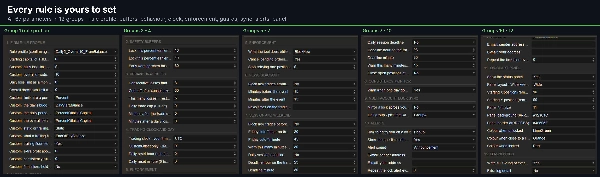
- Daily loss and overall drawdown limits: set as a percent or a money amount. Drawdown can be static or trailing (end-of-day or intraday, balance or equity), with an optional freeze at starting capital.
- Safety buffer: the lock fires before the firm's real limit (10% earlier by default).
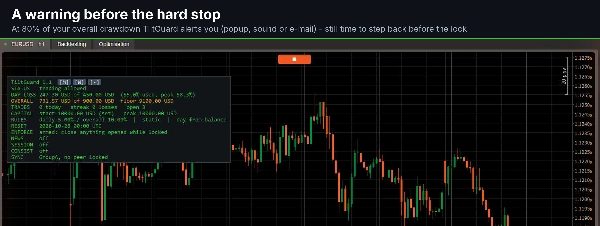
- Early warning: an alert at 80% of an allowance, so you can step back before the lock.
- Behavioural rules: a cool-off after consecutive losses, a rest-of-day stop and a daily trade cap.
- Optional guards: news blackout windows, a Friday weekend cutoff and a daily session deadline.
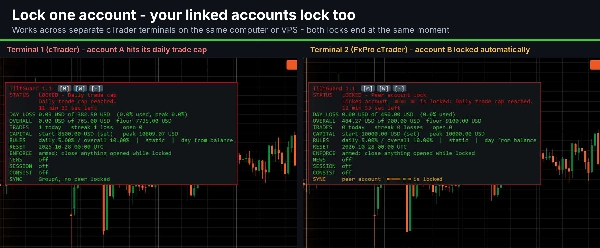
- Multi-account lock sync: when one linked account locks, your other linked accounts lock too, even across separate cTrader terminals on the same computer or VPS.
Lock & Enforcement
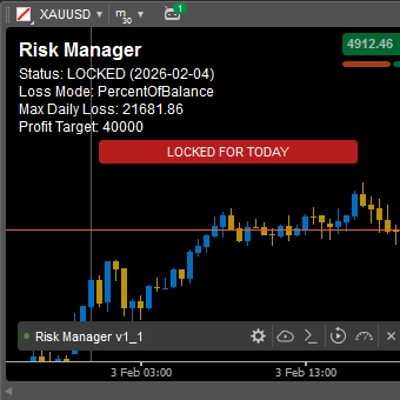
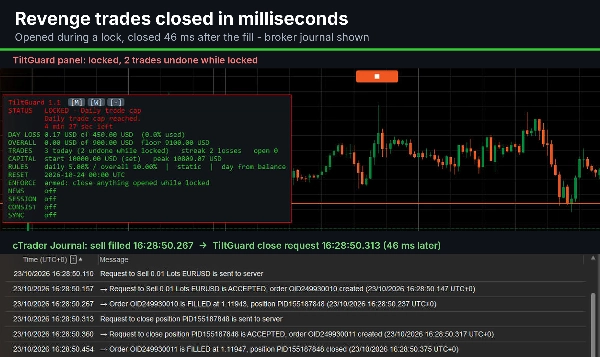
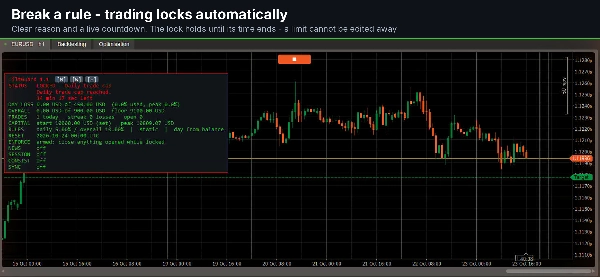
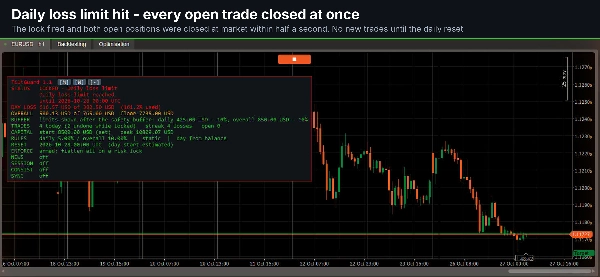
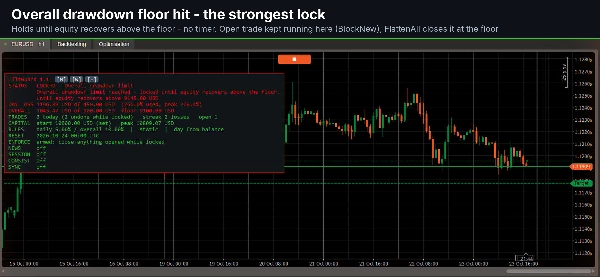
- Clear lock: the panel turns red and shows the reason and a live countdown.
- Locks that hold: editing the settings cannot lift a lock early. The only exception is a correction made in the first 5 minutes of a new setup.
- Revenge-trade closing: any position opened during a lock is closed within milliseconds, whether it came from a manual order or another cBot. Pending orders are cancelled.
- FlattenAll (default): closes every open position at a daily-loss or overall-drawdown lock. Behavioural locks leave your running trades untouched.
- Three enforcement modes: MonitorOnly, BlockNew and FlattenAll.
Live Dashboard
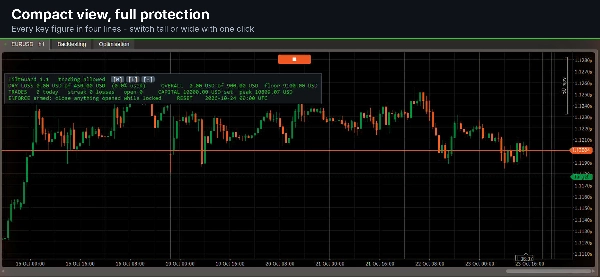
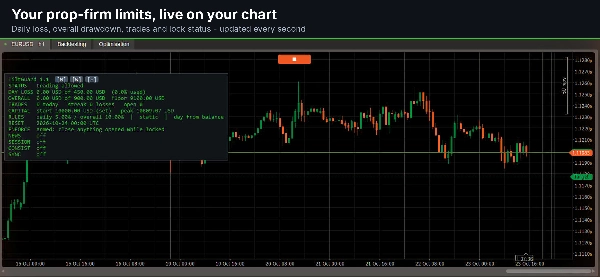
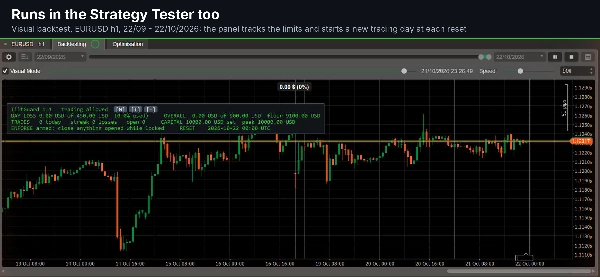
- Always visible: day loss, overall drawdown and floor, trades and loss streak, starting capital, rules, the next reset and the enforcement status.
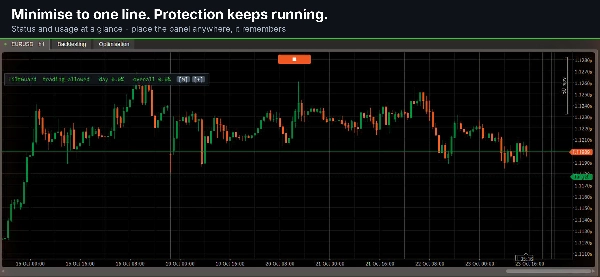
- Three layouts: tall, wide or a single line. Move the panel anywhere; it remembers its position.
- Colour states: green when clear, amber when near a limit, red when locked.
Rule Profiles & Trading Clock
- Ready-made rule shapes: 5%/10%, 4%/8% and 3%/6% from balance, 5%/10% from the higher of balance or equity, and a fixed daily amount with a trailing overall drawdown. A fully Custom profile is also available.
- Trading clock: UTC, London, Central Europe, Eastern Europe, New York, Chicago, Sydney, Tokyo, Hong Kong, Dubai or a custom GMT offset. Daylight saving is followed automatically for every named zone.
Alerts & Records
- Alerts: popup, sound or e-mail (through cTrader's own e-mail settings).
- Tilt log: a CSV file of every lock, release, closed trade and settings edit.
Who It Is For
- Prop-firm traders who must stay inside daily and overall drawdown limits.
- Traders who want a hard stop against revenge trading and overtrading.
- Traders running several challenges at once.
Symbols, Timeframes & Account
- Type: risk-management cBot. It does not open trades.
- Symbols and timeframes: attach it to any chart, any timeframe. It protects the whole account, including every symbol, manual trades and other cBots.
- Accounts: hedged and netted accounts. No minimum account size or leverage requirement.
- Setup: choose your rule profile, enter your challenge size as the starting capital, set your firm's reset time, and keep the cBot running.
Important Notice
Trading involves risk. Past performance does not guarantee future results. TiltGuard Enforcer helps you apply the limits you set. It does not guarantee passing an evaluation. Always configure it to your own firm's rules and test it on a demo account first.
Summary
Key features include configurable daily and overall drawdown limits (percent or fixed amounts), a safety buffer that triggers locks before firm limits, early warnings at 80% of limits, and behavioral controls such as cool-off periods after consecutive losses, daily trade caps, and rest-of-day stops. Optional guards include news blackout windows, Friday weekend cutoffs, and session deadlines. The bot supports multi-account lock synchronization across multiple cTrader terminals on the same machine or VPS.
The enforcement modes are MonitorOnly, BlockNew, and FlattenAll, with the default mode closing all open positions upon a loss limit lock. A live dashboard displays real-time account status, including losses, drawdowns, trade counts, and lock reasons, with customizable layouts and color-coded alerts. The bot supports any symbol and timeframe, hedged or netted accounts, and requires no minimum account size or leverage. It integrates with various time zones and provides alerts via popup, sound, or email. All lock events and settings changes are logged in a CSV file for review.