
Lot Size Calculator Tools for cTrader
Explore lot size calculator tools for cTrader to size positions faster and more consistently. Calculate lot size based on account balance, stop-loss distance, and risk per trade, then place orders with clearer context. Useful for Forex, XAUUSD and indices, whether you trade manually or alongside cBots.
Herramientas
Comparación de herramientas
Preguntas frecuentes














Comparación de herramientas
Producto | Valoraciones | Descargas | Ventas | Precio | Plataformas compatibles |
|---|---|---|---|---|---|
Lot Sizer Pro | 4.6 (12) | 2.15K | — | Gratis | Windows, Mac, Web |
RiskManagement - Full | 4.5 (4) | — | 57 | $45 | Windows, Mac |
ms_RiskManeger_English_V | 5.0 (3) | 688 | — | Gratis | Windows, Mac, Mobile, Web |
VegaXLR - Risk Manager | 4.7 (3) | — | 17 | $59 | Windows, Mac, Web |
PTrader | 5.0 (2) | 551 | — | Gratis | Windows, Mac, Mobile, Web |
TradeGuard | 4.7 (3) | — | 9 | $25 | Windows, Mac |
RiskOnTrade - DEMO | — | 373 | — | Gratis | Windows, Mac, Mobile, Web |
PositionManager | 5.0 (3) | — | 7 | $39 | Windows, Mac, Web |
DragnGoldEAPro_SELLNet6Demo | — | 283 | — | Gratis | Windows, Mac, Mobile, Web |
LT_RiskGuardian | 4.3 (3) | — | 5 | $39 | Windows, Mac, Mobile, Web |
Magic Position Tool | — | 165 | — | Gratis | Windows, Mac |
DragonGoldEAPro_SELLNet6 | 4.0 (2) | — | 4 | $99 | Windows, Mac, Mobile, Web |
Risk On Trade Lite | 4.0 (2) | — | 4 | $39 | Windows, Mac, Mobile, Web |
Risk On Trade | 4.0 (2) | — | 3 | $39 | Windows, Mac, Mobile, Web |
RiskPilot One-Click Trader - FULL | 4.5 (2) | — | 3 | $39 | Windows, Mac, Mobile, Web |
Gold Raijin cBot | 4.5 (2) | — | 2 | $69 | Windows, Mac, Mobile, Web |
LookPosOrder | 5.0 (1) | — | 1 | $19 | Windows, Mac |
Preguntas frecuentes
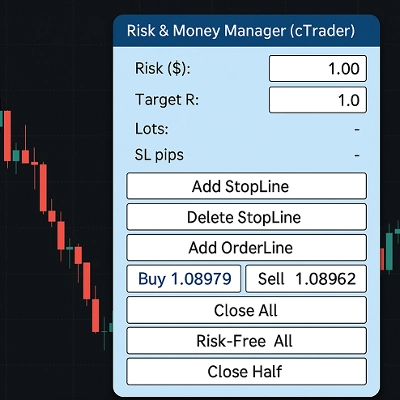
A lot size calculator divides the money you are prepared to risk by the stop loss distance multiplied by the value of one pip or point. The result is a volume in lots or units, which some tools then place as an order with that stop attached.
Yes, a sizing panel or plugin handles manual orders while your cBot instances run separately, though both draw on the same balance and margin. Keep an eye on combined exposure, since the panel cannot see what the bots will open next.
Brokers set a minimum volume and a volume step for every symbol, so the raw figure is rounded and real risk shifts slightly from your target. With a wide stop and a small balance, even the minimum volume can carry more risk than you intended.
It should read contract size and point value from each symbol's details rather than assume forex pips, because XAUUSD and indices are quoted differently from currency pairs. Check too whether it places orders, supports hedging or netting accounts, and offers a trial.
cBot versions with an on-chart panel usually run as local instances in cTrader Windows or Mac, while plugins appear in whichever cTrader apps they support. Try the sizing and order placement on a demo account first, since any order the tool sends is yours to answer for.