![Trading product for [CB] Pivot Points Pro Gösterge Breakout Indices, image 1](https://cdn.ctrader.com/image/webp/43463c82-67b0-4f10-a4ba-901bba091d81_32594)
![Trading product for [CB] Pivot Points Pro Gösterge Breakout Indices, image 2](https://cdn.ctrader.com/image/webp/722302dc-3fc8-4aab-9f38-a9f4314d8613_32595)
![Trading product for [CB] Pivot Points Pro Gösterge Breakout Indices, image 3](https://cdn.ctrader.com/image/webp/ead94ff6-1be2-4773-9c6c-dcdc74c8806c_32596)
Açıklama
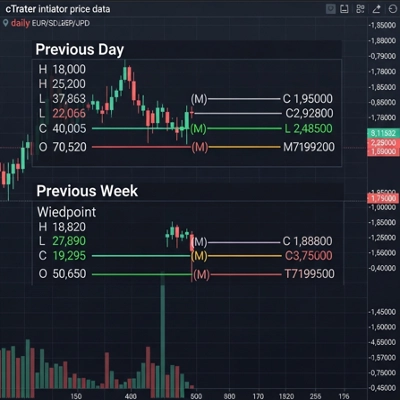
Bir pivot noktası, farklı zaman dilimlerini kullanarak piyasanın genel eğilimini belirlemek için kullanılan teknik analiz göstergesidir ve destek ve direnç seviyelerini tanımlama rolünü oynar. Bir pivot noktası göstergesi için en popüler zaman dilimi gündür.
Göstergenin Ayarlanması
Destek ve direnç seviyeleri 1,2 ve 3'ü kolayca kapatabilirsiniz, böylece sadece ana pivot noktasını görebilirsiniz, bu ayar Show R/S bölümünde yapılır. R/S terimi direnç ve destek seviyelerini ifade eder.
Mevcut Pivot Noktası Formülleri
Destek ve direnç seviyelerinin gösterildiği hesaplamalar için birkaç seçenek vardır, bu gösterge 3 farklı hesaplama seçeneği sunar.
- Standart (Klasik)
- Fibonacci
- Woodie
Çoklu Zaman Dilimi Seçenekleri
Gösterge ayrıca, farklı bir zaman dilimini gösteriyor olabilecek grafiğinizde farklı zaman dilimi pivot noktalarını gösterme seçeneğine sahiptir, mevcut zaman dilimleri şunlardır:
- Mevcut grafik zaman dilimi
- 1 saat
- 4 saat
- Günlük
- Haftalık
- Aylık
Gösterge ile Nasıl İşlem Yapılır
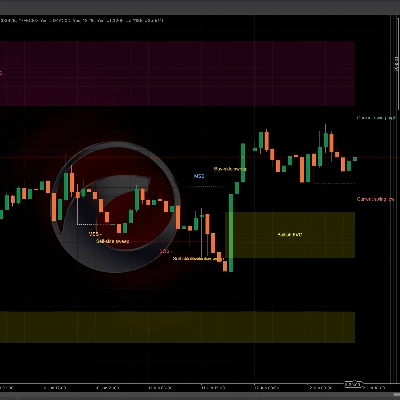
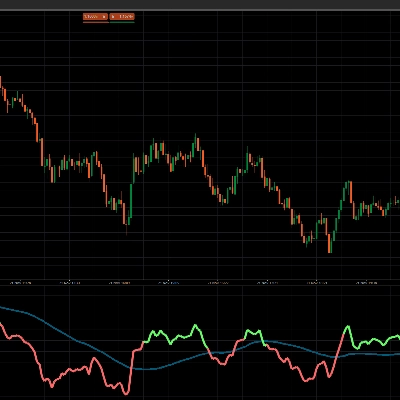
Bu gösterge ile nasıl işlem yapılacağına dair bir örnek aşağıda gösterilmiştir:
- Giriş 1: R1 seviyesinden reddedilme ve bir engulfing mum oluşumu
- Giriş 2: pivot noktasını kırma ve tekrar test etme
- Kar Al: S2 seviyesine ulaşma ve bu aynı zamanda aralığın alt sınırıdır
Özet
It offers multi-timeframe functionality, enabling the visualization of pivot points from various timeframes such as the current chart timeframe, 1-hour, 4-hour, daily, weekly, and monthly. This flexibility helps traders analyze market conditions across different periods.
The indicator is primarily used to find pullback entries within trends. Typical trading strategies include entering on rejection at resistance levels confirmed by candlestick patterns (e.g., engulfing candles), entering on breakout and retest of pivot points, and setting take profit targets at specified support levels like S2.
Overall, [CB] Pivot Points Pro facilitates the identification of trend direction and potential reversal or continuation points by plotting pivot levels and their associated support and resistance zones across multiple timeframes and calculation methods.
Müşteri değerlendirmeleri
5 | 33 % | |
4 | 67 % | |
3 | 0 % | |
2 | 0 % | |
1 | 0 % |