

Descripción
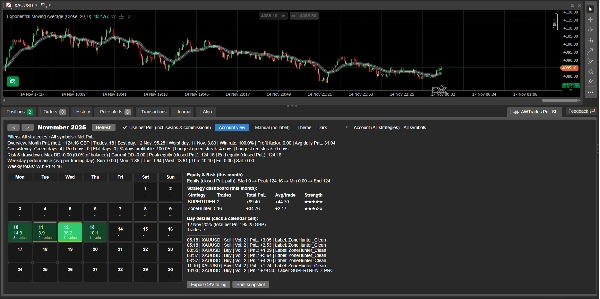
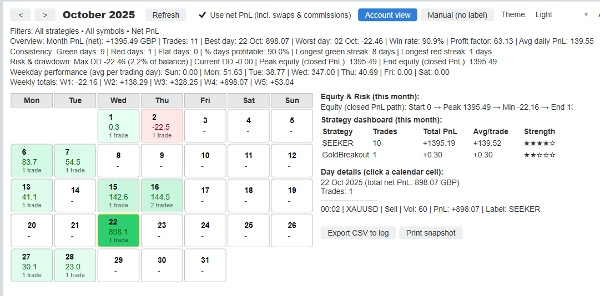
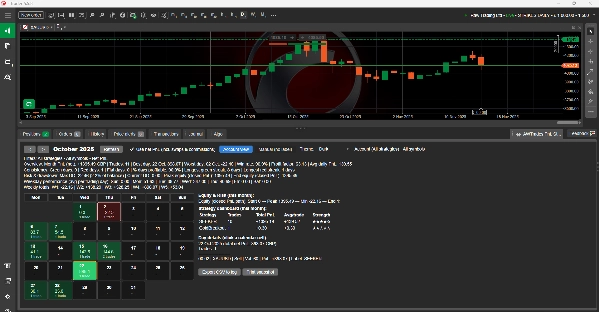
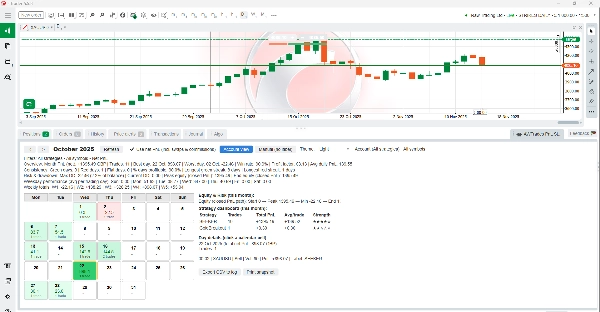
AWTrades PnL Studio es un potente complemento de seguimiento de rendimiento que convierte tu historial de cTrader en un calendario PnL limpio y codificado por colores, con análisis de estrategias, estadísticas de riesgo y perspectivas de capital, todo dentro del panel TradeWatch.
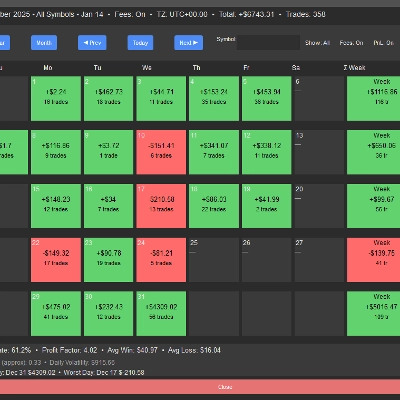
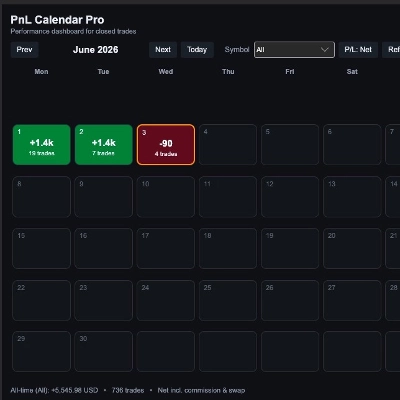
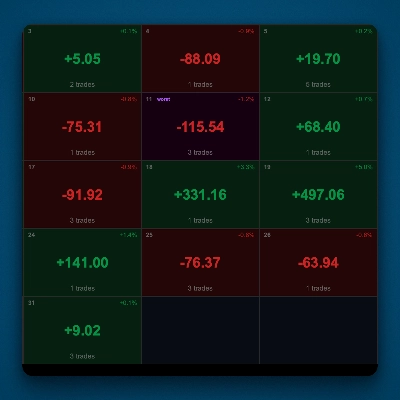
En lugar de buscar en el historial sin procesar, obtienes una visualización instantánea de cómo va tu mes: casillas del calendario verdes y rojas para cada día, desgloses de estrategias, totales semanales y máximo drawdown / trayectoria del capital, todo filtrable por símbolo, etiqueta (estrategia) y PnL neto vs bruto.
Úsalo para monitorear un solo bot, un conjunto de estrategias o toda tu cuenta de un vistazo.
Características clave
✅ Calendario PnL en TradeWatch
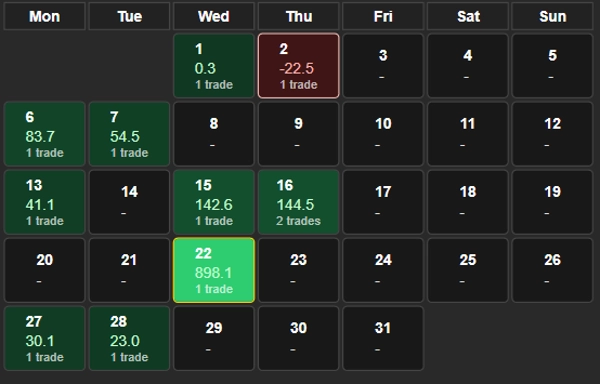
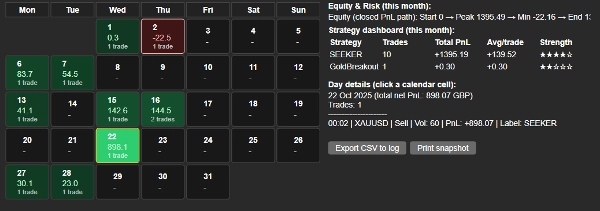
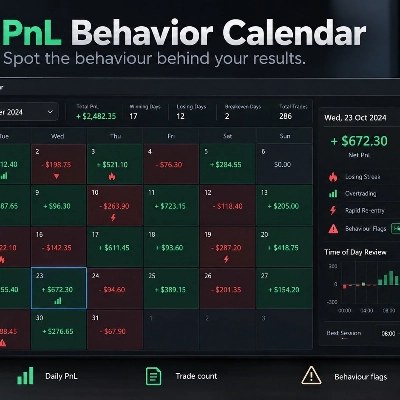
Ve tu rendimiento mensual como una cuadrícula de calendario: cada día muestra PnL y número de operaciones, con los mejores y peores días resaltados para una revisión rápida.
✅ Panel de Estrategias (por mes)
Desglose automático por etiqueta (estrategia): PnL total, número de operaciones, PnL promedio por operación y una calificación de “fuerza” de 1 a 5 ★ para que puedas ver instantáneamente qué bots están llevando la cuenta.
✅ Estadísticas incorporadas de Capital y Drawdown
Resumen de la trayectoria del capital con PnL cerrado (inicio → pico → mínimo → fin) más máximo drawdown, drawdown actual y DD como % del saldo, perfecto para monitoreo de riesgo e informes para inversores.
✅ Perspectivas por Día de la Semana y Semanales
PnL promedio por día de la semana y totales semanales, para que puedas ver qué días y semanas están impulsando o arrastrando el rendimiento.
✅ Filtros Rápidos y Preajustes
Filtrar por:
- Cuenta (todas las estrategias)
- Solo manual (sin etiqueta)
- Cualquier etiqueta / estrategia específica
- Cualquier símbolo o todos los símbolos
Cambiar entre bruto y neto (incl. swaps y comisiones) con una casilla de verificación.
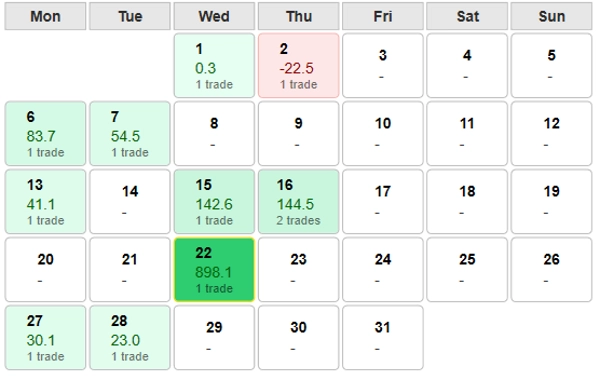
✅ Compatible con Modo Claro y Oscuro
Optimizado para temas oscuros y claros de cTrader: colores, bordes y contraste de texto están ajustados para que el calendario sea legible en cualquier esquema.
✅ Detalle a Nivel de Operación
Haz clic en cualquier día del calendario para ver cada operación de ese día: hora, símbolo, dirección, volumen, PnL y etiqueta, ideal para revisión rápida o para llevar un diario.
✅ Herramientas de Exportación y Captura
Exporta la vista actual a CSV en el registro, o imprime una línea concisa de resumen de rendimiento que puedes pegar en informes, chats o tu diario de trading.
Cómo usar
- Agrega AWTrades PnL Studio como un complemento en cTrader.
- Abre el panel TradeWatch y selecciona la pestaña “AWTrades PnL Studio”.
- Usa las flechas del mes y los preajustes de Vista de Cuenta / Manual (sin etiqueta) para cambiar de perspectiva.
- Filtra por símbolo o etiqueta de estrategia para analizar bots individuales o carteras.
- Haz clic en los días del calendario para listas de operaciones; usa Exportar CSV o Imprimir resumen para llevar un diario o actualizar a inversores.
AWTrades PnL Studio está creado por AWTrades, un trader sistemático enfocado en herramientas claras y prácticas que te ayudan a entender qué están haciendo tus estrategias realmente, día a día, semana a semana, mes a mes.
Resumen
Valoraciones de clientes
Conversación
Preguntas frecuentes


![Logotipo de "Custom Timeframes [Iridio Capital]"](https://cdn.ctrader.com/image/webp/4d75a920-23c7-4fea-a7b5-594a9d067f2e_63286)



Precio