Description
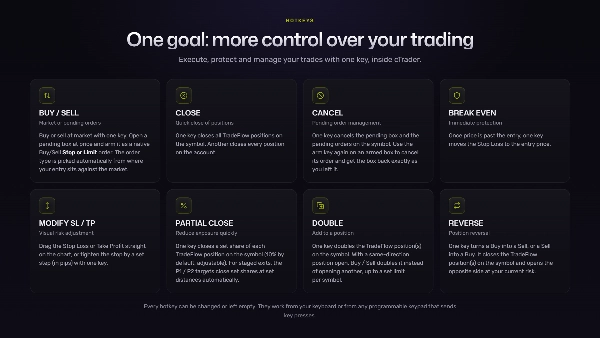
⚡TRADEFLOW™ est un plugin d'exécution et de gestion des trades par raccourcis clavier pour cTrader, conçu pour les traders recherchant une exécution plus rapide, une plus grande précision et plus de contrôle. Il transforme vos actions de trading clés en raccourcis clavier, réduisant les clics inutiles et améliorant l'efficacité à chaque session.
Conçu pour s'intégrer naturellement dans votre flux de travail, TradeFlow™ vous permet d'exécuter des entrées, de gérer les sorties, de modifier les ordres, de protéger les trades et d'ajuster les paramètres clés depuis un panneau compact et épuré sur le graphique avec un objectif clair — Plus de contrôle sur votre trading.
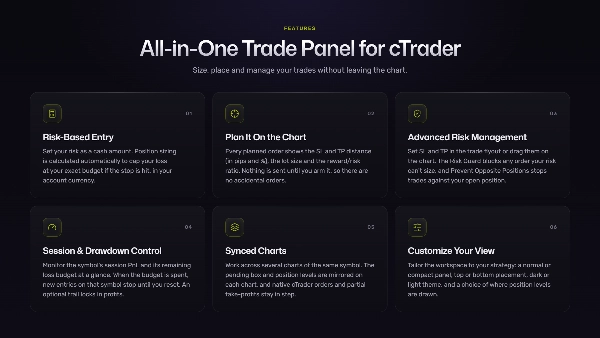
PANNEAU DE TRADE TOUT-EN-UN
⚡Exécution de trade instantanée et interactive sur le graphique
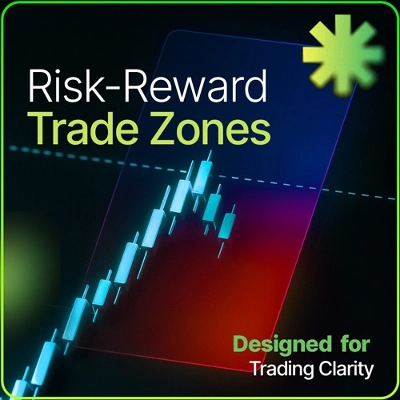
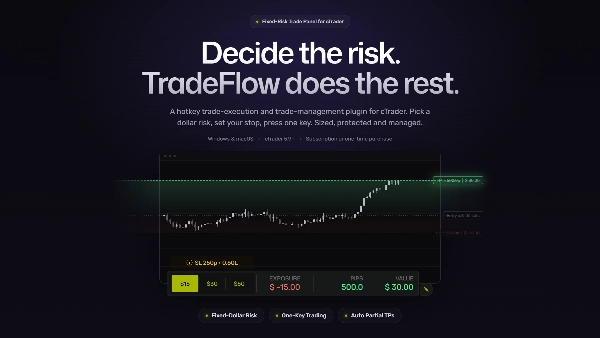
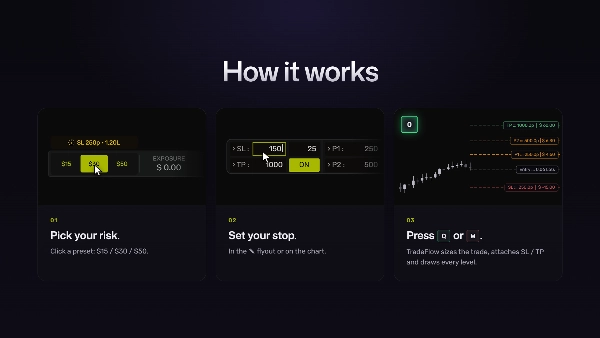
Planifiez les ordres sur le graphique et faites glisser les niveaux pour définir votre entrée, Stop Loss et Take Profit, avec le ratio Risque/Rendement mis à jour en temps réel. Utilisez-le pour une exécution instantanée ou déposez une boîte d'ordre en attente et attendez que le prix atteigne votre niveau.
⚡Entrée basée sur le risque
Définissez votre risque en montant monétaire. La taille de la position est calculée automatiquement pour limiter votre perte à votre budget exact si le stop est atteint. Le montant est affiché dans la devise de votre compte cTrader, quelle que soit cette devise.
⚡Gestion avancée du risque
Définissez Take Profit et Stop Loss dans le panneau de trade ou faites-les glisser sur le graphique. Resserrez le stop ou déplacez-le au point d'équilibre. Le Risk Guard bloque tout ordre dont le risque ne peut pas être dimensionné, et la fonction Prevent Opposite Positions vous empêche d'ouvrir un trade contre votre position ouverte.
⚡Modèle de confirmation en attente
Chaque ordre planifié affiche la distance Stop Loss et Take Profit (en pips et %), la taille du lot et le ratio récompense/risque. Il fonctionne en modes Aperçu et Actif : rien n'est envoyé tant que vous ne l'activez pas, évitant ainsi les ordres accidentels.
⚡Contrôle de session et de drawdown
Surveillez en un coup d'œil le PnL de la session du symbole et son budget de perte restant. Lorsque le budget est épuisé, les nouvelles entrées sur ce symbole s'arrêtent jusqu'à réinitialisation.
⚡Graphiques synchronisés
Travaillez sur plusieurs graphiques du même symbole. La boîte d'ordre en attente et les niveaux de position sont reflétés sur chaque graphique, le panneau de session est présent sur tous, et les ordres natifs cTrader ainsi que les prises de profits partielles restent synchronisés avec TradeFlow™.
⚡Personnalisez votre vue
Adaptez l'espace de travail à votre stratégie et préférences visuelles : panneau normal ou compact, position en haut ou en bas, thème sombre ou clair, et choix de l'affichage des niveaux de position.
CONÇU POUR AMÉLIORER VOTRE EXÉCUTION
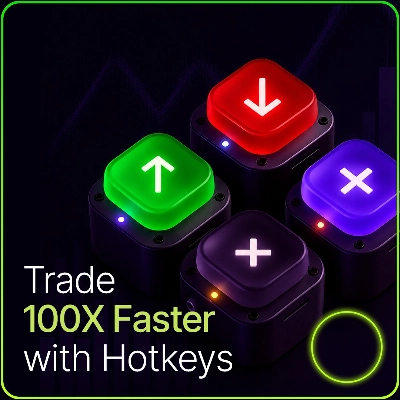
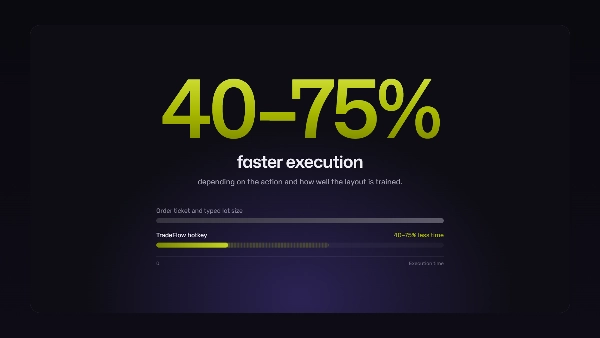
Avec TradeFlow™, chaque action importante est à une touche. Cela vous permet d'agir plus rapidement dans les moments volatils, aide à réduire les erreurs manuelles, et garde votre attention là où elle compte : le graphique, la stratégie et le risque. Des workflows de raccourcis testés réduisent les temps d'exécution de 40 à 75%, selon l'action et votre maîtrise du layout.
D'une entrée rapide sur le marché à l'ajustement d'un Stop Loss ou Take Profit, TradeFlow™ simplifie votre interaction avec cTrader et vous aide à trader avec plus de fluidité.
PARAMÈTRES PERSONNALISABLES
Adaptez TradeFlow™ à votre style de trading :
- Trois préréglages de risque personnalisables en dollars fixes
- Stop Loss et Take Profit en pips, sauvegardés par symbole
- Ajustement de pas SL pour resserrement du stop / trailing
- 2 préréglages pour objectifs partiels automatisés
- Volume de clôture partielle manuelle
- Risk Guard pour ordres en attente modifiés
- Protection contre le drawdown avec un trailing optionnel qui verrouille les profits
- Thèmes de couleur de l'interface et personnalisation des couleurs des niveaux
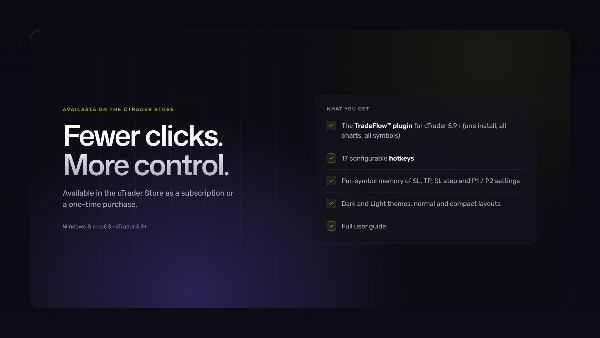
Moins de clics. Plus de contrôle.
TRADING PAR RACCOURCIS AVEC TRADEFLOW™
La configuration la plus rapide pour les traders actifs de cTrader est un ensemble de raccourcis qui font toujours la même chose, avec votre risque calculé avant de les presser. TradeFlow™ vous offre cela dans cTrader, sans besoin de connaissances techniques pour l'installation.
Votre prochaine étape : obtenez le plugin depuis le cTrader Store, activez-le sur un symbole, et effectuez au moins une session complète sur un compte démo avant de passer en réel.
Deux raisons pour lesquelles cela est plus important que ce que la plupart des traders pensent :
- Les raccourcis réduisent le temps entre la décision et l'exécution. Il n'y a pas de ticket d'ordre à ouvrir ni de taille de lot à taper dans un marché rapide.
- Les commandes répétables sont la fonctionnalité la plus importante. Chaque touche fait exactement la même chose à chaque fois, sans chercher dans les panneaux ou menus.
CE QUE PEUVENT DÉCLENCHER LES RACCOURCIS TRADEFLOW™ HOTKEYS
Tout appareil envoyant des pressions de touches standard à cTrader :
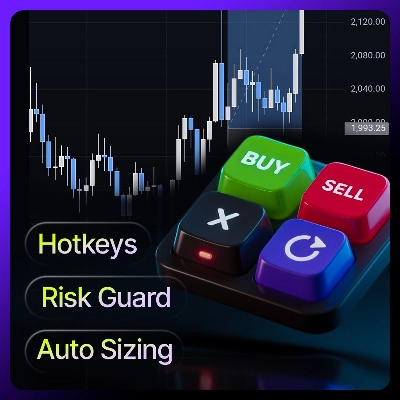
- Votre clavier : chaque raccourci fonctionne immédiatement.
- Macropads et claviers programmables : mappez une touche du pad à la touche TradeFlow (ex.
Q) et elle se comporte exactement comme si vous la pressiez. - Contrôleurs de type Stream Deck : mappez des boutons aux raccourcis clavier. Ils sont mieux utilisés comme couche étiquetée à côté de votre clavier.
AVANT DE PASSER EN RÉEL
Les raccourcis TradeFlow™ agissent sur le graphique sur lequel vous avez cliqué en dernier, uniquement sur les symboles activés. Vérifiez-les d'abord sur un compte démo :
- Les raccourcis fonctionnent avec le graphique actif correct. Cliquez dans le graphique avant de presser.
- Sur des configurations multi-écrans, cliquez sur le graphique cible et confirmez que le raccourci agit sur ce symbole.
- Les touches TradeFlow ne doivent pas entrer en conflit avec d'autres raccourcis que vous utilisez. Si c'est le cas, changez-la ou ajoutez un modificateur (ex.
Ctrl+Q) dans les paramètres du plugin. - Chaque touche que vous prévoyez d'utiliser fait ce que vous attendez.
POINTS CLÉS
L'exécution est la partie que la plupart des traders sous-estiment
- La plupart des formations en trading se concentrent sur la stratégie, la psychologie et la gestion du risque, et à juste titre. Mais aucune stratégie ne corrige certaines erreurs : la mauvaise taille de lot, la sortie lente, le stop que vous avez oublié de déplacer. Ce sont des problèmes d'exécution, et ils ont des solutions d'exécution.
- Avec des raccourcis fixes et un risque fixe, votre cerveau cesse de dépenser de l'effort à chercher des boutons et taper des chiffres. Cette attention libérée revient à la lecture du marché, et votre exécution devient partie intégrante du plan de trading plutôt qu'une chose séparée à gérer.
Prêt à l'emploi
- TradeFlow™ fonctionne avec l'application de bureau cTrader sur Windows et macOS. Installez-le, activez un symbole depuis la barre d'outils principale. Disponible dans le cTrader Store en abonnement ou achat unique.
- Faites toujours un test rapide en démo après une mise à jour de la plateforme. Cela confirme que tout fonctionne comme prévu avant d'utiliser de l'argent réel.
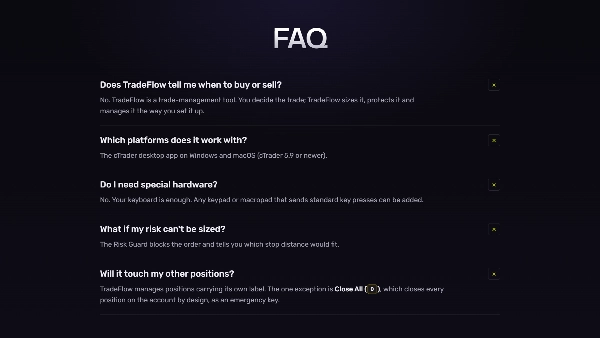
FAQ
Qu'est-ce que le trading par raccourcis clavier ?
Exécuter des commandes de trading depuis le clavier, ou depuis un pavé numérique ou macropad, au lieu de cliquer dans les tickets d'ordre et menus.
TradeFlow™ fonctionne-t-il avec l'application mobile ou la plateforme web cTrader ?
Non. TradeFlow™ est un plugin cTrader et fonctionne uniquement avec l'application de bureau cTrader sur Windows et macOS.
Ai-je besoin de matériel spécial ?
Non. Votre clavier suffit. Tout pavé numérique ou macropad envoyant des pressions de touches standard peut être ajouté.
Dois-je m'entraîner sur un compte démo avant de passer en réel ?
Oui, toujours. Testez chaque touche que vous utilisez pour confirmer qu'elle agit sur le bon graphique et ne rentre pas en conflit avec d'autres raccourcis.
AVERTISSEMENT
TradeFlow™ est un plugin de gestion des trades pour l'application de bureau cTrader. Il exécute des commandes depuis votre clavier ou tout pavé programmable envoyant des pressions de touches. TradeFlow™ n'est pas une stratégie automatisée ni un générateur de signaux de trading. Toute référence aux plateformes ou fonctions de trading décrit uniquement la compatibilité technique et les fonctions du plugin. Le trading de produits à effet de levier tels que les CFD et le Forex comporte un risque élevé de perte.
Résumé
Key features include:
- Risk-based position sizing calculated from entry and stop-loss distances.
- Visual on-chart tools to set entries, stop-losses, and take-profit levels with real-time risk display.
- One-key trade management for stop-loss adjustments, partial profit-taking, scaling in, reversing, or closing positions.
- Automated scale-out profit targets with configurable follow-up actions.
- Account-level drawdown protection that blocks new trades when loss limits are reached.
- Multi-chart synchronization sharing risk settings and hotkeys across charts.
- Designed exclusively for Netting mode, managing one consolidated net position per symbol with integrated scaling.
TradeFlow™ emphasizes minimal friction by keeping execution and management close to the chart, supporting scalping, day trading, and discretionary swing trading. It does not generate trading signals or support multiple independent positions, grid trading, or fragmented multi-position management. The plugin offers customizable UI themes and maintains detailed logs for diagnostics. Support and onboarding via screen-sharing sessions are available.
Discussion
Avis clients
5 | 100 % | |
4 | 0 % | |
3 | 0 % | |
2 | 0 % | |
1 | 0 % |